
AI Video Production for Courses & Training | X-Pilot

What is X-Pilot
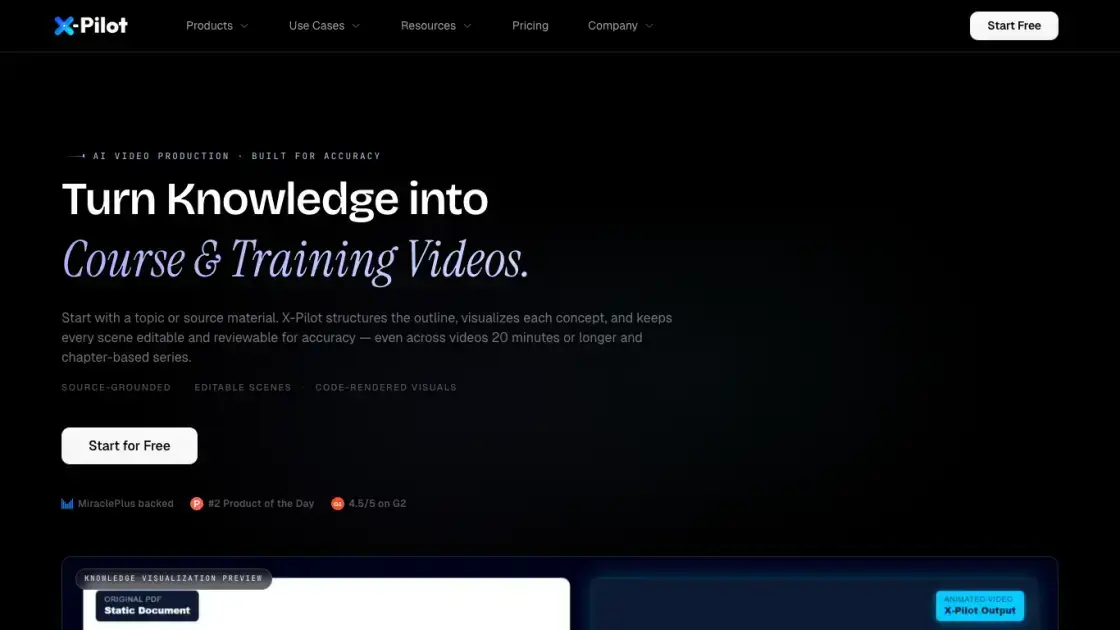
X-Pilot is an AI video production platform built for course creators and trainers. It turns knowledge into course and training videos, starting from a topic or source material. The platform structures the outline, visualizes each concept, and keeps every scene editable and reviewable for accuracy, even across videos of 20 minutes or more and chapter-based series. It supports multiple document inputs, including PDF, PPT, DOC, and Markdown, and produces editable, reviewable videos with chapter organization. The workflow is source-grounded, with editable scenes and code-rendered visuals. Users can review generated outlines, scenes, narration, and full previews against the source before exporting MP4 files. X-Pilot targets exam-prep tutors, certification trainers, and SOP or training leads who need accurate knowledge visualization and controlled, reviewable video production.
How does X-Pilot work
X-Pilot generates course and training videos through a structured, reviewable pipeline. A user starts with a topic, an existing document, or finished narration. The platform analyzes the source material and structures a chapter-based outline, then visualizes each concept into scenes. Users review the generated outline, scenes, narration, formulas, labels, and the complete preview against the source before export. Course mode keeps a flat chapter outline and creates one separate project per selected chapter. When a project is approved, the scene code is rendered with Remotion under a bounded configuration to produce the final MP4. This deterministic rendering keeps planning and factual review outside the render layer, so accuracy depends on the review workflow rather than generation alone.
Benefits of X-Pilot
X-Pilot provides a reviewable and editable path for producing accurate course and training videos. Its main advantage is source-grounded generation: outlines, scenes, narration, formulas, labels, and full previews are checked against the original material before export. Editable scenes give creators control over wording and visual accuracy, while chapter-based organization keeps each lesson in its own project. The deterministic rendering layer uses a consistent Remotion configuration for approved scene code, making visuals reusable and predictable. Support for multiple document inputs reduces re-typing and manual slide work, and the free plan lets new users test a full video generation without a credit card.
Pros and Cons of X-Pilot
Pros
- Source-grounded, reviewable output
- Editable and controllable scenes
- Supports many document inputs
- Chapter-based course organization
- Deterministic code-rendered visuals
Cons
- Requires manual review before export
- Free plan limits to one video
- No presenter-led delivery mode
- Rendering determinism is scope-limited
- Accuracy depends on the review workflow
Core Features of X-Pilot
Document to Video
Upload a PDF, PPT, DOC, or Markdown file and convert it into an editable video project with reviewable source fidelity.
AI Video Generators
Choose a purpose-built generator for courses, training, explainers, or education, each wrapping the right inputs and capabilities into one workflow.
Source-Grounded Accuracy
Generated outlines, scenes, and narration are reviewed against the source material, supporting accuracy through a documented review workflow.
Editable and Reviewable Scenes
Every scene remains editable and reviewable before export, so creators verify wording, labels, and narration before publishing.
Chapter-Based Organization
Course mode organizes a flat chapter outline and creates one separate editable project per selected chapter.
Code-Rendered Visuals
Approved scene code is rendered with Remotion under a consistent configuration, producing deterministic, reusable visual components.
Natural-Language Editing
Type plain-language instructions to revise outlines and scenes, preview the change, and export MP4.
Use Cases of X-Pilot
- Exam-prep tutors: Turn an IGCSE, IB, AP, or SAT syllabus into reviewed chapter videos organized as a course series.
- Certification trainers: Build FDNY, OSHA, PMP, or CFA prep libraries from blueprint-driven source material.
- SOP and training leads: Convert compliance SOPs, HIPAA, or bilingual onboarding docs into reviewable training videos.
- Technical publishers: Produce LLM, PLC, REST API, or AI engineering tutorials that require qualified code and diagram review.
FAQs of X-Pilot
How is the X-Pilot product catalog organized?
The catalog is organized around three paths: the input you already have, the finished video outcome, or the production capability you need. All three paths open the same studio for editable projects with reviewable source fidelity and chapter organization.
Should I start from an input page or an AI video generator?
Start from the input you have. If it is a PDF, begin at PDF to Video. If it is an exam syllabus or certification blueprint, use the chapter-sequence path. If you want to test one educational video, use the dedicated free generator.
What is deterministic in X-Pilot's rendering workflow?
Determinism applies only to rendering approved visual scene code with Remotion under the same configuration. Planning, scripts, and optional generated assets remain outside this scope, and source accuracy depends on the review workflow.
Who is X-Pilot built for?
X-Pilot is built for independent course creators and trainers whose source material requires user verification. This includes exam-prep tutors, certification trainers, SOP or training leads, and technical publishers who need qualified review of code, commands, and diagrams.
Which input formats does X-Pilot accept?
X-Pilot accepts PDF, PowerPoint (PPT/PPTX), Word (DOC/DOCX), Markdown, plain text, finished scripts, and web URLs as source material for editable video projects.
Can I try X-Pilot for free?
The Free plan includes one video generation with no credit card required. Current free credits, limits, and trial terms are documented on the pricing page, which is the source of truth for current availability.
What does "series-based generation" mean?
Series-based generation means one flat chapter outline is organized into a course, and one independent video project is created and reviewed per selected chapter, rather than producing a single long video.
How to use X-Pilot
- Open the X-Pilot Studio and create a new editable project.
- Choose an input, such as a PDF, PowerPoint, Markdown document, or a web URL.
- Review the generated outline, then confirm the flat chapter map before creating per-chapter projects.
- Inspect each scene, narration, and preview against the source, editing wording or visuals as needed.
- Approve the project and export the reviewed video as an MP4.
- Upload the MP4 manually to Udemy, Teachable, your LMS, or another destination.
X-Pilot Website Traffic Analysis
Latest traffic information
- Monthly Visits68.02K
- Bounce Rate34.91%
- Pages Per Visit4.95
- Visit Duration00:01:10
- Global Rank375.1K
- Country/Region Ranking6.22K
Top Keywords
| Keyword | Traffic | Volume | Cost Per Click |
|---|---|---|---|
| x-pilot | 400 | 400 | -- |
| x-pilot ai | 110 | 130 | -- |
| x pilot | 90 | 550 | -- |
| ai explainer videos | 80 | 4.23K | $7.38 |
| url to video converter | 60 | 580 | $0.14 |
Top Regions
| Region | Percentage |
|---|---|
| Vietnam | 11.02% |
| United States | 10.4% |
| India | 7.35% |
| United Kingdom | 5.44% |
| Egypt | 5.09% |
X-Pilot Alternatives
Seedance 3.0 preview page: planned multi-shot continuity, scene editing and audio-visual sync for AI video, while the on-page generator runs Seedance 2.5.
Browser workspace for AI image generation, reference photo editing, and short video drafts, aimed at creators, marketers, and product teams.
Black Forest Labs' multimodal model with a web generator for text-to-video, image-to-video and image editing with native audio, for creators and marketers.
Wan API is an independent platform for Wan and Seedance video models. Compare specs and rates, generate clips in the Playground, or call them through one API.
Seedance 3.0 turns text, images, video clips, and audio into videos with sound, and edits one part of a clip without regenerating the rest.
Scribix is an AI video clipper that cuts podcasts and interviews into captioned vertical shorts, then publishes them to YouTube, TikTok and LinkedIn.
Wery is a virtual AI studio that routes one goal to specialist agents for video, images, music and documents, keeping characters and project assets consistent.

AI video and image studio with text-to-video, image-to-video and keyframe control across Seedance, Kling, Wan and Vidu — all on one credit balance.
Browser studio for AI video, image and music generation with Grok Imagine, Kling and GPT Image models. Free daily credits, no sign-up required.
SeaMove AI is an AI video and image generation platform offering Seedance 2.0 and Seedance 2.5 models for text-to-video, image-to-video, and reference-based creation. Features multi-shot continuity, director-level control, and audio-visual sync for creators and studios.
Turns two separate portraits into a 15-second vertical rap duet video on an orange stage with a shared microphone and the original soundtrack. Free 480P preview available.
Katto turns long videos and podcasts into scored, captioned 9:16 clips. It ranks clips by viral potential and exports them to 7 platforms from one place.