
GPT Image 2 makes 4K images with accurate typography

What is GPT Image 2
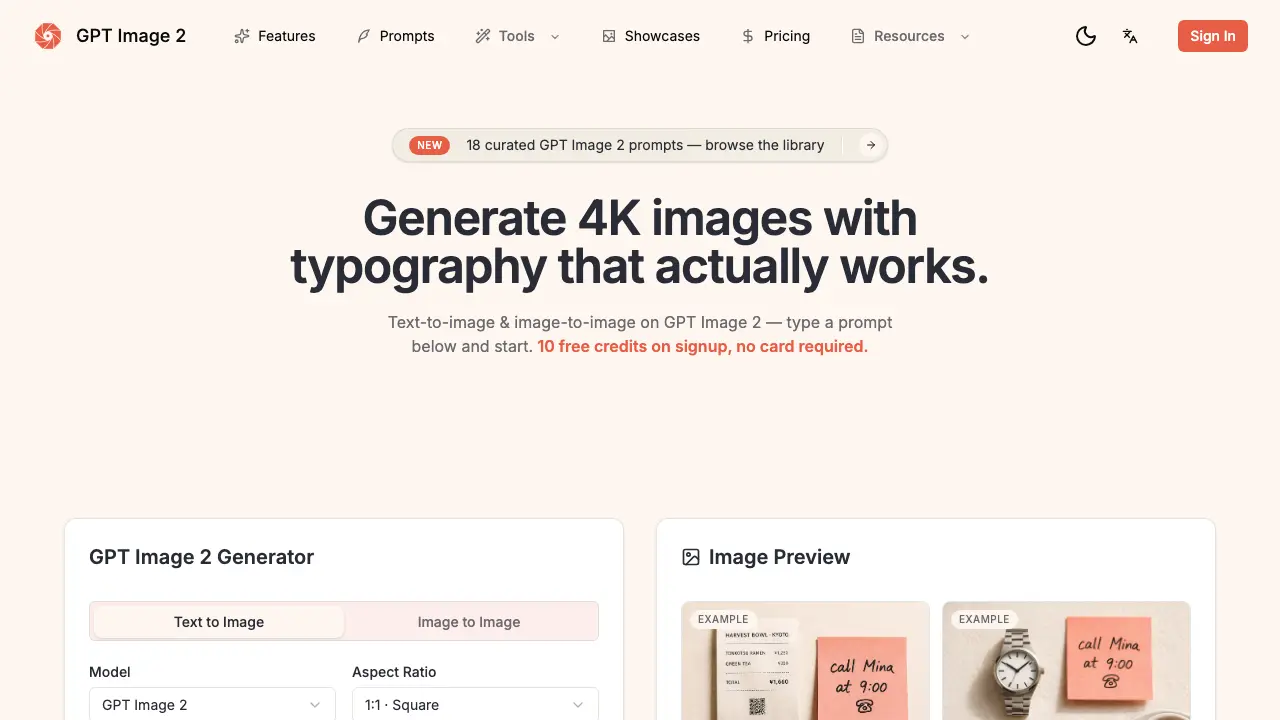
GPT Image 2 is an AI‑driven image studio that combines text‑to‑image and image‑to‑image generation in a single canvas. Built on OpenAI’s next‑gen autoregressive multimodal model, it produces native 4K output (up to 4096 × 4096) with sub‑3 second single‑pass rendering, eliminating the need for up‑scaling pipelines. The model excels at multilingual typography—rendering English, Chinese, Japanese, Arabic and Cyrillic text with > 99 % accuracy—so designers can generate posters, UI mockups, product photos, or scientific diagrams that are ready for shipment without manual retouching. World‑knowledge reasoning ensures contextual details such as correctly positioned clock hands or realistic geography. Additional features include character lock for batch consistency, region‑based prompting, and native aspect‑ratio support (1:1, 16:9, 9:16). Credit‑based pricing offers a free starter pack and scalable plans for hobbyists, creators, and studios.
How does GPT Image 2 work
GPT Image 2 operates as an autoregressive multimodal model that processes a single forward pass to generate 4K × 4K images directly from natural‑language prompts. The system first parses the prompt, extracting any requested text, language, and layout instructions, then applies world‑knowledge reasoning to place objects—such as clocks or signage—accurately within the scene. Users can optionally upload a reference image for image‑to‑image transformation, locking style or subject across iterations. After selecting aspect ratio and quality tier, the model outputs a raster PNG or PDF, delivering multilingual typography and region‑specific content without additional retouching or upscaling steps.
Benefits of GPT Image 2
GPT Image 2 delivers production‑ready 4K visuals with built‑in multilingual typography, handling English, CJK, Arabic and Cyrillic at > 99 % accuracy. Its autoregressive “Spud” model reasons about physics and layout, so clocks read the correct time and maps show real coastlines without post‑editing. Single‑pass generation runs in under 3 seconds, supporting 1:1, 16:9 and 9:16 ratios, and offers seamless text‑to‑image and image‑to‑image workflows on one canvas. Features such as Character Lock, region‑based prompting and native 4K export reduce tool‑chain complexity, making it ideal for brand assets, UI mockups, e‑commerce banners and scientific diagrams.
Pros and Cons of GPT Image 2
Pros
- 99%+ accurate multilingual text rendering.
- Native 4K output up to 4096×4096.
- Sub‑3‑second single‑pass generation.
- Character lock ensures batch consistency.
- Region control allows per‑area content editing.
Cons
- Credit‑based pricing can become costly for heavy users.
- Free tier limited to only 10 credits.
- Advanced features (priority queue, team workspace) are roadmap items.
- No native video generation support.
- Dependent on internet latency for model access.
Core Features of GPT Image 2
Text‑to‑Image Generation
Creates photorealistic or stylized 4K images directly from natural‑language prompts, supporting single‑pass output without diffusion steps, accelerating production workflows.
Image‑to‑Image Re‑creation
Transforms uploaded sketches, product shots, or character sheets while preserving defined elements, enabling style transfer, restaging, or visual refinement on the same canvas.
Multilingual Typography Rendering
Renders English, CJK, Arabic, and Cyrillic text with >99 % accuracy, eliminating post‑generation cleanup for posters, UI mockups, and e‑commerce hero images.
Character Lock Across Batches
Locks a specific subject’s appearance throughout multiple generations, ensuring consistent faces, outfits, or objects across comic panels, catalogs, or brand assets.
Region Control Prompting
Allows per‑region content specifications within a single prompt, removing the need for masking or node‑graph workflows while maintaining layout precision.
World‑Knowledge Reasoning
Integrates factual and physical reasoning—e.g., correct clock hands or realistic map coastlines—so generated scenes obey real‑world constraints on first pass.
Native 4K and Aspect‑Ratio Output
Delivers up to 4096 × 4096 resolution in square, 16:9, 9:16, or custom ratios, removing reliance on external upscaling pipelines for high‑quality assets.
Use Cases of GPT Image 2
- Marketing teams: Create multilingual 4K campaign posters with accurate typography, eliminating post‑production text cleanup.
- UI/UX designers: Generate responsive app mockups that include live‑rendered button labels and dropdowns in a single prompt.
- Comic creators: Produce consistent character sheets and multi‑panel strips using character lock and region‑based text control.
- E‑commerce managers: Produce product hero shots with native price tags in Chinese, Japanese, or Arabic, ready for storefront publishing.
- Educators: Design scientific diagrams and infographics with precise labels and measurements, reducing manual illustration time.
FAQs of GPT Image 2
What is GPT Image 2?
GPT Image 2 is OpenAI’s next‑generation autoregressive multimodal model (codename “Spud”) that generates 4K native images from text or reference images. It combines world‑knowledge reasoning, multilingual typography, and sub‑3‑second single‑pass generation, allowing creators to produce production‑ready assets without additional editing tools.
Is GPT Image 2 available to use here?
Yes. The GPT Image 2 web interface provides immediate access without a waitlist or credit‑card requirement. New users receive 10 free credits, which cover two 1K‑resolution generations, after which additional credits can be purchased through the pricing plans.
How is this site different from the official OpenAI API?
The site offers a ready‑to‑use canvas that bundles GPT Image 2 and competing models in a single UI, handling prompt entry, image‑to‑image uploads, aspect‑ratio selection, and credit‑based billing. The official OpenAI API requires developers to build their own front‑end, manage authentication, and handle post‑processing separately.
Which models can I use here?
In addition to GPT Image 2, the platform provides access to other publicly released models such as DALL·E 3, Nano Banana Pro, and Midjourney v7. Users can switch models with one click while keeping the same prompt and canvas, enabling direct comparison of output quality and speed.
Can GPT Image 2 render Chinese, Japanese, or Arabic text?
Yes. GPT Image 2 supports native multilingual typography for Latin, CJK (Chinese, Japanese, Korean), Arabic, and Cyrillic scripts. Text is rendered with 99 %+ accuracy, eliminating the need for manual retouching or separate overlay tools.
Will my prompts and references be used to train models?
According to the privacy policy, user‑submitted prompts, reference images, and generated outputs are not used to further train GPT Image 2 or any other OpenAI model unless explicit permission is granted by the user. Data is retained only for billing, support, and compliance purposes.
How is billing handled?
Billing operates on a credit‑based system. Each generation consumes a specific number of credits (e.g., a 1K‑resolution image costs 5 credits). Users can purchase credit bundles or subscribe to monthly plans (Hobby, Creator, Studio) that include a predetermined credit allowance. Unused credits roll over until the next billing cycle.
How does GPT Image 2 achieve sub‑3‑second generation?
GPT Image 2 uses a single forward‑pass autoregressive architecture rather than iterative diffusion. This design reduces computational overhead, enabling native 4K output in under three seconds per image, which speeds up production pipelines and lowers idle compute costs.
What is “Character Lock” and how does it help creators?
Character Lock preserves the appearance, pose, and style of a subject across multiple generations or batch outputs. By locking a character, artists can produce consistent comic panels, product catalogs, or UI mock‑ups without re‑defining the subject each time, saving considerable manual effort.
Can I control specific regions of an image without masks?
Yes. GPT Image 2 supports region‑based prompting, allowing users to describe distinct content for different parts of the canvas in a single natural‑language prompt. This eliminates the need for separate masking or node‑graph workflows and streamlines complex layout creation.
How to use GPT Image 2
GPT Image 2 generates native‑4K images from text or reference pictures, delivering accurate multilingual typography, world‑knowledge reasoning, and single‑pass speed for production‑ready assets.
Sign in, claim the 10 free credits, then open the canvas; the interface displays a prompt box, aspect‑ratio selector, and optional image upload area.
Write a concise prompt in any language, explicitly describing visual elements and any text that must appear; the model parses the description before rendering.
(Optional) Drag a sketch, product photo, or character sheet onto the canvas; the system locks style, pose, or brand identity with a single click.
Choose the desired aspect ratio—1:1, 16:9, or 9:16—and select a quality tier (Draft, Standard, HD) to match the project's resolution needs.
Click “Generate”; the model produces a 4K PNG (or transparent PNG/PDF) in under three seconds, displaying the result in the preview pane for immediate review.
Analyse the output by confirming text legibility, layout accuracy, and reasoning consistency (e.g., clocks showing correct time); adjust the prompt or reference and regenerate if needed.
Once satisfied, download the final image, then integrate it into branding, UI mockups, e‑commerce hero shots, or other assets to accelerate the publishing workflow.
GPT Image 2 Website Traffic Analysis
Latest traffic information
- Monthly Visits549
- Bounce Rate37.73%
- Pages Per Visit1.06
- Visit Duration00:00:00
- Global Rank--
- Country/Region Ranking--
Visits Over Time
Top Keywords
| Keyword | Traffic | Volume | Cost Per Click |
|---|---|---|---|
| gpt-image2 ウォーターマーク 除去 | 30 | 40 | -- |
| gpt image 2 | -- | 412.11K | $2.41 |
| chatgpt image 2 | -- | 105.32K | -- |
| gpt image 2.0 | -- | 77.52K | -- |
| gptimage2 | -- | 15.92K | -- |
Top Regions
| Region | Percentage |
|---|---|
| Austria | 50.52% |
| Germany | 49.48% |
