
Swayclip AI Workspace for Video, Image, and Music Creation

What is Swayclip
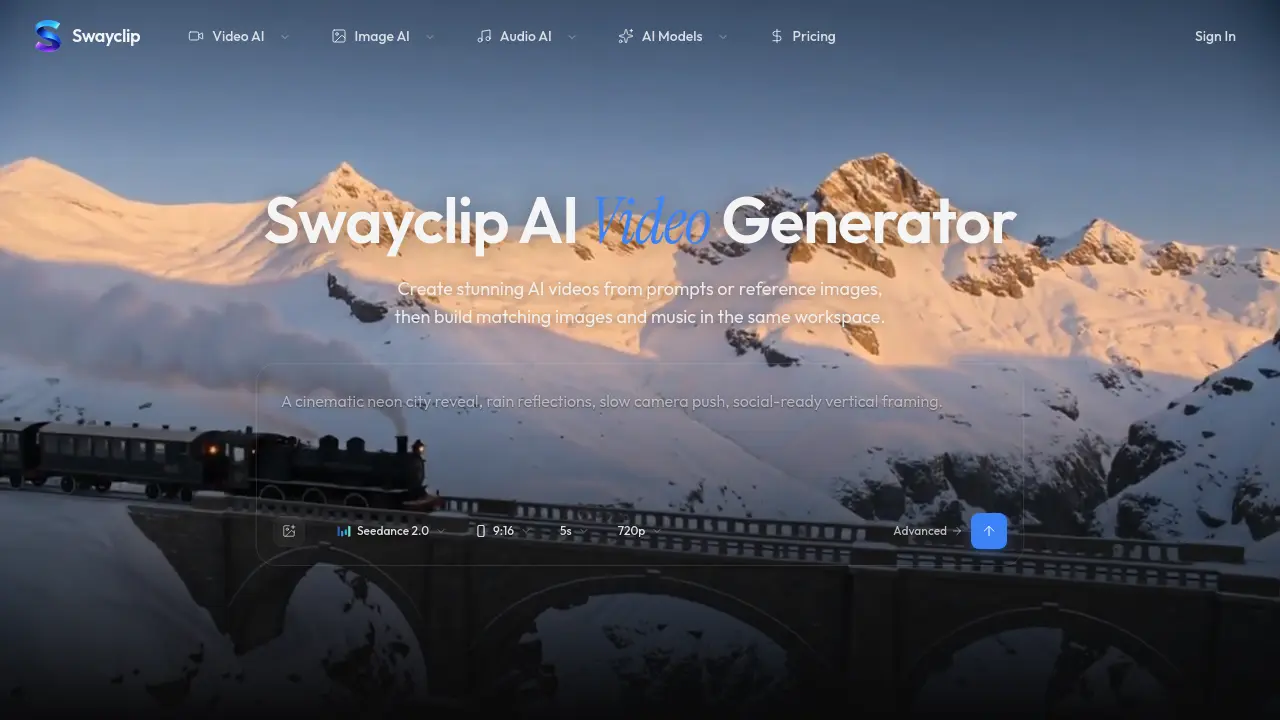
Swayclip is an all‑in‑one AI creative workspace that lets users generate cinematic video, editorial‑style images, and custom music from a single text prompt or reference image. The platform integrates multiple leading AI models—such as Kling 3.0, Veo 3.1, and Seedance 2.0—within a browser‑based editor, enabling fast iteration across media types without switching tabs. Users can specify aspect ratios, resolutions up to 720p, and durations as short as five seconds, while the system automatically applies premium colour grading and anamorphic effects to produce polished outputs. Prompt‑to‑music conversion turns brief descriptions into ready‑to‑cut soundtracks, and image‑to‑video tools support seamless transitions from static concepts to motion sequences. Commercial usage is permitted, and support replies are provided within one business day, making Swayclip suitable for content creators, marketers, and independent filmmakers seeking an efficient, unified AI production pipeline.
How does Swayclip work
Swayclip functions as an integrated AI workspace that accepts a textual prompt or reference image, then routes the input to multiple specialized generative models for video, image, and audio creation. The system’s compositor forwards the request to leading video models (e.g., Seedance 2.0, Veo 3.1) to synthesize cinematic sequences, while parallel calls invoke image generators (e.g., GPT Image 2, Nano Banana) for editorial stills and an audio module (Text‑to‑Music) for matching soundtracks. Outputs are rendered at selectable resolutions, aspect ratios, and durations within a single browser tab, allowing creators to iterate, refine prompts, and export assets for commercial use without leaving the platform.
Benefits of Swayclip
Swayclip provides a single‑browser workspace where creators can generate cinematic AI video, editorial‑style images, and custom music tracks from a text prompt or reference image. By integrating multiple leading AI models—including Kling 3.0, Veo 3.1, and Seedance 2.0—it supports diverse scene types, aspect ratios, and resolutions up to 720p, while maintaining consistent visual and audio style across media. The platform’s prompt‑to‑music feature creates ready‑to‑cut soundtracks, and its image‑to‑video workflow streamlines asset reuse. Commercial rights are clarified, and support responds within one business day, making Swayclip a practical tool for fast‑moving creators.
Pros and Cons of Swayclip
Pros
- Generates video, image, and music in one browser tab.
- Supports multiple leading AI models for diverse outputs.
- Browser‑based workspace requires no local installation.
- Provides example prompts and real output previews.
Cons
- Pricing details are not disclosed on the main page.
- FAQ lacks specific information on model licensing.
- No explicit mention of export formats or resolution limits.
- Support response time limited to one business day only.
Core Features of Swayclip
AI Video Generation
Creates cinematic videos from text prompts or reference images using multiple leading AI models, supporting various aspect ratios, resolutions, and durations within a single browser workspace.
AI Image Generation
Produces editorial‑style images—including posters, product shots, and concept art—by applying several AI image models, with prompt‑based refinement of uploaded visuals.
AI Music Generation
Transforms short textual directions into ready‑to‑cut soundtracks, enabling creators to synchronize music with generated video and image assets.
Multi‑Model Workspace Integration
Combines text‑to‑video, image‑to‑video, text‑to‑image, image‑to‑image, and text‑to‑music tools in one interface, allowing seamless workflow across different media types.
Prompt & Reference‑Based Creation
Supports both pure text prompts and image‑based references, giving creators flexibility to guide AI output for videos, images, and music.
Commercial‑Ready Output Management
Delivers exportable media formats with appropriate licensing information, suitable for commercial projects and rapid content deployment.
Use Cases of Swayclip
- Student filmmakers: Generate cinematic video drafts, complementary images, and royalty‑free music from a single prompt for class projects.
- Marketing interns: Produce social‑media clips with aligned visuals and soundtracks, streamlining brand asset creation.
- Indie game developers: Create concept art videos, reference images, and dynamic background scores for early prototypes.
- Content creators: Assemble short‑form vertical videos, fashion stills, and matching loops without leaving the browser.
- Academic researchers: Visualize simulation scenarios using AI‑generated video, annotated images, and explanatory audio tracks.
FAQs of Swayclip
What is Swayclip?
Swayclip is an all‑in‑one AI video workspace that lets users generate cinematic video, editorial images, and custom music from a single text prompt or reference image. All creation tools run in one browser tab, streamlining the workflow for fast‑moving creators.
Which AI models can I use?
Swayclip integrates several leading AI models, including Kling 3.0, Veo 3.1, Seedance 2.0, Happy Horse, GPT Image 2, and Nano Banana. These models cover video, image, and audio generation, giving creators flexibility across media types.
Can I create from both text and images?
Yes. Users may start a project with a textual description, an uploaded reference image, or a combination of both. The platform then applies the appropriate model to generate video, image, or music that matches the supplied prompt or visual cue.
What kinds of scenes can I make?
Swayclip supports a wide range of cinematic and editorial scenes, such as aerial drone shots, neon‑lit city streets, studio desk setups, cliffs at golden hour, and fashion close‑ups. The built‑in prompt library showcases diverse styles, from 35 mm anamorphic looks to Wong Kar‑wai‑inspired palettes.
How do examples and prompts work?
Each example on the homepage displays the exact prompt that produced the output. Users can click an example to load its prompt into the composer, then edit or extend it. This approach provides a transparent starting point for learning model behavior.
Can I use Swayclip for commercial work?
Yes. Content generated in Swayclip can be used commercially, provided users comply with the platform’s terms of service and any model‑specific licensing restrictions. Commercial users should review the rights section in the FAQ for detailed guidance.
What formats, durations, and resolutions are supported?
Swayclip offers multiple output settings, including vertical 9:16 and widescreen 16:9 aspect ratios, video durations from a few seconds up to several minutes, and resolutions up to 720p for the free tier. Higher‑resolution options are available under paid plans.
How is Swayclip different from other AI video tools?
Unlike many single‑purpose generators, Swayclip consolidates video, image, and music creation within a single workspace, reducing context switching. It also provides multi‑model access, allowing creators to select the best AI for each media type without leaving the platform.
Is there a free trial or limit for new users?
Swayclip offers a limited free tier that includes a set number of generation credits per month. New users can experiment with text‑to‑video, text‑to‑image, and text‑to‑music tools before deciding to upgrade to a paid plan for higher limits and advanced features.
How can I export my generated assets?
After a generation finishes, each asset appears in the workspace with download buttons for video (MP4), image (PNG/JPEG), and audio (MP3/WAV). Users can also save projects to the cloud for later editing or sharing via a unique URL.
How to use Swayclip
Swayclip functions as an all‑in‑one AI video workspace, generating cinematic video, editorial images, and prompt‑to‑music from text prompts or reference images in a single browser tab.
Access the composer by selecting Open the composer; the interface displays unified panels for video, image, and audio generation, simplifying workflow navigation.
Enter a descriptive text prompt or upload a reference image in the designated field; ensure the prompt includes desired style, aspect ratio, and duration for optimal model selection.
Choose appropriate AI models (e.g., Seedance 2.0 for video, GPT Image 2 for images, Happy Horse for music) from the model dropdown to match the creative intent.
Adjust advanced settings such as resolution, aspect ratio (e.g., 9:16 for vertical clips), and duration; these parameters directly affect output quality and file size.
Initiate generation by clicking the Generate button; Swayclip processes the request across selected models, displaying a progress indicator within the workspace.
Review the generated assets displayed as thumbnails; hover over each thumbnail to preview video clips, high‑resolution images, or audio waveforms without leaving the page.
Export desired results by selecting the download icon; choose file formats (MP4 for video, PNG/JPEG for images, MP3/WAV for music) that align with the intended distribution channel.
Analyze key metrics shown beneath each asset, such as generation time, model confidence scores, and resolution details, to assess technical fidelity and creative alignment.
Integrate the exported media into external projects—e.g., social media posts, presentations, or marketing campaigns—leveraging the cohesive aesthetic produced by Swayclip’s multi‑modal AI tools.
For commercial applications, verify licensing information provided in the FAQ; Swayclip grants usage rights for generated content, supporting seamless commercial deployment.
Repeat the prompt refinement cycle by editing the original text or swapping reference images, using the same workspace to iterate quickly and improve creative outcomes.
Swayclip Alternatives

Seedance 3.0 preview page: planned multi-shot continuity, scene editing and audio-visual sync for AI video, while the on-page generator runs Seedance 2.5.
Black Forest Labs' multimodal model with a web generator for text-to-video, image-to-video and image editing with native audio, for creators and marketers.
AI co-director that turns an idea or script into shot-by-shot storyboard panels for indie filmmakers, with real film shot references and PDF board export.
Wan API is an independent platform for Wan and Seedance video models. Compare specs and rates, generate clips in the Playground, or call them through one API.
Seedance 3.0 turns text, images, video clips, and audio into videos with sound, and edits one part of a clip without regenerating the rest.
AI video and image studio with text-to-video, image-to-video and keyframe control across Seedance, Kling, Wan and Vidu — all on one credit balance.
SeaMove AI is an AI video and image generation platform offering Seedance 2.0 and Seedance 2.5 models for text-to-video, image-to-video, and reference-based creation. Features multi-shot continuity, director-level control, and audio-visual sync for creators and studios.
Mareel is an all-in-one AI video and image generation workspace giving creators, marketers, and ecommerce teams 40+ leading models and one shared credit balance.
Kinovi is a REST API that runs published video, image, and audio AI models from one endpoint. Send a model ID to createTask, poll recordInfo, and pay per use from one shared credit balance.
An AI cartoon video generator that turns a script or prompt into an animated video with the same character in every scene, AI voiceover and soundtrack, and commercial rights included.
Gemini Omni is an online AI video generator and editor that turns a text prompt or reference image into a video, then refines each shot through conversational edits while keeping characters and the scene consistent.
Kling 4.0 turns text, images, and up to 15 Omni Reference assets into cinematic AI video, with 30-second multi-shot scenes, 10 keyframes, and 4K HDR.