
RGB to CMYK Converter Introduction
This online RGB to CMYK converter provides built-in settings or custom ICC profiles with real-time preview for accurate color matching and print-ready results.

What is RGB to CMYK Converter
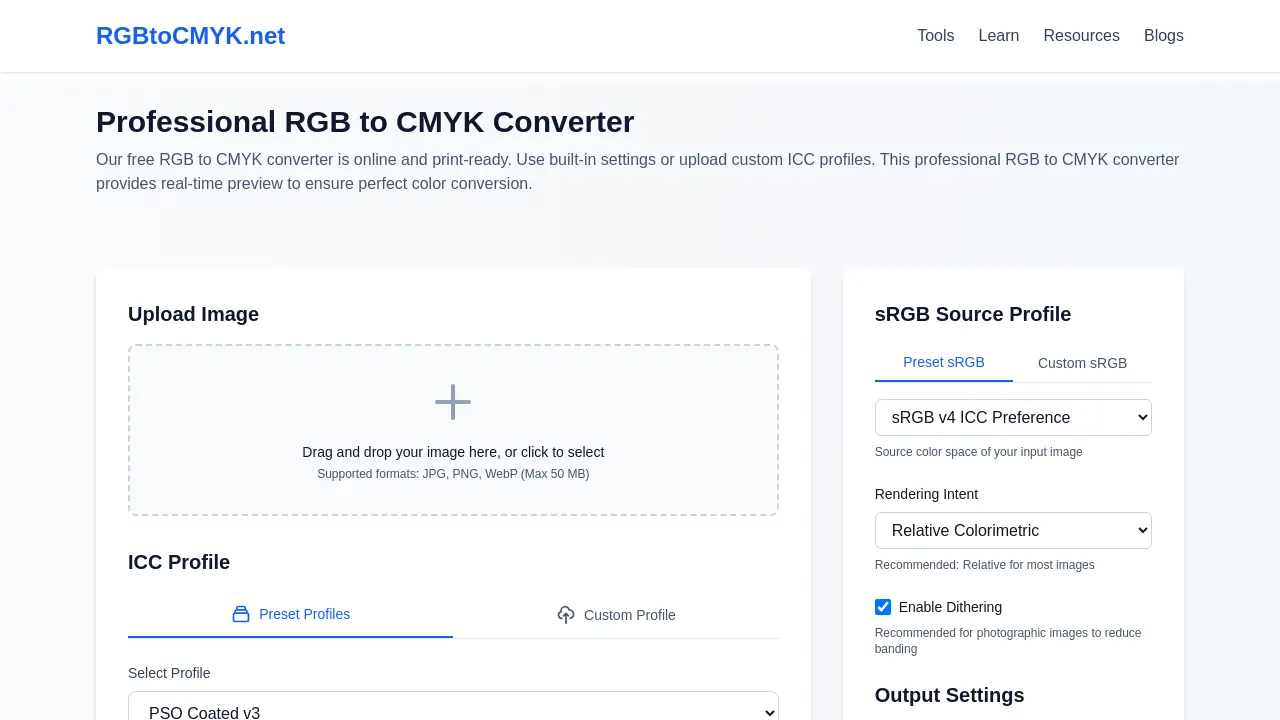
The RGB to CMYK Converter (RGBtoCMYK.net) is a professional online tool designed for accurate color conversion of digital images for print. It facilitates the transformation of RGB files (JPG, PNG, WebP) into CMYK, offering essential features for print preparation. Users can leverage built-in industry-standard ICC profiles or upload custom profiles for precise color management. The platform supports various rendering intents and includes optimizations such as Black Point Compensation and optional Dithering. A real-time preview feature, alongside before-and-after comparisons, aids in achieving optimal print results, ensuring color accuracy and consistency across printed materials without registration or cost.
How does RGB to CMYK Converter work
The RGB to CMYK Converter operates as an online tool for transforming digital image colors, crucial for print production. Users upload RGB images (JPG, PNG, WebP) up to 50 MB. The system facilitates conversion using predefined or custom ICC profiles, which define specific printing conditions and paper types. It incorporates Source RGB Profiles to interpret the input image's original color space accurately. Advanced features include four rendering intents—Perceptual, Relative Colorimetric, Saturation, and Absolute Colorimetric—to manage out-of-gamut colors, ensuring optimal color accuracy. Black Point Compensation is always active for enhanced shadow detail, and optional dithering prevents color banding in gradients. The final CMYK image can be exported in TIFF, JPEG, or PNG formats, with a real-time preview feature.
Benefits of RGB to CMYK Converter
The RGB to CMYK converter offers a professional, free online solution for accurate color conversion, essential for print-ready files. It supports various image formats, including PNG and JPG, and allows users to utilize built-in or custom ICC profiles for precise control. With a real-time preview feature, this rgb to cmyk converter ensures optimal results, aiding in maintaining brand consistency and preventing costly reprints. The platform prioritizes user privacy, deleting files promptly after use.
Pros and Cons of RGB to CMYK Converter
Pros
- Free online RGB to CMYK conversion.
- Supports various image formats (JPG, PNG, WebP).
- Offers extensive built-in ICC and sRGB profiles.
- Allows custom ICC profile uploads.
- Provides real-time preview and comparison.
- Includes professional rendering intents and optimizations.
- Ensures strong user privacy; files deleted quickly.
- High accuracy matching professional software.
Cons
- Maximum image size limit of 50 MB.
- Black Point Compensation is always enabled.
- No direct color code or HEX conversion.
- Limited output formats (TIFF, JPEG, PNG).
