
Veo 4 AI platform for text‑to‑video and image editing

What is Veo 4
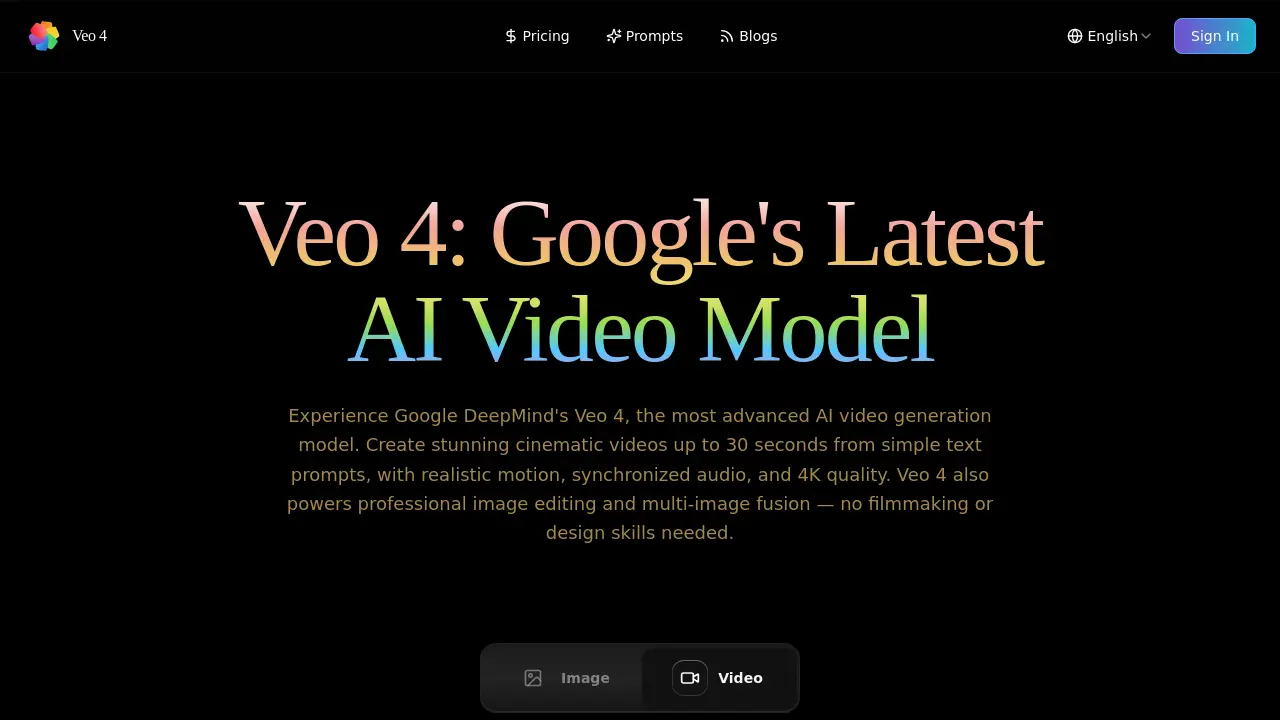
Veo 4 is Google DeepMind’s latest AI model for video and image creation. The platform turns plain text prompts into cinematic video clips of up to 30 seconds, delivering 4K resolution, synchronized audio, and realistic motion. In addition to text‑to‑video, Veo 4 supports image editing, colorization, and multi‑image fusion, handling JPG, PNG, and WEBP inputs and exporting PNG or JPG results. Generation speed is optimized for fast turnaround, with most image edits completing in 10‑30 seconds and video rendering up to eight times faster than comparable services. Credits govern usage; a single image edit costs 10 credits, while video costs vary by length. All outputs carry full commercial rights, making the tool suitable for marketing, e‑commerce, and professional content pipelines. Veo 4’s API and documentation enable seamless integration into existing workflows, providing a cost‑effective alternative to traditional studio production.
How does Veo 4 work
Veo 4 operates as a cloud‑based AI engine that translates user‑provided text prompts into short, high‑fidelity videos or edited images. The system receives a prompt, optionally selects aspect ratio and resolution, then runs Google DeepMind’s multi‑modal model, which analyses spatial relationships, lighting and motion cues to generate up to 30 seconds of 4K video with synchronized audio, or to perform context‑aware image edits and multi‑image fusion. Credits deduct per output, while the backend pipeline optimizes inference to deliver results within seconds, supporting JPG, PNG and WEBP inputs and common video export formats.
Benefits of Veo 4
Veo 4 leverages Google DeepMind’s latest AI models to generate cinematic videos up to 30 seconds long, complete with synchronized audio and 4K resolution, from simple text prompts. The platform also provides context‑aware image editing and multi‑image fusion, allowing users to colorize, enhance, or combine visuals without manual design work. Generation speeds are reported to be up to eight times faster than comparable tools, while maintaining high fidelity and natural motion. All outputs include commercial usage rights, and the service supports common image and video formats with secure, credit‑based processing.
Pros and Cons of Veo 4
Pros
- Generates 4K cinematic videos up to 30 seconds.
- Produces results 8× faster than many competitors.
- Supports text‑to‑video, image editing, and multi‑image fusion.
- Full commercial usage rights included.
- Credit‑based pricing allows unlimited creations with enough credits.
Cons
- Credits expire only if not purchased again.
- Highest quality output limited to 30‑second videos.
- Advanced features require higher‑tier subscription plans.
- No mention of offline or on‑premise deployment.
- Limited file size: maximum 5 MB per input image.
Core Features of Veo 4
Text‑to‑Video Generation
Creates cinematic videos up to 30 seconds from natural‑language prompts, delivering synchronized audio and 4K quality while handling lighting, motion, and spatial relationships.
Context‑Aware Image Editing
Applies AI‑driven modifications such as colorization or retouching to single images, preserving realism and consistency based on the supplied textual description.
Multi‑Image Fusion
Combines several input images into a coherent composition, intelligently blending lighting, perspective, and content to produce a unified, professionally polished result.
API Access for Automation
Provides a well‑documented endpoint that enables seamless integration of Veo 4’s video and image capabilities into external workflows and marketing pipelines.
Automatic Prompt Translation
Detects non‑English input and translates it automatically, improving generation accuracy for multilingual users without requiring manual translation steps.
High‑Resolution Output Options
Supports export at 720p, 1080p, and 4K resolutions, allowing creators to choose the appropriate fidelity for social media, commercial, or broadcast projects.
Use Cases of Veo 4
- Academic researchers: Generate short illustrative videos for conference presentations using text prompts and 4K quality.
- Marketing teams: Produce commercial‑grade product videos quickly, leveraging Veo 4’s rapid generation and commercial usage rights.
- UI/UX designers: Create prototype motion clips from design mockups to demonstrate interaction flows without filming.
- Content creators: Automate multi‑platform video snippets, maintaining consistent cinematic style across 16:9 and 9:16 ratios.
- Photo editors: Perform context‑aware image colorization and multi‑image fusion for portfolio enhancements in seconds.
FAQs of Veo 4
What makes Veo 4 different from other AI creation tools?
Veo 4 is powered by Google DeepMind’s latest AI models, delivering cinematic video generation up to 30 seconds with synchronized audio, as well as context‑aware image editing and multi‑image fusion. Its ability to understand spatial relationships, lighting, and content consistency produces professional‑grade results that many competing tools cannot match.
How long does Veo 4 take to generate content?
Typical image edits finish within 10‑30 seconds, while video generation time depends on length and complexity. Veo 4’s optimized pipeline is reported to be up to eight times faster than most rival platforms, providing quick turnaround without sacrificing visual fidelity.
What file formats does Veo 4 support?
For image inputs, Veo 4 accepts JPG, PNG, and WEBP files up to 5 MB each. Exported results are available as PNG or JPG. Video outputs use common formats such as MP4, ensuring easy integration into existing workflows.
Is there a limit to how many creations I can make with Veo 4?
Creation volume is governed by the credit system rather than a hard cap. Each single‑image edit costs 10 credits, multi‑image fusion also costs 10 credits, and video generation consumes credits based on duration and resolution. As long as credits remain, users can generate unlimited content.
Can I use Veo 4 creations for commercial purposes?
Yes. All content produced with Veo 4 carries full commercial usage rights, allowing businesses, marketers, and freelancers to incorporate videos and edited images into advertising, product showcases, and client deliverables without additional licensing fees.
How does the credit pricing structure work for Veo 4?
Credits are purchased in packs or through subscription plans. Starter, Growth, and Professional packs range from $4.99 for 50 credits to $29.99 for 500 credits, and unused credits never expire. Subscription tiers (Starter, Pro, Ultimate) allocate yearly credit allowances and include benefits such as priority speed and commercial licenses.
Which resolutions and aspect ratios are available for video generation?
Veo 4 lets users choose from 720p, 1080p, and 4K resolutions, as well as automatic selection based on prompt complexity. Aspect ratio options include widescreen 16:9, portrait 9:16, or an auto mode that selects the most appropriate framing for the described scene.
Is there an API available for integrating Veo 4 into external workflows?
Veo 4 provides a documented RESTful API that enables developers to submit text prompts, retrieve generated videos, and manage credit usage programmatically. The API supports authentication via API keys and includes rate‑limit guidelines to ensure stable performance for production environments.
How does Veo 4 ensure the security and privacy of uploaded content?
All uploads are transmitted over encrypted TLS connections and processed on secure Google Cloud infrastructure. Veo 4 stores data with enterprise‑grade protection, and access is restricted to the account owner. Files are not retained beyond the processing period unless the user explicitly saves them.
How to use Veo 4
Veo 4 serves as Google DeepMind’s AI video‑generation and image‑editing platform, creating up‑to‑30‑second cinematic videos, context‑aware photo edits, and multi‑image fusion from simple text prompts.
Log in, select “Text to Video” or “Image to Video,” then type a descriptive prompt (max 5000 characters) and pick aspect ratio, resolution, and quality before clicking Generate.
For image editing, choose “Image Video,” upload a JPG/PNG ≤ 5 MB, write a clear edit prompt (e.g., “colorize line art”), and confirm the operation to consume the required credits.
Review the generated preview; the interface displays a play button for video and a side‑by‑side before/after view for images, allowing immediate visual assessment.
Export results by downloading the MP4 (video) or PNG/JPG (image); the files retain 4K quality when selected, enabling direct use in marketing, presentations, or social media.
Interpret output quality by checking motion smoothness, audio sync, and lighting consistency; adjust the prompt with more detail or alternate aspect ratio to refine subsequent generations.
Track credit usage in the dashboard; each video consumes credits based on length and resolution, while image edits cost a fixed amount, ensuring budget‑aware production planning.
Integrate Veo 4 into workflow by linking the API key (available under account settings) to external tools, automating batch generation for larger campaigns while maintaining commercial usage rights.
Veo 4 Alternatives
Seedance 3.0 preview page: planned multi-shot continuity, scene editing and audio-visual sync for AI video, while the on-page generator runs Seedance 2.5.
Black Forest Labs' multimodal model with a web generator for text-to-video, image-to-video and image editing with native audio, for creators and marketers.
Wan API is an independent platform for Wan and Seedance video models. Compare specs and rates, generate clips in the Playground, or call them through one API.
Seedance 3.0 turns text, images, video clips, and audio into videos with sound, and edits one part of a clip without regenerating the rest.
A browser collection of 13 free creative editors for photos, vector art, PDFs, documents, video, audio, and CAD, opening without an account or install.

AI video and image studio with text-to-video, image-to-video and keyframe control across Seedance, Kling, Wan and Vidu — all on one credit balance.
SeaMove AI is an AI video and image generation platform offering Seedance 2.0 and Seedance 2.5 models for text-to-video, image-to-video, and reference-based creation. Features multi-shot continuity, director-level control, and audio-visual sync for creators and studios.
Turns two separate portraits into a 15-second vertical rap duet video on an orange stage with a shared microphone and the original soundtrack. Free 480P preview available.
Mareel is an all-in-one AI video and image generation workspace giving creators, marketers, and ecommerce teams 40+ leading models and one shared credit balance.
An AI cartoon video generator that turns a script or prompt into an animated video with the same character in every scene, AI voiceover and soundtrack, and commercial rights included.
An online AI photo editor that removes image backgrounds, erases people, objects and text, and upscales photos 4x. Preview every photo free before paying per image.
Gemini Omni is an online AI video generator and editor that turns a text prompt or reference image into a video, then refines each shot through conversational edits while keeping characters and the scene consistent.