
GPT Image 2 AI generator and editor for fast creative output
| Added on: | Jun 2, 2026 |
| Monthly Visits: | -- |
| Social & Email: | -- |

What is GPT Image 2
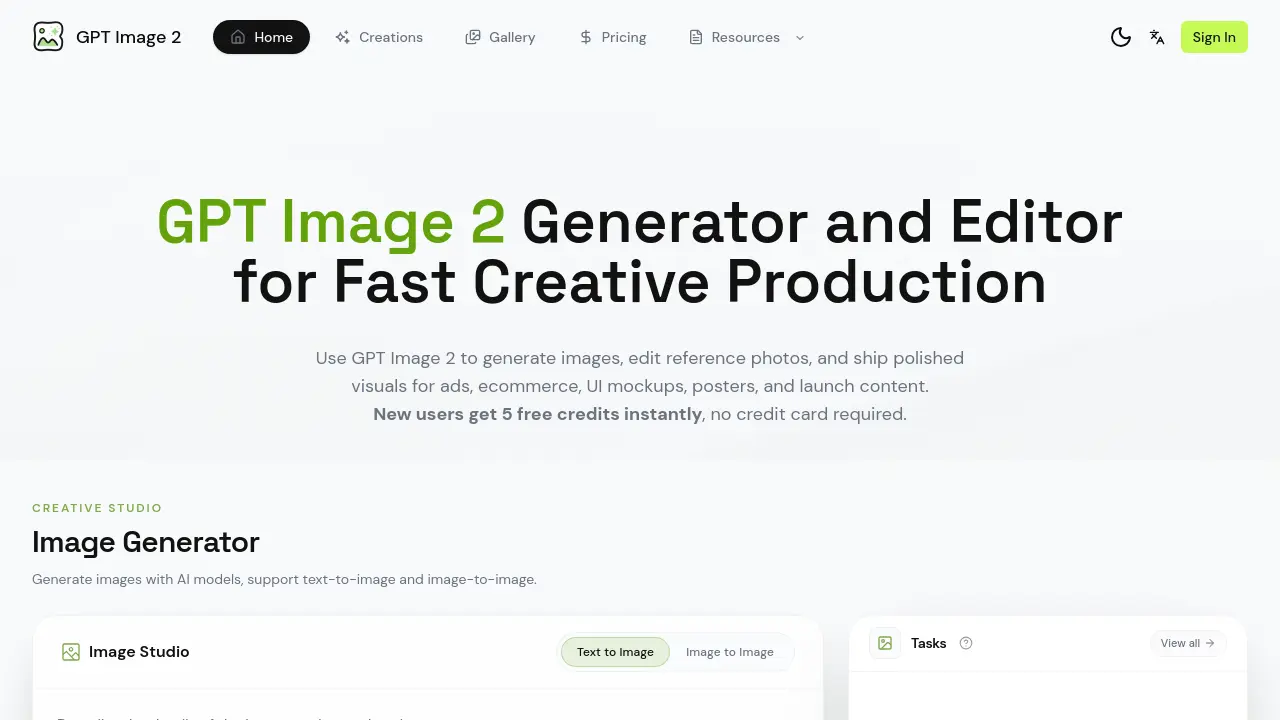
GPT Image 2 is a cloud‑based generator and editor that streamlines visual production for advertisements, e‑commerce listings, UI mockups, posters, and launch assets. Users can create images from text prompts or refine existing photographs through an integrated reference‑image workflow, controlling composition, lighting, aspect ratio, and typographic detail. The platform supports batch exploration, allowing rapid comparison of multiple styles and fast iteration within a single workspace. Export options deliver high‑resolution, print‑ready files suitable for web, social, and print channels. New accounts receive five free credits, enabling immediate testing of the generation and editing features without a credit‑card commitment. Designed for teams, GPT Image 2 emphasizes speed, consistency, and the ability to lock character or brand direction across successive outputs.
How does GPT Image 2 work
GPT Image 2 operates as an integrated AI studio that combines text‑to‑image and image‑to‑image generation with reference‑image editing. Users start by entering a brief or uploading a source photo, after which the platform’s models synthesize variations based on described subjects, lighting, layout, and aspect ratio. Generated outputs appear side‑by‑side, allowing rapid comparison and iterative prompt refinement. For existing assets, the editor extracts visual elements, then applies style, background, or copy‑space adjustments while preserving image fidelity. Once the desired version is achieved, the system exports high‑resolution, print‑ready files suitable for ads, ecommerce, UI mockups, and other production‑level needs.
Benefits of GPT Image 2
GPT Image 2 provides an integrated AI‑powered workflow for creating and editing visual assets. Users can generate images from text prompts or modify reference photos, then refine composition, lighting, typography, and aspect ratio within a single workspace. The platform supports near‑accurate text rendering, making it suitable for posters, UI mockups, and e‑commerce hero images. High‑resolution, export‑ready files are produced for print, web, and social channels, and a character‑locking feature ensures visual consistency across multiple outputs. New accounts receive five free credits, enabling immediate testing without a credit‑card commitment.
Pros and Cons of GPT Image 2
Pros
- Free 5‑credit starter for new users.
- Supports both text‑to‑image and image‑to‑image generation.
- Built‑in reference‑image editing without leaving the platform.
- Batch exploration lets teams compare multiple variants quickly.
Cons
- Only five free credits; additional usage requires paid credits.
- Must sign in to run any generation or edit.
- Pricing details are not presented on the landing page.
- Credit‑based model may increase costs for high‑volume production.
Core Features of GPT Image 2
Image Generation
Generates images using text‑to‑image and image‑to‑image AI models, allowing users to define subject, composition, lighting, aspect ratio, and typography within a single workspace.
Reference Image Editing
Enables uploading existing photos or layouts and modifying style, background, props, or copy space through an AI‑driven editing workflow, preserving original assets.
Text‑Heavy Visual Creation
Produces posters, menus, labels, UI mockups, and screenshots with accurate text rendering and clear typographic hierarchy for marketing and product documentation.
Production‑Ready Export
Outputs high‑resolution, campaign‑grade assets suitable for print, web, and social channels, streamlining the handoff from creative iteration to final delivery.
Batch Exploration & Comparison
Allows rapid generation of multiple style variations, side‑by‑side comparison, and selection of the most effective assets for specific audience or channel needs.
Character & Style Consistency
Locks specific characters, subjects, or artistic directions across successive generations, ensuring visual coherence throughout multi‑image campaigns.
Use Cases of GPT Image 2
- Marketing teams: Generate product ads and ecommerce hero images with AI‑driven composition and lighting.
- UI/UX designers: Create onboarding screens, dashboard mockups, and device screenshots featuring readable interface text.
- Event planners: Produce posters, menus, and launch‑event visuals where typographic hierarchy is critical.
- Brand managers: Maintain character consistency across campaign assets by locking subject and art direction in batch generation.
- Content editors: Refine existing photos through reference‑image editing to adjust background, props, or copy space without starting from scratch.
FAQs of GPT Image 2
What can I make with a GPT Image 2 workflow?
GPT Image 2 supports the creation of a wide range of visual assets, including product advertisements, e‑commerce hero images, UI mockups, landing‑page graphics, flyers, posters, menus, character illustrations, and launch‑event visuals. Users can generate both text‑heavy designs and pure imagery, then refine them within the same workspace before exporting production‑ready files.
How do I write better prompts?
Effective prompts combine clear subject description, desired composition, lighting conditions, material details, and aspect ratio. Including specifics such as “soft natural light,” “centered product with white background,” or “bold typography for a poster” helps the AI interpret the brief accurately. Iteratively adjusting wording and providing reference images further improves consistency across multiple generations.
Can GPT Image 2 edit an existing image?
Yes. The platform offers a reference‑image editing mode where users upload a photo or mockup and then modify style, background, props, or copy space using text prompts. The AI applies the requested changes while preserving key elements, enabling rapid revisions without rebuilding the image from scratch.
Who uses this workflow?
Marketing teams, e‑commerce managers, UI/UX designers, product photographers, and small‑to‑medium creative agencies adopt GPT Image 2 for fast, repeatable visual production. The tool is also useful for freelancers who need to generate high‑quality assets on tight deadlines and limited budgets.
Can I try it before paying?
New users receive five free credits immediately after signing up, with no credit‑card requirement. These credits allow full access to both image generation and reference‑image editing features, giving a risk‑free opportunity to evaluate the platform’s suitability for a project.
Why use a SaaS workflow instead of scattered tools?
A single SaaS platform centralises generation, editing, iteration, and export, reducing context switching between separate applications. This consolidates asset management, ensures consistent style across campaigns, and speeds up collaboration by providing shared workspaces and version history for whole teams.
How does GPT Image 2 handle text inside images?
The engine is tuned for near‑accurate text rendering, preserving typographic hierarchy and legibility. Users can specify font style, size, color, and positioning in the prompt, allowing the AI to embed clear, readable text suitable for posters, menus, UI mockups, and other text‑heavy visuals.
Is this an official OpenAI page?
GPT Image 2 is a third‑party SaaS product built on OpenAI’s image generation models, but it is not an official OpenAI website. The service operates independently, offering its own UI, credit system, and support channels while leveraging OpenAI’s underlying technology.
What is the pricing model after the free credits are used?
After the initial five free credits, users purchase additional credits in predefined bundles. Each generated or edited image consumes one credit, and pricing tiers are listed on the site’s Pricing page. Credits never expire, allowing users to accumulate balances for larger projects.
Which file formats are available for export?
GPT Image 2 exports high‑resolution assets in common formats such as PNG, JPEG, and WebP. For print‑ready workflows, users can download lossless PNG files at 300 dpi, while JPEG options are suitable for web and social‑media distribution. All exported files retain the selected aspect ratio and quality settings.
How to use GPT Image 2
Define the product’s purpose: GPT Image 2 delivers AI‑powered image generation, reference‑image editing, and production‑ready export, supporting ads, ecommerce, UI mockups, and poster design.
Sign in or register, then claim the initial five free credits; no payment information is required to activate the workspace.
Set the brief by entering descriptive prompts—subject, composition, lighting, text, aspect ratio—or upload a reference image to guide the AI model.
Choose between Text‑to‑Image or Image‑to‑Image mode, adjust ratio and quality settings, and click Run to generate the first batch of visuals.
Review generated variations side‑by‑side, refine prompts or replace reference images, and iterate until the output aligns with the campaign objectives.
Select the preferred asset, download the high‑resolution file, and optionally save the prompt pattern for future reuse across creative projects.
Apply the exported asset to marketing channels, ecommerce listings, or UI prototypes, ensuring the visual meets brand guidelines and production standards.
GPT Image 2 Alternatives
Browser workspace for AI image generation, reference photo editing, and short video drafts, aimed at creators, marketers, and product teams.
AI co-director that turns an idea or script into shot-by-shot storyboard panels for indie filmmakers, with real film shot references and PDF board export.
A browser collection of 13 free creative editors for photos, vector art, PDFs, documents, video, audio, and CAD, opening without an account or install.

AI design studio for architects and designers: turn sketches, model views, and room photos into rendering concepts, material studies, and staged interiors.
Kinovi is a REST API that runs published video, image, and audio AI models from one endpoint. Send a model ID to createTask, poll recordInfo, and pay per use from one shared credit balance.
An online AI photo editor that removes image backgrounds, erases people, objects and text, and upscales photos 4x. Preview every photo free before paying per image.
Coralflavor offers uncensored AI chats without safety filters, plus burn-mode retention, web search, image generation, and an OpenAI-compatible API for U.S. adults.
SpriteGen is an AI sprite creator that turns character descriptions into transparent pixel-art sprite sheets, ready to drop into your game engine.
Upload one selfie to preview 120+ cuts, colors and bangs rendered on your own face in about 20 seconds, then take the reference sheet to your barber.
Pet to Art is a free AI pet portrait generator that turns one clear pet photo into custom digital artwork across 170+ styles, canvas ratios, and 2K downloads.
Meta Image: browser AI studio powered by Muse Image. Edit photos with prompts, remove backgrounds, restore old photos, generate new images.
Create and edit images with Image 2.5 by GPT. Sunburst for precision, Flare for speed, up to 4K, 6 quality modes, and transparent PNG/WebP output.