
Pokecut: Free AI Photo Editor & Image Generator Online

What is Pokecut
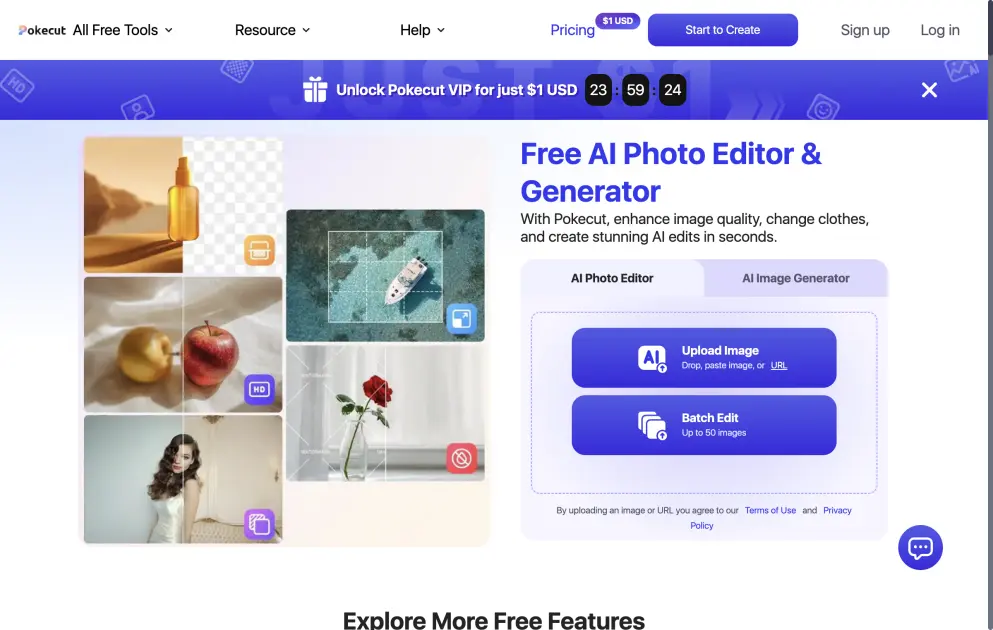
Pokecut is an AI-powered photo editing platform that combines image enhancement, background removal, portrait retouching, and AI image generation in a single web-based tool. Accessible without sign-up, it offers over 50 AI tools including batch editing for up to 50 images, AI portrait generation with 100+ styles, and automatic product photo cleanup for e-commerce sellers. The platform processes images using AI models for tasks like skin smoothing, object removal, background replacement, and quality enhancement. Pokecut has processed over 100 million photos for more than 1 million users worldwide and ranked #2 Product of the Day on Product Hunt. It operates on a freemium model with free daily credits and paid subscription plans starting at $3.33 per month.
How does Pokecut work
Pokecut uses AI models to process images in three stages. First, the system analyzes the input image through computer vision algorithms to identify faces, objects, backgrounds, and textures. Second, it applies the selected transformation using trained models for tasks like skin retouching, background segmentation, or image generation. Finally, the AI enhances the output with lighting correction, detail restoration, and resolution upscaling to produce the final result. Users upload images through the web interface or mobile app, select from available tools, and receive processed results within seconds.
Benefits of Pokecut
Pokecut combines over 50 AI tools in one platform, eliminating the need to switch between multiple apps for photo editing tasks. Its batch processing feature handles up to 50 images at once, reducing hours of manual work to minutes for e-commerce sellers. The platform requires no sign-up for basic use and offers free daily credits, lowering the entry barrier for casual users. With AI-powered retouching that preserves natural skin texture and 100+ portrait styles, it delivers professional-grade results without requiring design skills.
Pros and Cons of Pokecut
Pros
- Free daily credits, no sign-up required
- 50+ AI tools in a single platform
- Batch edit up to 50 images at once
- AI retouching preserves natural skin texture
- Supports 80+ ID photo formats globally
Cons
- Free tier has limited daily credits
- Premium plans billed annually only
- No desktop standalone application
Core Features of Pokecut
AI Image Generation
Generate studio-quality portraits, artistic visuals, and creative images from text prompts. Choose from over 100 styles including film, LOMO, 3D, editorial, and travel shots.
AI Portrait Retouching
Enhance facial features with intelligent skin smoothing, light balancing, and detail restoration. Remove blemishes, wrinkles, dark circles, and shadows while keeping skin texture natural.
Background Removal and Replacement
Remove backgrounds from images with clean edge detection and natural shadows. Replace backgrounds with solid colors, branded scenes, or AI-generated environments.
Batch Photo Editing
Process up to 50 images at once for background removal, resizing, quality enhancement, and background changes. Designed for e-commerce teams handling large product catalogs.
Object and Watermark Removal
Remove unwanted objects, tourists, vehicles, logos, watermarks, timestamps, and reflections from photos. AI analyzes edges and textures to preserve natural appearance.
AI ID Photo Maker
Generate compliant passport, visa, and ID photos in seconds. Supports 80+ global formats with automatic posture, lighting, and facial balance adjustments.
Use Cases of Pokecut
- E-commerce sellers: Batch edit product photos by removing backgrounds, resizing for Amazon and Shopee, and cleaning up labels and dust
- Social media creators: Generate AI portraits, remove photo bombers from travel shots, and add stickers and text effects
- Job seekers: Create professional LinkedIn headshots and compliant passport or visa photos with AI retouching
- Online store owners: Remove watermarks, logos, and reflections from product images to meet marketplace listing standards
- Travel enthusiasts: Clean up tourist-filled scenic shots, enhance photo quality, and create photo collages for trip memories
FAQs of Pokecut
What is Pokecut and who is it for?
Pokecut is an AI photo editing platform designed for portraits, travel photos, product images, and creative content. It suits casual users who want quick photo enhancements, e-commerce sellers who need batch product editing, and content creators looking for AI-generated portraits and visuals.
Is Pokecut free to use?
Yes, Pokecut offers free daily credits for basic features like photo enhancement and background removal. Users who need more edits, higher resolution, or advanced features can subscribe to paid plans. Premium plans start at $3.33 per month and include unlimited access to certain tools.
Can I use Pokecut without signing up?
Yes, you can use most Pokecut tools directly on the website without creating an account or logging in. Signing up is optional and lets you save projects, track your order history, and manage your subscription if you upgrade to a paid plan.
What makes Pokecut different from other AI photo editors?
Pokecut combines AI image generation, background removal, object erasing, portrait retouching, product cleanup, and batch editing in one platform. This eliminates the need for multiple separate tools. It offers free daily usage without watermarks, supports up to 50 images in batch mode, and requires no design skills.
Can I use images edited with Pokecut for commercial purposes?
Yes, Pokecut allows commercial use of images generated or edited through its AI tools. Users can use the output for product listings, marketing materials, social media content, and other commercial applications without additional licensing fees.
How to use Pokecut
- Visit the Pokecut website and upload an image by dragging, pasting, or using a URL. No account registration is needed for basic editing.
- Select a tool from the available options, such as background removal, AI portrait retouching, object eraser, or AI image generation.
- Adjust settings if needed and let the AI process the image. Results appear within seconds for most standard edits.
- Download the edited image in high resolution. For batch editing, upload up to 50 images and apply the same operation to all at once.
- Optional: Sign up for a free account to track your projects, or subscribe to a premium plan for additional credits and advanced features.
Pokecut Website Traffic Analysis
Latest traffic information
- Monthly Visits741.54K
- Bounce Rate36.07%
- Pages Per Visit6.95
- Visit Duration00:02:50
- Global Rank46.88K
- Country/Region Ranking8.32K
Visits Over Time
Traffic Sources
- Organic Search: 55.66%
- Direct: 35.49%
- Referrals: 5.99%
- Organic Social: 1.35%
- Generative AI: 1.31%
- Mail: 0.11%
Top Keywords
| Keyword | Traffic | Volume | Cost Per Click |
|---|---|---|---|
| digicamfx | 5.92K | 23.74K | $1.15 |
| pokecut | 1.91K | 1.84K | $0.6 |
| digicam fx | 770 | 3.16K | $1.39 |
| penjernih foto | 750 | 14.05K | $0.37 |
| perjelas gambar | 740 | 6.3K | $0.17 |
Top Regions
| Region | Percentage |
|---|---|
| United States | 11.11% |
| India | 6.81% |
| Russia | 6.26% |
| Mexico | 5.53% |
| Italy | 4.13% |
