
RemoveFrom.Video
Remove watermark and text from videos online with AI tool.

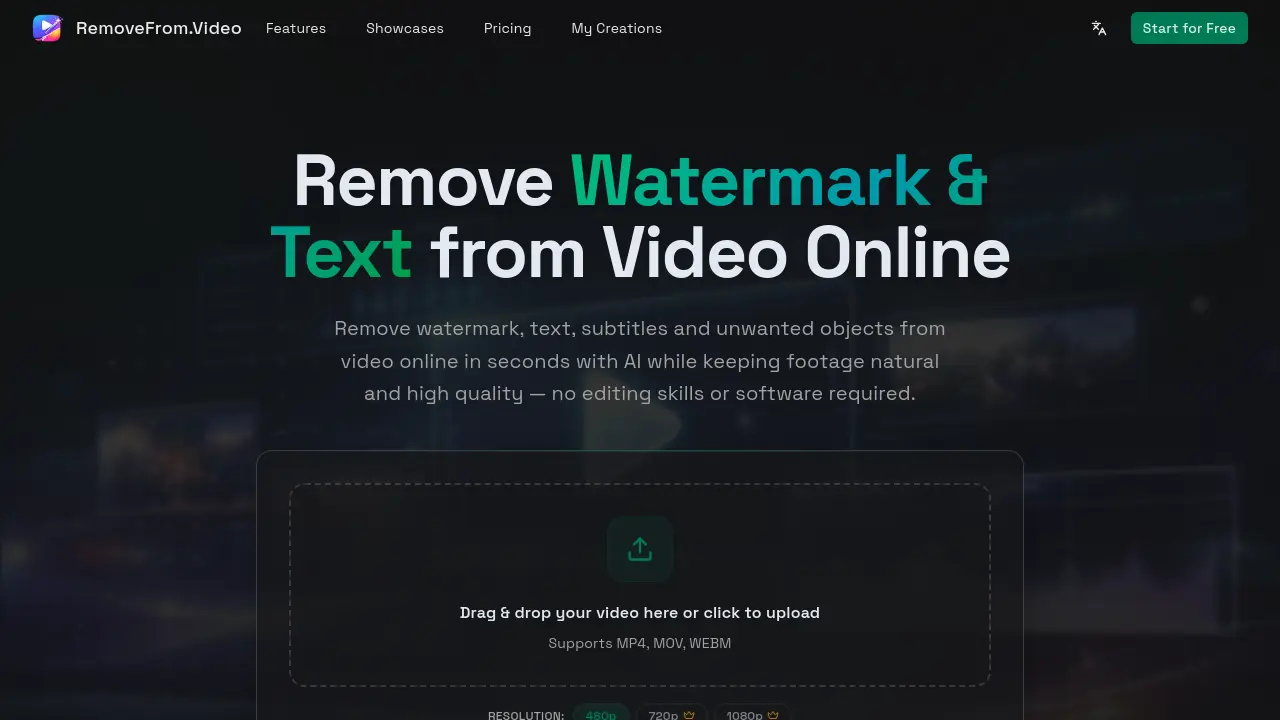
What is RemoveFrom.Video
RemoveFrom.Video is an AI-powered online tool designed to remove watermarks, text, subtitles, and unwanted objects from videos quickly and easily. It leverages advanced AI video inpainting to automatically detect and erase unwanted elements while rebuilding the background naturally, ensuring high-quality results without blur or pixelation. The tool supports common video formats like MP4, MOV, and WEBM, and processes videos securely in the cloud—no software installation required. Ideal for creators, marketers, educators, and everyday users, RemoveFrom.Video simplifies video cleanup for social media, marketing, tutorials, and personal projects. With its fast, accessible interface and intelligent processing, users can produce clean, professional videos in just a few steps, preserving original clarity and motion.
How does RemoveFrom.Video work
RemoveFrom.Video is an online platform utilizing AI technology to remove watermarks, text, subtitles, and unwanted objects from videos. Users can upload MP4, MOV, or WEBM files and select their removal mode. The AI automatically detects and processes the desired elements, reconstructing the background to maintain natural motion and visual quality. The system employs advanced video inpainting to understand scene continuity, ensuring the cleaned video remains visually consistent. Processing occurs in the cloud without requiring software installation, providing a fast and accessible solution for content creators, marketers, and educators to enhance and repurpose their video content.
Benefits of RemoveFrom.Video
RemoveFrom.Video is an AI-powered online tool designed to remove watermarks, text, subtitles, and unwanted objects from videos. It supports MP4, MOV, and WEBM formats, offering resolutions up to 1080p. The platform uses advanced AI video inpainting to seamlessly erase elements while preserving natural motion and quality. Users can upload videos directly in their browser, select the desired removal mode, and download cleaned results in minutes. This user-friendly solution eliminates the need for complex editing software, making it ideal for creators, marketers, and educators. RemoveFrom.Video ensures high-quality output and fast processing, enabling effortless video cleanup for social media, marketing, and personal projects.
Pros and Cons of RemoveFrom.Video
Pros
- AI-powered video processing.
- User-friendly online interface.
- Supports popular video formats.
Cons
- Limited to short video processing.
- No mention of batch processing.
- Lacks advanced editing features.
Core Features of RemoveFrom.Video
Watermark Removal
Uses AI to automatically detect and remove logos, brand marks, TikTok watermarks, and YouTube channel logos while maintaining high video quality and natural motion.
Text Removal
Employs AI technology to erase titles, captions, and overlay text from videos without blur or quality loss, automatically detecting and deleting text while preserving the original background and motion.
Subtitle Removal
Automatically removes hardcoded subtitles and burned-in captions from videos using AI video inpainting, reconstructing the background across frames to keep the video natural and consistent.
Object Removal
Utilizes advanced AI video inpainting to remove unwanted objects like people, vehicles, signs, and distractions from footage, rebuilding the background naturally to maintain scene continuity.
AI-Powered Video Processing
Implements modern AI video inpainting models that understand motion, lighting, and scene continuity to remove unwanted elements and rebuild the background naturally across frames.
Cloud-Based Online Processing
Provides online video processing without requiring software installation or high-end hardware, allowing users to clean videos directly in the browser on any device.
Use Cases of RemoveFrom.Video
- Content Creators: Remove watermarks and text overlays from videos to repurpose content across multiple social media platforms.
- Educators: Erase subtitles and unwanted objects from educational videos to create clear, focused learning materials.
- Marketing Professionals: Clean up marketing videos by removing logos, text, and distractions to produce polished brand presentations.
FAQs of RemoveFrom.Video
What types of content can I remove from videos using RemoveFrom.Video?
You can remove watermarks, text, subtitles, and unwanted objects from your videos using RemoveFrom.Video's AI-powered online tool. This includes logos, brand marks, TikTok watermarks, YouTube logos, titles, captions, hardcoded subtitles, people, background distractions, signs, vehicles, equipment, and other unwanted elements from your footage.
How does RemoveFrom.Video maintain video quality during processing?
RemoveFrom.Video uses advanced AI video inpainting models that analyze motion, lighting, and scene continuity to remove unwanted elements and rebuild the background naturally across frames. This sophisticated approach preserves the original video clarity, smooth motion, and lighting consistency, ensuring the final video looks natural and professional without pixelation or blur.
What video formats are compatible with RemoveFrom.Video?
RemoveFrom.Video supports common video formats including MP4, MOV, and WEBM. This compatibility allows you to upload videos from various sources such as phones, cameras, screen recordings, and social media downloads without format conversion issues.
How long does it take to process a video through RemoveFrom.Video?
Processing time depends on the video length and complexity of the elements being removed. Most short videos are processed within a few minutes using RemoveFrom.Video's fast cloud rendering system. Longer or more complex videos may require additional processing time.
Do I need to install software to use RemoveFrom.Video's service?
No installation is required to use RemoveFrom.Video's service. You can remove unwanted elements from videos online directly in your browser on both desktop and mobile devices. The entire processing happens in the cloud, making it accessible without requiring high-end hardware or complex editing tools.
Can RemoveFrom.Video remove TikTok watermarks from videos?
Yes, RemoveFrom.Video can effectively remove TikTok watermarks and other platform-specific watermarks like YouTube channel logos and brand marks. The AI automatically detects these watermarks and removes them while preserving the video quality, making it ideal for creators who want to repurpose content across different platforms.
What are the common use cases for RemoveFrom.Video?
RemoveFrom.Video is commonly used by creators, marketers, and educators to create cleaner, reusable, and more professional videos. Use cases include repurposing TikTok and Reels clips for other platforms, producing tutorial and demo videos, improving social media content, creating marketing materials, enhancing travel vlogs, and developing educational training content.
How does the object removal process work in RemoveFrom.Video?
The AI in RemoveFrom.Video analyzes surrounding frames to understand motion, lighting, and scene continuity. It then reconstructs the background to remove unwanted objects while maintaining smooth and realistic movement throughout the video.
How to use RemoveFrom.Video
- Navigate to RemoveFrom.Video and upload your video by dragging and dropping or selecting the file.
- Choose from four AI-powered removal modes: Watermark, Text, Subtitles, or Objects based on your needs.
- Let the AI automatically detect and remove the selected elements while rebuilding the background naturally.
- Preview the cleaned video and download the result for use in your projects.
RemoveFrom.Video Website Traffic Analysis
Latest traffic information
- Monthly Visits48.44K
- Bounce Rate33.68%
- Pages Per Visit5.09
- Visit Duration00:00:23
- Global Rank483.44K
- Country/Region Ranking18.73K
Visits Over Time
Top Keywords
| Keyword | Traffic | Volume | Cost Per Click |
|---|---|---|---|
| remove text from video | 2.21K | 15.8K | $0.34 |
| video text remover | 1.41K | 6.69K | $0.25 |
| text remover from video | 510 | 4.6K | $0.24 |
| remove text from video online free | 420 | 2.15K | $0.3 |
| удалить водяные знаки на видео онлайн бесплатно | 240 | -- | -- |
Top Regions
| Region | Percentage |
|---|---|
| United States | 16.25% |
| India | 14.7% |
| Vietnam | 7.43% |
| Pakistan | 7.19% |
| France | 6.99% |
