
Luvvoice: Free Text to Speech Online, No Word Limit

What is Luvvoice
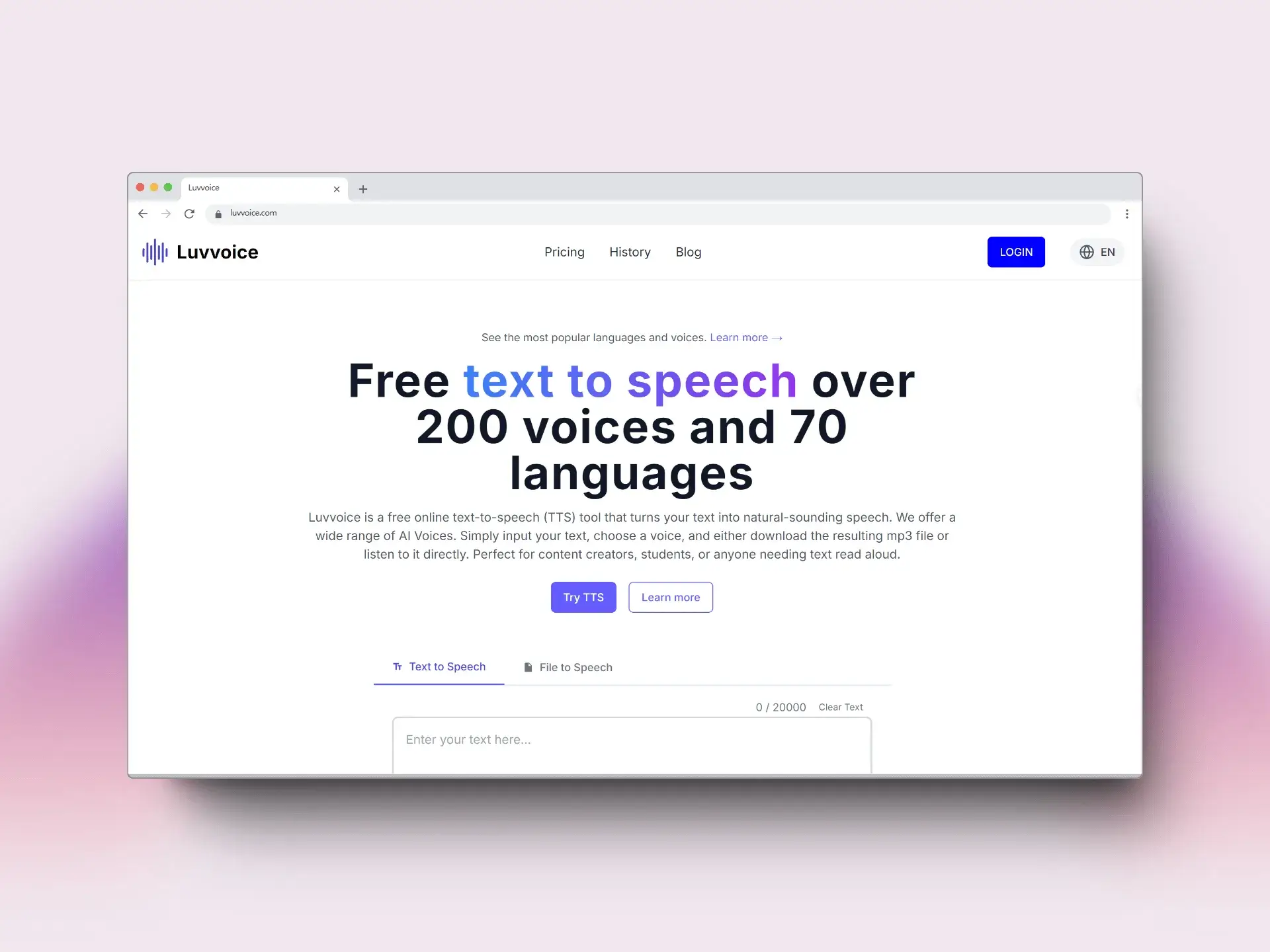
Luvvoice is a free online text-to-speech (TTS) tool utilizing AI to convert text into natural-sounding speech. It supports over 200 voices across 70 languages. Users can input text, select a voice, and either listen directly or download an MP3 file.
This AI Voice Generator supports document uploads in PDF and TXT formats, with logged-in users gaining access to extended character limits. Adjustable speech rate and pitch provide customization options. Luvvoice's generated audio can be employed across platforms like YouTube, TikTok, and podcasts. As a versatile text to speech Luvvoice tool, it caters to diverse needs from content creation to accessibility.
How does Luvvoice work
Luvvoice is a text to speech tool that converts text into audio using AI voices. Users input text, select from over 200 voices across 70 languages, and generate audio. The system utilizes AI algorithms to produce realistic, human-like speech. Luvvoice supports document uploads in PDF and TXT formats, with extended character limits for registered users. Features include adjustable speech rate and pitch. The generated audio, downloadable in MP3 format, can be used for various applications like YouTube, TikTok, and education. Luvvoice offers both free and paid options, differing in character limits.
Benefits of Luvvoice
Luvvoice is a free online text to speech tool with over 200 voices and 70 languages, making it a versatile AI voice generator. It easily converts text to audio, supporting common formats like PDF and TXT. Logged-in users benefit from an extended character limit. The AI voices sound remarkably real, suitable for various applications like YouTube, TikTok, podcasts, and education. Users can adjust speech rate and pitch. Luvvoice is a powerful TTS tool that is very valuable, offering realistic ai voice generation.
Pros and Cons of Luvvoice
Pros
- Offers 200 voices in 70+ languages.
- Free plan converts up to 20,000 characters monthly.
- Supports MP3 audio download format.
- AI voices sound close to real human speech.
- Adjustable speech rate and pitch settings.
Cons
- Free users have limited character generation.
- "Something went wrong" error due to browser extensions.
- PDF text extraction may fail with image-based PDFs.
- Generated audio is saved for only 72 hours.
- Requires login for extended character limits.
Core Features of Luvvoice
Text-to-Speech Conversion
Luvvoice converts written text into natural-sounding speech, providing over 200 AI voices across 70+ languages, downloadable as MP3 files, suitable for content creators and those needing text read aloud.
Document to Voice Conversion
The tool supports converting documents like PDFs and TXT files into audio, handling files with hundreds of thousands of characters, making it useful for processing lengthy texts.
Voice Customization
Luvvoice allows users to adjust speech rate and pitch, offering control over audio output; generated audio remains saved for 72 hours for convenient access.
AI Voice Generation
Utilizing deep learning and AI, Luvvoice generates realistic AI voices, closely resembling human speech, suitable for various applications including marketing, education, and accessibility.
Extended Character Limit (for Logged-in/Paid Users)
Logged-in and paid subscribers can generate audio from up to 20,000 characters at a time, enhancing efficiency for larger text inputs.
Use Cases of Luvvoice
- Content Creators: Utilize Luvvoice AI text to speech to quickly generate voiceovers for YouTube and TikTok videos.
- Language Learners: Employ Luvvoice's diverse language options to practice pronunciation using realistic AI voices.
- Businesses: Leverage Luvvoice API for automated voice responses, enhancing customer service applications.
- Students: Use Luvvoice as a text reader to convert study materials, including PDFs, into easily accessible audio.
- Podcasters: Create engaging podcast content by converting scripts to high-quality audio using Luvvoice AI gen features.
FAQs of Luvvoice
What is Luvvoice?
Luvvoice is a free online text-to-speech (TTS) tool that converts text into natural-sounding speech using AI voices. It offers a wide selection of voices across 70 languages, allowing users to input text, select a voice, and either listen to the audio directly or download it as an MP3 file. Luvvoice is suitable for content creators, students, and anyone who needs text read aloud.
What are the main features of Luvvoice?
Luvvoice boasts real AI voices generated through deep learning, a vast library of 200 voices in over 70 languages, easy conversion of text to audio, document-to-voice functionality supporting PDF and TXT formats, extended character limits for logged-in and paid users (up to 20,000 characters at once), and adjustable speech rate and pitch settings.
What file formats does Luvvoice support for text to speech conversion?
Luvvoice supports common file formats like PDF and TXT, allowing users to upload documents and convert them to AI voice. This feature can handle documents with hundreds of thousands of characters, greatly improving efficiency for large text conversions.
What can Luvvoice audio tools be used for?
Luvvoice audio tools find applications in diverse fields such as media production (YouTube, TikTok, Podcasts, TV), education, gaming, and accessibility services. The AI voice generator helps bridge language barriers, restores lost voices, and makes digital interactions more human-like.
How many characters can be converted with the free Luvvoice plan?
With the free Luvvoice plan, users can convert up to 20,000 characters per month. This allows for ample usage for various text-to-speech needs without requiring a paid subscription.
Can the audio generated by Luvvoice be used for commercial purposes?
Yes, users have full ownership of the audio files generated by Luvvoice and can freely use them in commercial projects like YouTube videos, podcasts, and social media content. However, users must ensure the usage complies with local laws and regulations.
What audio format does Luvvoice support for downloads?
Luvvoice supports MP3 format for audio downloads after converting text to speech. MP3 is a common audio format, ensuring compatibility across various devices and platforms. This makes it easy to listen to the converted content anywhere.
Why does Luvvoice sometimes show a 'Something went wrong' error?
The 'Something went wrong' error when clicking the generate button on Luvvoice may be caused by browser extensions interfering with the website's operation. Disabling translation plugins and refreshing the page is recommended to resolve this issue.
Why might Luvvoice fail to extract text from a PDF file?
Luvvoice may fail to extract text from PDF files that contain only images or that were created through scanning. Standard PDF files usually allow text extraction, but image-based or scanned PDFs might not be processed correctly.
Are there any Luvvoice alternatives?
While Luvvoice is a powerful text-to-speech tool, users seeking alternatives may explore other AI voice generators available online. These may offer different features, pricing models, or voice selections. Researching "text to speech AI" will provide a list of Luvvoice alternatives.
How to use Luvvoice
Luvvoice is a free online text-to-speech (TTS) tool providing natural-sounding speech in over 70 languages. It's designed for content creators, students, and those needing text read aloud using AI voices.
Begin by entering your desired text into the provided text box or upload a document for conversion via the "Text to Speech" tab. Free users are limited to 3000 characters.
Select the desired language and AI voice from the dropdown menus. Luvvoice offers a variety of voice options and language support for diverse content creation.
Click the "Generate" button to initiate the text to speech conversion. This will process your text and convert it into an audio file using the chosen voice.
Listen to the generated audio directly on the website. Adjust speech rate and pitch by clicking the settings button to customize your Luvvoice experience.
Download the generated audio in MP3 format for offline use in various projects like YouTube videos, podcasts, or educational content.
Consider logging in or upgrading to a paid plan for extended character limits, reaching up to 20,000 characters for efficient bulk text conversion.
If you encounter issues like the "Something went wrong" error, disable browser extensions or translation plugins and refresh the page for optimal performance.
Address potential PDF extraction issues by ensuring the PDF contains selectable text and is not purely image-based. Scanned documents may not work.
Explore Luvvoice's features, including AI voice generation and document-to-voice capabilities, to improve media production, education, and accessibility efforts.
Luvvoice Website Traffic Analysis
Latest traffic information
- Monthly Visits1.57M
- Bounce Rate55.89%
- Pages Per Visit2.81
- Visit Duration00:02:01
- Global Rank36.42K
- Country/Region Ranking15.91K
Top Keywords
| Keyword | Traffic | Volume | Cost Per Click |
|---|---|---|---|
| luvvoice | 34.05K | 18.56K | $0.3 |
| texto a voz | 9.38K | 27.18K | $0.25 |
| text to speech free | 7.28K | 75.84K | $0.7 |
| free text to speech | 6.26K | 52.95K | $1.12 |
| text to speech | 5.81K | 552.81K | $0.5 |
Top Regions
| Region | Percentage |
|---|---|
| United States | 11.14% |
| Mexico | 8.25% |
| India | 7.84% |
| Thailand | 7.8% |
| Spain | 4.68% |
Luvvoice Alternatives
Free AI caption and subtitle generator that transcribes speech in 100+ languages, styles every word and exports MP4, SRT, VTT or TXT files in the browser.
LOVO AI turns scripts into MP3 voiceovers in the browser, with 21 voice previews, permission-based voice cloning, 74-language speech, and a video editor.

Play HT is a free AI voice generator that turns text into speech with 200+ public voices, streams previews in the browser, and exports MP3 files.
MixVio runs 21 video, image and audio models in one browser workspace, plus 11 creator tools, with exact credit cost shown before every generation.
Translate Now is a browser-based AI voice translator for real-time speech translation, live transcription, and replayable bilingual audio transcripts.
PodcastorAI turns PDFs, URLs, notes, and audio into studio-quality video podcasts with AI hosts, voices, and scripts for YouTube, Spotify, and TikTok.
KidVoice is an AI kid voice generator that creates natural child and teen voice audio from text with multilingual support and voice cloning.
VoiceScriber turns speech into text in 100+ languages using on-device AI on your iPhone. Works completely offline with no uploads for total privacy.
Generate expressive AI voiceovers and dialogue with Seed Audio. An ElevenLabs-powered text-to-speech tool with performance tags, multi-voice selection, and fast MP3 preview.
Miso One AI is an AI voice generator that lets creators and development teams produce expressive dialogue audio, test cloning, review prompts, and download speech samples with credit tracking.
CAVN AI is an AI music platform for creators, offering text‑to‑song, voice cloning, stem separation, mastering and 4K video creation, free for commercial use.
Petti Chat is an AI-powered web tool that lets pet owners capture short pet sounds, interpret likely intent in human language, and reply with calm, pet‑friendly audio, ensuring privacy and real‑time interaction.