
Veo 4 FAQs
Veo 4 is an AI video platform that lets creators combine text, images, video and audio to produce multi‑shot cinematic stories with lip‑synced dialogue, consistent characters and production‑grade quality.

FAQs of Veo 4
What is Veo 4?
Veo 4 is a next‑generation multi‑modal AI video generation platform that accepts images, video clips, audio files, and natural‑language text prompts. It enables creators to reference any visual or auditory element and produces cinematic multi‑shot stories with native, lip‑synced audio.
What inputs does Veo 4 support?
The system accepts four modalities in a single generation: still images (e.g., PNG, JPEG), video clips (e.g., MP4), audio files in MP3 format, and plain‑text prompts. Users can mix and match these references to guide the AI’s output.
What can I reference with Veo 4?
Creators can reference motion, choreography, camera moves, visual effects, character designs, scene layouts, clothing, text overlays, and any sound from uploaded assets. By tagging assets in the prompt (e.g., “@video1’s camera sweep”), the model reproduces those elements in the new video.
Does Veo 4 generate audio?
Yes. Veo 4 produces native audio alongside video, including lip‑synced dialogue, Foley sound effects, and background music. Users may also upload a custom audio track for beat‑synchronized video generation.
How does video extension work?
After uploading an existing clip, you specify the desired extension length (e.g., “extend 5 seconds”). Veo 4 generates additional frames that blend seamlessly with the original footage, preserving motion, lighting, and style for a fluid continuation.
Can I edit existing videos with Veo 4?
Absolutely. Veo 4 offers targeted editing: you can replace characters, alter specific actions, insert new objects, or remove unwanted segments while keeping the rest of the clip intact, eliminating the need to re‑render the entire video.
What video lengths and resolutions are supported?
Each generation produces shots ranging from 4 to 15 seconds. The platform supports multiple aspect ratios—including 21:9, 16:9, 4:3, 1:1, 3:4, and 9:16—providing both landscape and portrait outputs at cinematic quality.
How is character consistency maintained?
Veo 4 employs advanced consistency controls that lock facial features, clothing, text, and overall visual style across frames and shots. This prevents character drift and ensures a uniform look throughout multi‑shot narratives.
Can I replicate camera movements from other videos?
Yes. By uploading a reference video that contains the desired camera motion or choreography, Veo 4 can accurately imitate those movements in the generated content without requiring detailed textual description.
Are there watermarks on generated videos?
No. All videos exported from Veo 4 are watermark‑free, giving creators full ownership of clean, professional‑grade assets ready for distribution.
How do you ensure privacy and security?
Uploaded files and generated outputs are stored using industry‑standard encryption. aiveo4.ai does not share user data with third parties, and creators retain complete rights to their content.
How do I get started with Veo 4?
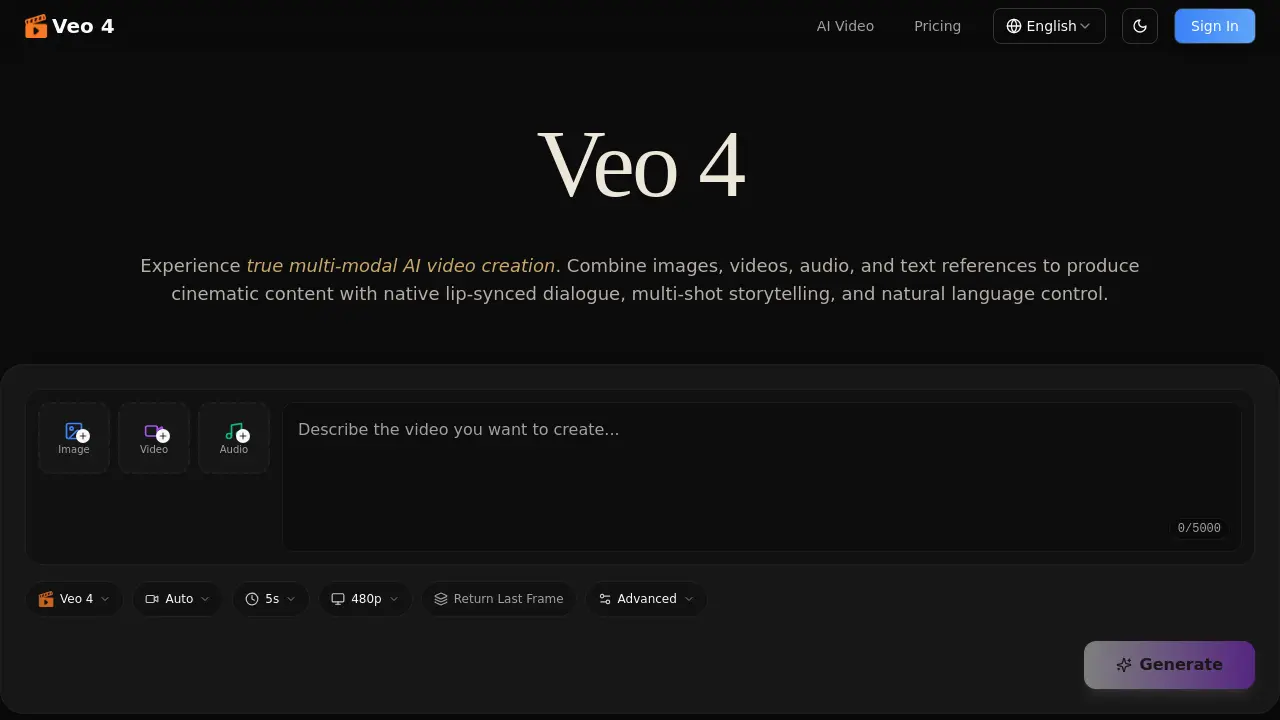
Sign up on the Veo 4 website, select a subscription plan, upload your reference assets, write a natural‑language prompt, and click “Generate.” The platform will produce a multi‑modal video ready for download.
What industries benefit most from Veo 4’s multi‑modal capabilities?
Marketing teams use it for ad template replication, educators create interactive lessons, filmmakers prototype cinematography, and social‑media creators produce viral short‑form videos—all leveraging the ability to combine text, images, video, and audio in a single workflow.
Is there a limit to how many assets I can combine in one prompt?
While Veo 4 supports multiple modalities, the practical limit is determined by the model’s processing capacity and the 5 KB prompt length. Typically, users combine up to three assets (e.g., one image, one video, one audio) for optimal results.
Can I use Veo 4 for real‑time video generation in live streams?
Veo 4 is designed for offline generation rather than real‑time streaming. Generation times depend on shot length and complexity, making it ideal for pre‑produced content such as ads, tutorials, and short films.
How to use Veo 4
Veo 4 serves as a multi‑modal AI video generator, allowing users to combine images, video clips, audio files, and natural‑language prompts to produce cinematic, lip‑synced videos with consistent characters and native sound.
Upload reference assets—images, video segments, or audio tracks—using the “Upload” interface; each file receives an @‑tag that can be referenced later in the text prompt.
Compose a descriptive prompt in plain English, tagging uploaded assets (e.g., “@image1 as opening frame, apply @video1 camera motion, voice from @audio1”), then click Generate to start processing.
Review the generated clip’s timeline, checking visual consistency, camera motion fidelity, and audio synchronization; the platform displays a preview and a downloadable, watermark‑free file.
Refine results by re‑uploading the output, editing specific segments, or adjusting the prompt; iterate until the video meets the desired narrative and quality goals.
