
Video Prompt Generator Introduction
Video Prompt Generator is a free online tool for creators, marketers and editors that analyses YouTube or MP4 videos into shot‑by‑shot scripts, camera notes, audio cues and ready‑to‑use AI prompts.

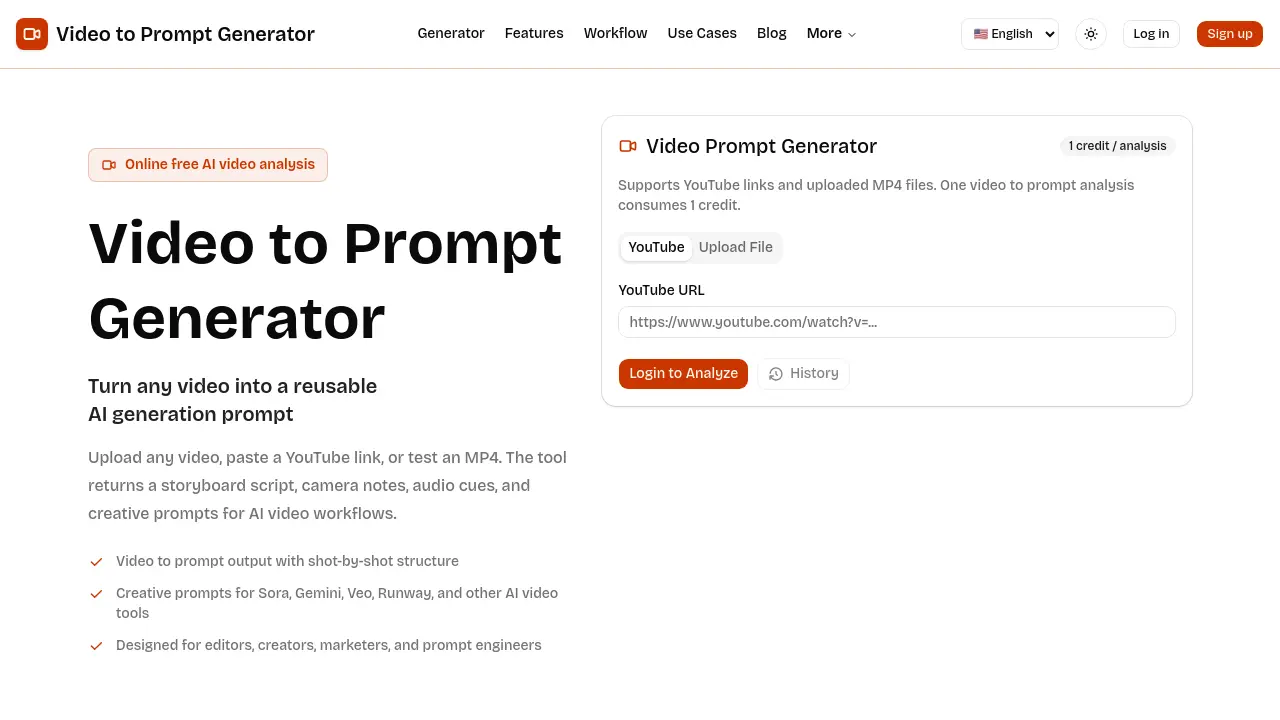
What is Video Prompt Generator
Video Prompt Generator is an online AI tool that converts any reference video into a structured, reusable prompt for downstream video‑generation workflows. Users can submit a YouTube URL or upload an MP4 (up to 50 MB); the service then produces a shot‑by‑shot storyboard table containing framing, camera motion, visual details, audio cues, and duration. The output includes a consolidated creative prompt compatible with AI video platforms such as Sora, Gemini, Veo, and Runway, enabling editors, marketers, and prompt engineers to maintain consistent language across teams. Each analysis consumes a single credit, making the process cost‑effective for iterative production cycles. By isolating visual intent, pacing, lighting, and sound texture, the generator streamlines storyboard reviews, campaign planning, and template creation, reducing manual transcription and accelerating content iteration.
How does Video Prompt Generator work
The Video Prompt Generator processes a reference clip—uploaded as an MP4 or supplied via a YouTube link—and applies AI‑driven analysis to extract scene sequencing, camera language, lighting, and audio cues. It decomposes the footage into a shot‑by‑shot storyboard table, summarizing framing, movement, visual details, and duration for each segment. The tool then consolidates these elements into a reusable text prompt compatible with AI video platforms such as Sora, Gemini, Veo, and Runway. Users can review the generated script, refine wording, and integrate the prompt into creative briefs, campaign plans, or further editing workflows.
Benefits of Video Prompt Generator
The Video Prompt Generator converts a YouTube link or uploaded MP4 into a detailed, shot‑by‑shot storyboard and a reusable AI prompt. Each analysis produces a table that includes framing, camera movement, visual details, audio cues and duration, enabling editors, marketers and prompt engineers to capture visual intent without manual transcription. The output can be copied directly into AI video pipelines such as Sora, Gemini, Veo or Runway, supporting consistent campaign variants and faster revision cycles. By extracting structure, motion and style from reference clips, the tool streamlines creative brief creation and collaborative production planning.
Pros and Cons of Video Prompt Generator
Pros
- Generates shot‑by‑shot storyboard scripts.
- Supports both YouTube links and MP4 uploads.
- Outputs reusable prompts for multiple AI video tools.
- Provides detailed camera, lighting, and audio notes.
- Free analysis costs only one credit per video.
Cons
- Maximum upload size limited to 50 MB.
- Prompt quality depends on short, clear reference clips.
- No native editing or visual preview features.
- Requires login for full analysis history.
- Limited to text‑based output; no direct video rendering.
