
Video Prompt Generator
Video Prompt Generator turns videos into detailed AI prompts

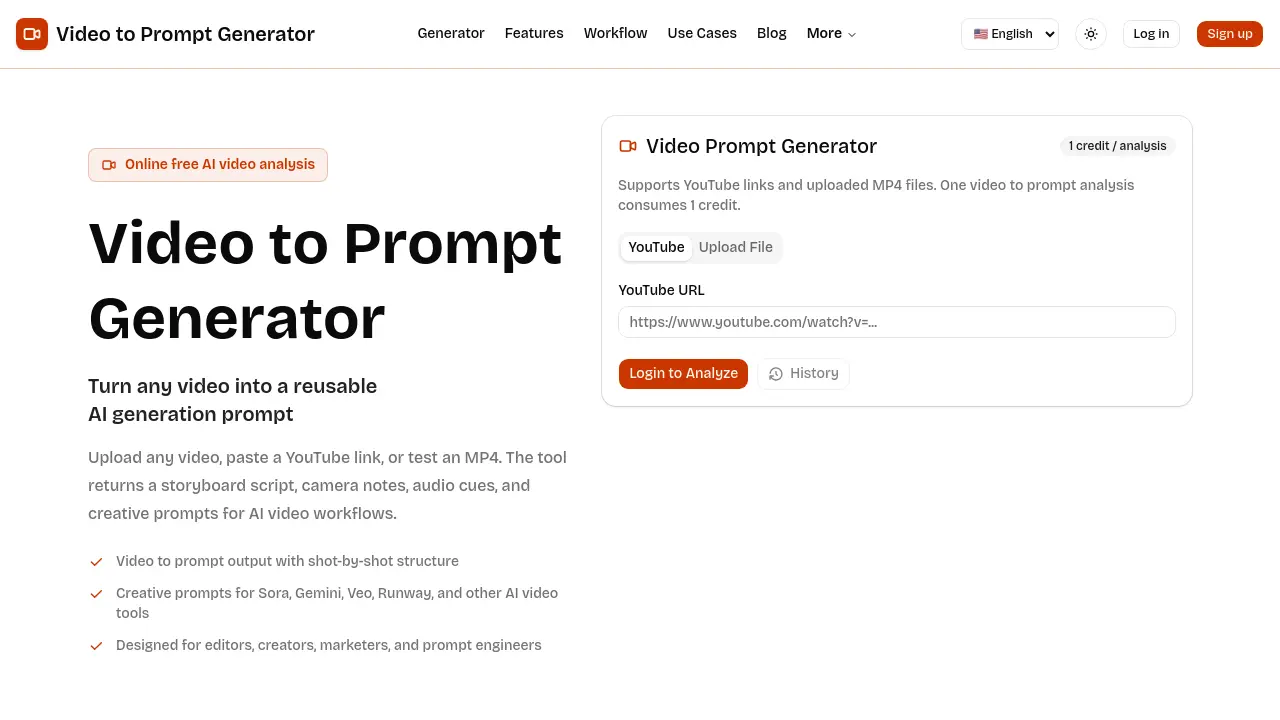
What is Video Prompt Generator
Video Prompt Generator is an online AI tool that converts any reference video into a structured, reusable prompt for downstream video‑generation workflows. Users can submit a YouTube URL or upload an MP4 (up to 50 MB); the service then produces a shot‑by‑shot storyboard table containing framing, camera motion, visual details, audio cues, and duration. The output includes a consolidated creative prompt compatible with AI video platforms such as Sora, Gemini, Veo, and Runway, enabling editors, marketers, and prompt engineers to maintain consistent language across teams. Each analysis consumes a single credit, making the process cost‑effective for iterative production cycles. By isolating visual intent, pacing, lighting, and sound texture, the generator streamlines storyboard reviews, campaign planning, and template creation, reducing manual transcription and accelerating content iteration.
How does Video Prompt Generator work
The Video Prompt Generator processes a reference clip—uploaded as an MP4 or supplied via a YouTube link—and applies AI‑driven analysis to extract scene sequencing, camera language, lighting, and audio cues. It decomposes the footage into a shot‑by‑shot storyboard table, summarizing framing, movement, visual details, and duration for each segment. The tool then consolidates these elements into a reusable text prompt compatible with AI video platforms such as Sora, Gemini, Veo, and Runway. Users can review the generated script, refine wording, and integrate the prompt into creative briefs, campaign plans, or further editing workflows.
Benefits of Video Prompt Generator
The Video Prompt Generator converts a YouTube link or uploaded MP4 into a detailed, shot‑by‑shot storyboard and a reusable AI prompt. Each analysis produces a table that includes framing, camera movement, visual details, audio cues and duration, enabling editors, marketers and prompt engineers to capture visual intent without manual transcription. The output can be copied directly into AI video pipelines such as Sora, Gemini, Veo or Runway, supporting consistent campaign variants and faster revision cycles. By extracting structure, motion and style from reference clips, the tool streamlines creative brief creation and collaborative production planning.
Pros and Cons of Video Prompt Generator
Pros
- Generates shot‑by‑shot storyboard scripts.
- Supports both YouTube links and MP4 uploads.
- Outputs reusable prompts for multiple AI video tools.
- Provides detailed camera, lighting, and audio notes.
- Free analysis costs only one credit per video.
Cons
- Maximum upload size limited to 50 MB.
- Prompt quality depends on short, clear reference clips.
- No native editing or visual preview features.
- Requires login for full analysis history.
- Limited to text‑based output; no direct video rendering.
Core Features of Video Prompt Generator
YouTube to Prompt
Converts a YouTube link into a detailed prompt, extracting scene flow, camera language, and directional cues for immediate use in AI video workflows.
MP4 Upload Analysis
Accepts user‑uploaded MP4 files (up to 50 MB) and generates a private reference analysis, delivering the same prompt ingredients as the YouTube option.
Shot‑Level Script Generation
Produces a storyboard‑style table listing framing, camera movement, visual details, audio notes, and duration for each individual shot.
Reusable Prompt Output
Exports the consolidated prompt and shot script as copy‑ready text, suitable for AI video pipelines, moodboards, creative briefs, or client production notes.
Use Cases of Video Prompt Generator
- AI video creators: Generate detailed shot scripts and camera notes to accelerate AI model replication of reference clips.
- Marketing teams: Convert product teasers into reusable prompts for consistent multi‑platform campaign variations.
- Editors and storyboard artists: Extract frame‑by‑frame tables to document pacing and visual intent without manual transcription.
- Prompt engineers: Build repeatable template prompts from real footage, reducing ambiguity in AI video generation.
- Content educators: Provide students with structured prompt examples to teach AI‑assisted video production workflows.
FAQs of Video Prompt Generator
What is a video to prompt generator?
A video to prompt generator is an online AI tool that analyses a reference video and extracts its visual and audio structure into a textual prompt. The output includes a shot‑by‑shot storyboard, camera notes, audio cues, and creative descriptors that can be fed into AI video generation platforms.
Can I use YouTube videos?
Yes, the service accepts YouTube URLs. By pasting a public YouTube link, the system retrieves the video, parses its scenes, and creates a prompt without requiring a download. This feature simplifies analysis of existing online content.
Is this video prompt generator free online?
The platform offers a free tier that allows one credit per analysis. Each video analysis consumes a single credit, enabling users to test the tool with a YouTube link or an MP4 upload up to 50 MB at no cost.
What does the generated prompt include?
The generated prompt contains a structured storyboard table that lists each shot’s framing, camera movement, visual details, lighting, duration, and associated audio notes. It also provides a consolidated creative prompt suitable for AI video tools, mood boards, or client briefs.
Which AI video tools can use the result?
The output is compatible with popular AI video generation models such as Sora, Gemini, Veo, Runway, and other similar platforms. Users can copy the prompt directly into these tools to guide automated video creation.
How large a video file can I upload?
Uploaded files must be in MP4 format and cannot exceed 50 MB. This limit ensures quick processing while preserving enough visual detail for accurate prompt extraction.
How does the shot‑level script help editors?
The shot‑level script breaks the source video into discrete frames with annotations for camera angle, motion, and audio texture. Editors can use this table to compare pacing, document intended visuals, and communicate shot intent without manually rewriting each beat.
Can the generated prompt be customized?
After the initial analysis, users can edit the consolidated prompt to adjust format, duration, model constraints, or brand guidelines. This flexibility allows prompt engineers to refine the language before feeding it into the AI video pipeline.
Is a user account required to run an analysis?
Running a single analysis does not require login, but creating an account provides access to analysis history, credit management, and future feature updates. Users may choose to sign up for a more streamlined workflow.
How to use Video Prompt Generator
Identify the product’s purpose: converting a YouTube link or uploaded MP4 into a detailed storyboard script, camera notes, audio cues, and AI‑ready creative prompts.
Access the platform, log in if necessary, then locate the “Generator” section where the input field for a YouTube URL or MP4 upload is displayed.
Paste the desired YouTube URL or drag‑and‑drop an MP4 file (max 50 MB) into the upload area, then confirm the submission to allocate one credit for analysis.
Wait for the system to process the video; a shot‑by‑shot table appears, showing framing, camera motion, visual details, audio notes, and duration for each segment.
Review the generated storyboard table, checking that scene order, motion cues, lighting, and audio texture match the original reference.
Copy the consolidated prompt from the “Reusable Prompt Output” box; this text includes shot size, angle, movement, tone, and timing ready for AI video tools such as Sora, Gemini, or Runway.
If needed, edit the prompt to adjust model constraints, brand voice, or duration, then paste the refined prompt into your chosen AI video generation workflow.
Apply the same prompt across multiple production stages—campaign planning, client briefs, or iterative edits—to maintain consistent visual language and streamline collaboration.
Store the analysis in the “History” tab for future reference, allowing quick reuse of the prompt or further modification without re‑uploading the video.
Use the final output to inform marketing briefs, storyboard reviews, or prompt‑engineering templates, ensuring that all stakeholders share a common, production‑ready description.
