
VideoFast Introduction
Create and edit high-quality videos effortlessly with VideoFast. Choose from a variety of animations, customize your text, and enhance your videos with stunning filters and shapes. Try it now!

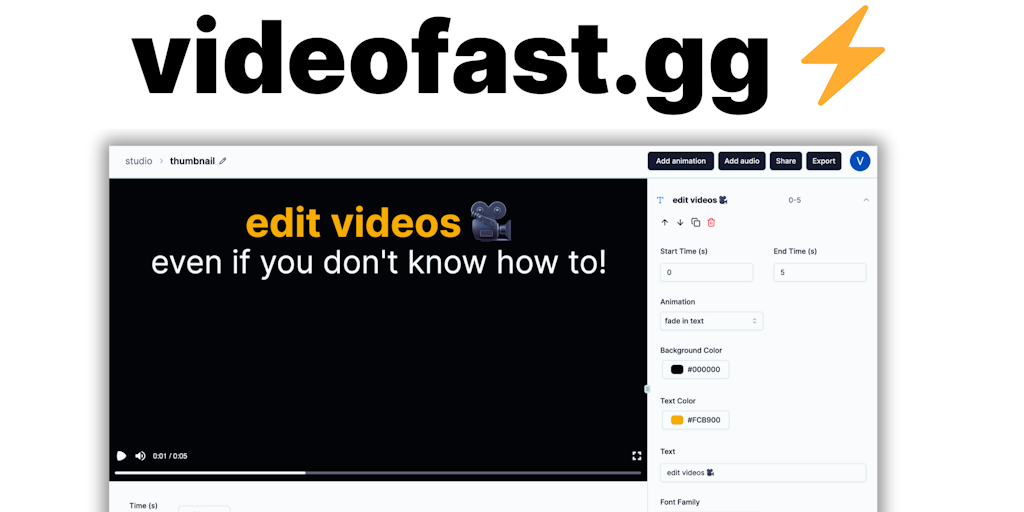
What is VideoFast
VideoFast is an online video editor designed for anyone who wants to create and edit videos easily. It’s a great choice for social media marketers, educators, or anyone who needs to quickly make professional-looking videos. VideoFast's user-friendly interface is incredibly simple to navigate, making it easy for users of any skill level to create engaging videos. With VideoFast, you can easily add text, music, and other effects to your videos, and even trim and edit them to perfection. One of its core features is the ability to upload and edit videos directly from your device, or use their stock footage library. If you need to create high-quality videos for social media or any other purpose, VideoFast is a powerful tool that can help you do it quickly and easily.
How does VideoFast work
VideoFast operates as a video editor designed for users with limited experience. It allows users to create and edit videos easily, using pre-made, customizable text, media, and shape animations. The service provides a range of features, including access to various animations, online image and GIF searching, animated emojis, and audio file integration. Different pricing plans offer varying degrees of access such as number of videos created, storage space, and export credits. VideoFast aims to simplify video creation by providing basic video editing functionality.
Benefits of VideoFast
VideoFast simplifies video editing, enabling users with no prior experience to create high-quality videos. This platform addresses the need for basic video editing without complex tools. Users can easily create and edit videos with customizable text, media, and shape animations. VideoFast offers a user-friendly design and versatile animations suitable for various users. Start with the free plan or choose a monthly or perpetual plan to access unlimited video creation, more storage, and export credits. Create a video fast!
Pros and Cons of VideoFast
Pros
- Easy to use, especially for beginners.
- Offers pre-made, customizable animations.
- Addresses a need for simplified video editing.
- Free plan is available.
Cons
- Free plan has limited usage.
- Perpetual plan storage space is small (1GB).
- Perpetual plan has limited export credits.
