
Omni Flash AI editor enables multi‑turn video edits.

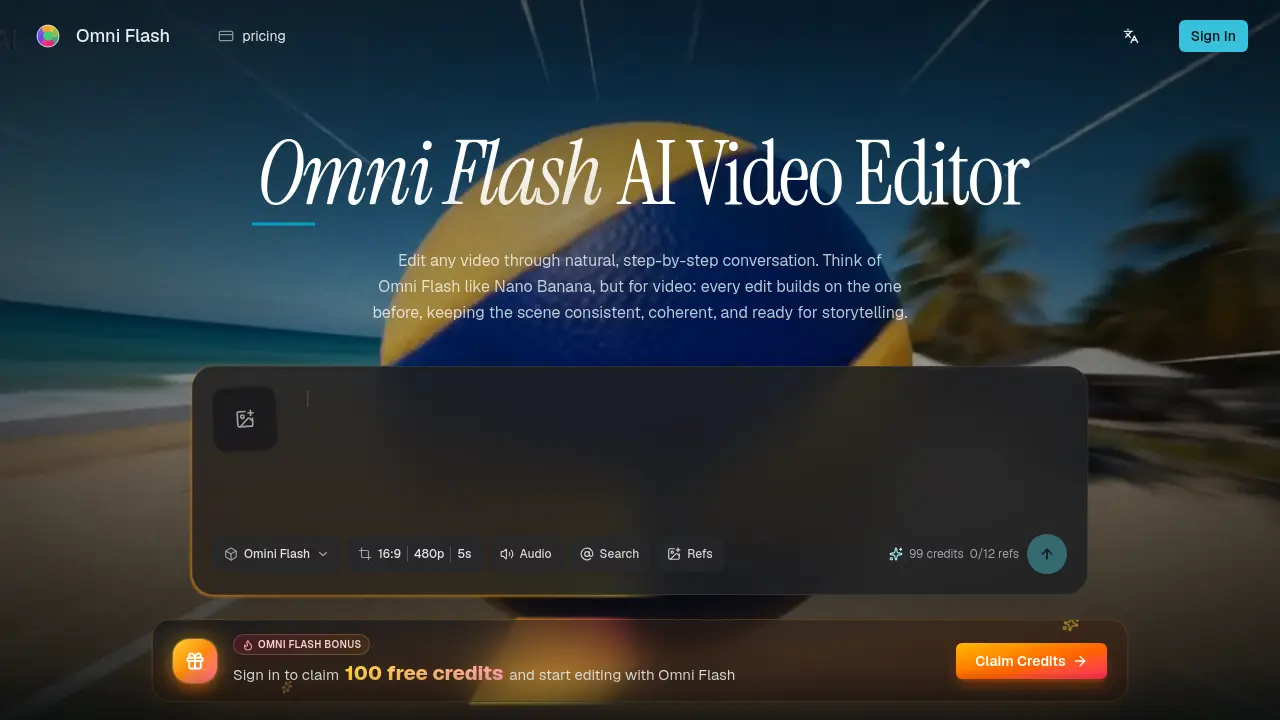
What is Omni Flash
Omni Flash is an AI‑driven video editor that enables conversational, multi‑turn editing of existing footage. Users upload a source video, image, sketch, audio cue, or text brief, then describe desired changes in plain language—such as altering action, mood, camera angle, or visual effect. The system incorporates reference materials (photos, clips, audio, or sketches) and preserves scene continuity, motion, and dialogue while applying physics‑aware transformations like gravity and fluid dynamics. By grounding edits in real‑world knowledge of history, science, and culture, Omni Flash maintains coherent world logic across successive refinements. The workflow eliminates traditional timelines, allowing creators to swap characters or objects, transfer styles, and synchronize text with on‑screen action in a single, export‑ready video output. This approach delivers precise control and consistent storytelling for filmmakers, marketers, and motion designers.
How does Omni Flash work
Omni Flash operates as a conversational AI video editor that transforms an uploaded source—video, image, sketch, audio cue, or text brief—into a refined output through plain‑language prompts. The system parses the initial media, then applies user‑described edits such as changing actions, styles, characters, objects, camera angles, or environmental effects, using multimodal references (images, video clips, audio, sketches) to guide the modification. Each interaction builds on the previous state, preserving motion, dialogue, and scene logic while grounding changes in physics, history, and cultural context. After iterative refinement, the final coherent video is exported for download or further use.
Benefits of Omni Flash
Omni Flash is a conversational AI video editor that lets users refine videos through plain‑language prompts rather than traditional timelines. By accepting images, sketches, audio cues, or text references, it can replace characters, objects, or environments while preserving motion, dialogue, and overall scene logic. Multi‑turn editing maintains consistency across successive changes, and the underlying model incorporates real‑world physics and cultural context for believable movement and narrative coherence. The platform offers free daily credits for initial trials, making iterative, reference‑driven video creation accessible to creators who need precise, context‑aware edits.
Pros and Cons of Omni Flash
Pros
- Conversational editing reduces timeline complexity.
- Multi‑turn refinements preserve scene consistency.
- Supports image, audio, sketch, and video references.
- Physics‑aware edits enhance realism.
- Free daily credits enable low‑cost experimentation.
Cons
- No explicit pricing details for larger plans.
- Requires internet connection; no offline mode.
- Limited public documentation for advanced features.
- May need high‑end hardware for fast rendering.
- Credit system could restrict intensive projects.
Core Features of Omni Flash
Conversational, Multi‑Turn Video Editing
Enables users to describe edits in natural language, then refine the video step‑by‑step; each turn builds on the previous one while preserving overall scene continuity.
Reference‑Driven Editing
Accepts images, video clips, audio cues, sketches, or text briefs as inputs, converting them into cohesive video modifications that align with the provided references.
Coherent Scene Consistency
Maintains logical continuity of characters, objects, camera angles, and effects across successive edits, preventing disjointed or contradictory visual changes.
Character and Object Replacement
Allows instantaneous swapping of people, props, or environments using reference visuals, while preserving original motion, timing, and dialogue for seamless integration.
Physics‑Aware and World‑Logic Editing
Applies real‑world knowledge of gravity, fluid dynamics, kinetic energy, and cultural or historical context to produce believable, context‑appropriate movements and effects.
Style and Motion Transfer
Transfers visual styles, motion patterns, or artistic cues from a reference image or video onto new content, ensuring uniform aesthetic and dynamic consistency.
Use Cases of Omni Flash
- Video editors: Refine complex scenes through conversational prompts, preserving motion and continuity across multiple turns.
- Marketing teams: Generate brand‑consistent ads by swapping products or styles using reference images while maintaining visual coherence.
- Educators: Create physics‑aware demonstrations by editing real footage with accurate gravity and fluid dynamics cues.
- Storyboard artists: Transform sketches into photorealistic sequences, integrating motion and narrative logic in a single output.
- Game developers: Produce cinematic cutscenes by replacing characters and environments via text or audio commands without re‑rendering entire assets.
FAQs of Omni Flash
What is Omni Flash?
Omni Flash is an AI‑powered video editor that enables users to describe desired edits in plain language. The system processes prompts, reference images, audio, sketches, or video clips and incrementally refines the output through a conversational interface, preserving scene continuity across multiple editing turns.
How is Omni Flash different from ordinary video generators?
Unlike one‑shot video generators, Omni Flash focuses on controllable, multi‑turn editing. Each new instruction builds on the previous version, maintaining character consistency, object placement, motion flow, and overall narrative logic, which results in coherent videos rather than disconnected fragments.
Can Omni Flash use reference images, videos, audio, or sketches?
Yes. Users may upload a wide range of reference material—including still images, video clips, audio cues, textual briefs, sketches, or style examples—and the platform combines these inputs into a single, unified video output that respects the supplied guidance.
Can I swap characters or objects in a real video?
Omni Flash supports character and object replacement through natural language commands. By providing a reference image or description, the AI substitutes the target element while preserving original motion, timing, and dialogue, ensuring seamless integration within the existing scene.
Does Omni Flash understand real‑world physics and context?
The editor is designed to ground visual edits in real‑world knowledge such as gravity, kinetic energy, fluid dynamics, as well as historical, scientific, and cultural contexts. This physics‑aware approach helps generate movements and interactions that appear believable and narratively consistent.
Is Omni Flash free to try?
Omni Flash offers a free tier that provides daily credits for limited editing sessions. Users can experiment with conversational edits and reference‑driven changes without cost, while paid plans unlock higher credit volumes, priority processing, and advanced workflow features for larger projects.
How does multi‑turn refinement improve video consistency?
Multi‑turn refinement allows creators to make incremental adjustments—changing action, style, camera angle, or environment—while the AI retains awareness of earlier edits. This step‑by‑step process prevents the loss of continuity that often occurs with isolated, single‑pass edits, resulting in a more stable and coherent final video.
What types of projects benefit most from Omni Flash’s conversational editing?
Projects that require precise control over visual storytelling—such as advertising spots, educational animations, short films, or product demos—gain the most from Omni Flash. The ability to incorporate diverse references and maintain scene logic across edits streamlines complex workflows and reduces the need for manual keyframing or masking.
Are there any limitations on the size or length of source material?
While Omni Flash can ingest a variety of media formats, there are practical limits on file size and video duration to ensure responsive processing. Typically, uploads up to several hundred megabytes and clips under a few minutes are supported; larger assets may need to be trimmed or compressed before editing.
How to use Omni Flash
Omni Flash is an AI‑driven video editor that enables conversational, multi‑turn edits, allowing users to modify action, style, objects, or effects while preserving scene coherence.
Upload the source material—video, image, sketch, audio cue, or text brief—through the “Upload your source” interface; add optional reference files for tighter control.
Describe the desired edit in natural language, specifying changes such as action swap, style shift, object replacement, camera angle, or environmental adjustment.
Submit the prompt; Omni Flash processes the input, generating an interim video that reflects the requested transformation while maintaining logical continuity.
Review the preview frame or screenshot; assess whether motion, lighting, and narrative logic align with expectations before proceeding.
Refine the edit through additional conversational turns, tweaking details like timing, physics effects, or visual style, each iteration building on the previous output.
Export the final video, selecting resolution and format options; the exported file incorporates all references, instructions, and world‑aware details for immediate use.
Omni Flash Alternatives

Seedance 3.0 preview page: planned multi-shot continuity, scene editing and audio-visual sync for AI video, while the on-page generator runs Seedance 2.5.
Black Forest Labs' multimodal model with a web generator for text-to-video, image-to-video and image editing with native audio, for creators and marketers.
Wan API is an independent platform for Wan and Seedance video models. Compare specs and rates, generate clips in the Playground, or call them through one API.
Seedance 3.0 turns text, images, video clips, and audio into videos with sound, and edits one part of a clip without regenerating the rest.
Scribix is an AI video clipper that cuts podcasts and interviews into captioned vertical shorts, then publishes them to YouTube, TikTok and LinkedIn.
AI video and image studio with text-to-video, image-to-video and keyframe control across Seedance, Kling, Wan and Vidu — all on one credit balance.
SeaMove AI is an AI video and image generation platform offering Seedance 2.0 and Seedance 2.5 models for text-to-video, image-to-video, and reference-based creation. Features multi-shot continuity, director-level control, and audio-visual sync for creators and studios.
Turns two separate portraits into a 15-second vertical rap duet video on an orange stage with a shared microphone and the original soundtrack. Free 480P preview available.
Katto turns long videos and podcasts into scored, captioned 9:16 clips. It ranks clips by viral potential and exports them to 7 platforms from one place.
Mareel is an all-in-one AI video and image generation workspace giving creators, marketers, and ecommerce teams 40+ leading models and one shared credit balance.
An AI cartoon video generator that turns a script or prompt into an animated video with the same character in every scene, AI voiceover and soundtrack, and commercial rights included.
Gemini Omni is an online AI video generator and editor that turns a text prompt or reference image into a video, then refines each shot through conversational edits while keeping characters and the scene consistent.