
UrlToVideo AI creates video ads from ecommerce product URLs

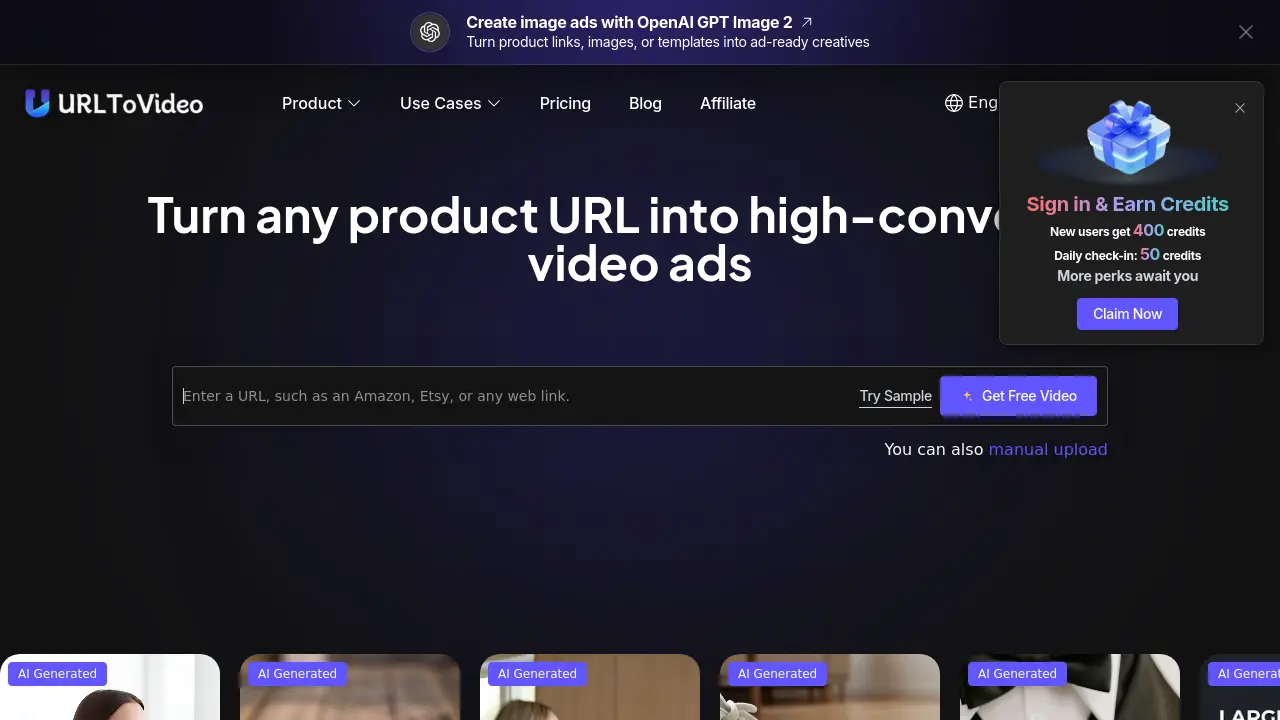
What is UrlToVideo AI
UrlToVideo AI is an automated video‑ad generator that converts e‑commerce product pages into ready‑to‑publish video creatives. By entering a Shopify, Amazon, Etsy, TikTok Shop, or similar URL, the system extracts images, titles, specifications and pricing, then builds a structured script and assembles scenes using proven high‑converting frameworks. The platform includes a built‑in library of successful ad templates, over 100 AI avatars, and realistic voice‑cloning with lip‑sync, eliminating the need for filming or manual editing. Exported MP4 files are optimized for TikTok, Facebook, Instagram and other ad networks, enabling rapid A/B testing and creative iteration. Designed for e‑commerce brands, dropshippers and performance marketers, UrlToVideo AI streamlines workflow, reduces production costs, and accelerates time‑to‑market for product video ads.
How does UrlToVideo AI work
UrlToVideo AI operates as an automated video‑ad generator that extracts data directly from ecommerce product pages such as Shopify, Amazon, Etsy, or TikTok Shop. After a user pastes a product URL, the system crawls the page, parses titles, images, pricing, and feature descriptions, then feeds this information to a script‑creation module built on proven conversion frameworks. The generated script drives a scene‑assembly engine, which selects appropriate visual layouts, applies AI‑generated avatars or text‑to‑speech voiceovers, and synchronises lip‑sync and background music. Finally, the platform renders a platform‑ready MP4 file that can be downloaded and deployed across advertising channels.
Benefits of UrlToVideo AI
UrlToVideo AI converts Shopify, Amazon, Etsy, TikTok Shop and other product pages into ready‑to‑launch video ads with a single paste of the URL. Its AI extracts images, titles and specs, then automatically generates a conversion‑focused script, selects a matching layout from a library of proven ad frameworks, and adds AI‑generated avatars, voice cloning and lip‑sync. The workflow requires no filming, editing or design skills, and the exported MP4 files are optimized for major ad platforms. This automation speeds creative iteration, reduces production costs, and lets ecommerce brands test many video variations in minutes.
Pros and Cons of UrlToVideo AI
Pros
- Automates video creation directly from product URLs.
- Includes built‑in ad library for proven creative structures.
- Generates scripts, avatars, and voiceovers without manual input.
- Exports platform‑ready MP4s, eliminating post‑production edits.
- Supports major ecommerce platforms (Shopify, Amazon, Etsy, etc.).
Cons
- Limited customization beyond preset templates.
- Dependence on accurate product page data extraction.
- No native advanced editing features for fine‑tuning.
- Pricing details not fully disclosed on site.
- May require higher credits for large‑scale video batches.
Core Features of UrlToVideo AI
Automatic Video Generation from Product URLs
Analyzes product pages on Shopify, Amazon, Etsy, TikTok Shop, and similar platforms, extracting images, text, and details to create ready-to-use video ads instantly.
AI‑Driven Script Creation
Generates conversion‑focused ad copy and scene sequencing automatically, eliminating manual writing and ensuring each video follows proven marketing frameworks.
Built‑in Winning Ad Library & Cloning
Provides a collection of high‑performing ad templates; one‑click replication adapts these structures to the entered product URL for fast, proven creative output.
AI Avatar and Voice Integration
Offers over 100 AI avatars, voice cloning, and text‑to‑speech with lip‑sync, enabling realistic UGC‑style videos without any filming.
One‑Click Export of Platform‑Ready MP4s
Delivers fully rendered video files optimized for TikTok, Shopify, Amazon, and other ad platforms, removing the need for further resizing or editing.
Use Cases of UrlToVideo AI
- Ecommerce marketers: Generate platform‑ready video ads from Shopify or Amazon URLs within minutes, reducing production costs.
- Performance analysts: Test multiple creative variations quickly by cloning proven ad structures from the built‑in library.
- Dropship owners: Automate script creation and AI avatar integration to launch UGC‑style videos without filming.
- Social media managers: Export MP4 ads directly for TikTok Shop, Instagram Reels, and other channels without resizing.
- Content strategists: Produce scalable product videos across Etsy, Shein, and TikTok Shop using a single product link.
FAQs of UrlToVideo AI
Q. What is URL To Video?
URL To Video is an AI‑powered video generation platform that transforms any ecommerce product webpage—such as Shopify, Amazon, Etsy, or TikTok Shop—into a ready‑to‑publish video ad. By analyzing product images, titles, descriptions, and pricing, the system automatically creates a structured, conversion‑focused video without manual scripting or editing.
Q. How does URL To Video create videos from a link?
The tool follows a four‑step workflow: (1) you paste a product URL; (2) its AI crawls the page, extracting images, copy, and key selling points; (3) it generates a script, selects scenes, adds AI avatars, voice‑over, and subtitles; and (4) the finished MP4 is previewed and can be downloaded instantly for upload to advertising platforms.
Q. Can I use URL To Video without any video production experience?
Yes. The interface is designed for beginners and experienced marketers alike. After entering a product link, the AI handles scriptwriting, scene assembly, avatar selection, and voice synthesis, delivering a complete video with a single click, so no prior editing skills are required.
Q. What types of product links can URL To Video recognize?
URL To Video supports major ecommerce and app marketplaces, including Amazon, Shopify, Etsy, TikTok Shop, AliExpress, eBay, Apple App Store, and Google Play. If a link is not automatically detected, users may manually input product details or contact support for assistance.
Q. Can AI‑generated voice, music, and avatars be used in commercial projects?
Yes. All AI‑generated assets—voice‑overs, background music, and avatar performances—are cleared for commercial use, provided creators follow local regulations and avoid prohibited content such as violence, hate speech, or misleading claims.
Q. What kinds of videos can I create with URL To Video?
The platform can produce a variety of ad formats: short product showcase videos, user‑generated‑content (UGC) style ads, direct‑response DTC brand ads, and longer explainer videos. Each output is optimized for channels like TikTok, Instagram Reels, Facebook, and YouTube Shorts.
Q. How does URL To Video keep my data and privacy secure?
URL To Video processes URLs and extracted content in a transient environment, meaning the data is not stored long‑term, shared with third parties, or indexed for search. Encryption is applied during transmission, and the system complies with GDPR‑like privacy standards to protect user information.
Q. Who can benefit from a video generator that works from links?
Ecommerce brands, dropshippers, performance marketers, and creative agencies can all accelerate ad production. The tool reduces reliance on external video teams, lowers per‑video costs, and enables rapid A/B testing of multiple creative angles.
Q. Is it legal to use AI to make ads?
Using AI to generate advertising assets is legal in most jurisdictions. Compliance hinges on truthful claims, proper disclosures, and respecting intellectual property rights. Advertising platforms also require that AI‑generated content meets their community guidelines.
Q. What makes URL To Video different from other AI video generators?
Unlike generic AI editors, URL To Video is purpose‑built for ecommerce advertising. It incorporates proven ad frameworks, an ad‑library of high‑performing structures, automatic script generation, and a 100+ AI avatar library, all tailored to turn product pages into high‑converting video ads.
Q. Do I need to upload images or write a script?
No. The system extracts product images, titles, bullet points, and pricing directly from the supplied URL, then creates a conversion‑focused script and assembles the visual sequence automatically.
Q. How quickly can I generate a video after entering a product URL?
Typical generation times range from 30 seconds to 2 minutes, depending on the complexity of the source page and selected avatar or voice options. The rapid turnaround supports fast creative iteration and daily ad testing cycles.
Q. Can I create multiple video variations from a single product page?
Yes. Users can select different ad templates, swap AI avatars, adjust voice styles, or modify hook sentences to produce dozens of unique video versions, enabling extensive split‑testing without additional manual effort.
Q. What export formats does URL To Video provide?
Videos are exported as platform‑ready MP4 files with common resolution presets (1080p, 720p). Files include embedded subtitles and are optimized for TikTok, Instagram Reels, Facebook, YouTube Shorts, and other major ad networks, eliminating the need for further resizing.
Q. Is there a free trial or credit system for new users?
New users receive 400 free credits upon registration, with a daily check‑in bonus of 50 credits. Credits are consumed per video generation, allowing prospective customers to test the service before committing to a paid plan.
How to use UrlToVideo AI
UrlToVideo AI converts ecommerce product pages—Shopify, Amazon, Etsy, TikTok Shop—into high‑converting video ads, extracting details, generating scripts, and applying AI avatars and voice.
Log in, navigate to the “URL To Video” section, and paste the product’s web link into the input field; the platform validates the URL format automatically.
Click “Generate Video”; the AI analyses the page, pulls images, titles, and key selling points, then assembles a structured ad script based on proven conversion frameworks.
Review the preview screen where the generated storyboard shows scene order, AI‑generated voiceover, and optional avatar selection; adjust style or avatar if desired.
Press “Download” to export the final MP4 file; the video is already sized for TikTok, Instagram, Facebook, or Shopify ad placements without additional editing.
Import the exported video into your advertising platform, monitor performance metrics, and iterate by tweaking the source URL or selecting alternative ad templates from the built‑in library.
UrlToVideo AI Website Traffic Analysis
Latest traffic information
- Monthly Visits36.43K
- Bounce Rate40.64%
- Pages Per Visit1.74
- Visit Duration00:00:23
- Global Rank879.39K
- Country/Region Ranking677.89K
Top Keywords
| Keyword | Traffic | Volume | Cost Per Click |
|---|---|---|---|
| url to video | 1.08K | 3.43K | $0.7 |
| urltovideo | 180 | 380 | -- |
| urltovideo.ai | 100 | 400 | -- |
| free ai url to video generator | 100 | 110 | -- |
| ai url to video download | 100 | 100 | -- |
Top Regions
| Region | Percentage |
|---|---|
| United States | 22.12% |
| India | 12.87% |
| Pakistan | 7.35% |
| Brazil | 6.99% |
| United Kingdom | 5.8% |
UrlToVideo AI Alternatives
Seedance 3.0 preview page: planned multi-shot continuity, scene editing and audio-visual sync for AI video, while the on-page generator runs Seedance 2.5.
Browser workspace for AI image generation, reference photo editing, and short video drafts, aimed at creators, marketers, and product teams.
Black Forest Labs' multimodal model with a web generator for text-to-video, image-to-video and image editing with native audio, for creators and marketers.
Wan API is an independent platform for Wan and Seedance video models. Compare specs and rates, generate clips in the Playground, or call them through one API.
Seedance 3.0 turns text, images, video clips, and audio into videos with sound, and edits one part of a clip without regenerating the rest.
Wery is a virtual AI studio that routes one goal to specialist agents for video, images, music and documents, keeping characters and project assets consistent.

AI video and image studio with text-to-video, image-to-video and keyframe control across Seedance, Kling, Wan and Vidu — all on one credit balance.
Browser studio for AI video, image and music generation with Grok Imagine, Kling and GPT Image models. Free daily credits, no sign-up required.
SeaMove AI is an AI video and image generation platform offering Seedance 2.0 and Seedance 2.5 models for text-to-video, image-to-video, and reference-based creation. Features multi-shot continuity, director-level control, and audio-visual sync for creators and studios.
Turns two separate portraits into a 15-second vertical rap duet video on an orange stage with a shared microphone and the original soundtrack. Free 480P preview available.
Mareel is an all-in-one AI video and image generation workspace giving creators, marketers, and ecommerce teams 40+ leading models and one shared credit balance.
Kinovi is a REST API that runs published video, image, and audio AI models from one endpoint. Send a model ID to createTask, poll recordInfo, and pay per use from one shared credit balance.