
Copy Video AI
Copy Video AI converts videos into prompts for AI generation

What is Copy Video AI
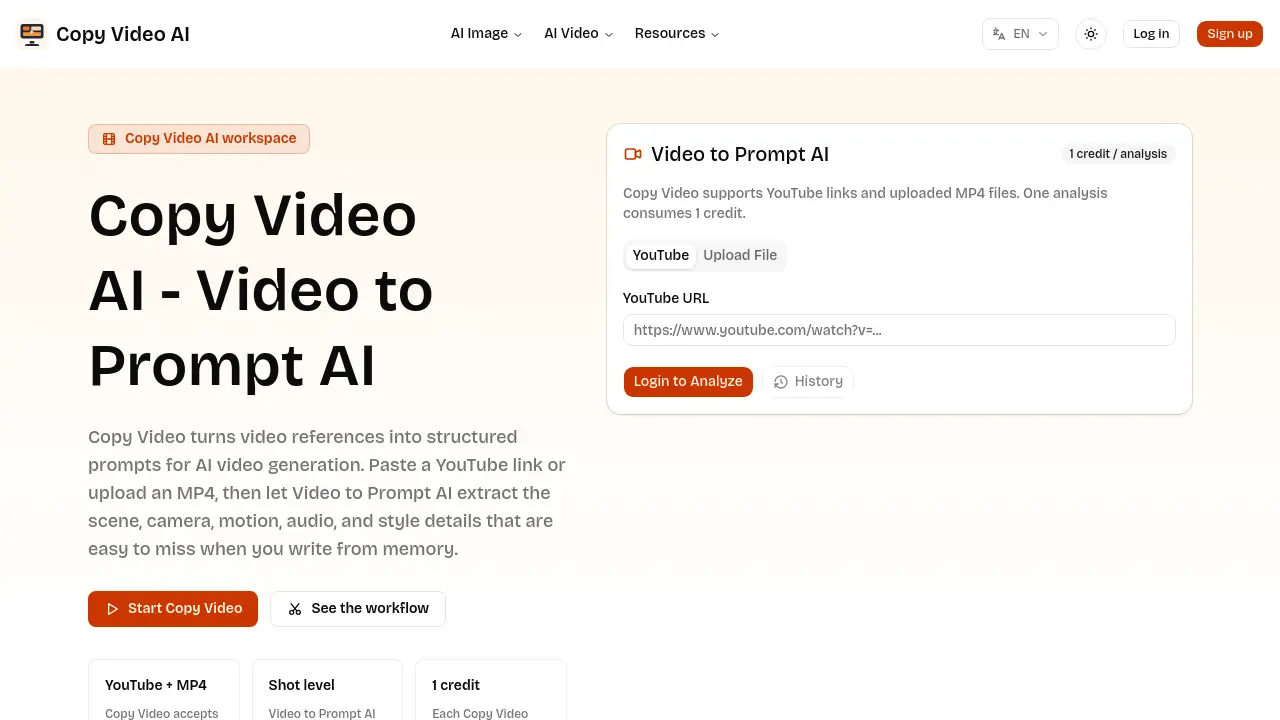
Copy Video AI is an AI‑driven “Video to Prompt” service that converts a reference video into a structured production brief. By accepting either a public YouTube URL or an uploaded MP4, the tool extracts scene composition, camera movement, lighting, audio cues, pacing, and stylistic details at the shot level. Each analysis consumes a single credit and returns a plain‑text prompt that can be imported directly into any AI video generation platform or saved to a prompt library. The workflow is designed for creators, marketers, editors, and founders who need to translate visual references into actionable prompts without manual transcription. Use cases include reverse‑engineering viral edits, rebuilding successful ad concepts, building searchable prompt archives, and testing new video directions with minimal effort.
How does Copy Video AI work
Copy Video AI processes a reference video—either a public YouTube URL or an uploaded MP4—and generates a structured prompt for AI video generation. The system first extracts frame‑by‑frame details, identifying scene composition, camera movement, lighting, audio cues, and stylistic elements. These attributes are then organized into a reverse‑prompt format that mirrors a production brief, rather than a simple transcript. The resulting document can be copied into downstream AI video tools, saved for prompt libraries, or adapted for marketing and editorial workflows. This video‑to‑prompt AI streamlines the transition from visual reference to reusable generation input.
Benefits of Copy Video AI
Copy Video AI converts a reference video—via YouTube link or uploaded MP4—into a structured prompt that captures scene composition, camera movement, pacing, lighting, audio and style cues. Each analysis consumes a single credit and outputs a production‑ready brief that can be copied into any AI video generator or saved for a prompt library. The workflow supports creators studying viral edits, marketers rebuilding successful concepts, editors building consistent prompt inventories, and founders testing visual directions. By automating the extraction of visual and auditory details, the tool reduces manual note‑taking and ensures that prompt language remains specific and actionable.
Pros and Cons of Copy Video AI
Pros
- Converts video to structured AI prompts.
- Supports YouTube links and MP4 uploads.
- Extracts scene, camera, motion, audio, and style details.
- Generates reusable production briefs for teams.
- Outputs plain text compatible with other AI tools.
Cons
- Requires one credit per analysis.
- No built‑in video generation feature.
- Lacks real‑time editing of extracted prompts.
- Dependent on internet connection for YouTube analysis.
- Limited to single‑video inputs per credit.
Core Features of Copy Video AI
Video-to-Prompt AI Analysis
Processes YouTube links or uploaded MP4 files, extracting scene composition, camera movement, pacing, lighting, audio, and style into a single structured prompt document.
Structured Prompt Generation
Converts extracted production cues into a concise, production‑ready prompt that can be directly copied into AI video generators or edited for brand‑specific projects.
Prompt Library Creation
Enables teams to store, tag, and search generated prompts by genre, pacing, or platform, fostering consistent brief creation across multiple campaigns and editors.
Collaborative Workflow Integration
Provides a repeatable workflow—from reference video selection through prompt reuse—allowing creators, marketers, and founders to align on visual concepts without manual transcription.
Use Cases of Copy Video AI
- Creators: Analyze viral clips to extract pacing, camera moves, and style cues for precise AI video prompts.
- Marketers: Convert product demo videos into structured briefs, preserving winning concepts while adapting brand messaging.
- Editors: Build searchable prompt libraries by cataloguing scene, motion, and audio details from multiple reference videos.
- Founders: Turn rough MP4 drafts into production-ready prompts, enabling rapid AI video testing without manual description.
- Agencies: Translate competitor YouTube ads into reusable prompt documents, facilitating consistent campaign replication across clients.
FAQs of Copy Video AI
What does Copy Video do?
Copy Video AI analyzes an existing video and converts its visible production details—such as scene composition, camera movement, pacing, lighting, audio cues, and stylistic elements—into a structured, reusable prompt. This reverse‑prompt can be fed directly into AI video generators or stored for future reference.
Is Video to Prompt AI only for YouTube links?
No. Video to Prompt AI works with both public YouTube URLs and private MP4 uploads. Users can analyze any accessible video reference, whether it is a viral YouTube clip or a confidential client draft, and receive the same detailed prompt output.
How is Copy Video different from a transcript tool?
A transcript tool captures only spoken words, ignoring visual and cinematic information. In contrast, Copy Video examines the entire production language—including shot framing, motion, lighting, sound design, and transition patterns—producing a comprehensive brief that guides AI video synthesis rather than merely providing text of dialogue.
Can I reuse the generated prompt in other AI video tools?
Yes. The output from Copy Video is plain, structured text that can be copied into any compatible AI video generation platform. Users may edit the prompt to match brand guidelines, combine it with other prompts, or add it to a shared library for consistent creative workflows.
Who should use Copy Video AI?
Copy Video AI serves creators, marketers, editors, founders, agencies, and any team that begins a project with a video reference. It streamlines the process of turning observed production techniques into actionable prompts for AI‑assisted video creation.
How many credits does one analysis consume?
Each analysis of a YouTube link or uploaded MP4 consumes exactly one credit. Credits are deducted per video processed, and the resulting prompt document is delivered immediately after the analysis completes.
What level of detail does the generated prompt include?
The prompt outlines shot‑by‑shot elements such as subject placement, environment description, camera movement (e.g., pan, tilt, dolly), pacing rhythm, lighting style, audio ambience, and transition notes. This level of granularity helps ensure that AI video models reproduce the original’s visual language accurately.
Can I build a searchable prompt library with Copy Video?
Yes. By repeatedly analyzing reference videos, teams can archive the structured prompts, tag them by genre, pacing, platform, or other attributes, and create a searchable library. This promotes consistency across projects and speeds up future prompt creation.
How to use Copy Video AI
Copy Video AI converts a reference video—YouTube URL or uploaded MP4—into a structured prompt that captures scene, camera, motion, audio, and style details for AI video generation.
Log in, paste the public YouTube link or drag‑and‑drop the MP4 file into the “Video to Prompt AI” field, then click the Start Analysis button to consume one credit.
The system processes the footage, extracting shot‑level information such as subject, environment, camera movement, pacing, lighting, and audio cues, then assembles them into a concise prompt document.
Review the generated prompt: it lists each scene's composition, motion vectors, tonal description, and transition notes, allowing quick verification against the original video’s visual language.
Copy the plain‑text prompt into any compatible AI video creation tool, adjust brand or product specifics as needed, and run the generation to produce a new video based on the original reference.
Archive the prompt in a shared library for future projects; the consistent structure supports searchable libraries by genre, pacing, or platform, facilitating reuse across marketing, storytelling, or product demo workflows.
Copy Video AI Website Traffic Analysis
Latest traffic information
- Monthly Visits2.13K
- Bounce Rate37.55%
- Pages Per Visit1.18
- Visit Duration00:00:00
- Global Rank8.72M
- Country/Region Ranking3.66M
Top Keywords
| Keyword | Traffic | Volume | Cost Per Click |
|---|---|---|---|
| descargador de instagram | 20 | 890 | $0.15 |
| back to front scene prompt | 20 | 40 | -- |
| ai video prompt copy paste | -- | 630 | -- |
| video to ai video prompt | -- | 90 | -- |
| como baixar vídeo do tiktok | -- | 70 | $0.15 |
Top Regions
| Region | Percentage |
|---|---|
| United States | 69.64% |
| India | 30.36% |
Copy Video AI Alternatives
Seedance 3.0 preview page: planned multi-shot continuity, scene editing and audio-visual sync for AI video, while the on-page generator runs Seedance 2.5.
Browser workspace for AI image generation, reference photo editing, and short video drafts, aimed at creators, marketers, and product teams.
Black Forest Labs' multimodal model with a web generator for text-to-video, image-to-video and image editing with native audio, for creators and marketers.
Wan API is an independent platform for Wan and Seedance video models. Compare specs and rates, generate clips in the Playground, or call them through one API.
Seedance 3.0 turns text, images, video clips, and audio into videos with sound, and edits one part of a clip without regenerating the rest.
Scribix is an AI video clipper that cuts podcasts and interviews into captioned vertical shorts, then publishes them to YouTube, TikTok and LinkedIn.
Wery is a virtual AI studio that routes one goal to specialist agents for video, images, music and documents, keeping characters and project assets consistent.

AI video and image studio with text-to-video, image-to-video and keyframe control across Seedance, Kling, Wan and Vidu — all on one credit balance.
Browser studio for AI video, image and music generation with Grok Imagine, Kling and GPT Image models. Free daily credits, no sign-up required.
SeaMove AI is an AI video and image generation platform offering Seedance 2.0 and Seedance 2.5 models for text-to-video, image-to-video, and reference-based creation. Features multi-shot continuity, director-level control, and audio-visual sync for creators and studios.
Turns two separate portraits into a 15-second vertical rap duet video on an orange stage with a shared microphone and the original soundtrack. Free 480P preview available.
Katto turns long videos and podcasts into scored, captioned 9:16 clips. It ranks clips by viral potential and exports them to 7 platforms from one place.