
VideoFast Core Features
Create and edit high-quality videos effortlessly with VideoFast. Choose from a variety of animations, customize your text, and enhance your videos with stunning filters and shapes. Try it now!

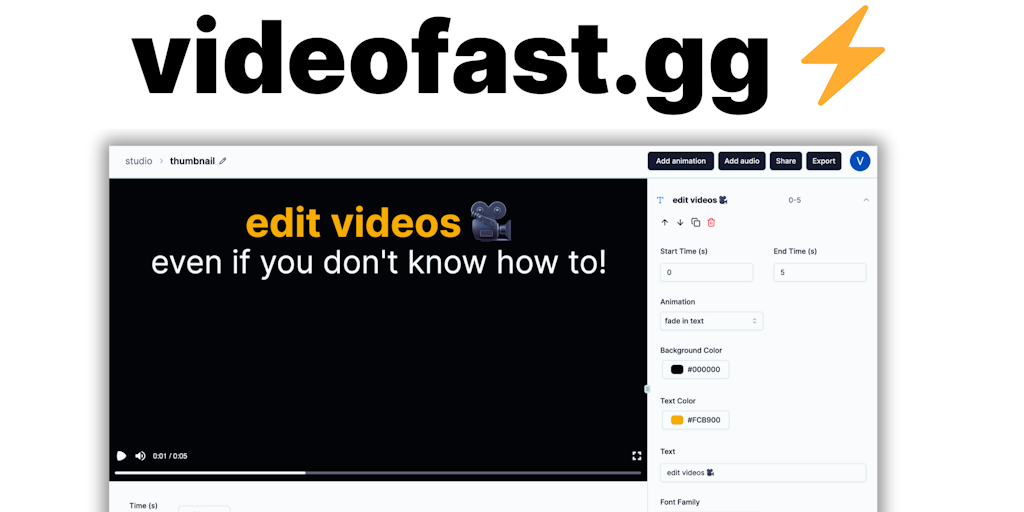
Core Features of VideoFast
Easily Upload and Edit Videos
You can upload your videos to VideoFast from your computer, Google Drive, Dropbox, or directly from a URL. After your video is uploaded, VideoFast will give you tools to trim, split, and merge videos.
Add Text and Effects
VideoFast allows you to add text to your videos, change the font, color, and size, as well as animate it. You can also choose to add various effects to your video like blur, brightness, and color.
Create Videos with Music
You can add and edit music to your videos from their library or upload your own. You can also adjust the volume of your audio and videos.
Export and Share Your Videos
When you are finished editing, you can export your video in a variety of formats, including MP4, MOV, and GIF. You can also share your videos directly to social media.
Use Cases of VideoFast
- Content Creators: Produce engaging short-form content with customizable text animations, using VideoFast's video fast editing capabilities.
- Social Media Managers: Quickly create marketing videos using pre-made animations and a video fast workflow to enhance brand presence.
- Educators: Develop instructional videos easily with VideoFast's simple interface, incorporating fast video editing for clear communication.
- Small Businesses: Design promotional material using VideoFast's accessible features to fast forward video production, even without expertise.
- Marketing Teams: Produce fast video advertisements with diverse animation options, speeding up the content creation and editing process.
