
Video2PPT FAQs
Video2PPT turns YouTube, MP4, and screen recordings into editable PowerPoint and PDF with AI slide extraction, helping educators save hours on manual work.

FAQs of Video2PPT
What is Video2PPT?
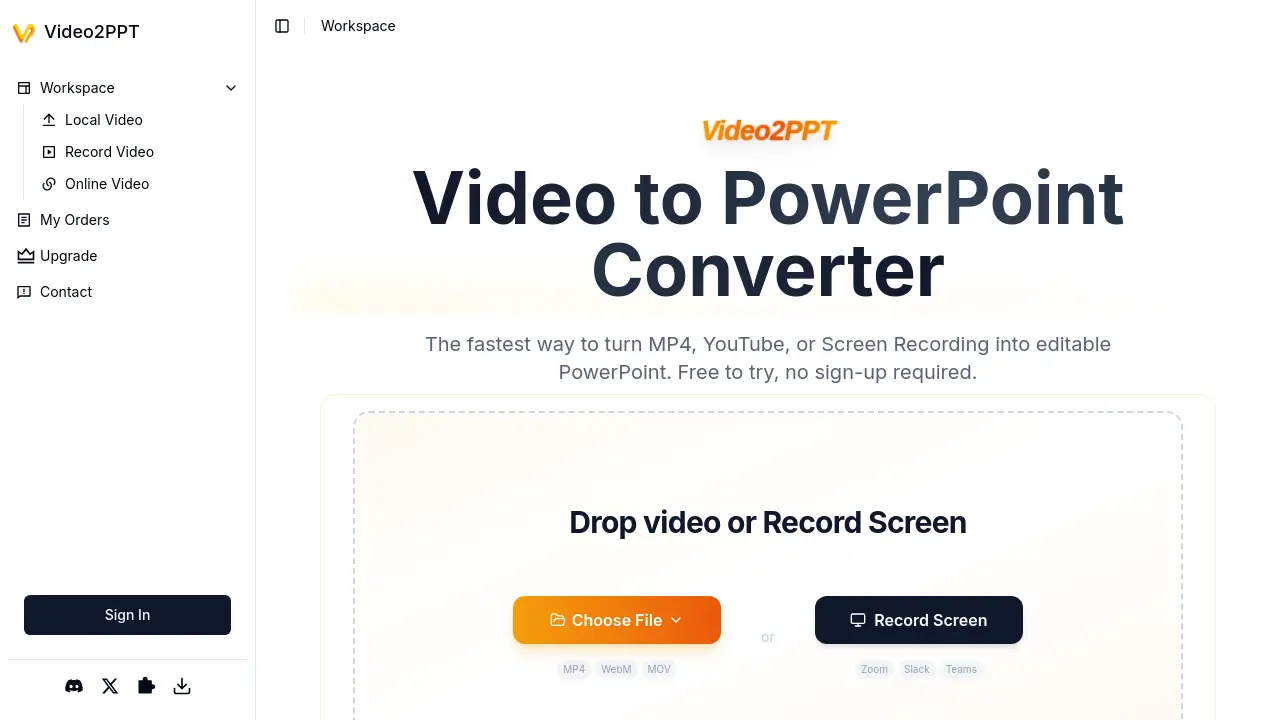
Video2PPT is an AI-powered tool that converts video files (MP4, MOV, WebM), screen recordings, and online videos (YouTube, Vimeo) into editable PowerPoint presentations. It automatically extracts key frames using local processing, ensuring privacy while supporting batch conversions.
Is Video2PPT free to use?
Yes, Video2PPT offers a free plan with core features including 50 image slides/month, 3 editable slides, support for videos up to 200MB, screen recording, and basic batch processing. Advanced features like watermark removal require a Pro or Ultra subscription.
What video platforms does Video2PPT support?
The tool works with uploaded local files (MP4, MOV, AVI, WMV), screen recordings of platforms like Zoom or Teams, and online videos from YouTube, Vimeo, TikTok, and similar platforms via URL pasting.
How does Video2PPT ensure privacy during conversion?
All processing occurs locally on the user's device via browser canvas technology—video files are never uploaded to external servers. This applies to file uploads, screen recordings, and online video extractions.
What are the export format options?
Converted presentations can be exported as native PowerPoint (PPTX), Google Slides, PDF, or HTML files. PDF exports allow text extraction when opened in browsers like Chrome.
Does Video2PPT work offline?
Yes, desktop and Chrome extension versions enable offline functionality. Screen recording and video-to-PPT conversion processes run locally without requiring internet connectivity after initial setup.
How accurate is the slide extraction?
According to user testimonials, the AI achieves approximately 99% accuracy in identifying key frames, even with varying video quality. It detects transitions and extracts layouts as editable PowerPoint elements.
What are the system requirements for large video files?
While Video2PPT handles videos up to 40GB theoretically, performance depends on local device capabilities. Recommended specifications include 8GB+ RAM for processing HD recordings exceeding 2GB.
How to use Video2PPT
- Users begin by selecting a video source: uploading local files, pasting online video links, or initiating screen recordings within Zoom or Teams meetings.
- Video2PPT processes content locally, utilizing AI to extract key frames and convert them into slide elements entirely on the user's device.
- Review the generated presentation slides, comparing source video content with the automatically segmented PowerPoint output.
- Export the finalized deck to preferred formats like editable PowerPoint, Google Slides, PDF, or HTML directly from the interface.
- Utilize batch processing for efficiency, converting multiple videos concurrently to save time on repetitive manual extraction tasks.
- Monitor account usage against subscription limits (Free/Pro/Ultra tiers) for features like editable slides and watermark removal.
- Access the Chrome Extension for convenient screen capture during webinars or video conferences across supported platforms.
- Download PDF exports and open them in browsers like Chrome to extract text content from generated presentations seamlessly.
