
Free AI Video to Editable PowerPoint & Slides Converter

What is Video2PPT
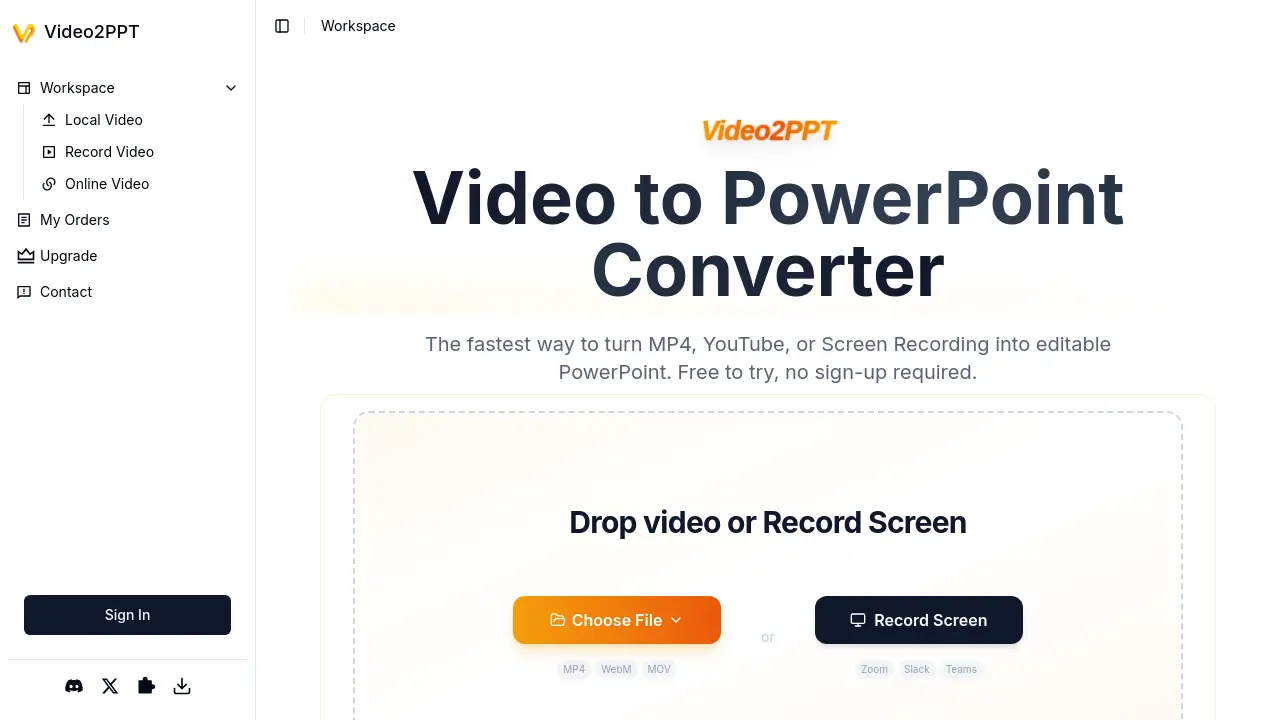
Video2PPT is a specialized conversion tool that transforms video content into editable PowerPoint presentations. The application processes MP4 files, online videos (including YouTube links), and screen recordings originating from platforms like Zoom, Slack, or Teams meetings. All conversion occurs locally on the user's device, ensuring full privacy protection without server uploads or cloud processing.
Key functionalities include AI-powered extraction of key frames from video sources, batch processing for multi-video workflows, and versatile export formats including editable PowerPoint files, Google Slides, PDFs, or HTML. Performance benchmarks indicate rapid processing speeds — converting 2 hours of footage in approximately one minute. Tiered plans accommodate varying usage levels, ranging from a completely free entry-level option to professional subscriptions with expanded capacities.
How does Video2PPT work
Video2PPT converts video content into editable PowerPoint presentations using AI-driven frame extraction. Users upload local video files, paste online video links, or utilize screen recording functionality capturing sources like Zoom or YouTube. The AI algorithm identifies key frames containing presentation slides, which are converted into editable PPTX slides locally on the device—no cloud upload occurs, ensuring confidentiality. Batch processing handles multiple videos simultaneously with claimed 99% accuracy. Output formats include PowerPoint, Google Slides, PDF, and HTML. Tiered plans accommodate varying usage limits, with HD screen recording integration enabling webinar and meeting capture. Chrome extension availability expands browser functionality.
Benefits of Video2PPT
Video2PPT converts videos from YouTube links, MP4 files, or screen recordings into editable PowerPoint slides efficiently. Using AI-powered frame analysis, it extracts key presentation content rapidly—transforming a 2-hour video in minutes. Batch processing handles multiple files simultaneously while maintaining 99% accuracy. All conversion occurs locally on your device, ensuring complete privacy with no external uploads. Outputs include PowerPoint, Google Slides, and PDF formats for flexible use. Professionals across education and corporate sectors utilize this tool to reduce manual extraction time significantly.
Pros and Cons of Video2PPT
Pros
- Rapid processing for video conversion to slides.
- Robust privacy via local-only data processing.
- Flexible batch processing and multiple source inputs.
- Free tier includes core conversion features.
- Versatile export formats including PPT and PDF.
Cons
- Free plan imposes strict slides/file size limits.
- Performance constrained by local hardware specs.
- Watermark applied to free-tier outputs.
- Premium features require paid subscription tiers.
Core Features of Video2PPT
Smart Content Extraction
AI identifies and extracts key frames from videos, delivering them as editable PowerPoint slides with minimal user effort.
Multiple Video Source Support
Processes videos from local uploads, screen recordings, or major platforms like YouTube and Vimeo for flexible input options.
Local Processing for Privacy
Handles video snapshots entirely on the user's device, ensuring content never leaves their computer for maximum security.
HD Screen Recording
Captures meetings from Zoom, Slack, Teams, and webinars seamlessly with automatic slide extraction during recording.
Multiple Export Formats
Outputs extracted slides as native PowerPoint files, Google Slides, PDF, or HTML for broad compatibility with workflows.
Use Cases of Video2PPT
- Educators: Create lecture study materials by converting recorded videos to editable PowerPoint slides using Video2PPT.
- Corporate Trainers: Process multiple training session recordings into formatted PowerPoint decks efficiently via batch conversion.
- Consultants: Transform client presentation recordings into editable PowerPoint files while ensuring complete content privacy locally.
- Healthcare Professionals: Securely convert medical webinar recordings into patient education materials with offline Video2PPT processing.
- Marketing Teams: Extract presentation slides from webinar recordings across platforms using Video2PPT for quick content repurposing.
FAQs of Video2PPT
What is Video2PPT?
Video2PPT is an AI-powered tool that converts video files (MP4, MOV, WebM), screen recordings, and online videos (YouTube, Vimeo) into editable PowerPoint presentations. It automatically extracts key frames using local processing, ensuring privacy while supporting batch conversions.
Is Video2PPT free to use?
Yes, Video2PPT offers a free plan with core features including 50 image slides/month, 3 editable slides, support for videos up to 200MB, screen recording, and basic batch processing. Advanced features like watermark removal require a Pro or Ultra subscription.
What video platforms does Video2PPT support?
The tool works with uploaded local files (MP4, MOV, AVI, WMV), screen recordings of platforms like Zoom or Teams, and online videos from YouTube, Vimeo, TikTok, and similar platforms via URL pasting.
How does Video2PPT ensure privacy during conversion?
All processing occurs locally on the user's device via browser canvas technology—video files are never uploaded to external servers. This applies to file uploads, screen recordings, and online video extractions.
What are the export format options?
Converted presentations can be exported as native PowerPoint (PPTX), Google Slides, PDF, or HTML files. PDF exports allow text extraction when opened in browsers like Chrome.
Does Video2PPT work offline?
Yes, desktop and Chrome extension versions enable offline functionality. Screen recording and video-to-PPT conversion processes run locally without requiring internet connectivity after initial setup.
How accurate is the slide extraction?
According to user testimonials, the AI achieves approximately 99% accuracy in identifying key frames, even with varying video quality. It detects transitions and extracts layouts as editable PowerPoint elements.
What are the system requirements for large video files?
While Video2PPT handles videos up to 40GB theoretically, performance depends on local device capabilities. Recommended specifications include 8GB+ RAM for processing HD recordings exceeding 2GB.
How to use Video2PPT
- Users begin by selecting a video source: uploading local files, pasting online video links, or initiating screen recordings within Zoom or Teams meetings.
- Video2PPT processes content locally, utilizing AI to extract key frames and convert them into slide elements entirely on the user's device.
- Review the generated presentation slides, comparing source video content with the automatically segmented PowerPoint output.
- Export the finalized deck to preferred formats like editable PowerPoint, Google Slides, PDF, or HTML directly from the interface.
- Utilize batch processing for efficiency, converting multiple videos concurrently to save time on repetitive manual extraction tasks.
- Monitor account usage against subscription limits (Free/Pro/Ultra tiers) for features like editable slides and watermark removal.
- Access the Chrome Extension for convenient screen capture during webinars or video conferences across supported platforms.
- Download PDF exports and open them in browsers like Chrome to extract text content from generated presentations seamlessly.
Video2PPT Website Traffic Analysis
Latest traffic information
- Monthly Visits203.14K
- Bounce Rate35.38%
- Pages Per Visit2.83
- Visit Duration00:00:37
- Global Rank197.85K
- Country/Region Ranking34.75K
Top Keywords
| Keyword | Traffic | Volume | Cost Per Click |
|---|---|---|---|
| video to pdf | 1.95K | 2.76K | $0.1 |
| video to pdf converter | 1.68K | 920 | $0.12 |
| video to gif | 1.35K | 288.53K | $0.47 |
| video2pp | 610 | 420 | -- |
| video to image converter | 560 | 7.38K | $0.22 |
Top Regions
| Region | Percentage |
|---|---|
| India | 16.95% |
| United Kingdom | 10.7% |
| United States | 10.58% |
| Indonesia | 3.93% |
| Philippines | 3.89% |
Video2PPT Alternatives
Scribix is an AI video clipper that cuts podcasts and interviews into captioned vertical shorts, then publishes them to YouTube, TikTok and LinkedIn.
Katto turns long videos and podcasts into scored, captioned 9:16 clips. It ranks clips by viral potential and exports them to 7 platforms from one place.
Gemini Omni is an online AI video generator and editor that turns a text prompt or reference image into a video, then refines each shot through conversational edits while keeping characters and the scene consistent.
Pi is an AI presentation generator that turns ideas into polished slides. One-click generation, smart layouts and templates make decks fast and easy.
Remove image backgrounds, video watermarks, burned-in subtitles and video backgrounds with Rmark AI. Upload a file, preview, then download a clean copy.

Convert PPT to MP4 video online with AI. Upload slides, set duration, resolution and sound, then generate a polished cinematic video with narration and music.
AI video production for courses and training. Create editable, reviewable videos from a topic or source material—one video or a chapter-based series.
Video Editor AI automatically turns long videos into viral shorts with AI highlight detection, smart captions, and auto reframe. Free, no sign-up required.
Turn JPG, PNG, and WebP images into editable PowerPoint slides. Upload up to 10 images, set the order, and let AI rebuild each image as a real slide.
Gamma AI is an AI presentation generator that turns text, PDF, and Word into slides with structured outlines, in-browser editing, and editable PPTX export.
Fuu AI is an AI presentation maker that turns text, PDFs, and documents into professional PPT slides in minutes, powered by Claude Opus 4.7.
VidBG Remover uses AI to remove video backgrounds and export transparent footage with an alpha channel. Supports MP4, MOV, WebM with stable edges.