
Viblo AI FAQs
Viblo AI offers AI video generation, image creation, voice, and music tools with 250+ models. Compare quality and credit costs, then start free.

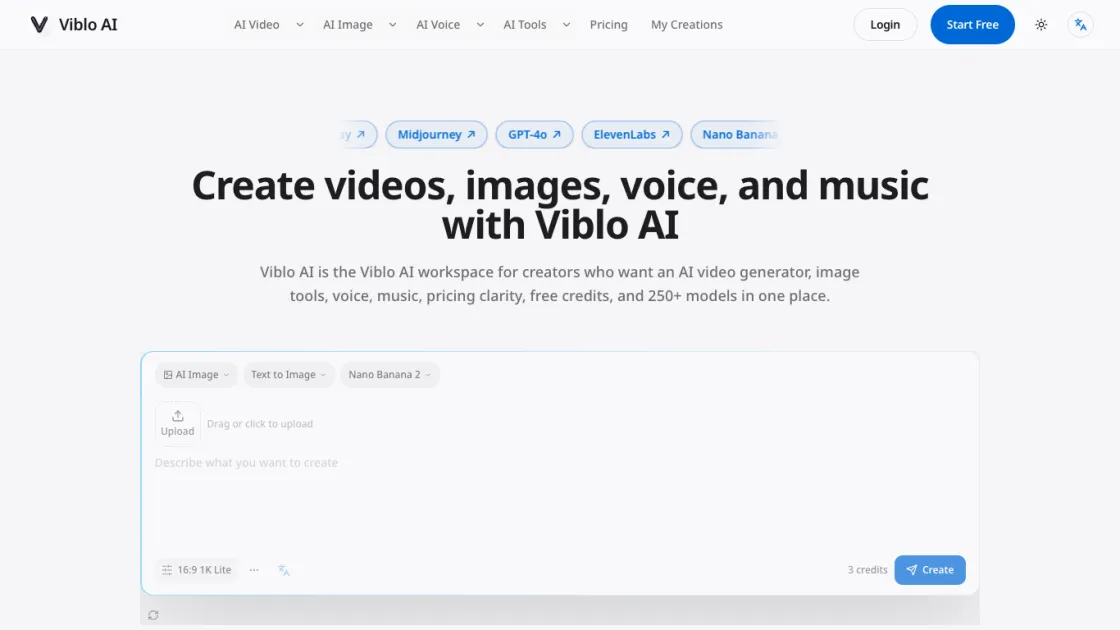
FAQs of Viblo AI
What is Viblo AI?
Viblo AI is an AI creation workspace that provides access to over 250 AI models for generating videos, images, voice, and music. It combines multiple AI tools into a single platform, allowing creators to produce professional content without switching between different applications or managing separate subscriptions.
How do I use Viblo AI to create an AI video?
Start by selecting the video generation tool and choosing a model like Sora 2 Pro or Kling 3. Enter a text description of your desired video, adjust settings for aspect ratio and quality, then click create. The platform generates the video and allows you to compare outputs from different models before downloading or using the result in your project.
What is the best AI video generator for creators?
The best AI video generator depends on your specific needs. Viblo AI provides access to multiple top-tier models including Sora 2 Pro for cinematic quality, Kling 3 for motion control, and Hailuo for fast generation. The platform's comparison feature lets you evaluate different models side by side to find the optimal match for your creative vision and budget.
Can I turn images into videos with Viblo AI?
Yes, Viblo AI supports image-to-video conversion through models like Kling with motion controls. Upload an image, describe the desired motion or transformation, and the AI generates an animated video from your static content. This feature is useful for creating dynamic social media content, product demonstrations, and creative animations.
What quality does Viblo AI support?
Viblo AI supports output quality up to 4K resolution for videos and images. The actual quality depends on the selected model and settings. Higher quality outputs typically consume more credits but produce more detailed and professional results suitable for commercial use and large-format displays.
Which AI video models can I compare in Viblo AI?
Viblo AI provides access to major video models including Sora 2 Pro, Kling 3, Veo 3.1, Hailuo, Runway, and others. Users can generate the same prompt across multiple models to compare quality, style, speed, and credit cost, helping them choose the best model for their specific project requirements.
Does Viblo AI also create AI images, voice, and music?
Yes, Viblo AI offers comprehensive AI creation tools beyond video. The platform includes text-to-image generation with models like Midjourney and Nano Banana Pro, text-to-speech with ElevenLabs for voice synthesis, and text-to-music with Suno v5 for audio composition. All these tools are integrated into the same workspace with shared prompt context.
How to use Viblo AI
- Visit viblo.app and create a free account to receive starter credits for testing the platform's AI models and features.
- Select your preferred creation type from the homepage generator: AI Video, AI Image, AI Voice, or AI Music.
- Choose an AI model from the available options, comparing their capabilities, output quality, and credit costs before making a selection.
- Enter a detailed text prompt describing your desired output, using specific language to guide the AI toward your intended result.
- Adjust generation settings such as aspect ratio, quality level, and duration based on your project requirements and available credits.
- Review the generated output and compare it with results from other models to identify the best match for your creative vision.
- Download your final creation or continue refining it by adjusting prompts, trying different models, or combining outputs into a multi-step workflow.
