
Musicaura: AI Music Generator for Every Mood and Project

What is Musicaura
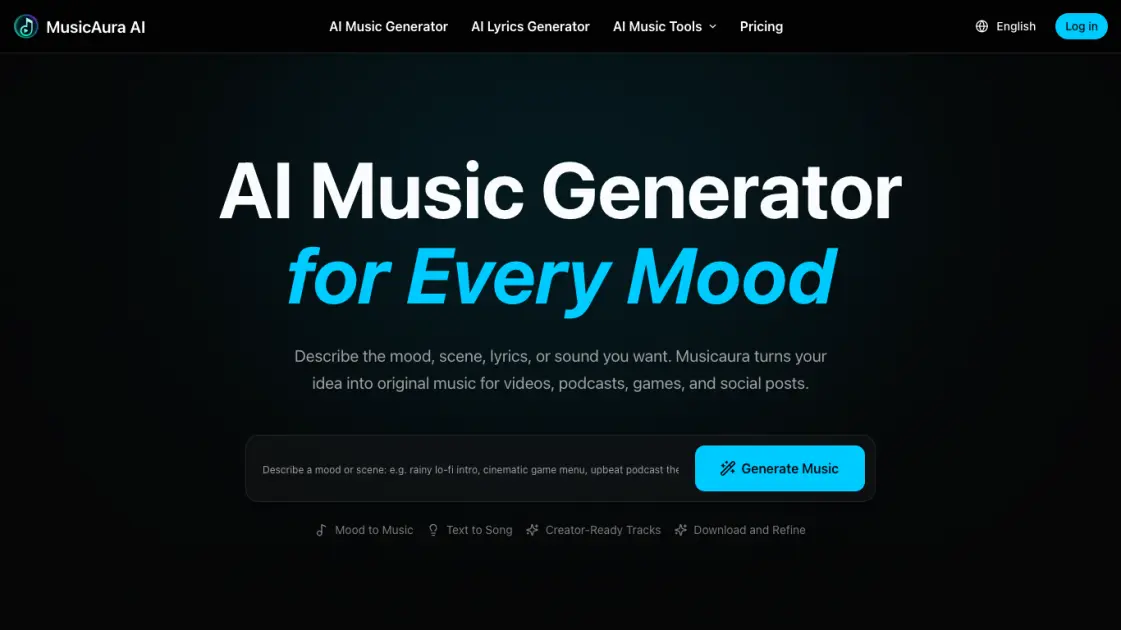
Musicaura is an AI music generator that transforms text descriptions into original music tracks. Users describe the mood, scene, instruments, tempo, or lyrics they envision, and the platform generates complete compositions tailored to those specifications. The service supports diverse creative needs, producing music suitable for videos, podcasts, games, and social media posts. As a text-to-music platform, Musicaura includes an AI lyrics generator alongside its core composition capabilities. The website operates on a freemium model, offering free credits for initial use with paid plans available for extended access. Musicaura positions itself as a versatile tool for content creators who need custom soundtracks without traditional music production expertise or licensing complications.
How does Musicaura work
Musicaura creates music in three steps. First, users describe the atmosphere they want by entering the mood, scene, genre, instruments, tempo, or lyrics that match their creative vision. The AI then analyzes the prompt and generates multiple track options, allowing users to listen, compare, and refine the output against their original idea. Finally, users download the finished track for use in videos, podcasts, games, ads, or social posts. They can also return to the prompt and adjust specific parameters to explore alternative musical directions without starting from scratch, making the entire creative process flexible and iterative.
Benefits of Musicaura
Musicaura lets creators generate music that matches a project's mood before editing, explore multiple genres and energy levels quickly, and start without production skills by describing ideas in plain language. The platform keeps the audio workflow unified with generation, lyrics, vocal removal, and stem separation in one workspace. A free tier lets users test the tool, while paid plans unlock commercial licensing for videos, podcasts, games, and social posts. The main limitation is that full commercial rights require a subscription, and output quality depends on how well the text prompt captures the intended feel.
Pros and Cons of Musicaura
Pros
- Multiple AI music tools combined in one platform
- Text-to-music generation from mood descriptions
- Free tier available with monthly credits
- Commercial license included on paid plans
- No music production skills required
Cons
- Free tier severely limited to two songs monthly
- Free tier allows only one generation per month
- No commercial license on free plan
- Paid plans cost $125.92 to $419.92 annually
- High annual cost for full feature access
Core Features of Musicaura
AI Music Generator
Transform moods, scenes, prompts, or lyrics into original songs, instrumentals, and background music using advanced AI composition technology.
AI Lyrics Generator
Create editable lyrics from titles, prompts, moods, styles, structures, and languages with intelligent text generation capabilities.
AI Vocal Remover
Separate vocals and instrumentals from any song online through precise AI-powered audio separation algorithms.
AI Stem Splitter
Split songs into individual stems including vocals, drums, bass, piano, and other instruments for detailed audio editing.
Text-to-Music Workflow
Describe atmospheric concepts, generate and preview compositions, then download or refine tracks through an intuitive creative pipeline.
Use Cases of Musicaura
- Video creators: Generate custom background tracks for travel vlogs, tutorials, and cinematic sequences without licensing hassles
- Podcast producers: Create distinctive intro themes and transition music that match show tone and branding
- Game developers: Produce adaptive loops for menus, levels, and ambient atmospheres tailored to gameplay moments
- Social media marketers: Craft attention-grabbing audio for reels, stories, and short-form content that stands out
- Advertising teams: Compose original jingles and underscore for campaigns without studio costs or clearance delays
FAQs of Musicaura
What Can Musicaura's AI Music Generator Do?
Musicaura's AI music generator creates original music from text prompts, lyrics, moods, or scene descriptions, allowing users to generate custom tracks without any music production experience.
Can I Generate Music from a Mood or Scene?
Yes, users can describe the atmosphere they need and Musicaura will generate music that matches the specified mood or scene, making it easy to create soundtracks for specific emotional contexts.
Can I Use Musicaura as an AI Song Generator for Lyrics?
Yes, Musicaura works as an AI song generator when starting with lyrics, transforming written words into complete musical compositions with appropriate melodies and arrangements.
What Music Styles Can I Create with Musicaura?
Musicaura supports a wide range of styles including lo-fi, pop, EDM, hip-hop, ambient, cinematic, acoustic, and more, giving creators flexibility across different genres and use cases.
Can I Download Generated Tracks?
Yes, users can save and download generated tracks according to their plan and license terms, with the free plan offering limited downloads and paid plans providing expanded access.
Can I Use Musicaura Tracks in Videos, Shorts, and Podcasts?
Yes, Musicaura is built for creator workflows and generated tracks can be used in videos, shorts, podcasts, and other content formats under the applicable license terms.
Is Musicaura Free to Start?
Yes, Musicaura offers a free plan with limited credits to get started, with paid plans available from $125.92 per year for expanded features and higher usage limits.
How to use Musicaura
- Visit the Musicaura website and click the login button to create a free account or sign in with existing credentials.
- Select a tool from the available options including AI Music Generator, AI Lyrics Generator, AI Vocal Remover, or AI Stem Splitter.
- Describe the desired atmosphere, mood, or musical style in the input field to guide the AI generation process effectively.
- Click generate to create the music or lyrics, then preview the output to assess quality and alignment with expectations.
- Download the generated content directly or use the refine option to adjust parameters and regenerate until fully satisfied with results.
- Upgrade to Starter, Pro, or Premium plans to unlock additional features, higher generation limits, and priority processing for professional projects today.
