
Photo to Video AI Free FAQs
Use Photo to Video AI Free to animate images online. Upload a picture, describe the motion, and create an AI video for social media, ads, and more.

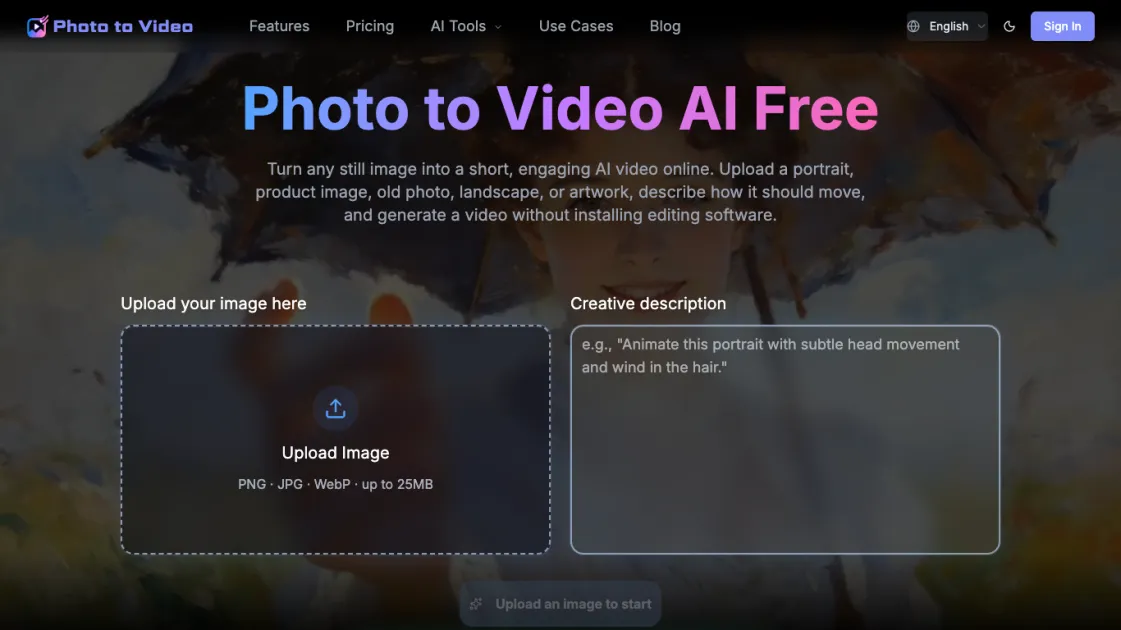
FAQs of Photo to Video AI Free
What is Photo to Video AI Free?
Photo to Video AI Free is an online tool that converts still images into short AI-generated videos. Users upload a photo, describe the desired motion, and receive an animated video without needing editing software.
Can I turn a photo into a video for free?
Yes, the tool offers a free tier that provides one video per day at 480p resolution. No signup is required, making it accessible for occasional use.
What images can I upload?
The tool accepts PNG, JPG, and WebP images up to 25MB. Suitable images include portraits, product photos, old pictures, landscapes, and artwork.
How do I write a good image-to-video prompt?
A good prompt describes the action, mood, camera angle, lighting, speed, and background movement. Be specific about which parts of the image should stay consistent and which should change.
Can I animate an old family photo?
Yes, the tool can animate old family photos with gentle motion, preserving the original character while adding subtle movement like blinking or hair movement.
Can I create product videos from a single image?
Yes, the tool is suitable for creating product videos from a single image. You can describe rotation, zoom, or other movements to showcase the product.
Which aspect ratio should I choose?
Choose 9:16 for TikTok and Instagram Reels, 1:1 for square social posts, or 16:9 for YouTube, websites, and presentations.
How to use Photo to Video AI Free
- Upload your image: Select a PNG, JPG, or WebP file up to 25MB from your device. The image should be clear and well-lit for best results.
- Describe the motion: Write a text prompt explaining how the image should move, including action, mood, camera angle, lighting, and speed.
- Choose aspect ratio: Select 9:16 for TikTok/Reels, 1:1 for square posts, or 16:9 for YouTube/websites, depending on your target platform.
- Generate video: Click the generate button and wait for the AI to process the image and create the animated video.
- Download or share: Once complete, download the video or share it directly to social media platforms.
