
Photo to Video AI Free
Photo to Video AI Free – Animate Images Online with AI

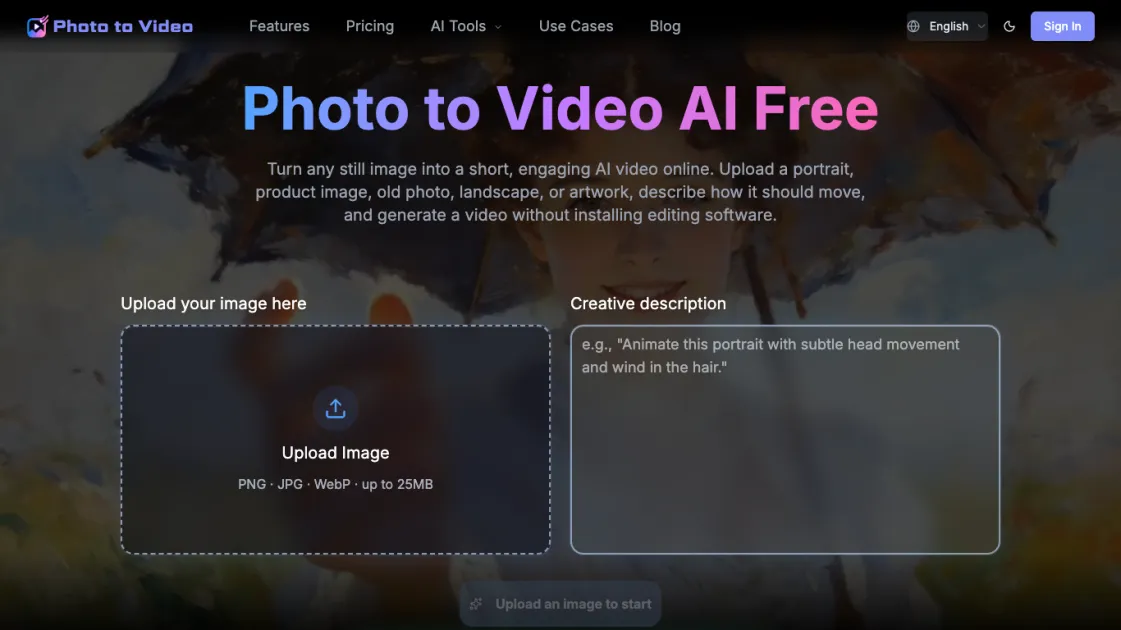
What is Photo to Video AI Free
Photo to Video AI Free is an online tool that animates still images into short AI-generated videos. Users upload a portrait, product photo, old picture, landscape, or artwork, describe how the image should move, and receive a video without needing editing software. The tool uses AI models like Seedance and Kling to generate natural motion that matches the image content. It supports vertical, square, and landscape formats for platforms such as TikTok, Instagram Reels, and YouTube. A free tier provides one video per day at 480p resolution, with paid plans offering higher resolutions and more credits. The process requires no signup, making it accessible for quick social media content creation.
How does Photo to Video AI Free work
Photo to Video AI Free works by analyzing a still image and generating motion based on a text prompt. The user uploads an image and describes how it should move, specifying action, mood, camera angle, and lighting. The AI model (such as Seedance or Kling) examines the image to identify subjects and scene elements, then applies motion that preserves the original content while adding natural movement. The process is entirely online, requiring no software installation. The generated video can be downloaded in various aspect ratios suitable for different platforms. The free tier limits output to 480p and 5 seconds, while paid plans offer higher resolutions and longer durations.
Benefits of Photo to Video AI Free
The main benefit of Photo to Video AI Free is its accessibility: users can animate images without installing software or creating an account. The free tier allows one video per day, suitable for occasional social media content. Multiple aspect ratios (9:16, 1:1, 16:9) enable direct publishing to TikTok, Instagram, and YouTube. AI models analyze the image to add natural motion, preserving the original subject while enhancing it with movement. The text prompt interface gives control over action, mood, camera angle, and lighting, allowing tailored results. However, the free plan limits output to 480p and 5 seconds, which may not suit professional needs.
Pros and Cons of Photo to Video AI Free
Pros
- Free tier provides one video per day without signup
- Multiple aspect ratios for different social platforms
- Text prompt control for precise animation
- AI models analyze image for natural motion
- No software installation required
Cons
- Free plan limited to 480p and 5 seconds
- Requires internet connection for processing
- Video quality depends on AI model and image quality
- Limited customization compared to professional software
- May not suit complex animation needs
Core Features of Photo to Video AI Free
AI-Powered Image Animation
The tool uses advanced AI models (Seedance and Kling) to analyze still images and generate natural motion. It identifies subjects and scenes to add movement that matches the original content, such as gentle blinking for portraits or rotation for product shots.
Text Prompt Control
Users describe the desired motion, mood, camera angle, lighting, speed, and background movement in a text prompt. This allows precise control over the animation outcome, ensuring the video aligns with creative intent.
Multiple Aspect Ratios
Supports vertical (9:16) for TikTok and Instagram Reels, square (1:1) for social posts, and landscape (16:9) for YouTube and websites. This flexibility enables direct publishing across platforms without cropping.
Free Daily Credit
Provides one free video per day at 480p resolution without requiring signup. This allows users to test the tool and create occasional content without financial commitment.
Multiple AI Model Options
Offers various AI models with different quality and speed trade-offs. Users can select models like Seedance 1 Pro Fast for quick results or Seedance 2.0 for higher quality, depending on their needs.
Use Cases of Photo to Video AI Free
- Social media creators: Animate product photos or portraits for TikTok, Instagram Reels, and YouTube shorts.
- E-commerce sellers: Create short product demonstration videos from single images for ads and listings.
- Family archivists: Bring old family photos to life with gentle motion for sharing with relatives.
- Digital artists: Add subtle movement to artwork for portfolio showcases and social media posts.
- Marketing teams: Generate quick promotional videos from static images for campaigns and presentations.
FAQs of Photo to Video AI Free
What is Photo to Video AI Free?
Photo to Video AI Free is an online tool that converts still images into short AI-generated videos. Users upload a photo, describe the desired motion, and receive an animated video without needing editing software.
Can I turn a photo into a video for free?
Yes, the tool offers a free tier that provides one video per day at 480p resolution. No signup is required, making it accessible for occasional use.
What images can I upload?
The tool accepts PNG, JPG, and WebP images up to 25MB. Suitable images include portraits, product photos, old pictures, landscapes, and artwork.
How do I write a good image-to-video prompt?
A good prompt describes the action, mood, camera angle, lighting, speed, and background movement. Be specific about which parts of the image should stay consistent and which should change.
Can I animate an old family photo?
Yes, the tool can animate old family photos with gentle motion, preserving the original character while adding subtle movement like blinking or hair movement.
Can I create product videos from a single image?
Yes, the tool is suitable for creating product videos from a single image. You can describe rotation, zoom, or other movements to showcase the product.
Which aspect ratio should I choose?
Choose 9:16 for TikTok and Instagram Reels, 1:1 for square social posts, or 16:9 for YouTube, websites, and presentations.
How to use Photo to Video AI Free
- Upload your image: Select a PNG, JPG, or WebP file up to 25MB from your device. The image should be clear and well-lit for best results.
- Describe the motion: Write a text prompt explaining how the image should move, including action, mood, camera angle, lighting, and speed.
- Choose aspect ratio: Select 9:16 for TikTok/Reels, 1:1 for square posts, or 16:9 for YouTube/websites, depending on your target platform.
- Generate video: Click the generate button and wait for the AI to process the image and create the animated video.
- Download or share: Once complete, download the video or share it directly to social media platforms.
Photo to Video AI Free Alternatives
Seedance 3.0 preview page: planned multi-shot continuity, scene editing and audio-visual sync for AI video, while the on-page generator runs Seedance 2.5.
Browser workspace for AI image generation, reference photo editing, and short video drafts, aimed at creators, marketers, and product teams.
Black Forest Labs' multimodal model with a web generator for text-to-video, image-to-video and image editing with native audio, for creators and marketers.
Wan API is an independent platform for Wan and Seedance video models. Compare specs and rates, generate clips in the Playground, or call them through one API.
Seedance 3.0 turns text, images, video clips, and audio into videos with sound, and edits one part of a clip without regenerating the rest.
Wery is a virtual AI studio that routes one goal to specialist agents for video, images, music and documents, keeping characters and project assets consistent.

AI video and image studio with text-to-video, image-to-video and keyframe control across Seedance, Kling, Wan and Vidu — all on one credit balance.
Browser studio for AI video, image and music generation with Grok Imagine, Kling and GPT Image models. Free daily credits, no sign-up required.
SeaMove AI is an AI video and image generation platform offering Seedance 2.0 and Seedance 2.5 models for text-to-video, image-to-video, and reference-based creation. Features multi-shot continuity, director-level control, and audio-visual sync for creators and studios.
Turns two separate portraits into a 15-second vertical rap duet video on an orange stage with a shared microphone and the original soundtrack. Free 480P preview available.
Mareel is an all-in-one AI video and image generation workspace giving creators, marketers, and ecommerce teams 40+ leading models and one shared credit balance.
Kinovi is a REST API that runs published video, image, and audio AI models from one endpoint. Send a model ID to createTask, poll recordInfo, and pay per use from one shared credit balance.