
NanoPhoto.AI Video Subtitle Remover Core Features
Remove hardcoded subtitles from short videos with NanoPhoto.AI. Upload MP4, MOV, or WebM, let AI clean burned-in text, and download a clean subtitle-free MP4.

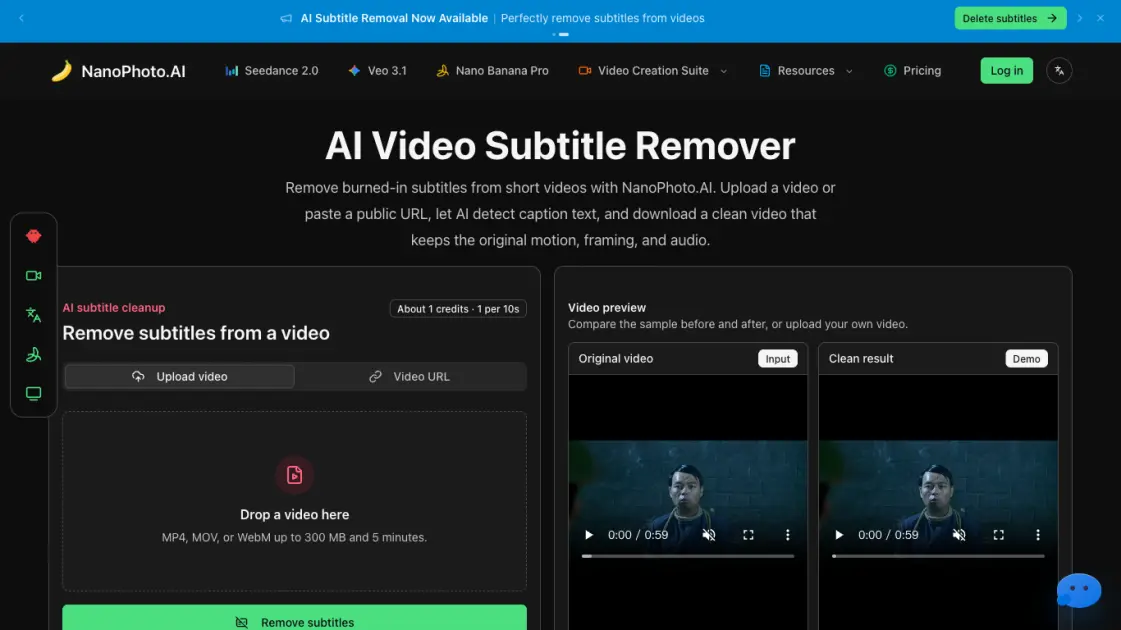
Core Features of NanoPhoto.AI Video Subtitle Remover
AI Subtitle Detection and Removal
The AI identifies burned-in caption regions in each frame and reconstructs the background pixels, producing a clean video without visible subtitles.
Stable Video Output
Processed files are saved to NanoPhoto.AI storage with a reliable download link, keeping the original framing, motion, and audio track intact.
Duration-based Credit System
Subtitle removal costs one credit per ten seconds of footage, rounded up. A 26-second clip costs 3 credits, making short-video cleanup affordable.
Multi-format Upload Support
The tool accepts MP4, MOV, and WebM files up to 300 MB and 5 minutes, covering the most common short-video formats for creators and operators.
URL-based Processing
Instead of uploading, users can paste a public HTTPS video URL, and the server retrieves the file directly for AI cleanup.
Use Cases of NanoPhoto.AI Video Subtitle Remover
- Social media editors: Clean burned-in captions before cutting videos for Shorts, Reels, TikTok, and ads that need fresh text overlays.
- Marketing teams: Remove outdated subtitles from product demos, campaign clips, and course teasers for reuse in new layouts.
- Localization specialists: Prepare clean master clips before adding translated subtitles, dubbing, or new captions in post-production.
- Content archivists: Strip platform overlays and draft captions from archived footage for clean repurposing.
