
NanoPhoto.AI Video Subtitle Remover FAQs
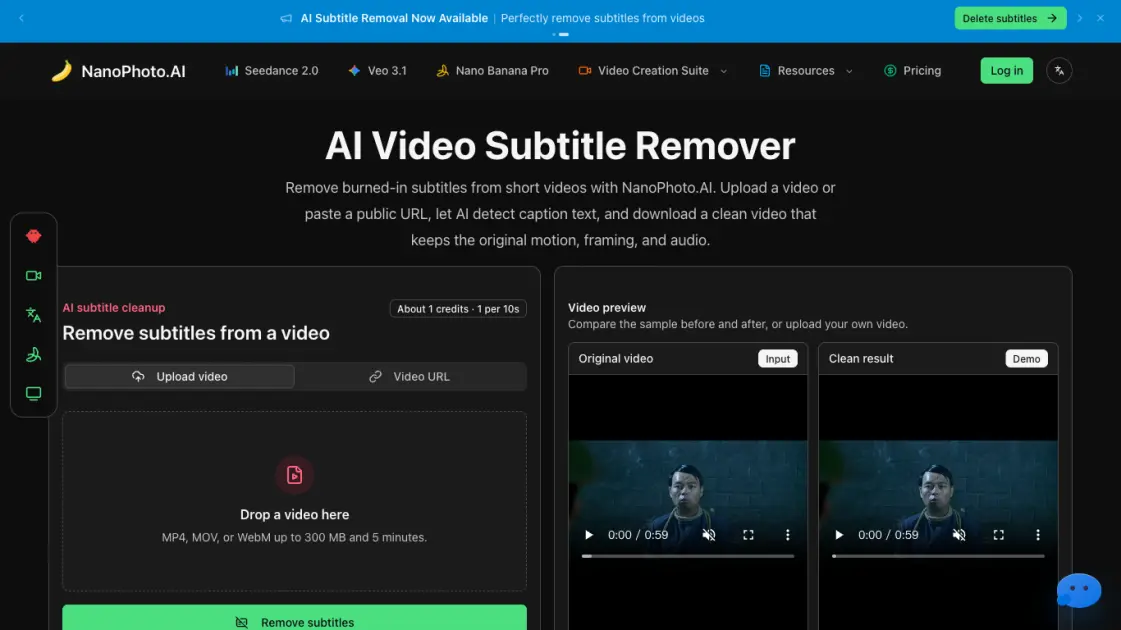
Remove hardcoded subtitles from short videos with NanoPhoto.AI. Upload MP4, MOV, or WebM, let AI clean burned-in text, and download a clean subtitle-free MP4.

FAQs of NanoPhoto.AI Video Subtitle Remover
What kind of subtitles can this remove?
The tool is designed for burned-in or hardcoded subtitles embedded in the video image. It does not handle removable subtitle tracks, which can usually be disabled in a standard video player or editor.
How are credits calculated?
Credits are based on video duration at one credit per ten seconds, rounded up. A 26-second clip costs 3 credits. This makes short-video cleanup predictable and affordable.
Which video formats are supported?
Users can upload MP4, MOV, or WebM files up to 300 MB and 5 minutes in length. The tool also accepts public HTTPS video URLs for direct server-side processing.
Will the result keep my audio and timing?
The cleaned video retains the original audio track, timing, and visual framing. Re-encoding during processing may slightly change bitrate or file size.
Why do you store the result after processing?
The AI processing service returns a temporary URL. NanoPhoto.AI downloads the result to its own storage so the final download link remains stable and accessible.
How to use NanoPhoto.AI Video Subtitle Remover
- Upload or paste a URL: Start with a local MP4, MOV, or WebM file, or provide a public HTTPS video URL for server-side retrieval.
- AI removes caption text: The processing pipeline identifies hardcoded subtitles and repairs the background pixels frame by frame.
- Review and download: Compare the source and clean result in the browser, then download the subtitle-free MP4 for editing, posting, or archiving.
