
NanoMaker AI FAQs
NanoMaker AI with Nano Banana 2 provides one subscription for top AI image, video, music, audio models, enhancing creative workflow.

FAQs of NanoMaker AI
What is NanoMaker AI?
NanoMaker AI is a unified platform that aggregates multiple leading AI models, including Nano Banana for images and Gemini Veo for video, under a single subscription. It enables users to generate and edit images, videos, music, and audio without switching between different services, streamlining creative workflows.
Is NanoMaker AI free to use?
NanoMaker AI offers a free tier providing 6 credits upon initial sign-in. Additional usage requires a paid subscription plan, such as Basic, Standard, or Professional, which allocate annual credits for various generation types like images, videos, songs, and audio.
What makes NanoMaker AI different from other AI tools?
Its primary distinction is the consolidation of diverse top-tier AI models into one subscription, eliminating the need for multiple accounts. The platform emphasizes a seamless, single-page workflow for end-to-end content creation, coupled with transparent pricing and credit rollover options.
Are my generated images, audio and video safe on NanoMaker AI?
The platform states that user-generated content is secure, though specific technical security measures are not detailed. Users should consult the Privacy Policy for comprehensive data handling information. Paid plans include a commercial use license for outputs.
What is Nano Banana AI?
Nano Banana AI is the core image generation model within NanoMaker AI, powered by Google Gemini Flash. It specializes in prompt-based image creation, editing, and enhancement, offering capabilities from style transformations to professional-grade adjustments, as demonstrated in the prompts gallery.
Can I use Nano Banana creations commercially?
Yes, creations from Nano Banana AI can be used commercially. All paid subscription plans include a commercial use license, permitting monetization of generated images, videos, and audio. The free tier's commercial license is limited by its small credit allocation.
What's the difference between Nano Banana and Nano Banana Pro?
Nano Banana represents the standard image model, while Nano Banana Pro likely refers to an advanced version with enhanced capabilities. Specific distinctions, such as improved resolution or feature sets, are detailed on the dedicated Nano Banana Pro page, which is linked in the site's navigation.
Where can I try Nano Banana AI?
Users can trial Nano Banana AI by starting a free account on NanoMaker AI, which includes 6 initial credits. The prompts gallery also allows instant experimentation by clicking any prompt to load it directly into the online editor for immediate generation.
How do the credit systems work across different AI models?
NanoMaker AI employs a pooled credit system where generation types—images, videos, songs, audios—consume credits at varying rates. For instance, an image may cost fewer credits than a video. Annual credit allocations are tied to the subscription plan, and unused credits roll over, simplifying cost management.
What file types are supported for image uploads?
The platform accepts JPEG, PNG, and WebP image formats for uploads, with a maximum file size of 5MB. These standard formats ensure broad compatibility with user devices and allow the AI to process inputs for tasks like editing, style transfer, or transformation.
Can I edit generated images further after creation?
Yes, generated images can be iteratively refined by entering new text prompts. The seamless workflow supports continuous adjustments—such as modifying styles, backgrounds, or details—while maintaining character consistency, all within the same interface without needing to restart.
Is there a limit on commercial usage for free tier users?
The free tier includes a commercial use license, but the 6-credit limit imposes a practical constraint on the volume of commercially usable content. Paid plans provide substantially higher credit allowances, supporting extensive commercial projects and regular content production.
How does NanoMaker AI ensure character consistency across generations?
The platform uses advanced algorithms to preserve core facial identity and features during transformations, such as age progression, style changes, or figure generation. This consistency is a highlighted feature in tools like the LinkedIn Profile Photo Generator and 3D Figure prompts.
How to use NanoMaker AI
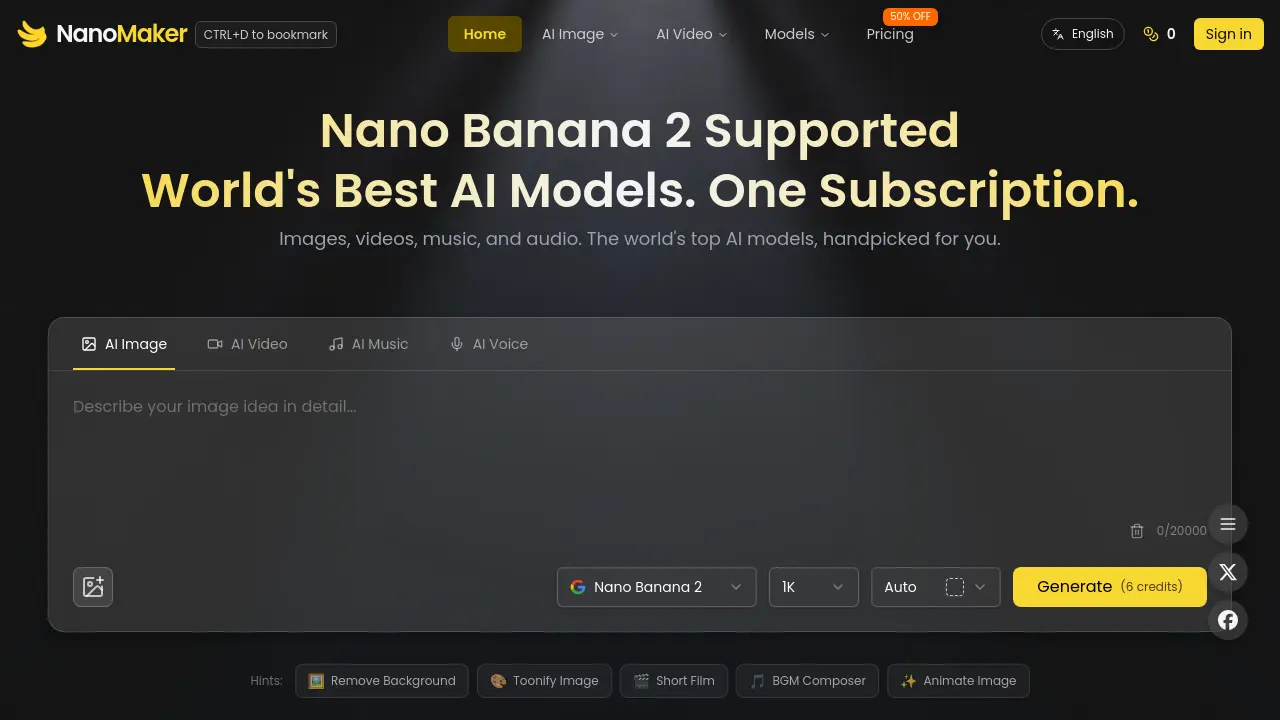
- Users begin by navigating to the NanoMaker AI platform at https://nanomaker.im/ and logging in to access the creative suite dashboard.
- The dashboard presents categories like AI Image, AI Video, AI Music, and AI Voice for selection based on the project type.
- In the editor interface, users craft a detailed text prompt specifying the desired output, leveraging natural language for effective AI image generation.
- For transformation tasks, users upload a source image via the drag-and-drop area, supporting JPEG, PNG, or WebP formats up to 5MB.
- A model selector menu enables users to choose a specific AI model, such as Nano Banana 2, to utilize its unique generation capabilities.
- Clicking the generate button initiates processing; the system deducts applicable credits from the user's balance according to the chosen model.
- The preview pane displays the generated output, allowing users to evaluate prompt adherence, visual quality, and creative consistency.
- If the initial result is inadequate, users refine the prompt text or adjust parameters before regenerating to improve the outcome.
- The integrated Prompts Gallery offers pre-built examples for common use cases, facilitating quicker prompt engineering and results.
- Upon satisfaction, users download the final media file in a preferred format or utilize the share function for direct distribution.
- The account settings section enables monitoring of credit consumption and subscription status, ensuring efficient resource management.
- Through repeated use, users develop proficiency in prompt construction and model selection, optimizing their creative workflow over time.
