
Nano AI: All-in-One Creative Platform with Nano Banana AI
| Added on: | Jan 1, 2026 |
| Monthly Visits: | 4.88K |
| Social & Email: | -- |

What is Nano AI
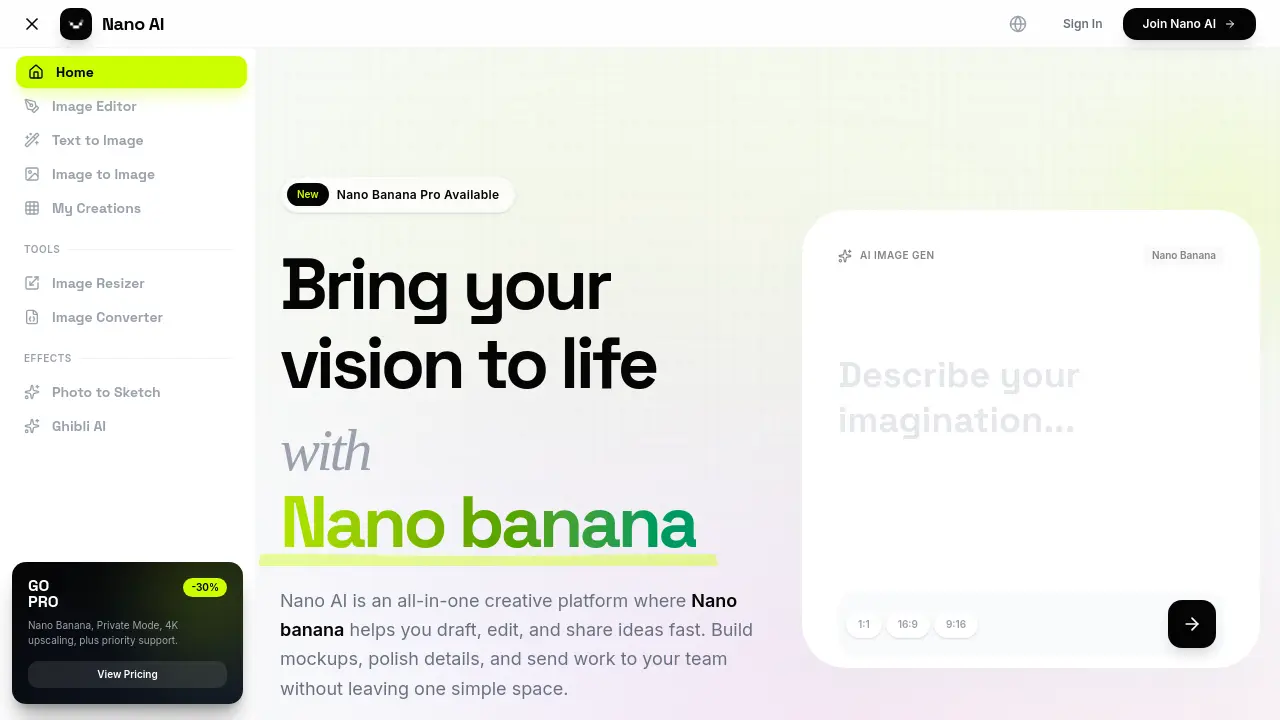
Nano AI is an all-in-one creative platform for image generation, powered by its core model, Nano Banana. Key features include text-to-image capability and sub-10-second render times. It provides deep style tuning for lighting, texture, and composition, which simplifies creating brand-consistent visuals.
The platform includes essential tools like an image converter, a resizer, and effects such as Photo to Sketch and Ghibli AI. It is designed for various sectors, including architecture, marketing, and film. Nano AI processes instructions in multiple languages and integrates the Nano Banana model for efficient, prompt-based editing and refinement.
How does Nano AI work
Nano AI functions as an integrated creative studio for AI-driven image generation. Its architecture orchestrates a multi-stage workflow, combining a text-to-image generator, an image-to-image processor, and utility tools within a single interface. The platform relies on the Nano Banana AI model—a flash-speed inference engine—to interpret natural language prompts. It provides deep style tuning, allowing for granular control over lighting and texture. The system handles the entire pipeline, enabling sub-10-second image renders and offering features like Magic Edit for region-specific inpaint and outpaint tasks. This nano ai platform streamlines the process from concept to final asset.
Benefits of Nano AI
Nano AI is an all-in-one creative platform leveraging its core Nano Banana AI model for streamlined digital asset creation. This image generator delivers sub-10-second renders, offering flash generation to accelerate workflows without juggling multiple applications. The system provides deep style tuning by interpreting natural language prompts, eliminating the need for complex engineering. It includes an AI image gen tool for text-to-image conversion and is expanding with features like 4K neural upscaling and multilingual support. The platform is suitable for industries like marketing and architecture, enabling rapid prototyping and campaign visualization.
Pros and Cons of Nano AI
Pros
- Sub-10-second AI image generation speeds.
- Multilingual prompt support for global users.
- Powered by Google's Gemini 2.5 Flash model.
- Integrated workspace with text and image-to-image.
- Commercial use rights included on paid plans.
Cons
- Flash 4K upscaling feature not yet available.
- Requires a Pro subscription for priority support.
- Privacy depends on opting out of training data.
- Style models may not suit all artistic needs.
Core Features of Nano AI
AI Image Generation
Nano AI, powered by the Nano Banana model, enables high-speed text-to-image and image-to-image creation, allowing for converting detailed written prompts into visuals. This function allows users to generate diverse assets, from photorealistic scenes to abstract art, quickly.
Flash-Speed Processing
The platform orchestrates the generation pipeline to deliver completed renders in under ten seconds. It removes the waiting period, keeping users in a continuous creative flow for rapid ideation and sharing.
Deep Style Tuning and Transfer
By describing aesthetic preferences in natural language, users can control lighting, texture, and composition. This function allows for applying specific artistic styles without needing reference images or complex manual adjustments.
Magic Edit with Inpainting and Outpainting
Users can modify specific parts of an image using text-based instructions, such as changing an object's color or expanding the background. This function edits content by understanding the original image's lighting and perspective for seamless alterations.
4K Neural Upscaling
This planned feature is designed to increase image resolution up to 4K, adding realistic textures and fine details. It improves image quality, making small generations suitable for high-resolution displays or large-format printing.
Commercial and Team Collaboration
The platform is built for professional use, offering full commercial rights on paid plans and collaborative features. This function enables teams to create brand-consistent assets and manage shared projects within a single workspace.
Use Cases of Nano AI
- Digital Artists: Create diverse artwork using the Nano Banana AI model for rapid, style-accurate generation and iteration.
- Marketing Agencies: Produce high volumes of brand-consistent ad visuals and campaign assets through an efficient Nano AI workflow.
- Architects: Generate photorealistic renders and material studies from conceptual sketches for client-ready architectural visualizations.
- Game Developers: Utilize AI for seamless procedural texture and asset creation, accelerating game development pipelines.
- Product Designers: Visualize multiple product form factors, colorways, and finishes during the rapid prototyping phase.
FAQs of Nano AI
What is Nano AI?
Nano AI is an all-in-one creative platform designed to streamline the process of generating and editing images. It integrates various tools like text-to-image generation, image-to-image transformation, and utility editors into a single workspace, aiming to help users bring their visual concepts to life quickly.
What makes Nano AI different from other generators?
This platform distinguishes itself by combining high-speed orchestration with the Nano Banana AI model, enabling it to deliver finished renders in under ten seconds. The system is built to maintain high fidelity to complex, layered instructions, allowing creators to explore ideas without significant waiting time.
What is Nano Banana?
Nano Banana is the user-friendly name for the advanced Gemini 2.5 Flash AI model that powers Nano AI's core generation features. It is designed for efficiency and an intuitive understanding of natural language, allowing users to generate high-quality visuals from descriptive prompts without needing specialized technical skills.
How fast can Nano AI deliver results?
The platform's architecture aims for sub-10-second generation times for most prompts. By optimizing the pipeline between the user interface and the Nano Banana model, Nano AI significantly reduces traditional rendering delays, which is ideal for rapid brainstorming or client-facing work.
Do I need deep prompt-engineering skills to use Nano AI?
No, extensive prompt engineering is not required. The platform is designed for accessibility, allowing users to describe the scene or style they envision in plain, descriptive language. The Nano Banana model interprets these casual descriptions to achieve complex and nuanced visual outputs.
Can I rely on the outputs for commercial work?
Yes. Images created on Nano AI's Pro or Studio subscription plans are provided with full commercial rights. This allows professionals and businesses to confidently use the generated visuals in marketing campaigns, product designs, and other commercial applications.
Does Nano AI support multilingual prompting?
Absolutely. The platform accepts prompts in multiple languages, including English, Spanish, and Portuguese, among others. The underlying Nano Banana model is built to respect user intent and stylistic cues even when different languages are mixed within a single prompt.
Is there an API available for automation?
Yes, Nano AI Studio accounts provide access to a comprehensive API, including dedicated endpoints for the Nano Banana model. This allows teams to integrate AI image generation directly into their own applications, workflows, and automated systems for greater efficiency.
How does Nano AI handle user data and privacy?
According to its policy, Nano AI encrypts user uploads and prompt logs to ensure security. The system only trains its models on user-provided data if the user explicitly opts in, meaning proprietary images and creative concepts can remain private.
Is 4K Neural Upscaling available?
An advanced 4K Neural Upscaling feature is in development, slated for a future release. This tool is designed to intelligently add believable detail and texture for high-resolution outputs, making small images suitable for large-scale formats like billboards without losing quality.
How to use Nano AI
- Users can start by signing up for a free Nano AI account or logging in via the homepage.
- Navigate to the Text to Image tab to begin the primary image generation workflow.
- Enter a descriptive prompt in the provided text field, detailing the desired subject, style, and mood.
- Select the "Nano Banana" model for rapid, nuanced image generation.
- Click the GENERATE button, which typically yields AI image results in under ten seconds.
- Choose the most suitable generated image from the available options for further editing.
- Initiate an image-to-image transformation by uploading a source image to the relevant section.
- Provide a text prompt that describes the necessary modifications to the source image.
- Utilize the "Magic Edit" feature by highlighting specific regions and describing desired changes with natural language.
- Once satisfied with the creation, download the final image or save it to "My Creations" for later use.
- Review and interpret the generated visuals to assess how well the prompts were translated into the desired style and composition.
- Explore additional tools like the Image Resizer or Image Converter to optimize assets for various platforms.
- Refine subsequent prompts based on previous results to improve style consistency and output quality for specific campaigns.
Nano AI Website Traffic Analysis
Latest traffic information
- Monthly Visits4.88K
- Bounce Rate49.19%
- Pages Per Visit1.36
- Visit Duration00:00:06
- Global Rank4M
- Country/Region Ranking268.82K
Top Keywords
| Keyword | Traffic | Volume | Cost Per Click |
|---|---|---|---|
| nano banana ai | -- | 49.46K | $0.34 |
| nano nano | -- | 2.21K | -- |
| nano love | -- | 520 | -- |
| промт чтоб текст с фото переводил точно | -- | 450 | -- |
| промпт из фотки в скан документа | -- | 440 | -- |
Top Regions
| Region | Percentage |
|---|---|
| Russia | 74.07% |
| Brazil | 17.82% |
| Ukraine | 8.11% |
Nano AI Alternatives
Browser workspace for AI image generation, reference photo editing, and short video drafts, aimed at creators, marketers, and product teams.
AI co-director that turns an idea or script into shot-by-shot storyboard panels for indie filmmakers, with real film shot references and PDF board export.
AI design studio for architects and designers: turn sketches, model views, and room photos into rendering concepts, material studies, and staged interiors.
Kinovi is a REST API that runs published video, image, and audio AI models from one endpoint. Send a model ID to createTask, poll recordInfo, and pay per use from one shared credit balance.
An online AI photo editor that removes image backgrounds, erases people, objects and text, and upscales photos 4x. Preview every photo free before paying per image.
Coralflavor offers uncensored AI chats without safety filters, plus burn-mode retention, web search, image generation, and an OpenAI-compatible API for U.S. adults.
SpriteGen is an AI sprite creator that turns character descriptions into transparent pixel-art sprite sheets, ready to drop into your game engine.
Upload one selfie to preview 120+ cuts, colors and bangs rendered on your own face in about 20 seconds, then take the reference sheet to your barber.
Pet to Art is a free AI pet portrait generator that turns one clear pet photo into custom digital artwork across 170+ styles, canvas ratios, and 2K downloads.

Meta Image: browser AI studio powered by Muse Image. Edit photos with prompts, remove backgrounds, restore old photos, generate new images.
Create and edit images with Image 2.5 by GPT. Sunburst for precision, Flare for speed, up to 4K, 6 quality modes, and transparent PNG/WebP output.
Generate and edit AI images with Nano Banana Pro. Blend up to 14 images, render crisp text, and create 4K visuals online with studio controls.