
ManualFig Core Features
Turn product photos into clean line drawings, numbered assembly steps, and IFU panels for manuals, inserts, and support pages. Export PNG or SVG.

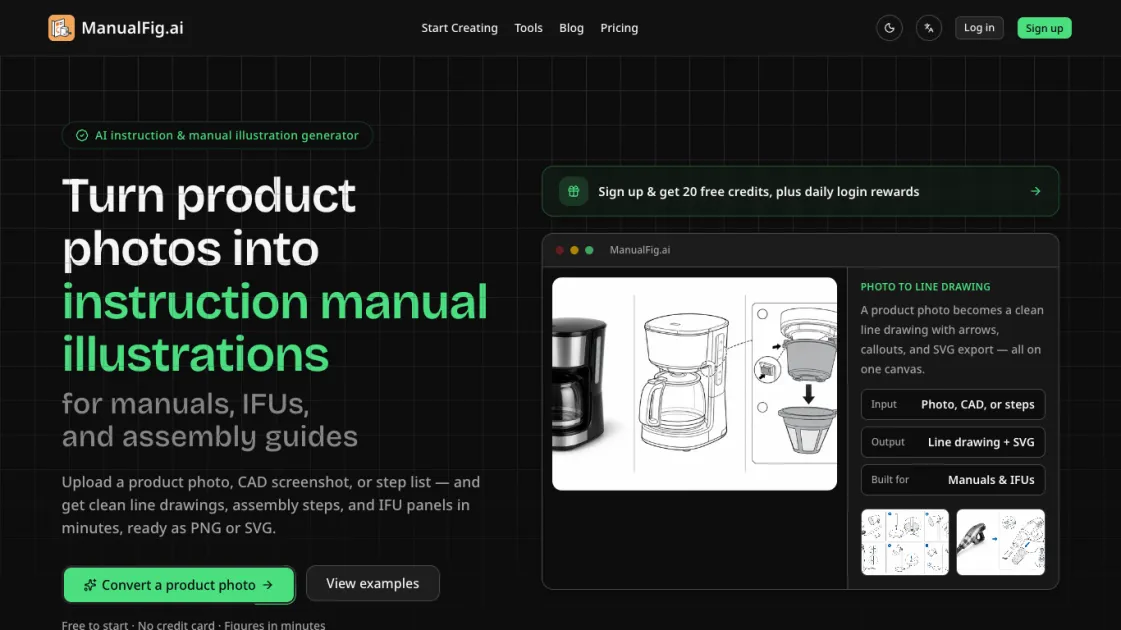
Core Features of ManualFig
Photo-to-Line-Drawing Conversion
Upload a product photo, CAD screenshot, or supplier image and receive a clean line drawing that preserves the real shape while removing reflections, clutter, and visual noise. The output is optimized for instruction manuals rather than marketing materials.
Numbered Step-by-Step Panels
Generate sequential assembly panels with one action per panel, including arrows, part callouts, and a clear finished state. Each step is designed so the reader can confirm completion visually.
IFU and Safety Compliance
Add hazard symbols, correct and incorrect comparisons, pinch points, and polarity indicators to figures. The tool produces the warning and do-don't panels that IFUs and safety pages require.
Consistent Style Across Documents
Reuse the same drawing style across multiple manuals, user guides, packaging inserts, and help articles. This keeps documentation visually uniform without manual redrawing.
Text-Based Editing
Refine any generated figure with a plain-language sentence rather than manual vector editing. Changes apply to the current version while preserving previous iterations for comparison.
PNG and SVG Export
Export finished figures as PNG or SVG files ready for direct insertion into documentation systems, print layouts, or digital support pages.
Use Cases of ManualFig
- Technical writers: Generate assembly instruction figures from product photos for user manuals and quick-start guides
- Product teams: Create consistent illustration styles across multiple product documentation sets
- Support departments: Produce visual troubleshooting guides that reduce repetitive customer inquiries
- Compliance teams: Generate IFU panels with hazard symbols and safety warnings for regulatory submissions
- Manufacturers: Convert CAD screenshots into customer-facing installation and maintenance instructions
