
LoRA AI: Personalized AI Image Generator with LoRA Models
| Added on: | Mar 17, 2026 |
| Monthly Visits: | 88.27K |
| Social & Email: | -- |

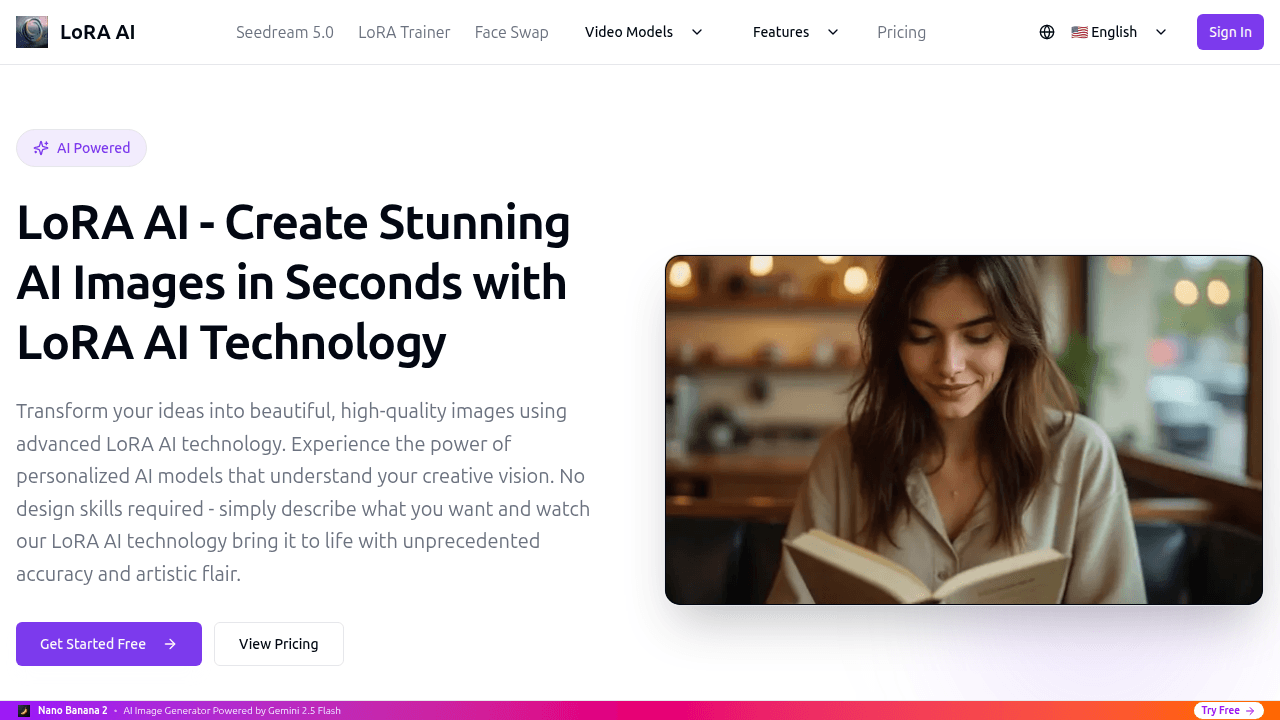
What is LoRA AI
LoRA AI is an image generation platform that utilizes Low-Rank Adaptation (LoRA) technology to transform text descriptions into high-quality visual artwork. The system operates through a straightforward three-step process: users describe their desired image, select from an extensive library of pre-trained style models or upload custom LoRA adaptations, and generate results typically within 2–5 seconds. A key feature is seamless integration with existing AI art workflows, including compatibility with Stable Diffusion XL and ComfyUI. The service is designed for accessibility, requiring no coding or design expertise, while offering enterprise-grade security and scalable pricing plans for individual creators and teams. Generated images are provided in high resolution and can be used for commercial projects, supported by a robust infrastructure ensuring reliable performance and rapid processing.
How does LoRA AI work
LoRA AI functions as a cloud-based image generation service employing LoRA (Low-Rank Adaptation) models. Users provide a text prompt or optional reference image, then select a specific pre-trained or custom LoRA model from an extensive library. The platform's backend processes this input through its integrated algorithms, often compatible with systems like Stable Diffusion XL and ComfyUI, to produce a high-resolution image within 2-5 seconds. Each generation consumes a set number of credits, with subscription plans scaling to accommodate varying usage volumes, and all outputs are available for immediate download and commercial use.
Benefits of LoRA AI
LoRA AI is an image generation platform that transforms text descriptions into high-quality visuals using advanced LoRA models. It offers rapid 2-5 second generation times, supporting both pre-trained and custom models for personalized artistic styles. The intuitive interface requires no coding, and seamless integration with tools like Stable Diffusion XL enhances workflow flexibility. Enterprise-grade security (SOC 2 compliant) protects user data, while flexible pricing plans accommodate various usage levels. With over 10,000 users and a 4.9/5 rating, it's a reliable tool for efficient, high-quality image creation.
Pros and Cons of LoRA AI
Pros
- Fast image generation in 2-5 seconds.
- High-quality outputs from advanced LoRA models.
- User-friendly interface requiring no coding skills.
- Seamless integration with Stable Diffusion and ComfyUI.
- Enterprise-grade security with SOC 2 compliance.
Cons
- Credit-based system may become expensive for heavy use.
- Limited free access beyond initial trials or credits.
- Incomplete FAQ suggests potential support gaps.
- Dependence on LoRA models may restrict versatility.
- Yearly billing required for best rate discounts.
Core Features of LoRA AI
Text-to-Image Generation
Converts textual prompts into detailed, high-resolution images using LoRA AI models, enabling rapid content creation without requiring graphic design skills.
Model and Style Selection
Provides access to a library of pre-trained LoRA models and supports custom model uploads, allowing users to specify artistic styles and subjects for tailored outputs.
Reference Image Integration
Accepts optional uploaded reference images to guide the generation process, improving stylistic accuracy and alignment with user-provided visual examples.
Rapid Processing
Generates images within 2-5 seconds through optimized infrastructure and efficient algorithms, minimizing wait times and supporting iterative creative workflows.
Cross-Platform Compatibility
Integrates with popular AI art tools such as Stable Diffusion XL and ComfyUI, ensuring LoRA models function within diverse existing creative software ecosystems.
Use Cases of LoRA AI
- Casual creators: Generate concept art and social media visuals quickly without design skills using LoRA AI's text-to-image feature.
- Professional artists: Enhance creative workflow with advanced LoRA AI tools, priority support, and high-resolution outputs for client projects.
- Marketing teams: Produce branded and campaign-specific imagery efficiently via LoRA AI's secure platform and scalable credit plans.
- AI art enthusiasts: Integrate and utilize custom-trained LoRA AI models seamlessly with Stable Diffusion XL for personalized style control.
- Educators: Develop unique visual aids and presentation materials by leveraging LoRA AI's extensive library of pre-trained artistic styles.
FAQs of LoRA AI
How many images can I generate with 100 credits?
Each image generation using LoRA AI consumes 3 credits. Therefore, with 100 credits, you can generate approximately 33 images. The precise number may vary slightly depending on any specific credit allocations tied to your subscription plan.
Can I use the generated images for commercial purposes?
Yes, images generated through LoRA AI can be used for commercial purposes. The platform grants users full rights to the created images, permitting their use in professional, monetized, and client-based projects without restrictions or additional licensing fees.
Do I lose unused credits at the end of the month?
Unused credits generally expire at the end of your designated billing cycle, as credits are allocated per subscription period (e.g., annually). You should review your specific plan's terms for precise details on credit expiration and renewal policies.
How does LoRA AI technology work?
LoRA AI operates through a streamlined three-step process: first, you provide a detailed text prompt describing your desired image; second, you select a pre-trained or custom LoRA model to define the artistic style; third, the system generates the image rapidly for download. This workflow leverages optimized algorithms for efficient, high-quality output.
What file formats are supported for reference image uploads?
LoRA AI accepts reference image uploads in PNG, JPG, JPEG, and WEBP formats. Each file must not exceed 10MB in size. These common formats ensure broad compatibility while maintaining the platform's processing standards for accurate style transfer and generation.
Can I upload custom LoRA models to the platform?
Yes, users can upload their own custom LoRA models to LoRA AI. This functionality allows for greater creative control, enabling the use of specialized or personalized models that extend beyond the platform's pre-trained library for unique artistic results.
What security measures protect user data and models?
LoRA AI employs bank-level encryption and complies with SOC 2 standards to safeguard user data and uploaded models. These enterprise-grade security protocols ensure that all creative assets and personal information remain protected and confidential on the platform.
With which external platforms is LoRA AI compatible?
LoRA AI is built for seamless integration with leading AI art tools such as Stable Diffusion XL and ComfyUI. This compatibility allows users to incorporate LoRA models into their existing workflows, enhancing flexibility across different AI image generation environments.
How to use LoRA AI
- Access the LoRA AI platform via the website and authenticate with an account or complete registration to use the image generation tools.
- Input a detailed text prompt describing the desired image or optionally upload a reference image to guide style and content.
- Select the preferred aspect ratio, such as square or landscape, to determine the output image's dimensions and composition.
- Choose a pre-trained LoRA model from the library or upload a custom model to apply specific artistic styles or subject focuses.
- Click the generate button to start image creation; the LoRA AI system processes requests rapidly, usually within 2-5 seconds.
- After generation, review the resulting image on screen and download the high-resolution file if it meets the specified requirements.
- Monitor credit usage since each generation consumes credits; manage balance through account settings or plan upgrades as necessary.
- For advanced workflows, integrate custom LoRA models with external tools like Stable Diffusion XL or ComfyUI for extended functionality.
- Interpret results by comparing the output to the original prompt; iterate by adjusting prompts, models, or parameters to improve subsequent generations.
- Utilize downloaded images for creative or commercial projects in accordance with the platform's terms and licensing agreements.
LoRA AI Website Traffic Analysis
Latest traffic information
- Monthly Visits88.27K
- Bounce Rate41.64%
- Pages Per Visit1.91
- Visit Duration00:00:21
- Global Rank428.85K
- Country/Region Ranking52.32K
Top Keywords
| Keyword | Traffic | Volume | Cost Per Click |
|---|---|---|---|
| lora ai | 7.37K | 13.75K | $1.36 |
| lora | 620 | 153.55K | $0.87 |
| minimax h3 lora | 330 | 4.87K | -- |
| lora trainer | 310 | 350 | -- |
| krea2 ai nlfuencer lora | 190 | 200 | -- |
Top Regions
| Region | Percentage |
|---|---|
| United States | 22.31% |
| Germany | 5.04% |
| India | 5.03% |
| Brazil | 4.72% |
| South Korea | 3.77% |
LoRA AI Alternatives
AI co-director that turns an idea or script into shot-by-shot storyboard panels for indie filmmakers, with real film shot references and PDF board export.
JuJuBit turns a photo into a custom 3D-printed figurine: choose a style, preview the AI-generated model, and receive a hand-refined painted collectible.
Kinovi is a REST API that runs published video, image, and audio AI models from one endpoint. Send a model ID to createTask, poll recordInfo, and pay per use from one shared credit balance.
Coralflavor offers uncensored AI chats without safety filters, plus burn-mode retention, web search, image generation, and an OpenAI-compatible API for U.S. adults.
SpriteGen is an AI sprite creator that turns character descriptions into transparent pixel-art sprite sheets, ready to drop into your game engine.
Pet to Art is a free AI pet portrait generator that turns one clear pet photo into custom digital artwork across 170+ styles, canvas ratios, and 2K downloads.

Meta Image: browser AI studio powered by Muse Image. Edit photos with prompts, remove backgrounds, restore old photos, generate new images.
Create and edit images with Image 2.5 by GPT. Sunburst for precision, Flare for speed, up to 4K, 6 quality modes, and transparent PNG/WebP output.
Generate and edit AI images with Nano Banana Pro. Blend up to 14 images, render crisp text, and create 4K visuals online with studio controls.
SeiSei AI is a free, no-sign-up AI image generator turning text prompts into AI illustrations and realistic photos with no watermark, 5 free images daily.
Makiverse is a free online AI manga and comic generator that turns text prompts into complete manga, comics, and GIFs with consistent characters and styles.
Generate AI images for portraits, product visuals, social posts, and creative edits using Nano Banana Pro and GPT Image 2 models.