
GPT Image 2 AI image generation and editing tool
| Added on: | Apr 10, 2026 |
| Monthly Visits: | -- |
| Social & Email: | -- |

What is GPT Image 2
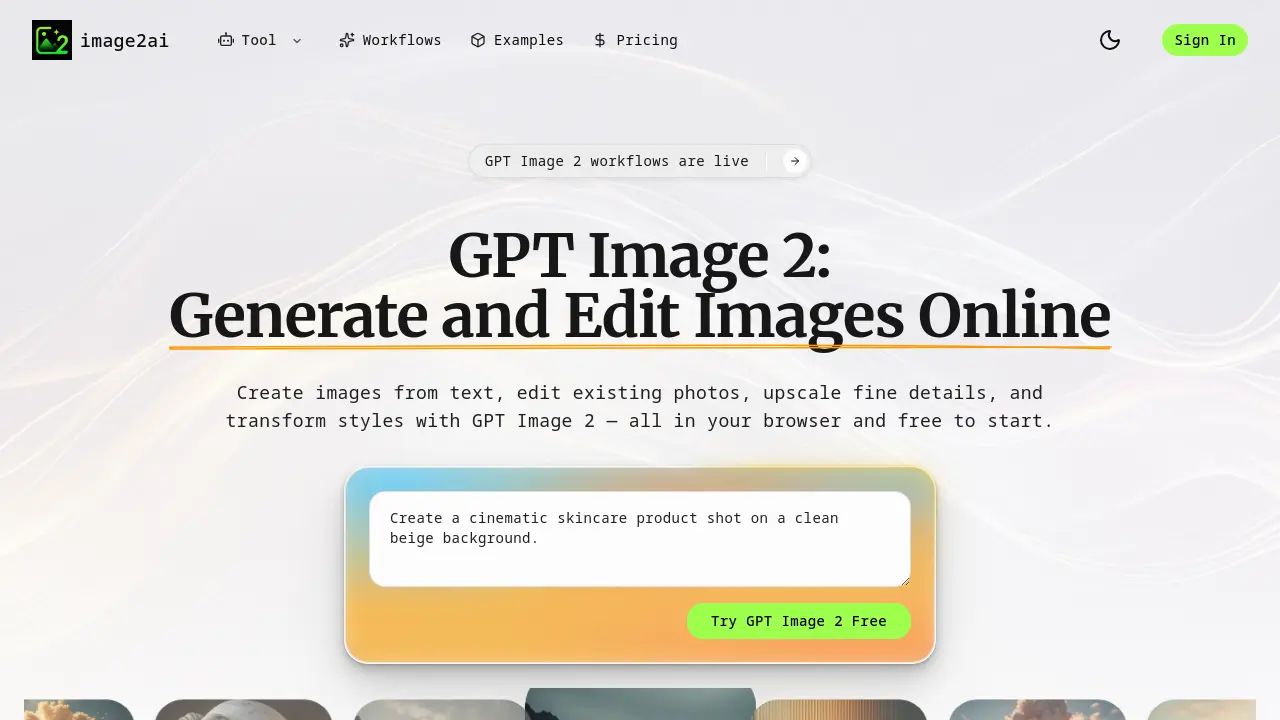
GPT Image 2 is an AI-powered platform enabling users to generate, edit, upscale, and transform images directly in their browser. It offers a streamlined approach to creating visual content, designed for marketers, ecommerce brands, creators, and startups. Users can input text prompts to generate unique images, edit existing photos, enhance image quality, and alter styles while maintaining the original structure. The platform provides distinct workflows for specific tasks such as product ad creation, logo design, professional headshot generation, and crafting ecommerce banners or blog cover images. GPT Image 2 emphasizes a clear, task-oriented interface, guiding users from initial idea selection through prompt input and result refinement to final export. This structured process aims to deliver production-ready visuals efficiently, minimizing time from concept to completion. The platform's layout improves upon earlier models, focusing on workflow clarity, commercial applicability, and publish-ready output suitability.
How does GPT Image 2 work
GPT Image 2 is an AI-powered platform that allows users to generate, edit, and upscale images using text-based prompts. It offers several workflows, including text-to-image creation, image editing, upscaling for enhanced quality, and style transformation. Users begin by selecting the appropriate workflow, such as generating product ads from a single image or creating logos and favicons. The platform guides users through adding prompts and reference images to direct the output's style and details. Finally, users can refine the generated images with follow-up prompts and export them for use in marketing, ecommerce, social media, and creative projects. GPT Image 2 is designed for teams and creators seeking efficient, production-ready visuals.
Benefits of GPT Image 2
GPT Image 2 offers a comprehensive AI-powered image generation and editing solution for creatives and marketers. This browser-based tool allows users to create images from text, edit existing photos, upscale fine details, and transform styles—all free to start. With its focused workflows for text-to-image creation, prompt-based editing, image quality enhancement, and style transformation, GPT Image 2 is built for real creative tasks. It excels at generating product ads, logos, headshots, ecommerce banners, and blog cover images. The platform provides clearer task paths, stronger commercial fit for ecommerce and marketing, and faster production of publish-ready assets. Users can choose from multiple specialized workflows to create, edit, upscale, and transform images online with GPT Image 2's intuitive interface and powerful AI capabilities.
Pros and Cons of GPT Image 2
Pros
- Online, browser-based image generation.
- Offers multiple image creation and editing workflows.
- Free to start with simple interface.
- Supports text-to-image and prompt-based editing.
- Provides high-quality image upscaling.
Cons
- Limited advanced features compared to dedicated software.
- May require internet access for full functionality.
- Output quality depends on prompt clarity.
- No offline standalone application available.
- Learning curve for optimal prompt crafting.
Core Features of GPT Image 2
Text-to-Image Creation
Converts text descriptions into high-quality images, bringing ideas to life quickly and easily.
Prompt-Based Editing
Modifies existing photos based on textual prompts, eliminating manual design work for updates.
Image Quality Enhancement
Upscales and refines image details for sharper visuals, ideal for professional web and social media use.
Style Transformation
Alters the mood, style, or scene of images while maintaining their original structure for consistent design.
Dedicated Workflows for Specific Tasks
Offers tailored AI workflows for product ads, logos, headshots, banners, and blog covers, streamlining creative production.
Online Accessibility and Ease of Use
Operates entirely in the browser, allowing quick access and a simple setup without complex configurations.
Use Cases of GPT Image 2
- eCommerce Teams: Generate product ad visuals from existing photos to create multiple marketing creatives for campaigns.
- Startups: Design logos, favicons, and app icons by providing brand names and using AI-generated visual concepts.
- Content Creators: Transform blog post ideas into cover images, featured visuals, and thumbnails for articles and publications.
- Marketing Professionals: Edit and restyle existing photos without manual design work by using AI-powered image editing tools.
- Online Retailers: Create high-converting ecommerce banners, shop covers, and storefront graphics for promotions and hero sections.
FAQs of GPT Image 2
What is GPT Image 2?
GPT Image 2 is an AI-powered image workflow tool designed for creating and editing visuals from simple prompts. It allows users to generate images from text, enhance existing photos, modify styles, and prepare assets for social media, product pages, advertisements, and creative projects. Accessible via a web browser, it offers a free starting option and emphasizes streamlined, practical use cases for both individuals and teams.
Is GPT Image 2 free?
Yes, GPT Image 2 offers a free-to-start option. Users can access core workflows online without complicated setup or upfront costs. For more detailed information on free usage limits or premium features, you can visit the platform’s pricing page or sign in to explore available plans.
Can I use GPT Image 2 online?
Absolutely. GPT Image 2 is a browser-based tool, meaning you can use it directly online without installing any software. This makes it convenient for users who want to quickly create, edit, or enhance images from any device with internet access.
Can I edit existing images with GPT Image 2?
Yes, GPT Image 2 includes an image editor that allows you to upload and modify existing photos. You can change backgrounds, adjust lighting, alter composition, and more—all through prompt-based controls—without requiring manual design work.
What types of projects can I create using GPT Image 2?
GPT Image 2 is built for a variety of real-world creative tasks, including generating product advertisements, designing logos and app icons, creating professional headshots from selfies, producing ecommerce banners, and making blog cover images. These workflows are tailored to meet the needs of marketing teams, ecommerce brands, content creators, and startups looking for rapid, publish-ready visuals.
How to use GPT Image 2
- Start by visiting the GPT Image 2 homepage at https://image2ai.org to explore the different image creation and editing workflows.
- Choose the desired workflow, such as text-to-image generation, image editing, upscaling, or image-to-image transformation, based on your project needs.
- For text-to-image generation, input a clear and descriptive text prompt to create a new image that matches your
GPT Image 2 Alternatives
Browser workspace for AI image generation, reference photo editing, and short video drafts, aimed at creators, marketers, and product teams.
AI co-director that turns an idea or script into shot-by-shot storyboard panels for indie filmmakers, with real film shot references and PDF board export.
AI design studio for architects and designers: turn sketches, model views, and room photos into rendering concepts, material studies, and staged interiors.
Kinovi is a REST API that runs published video, image, and audio AI models from one endpoint. Send a model ID to createTask, poll recordInfo, and pay per use from one shared credit balance.
An online AI photo editor that removes image backgrounds, erases people, objects and text, and upscales photos 4x. Preview every photo free before paying per image.
Coralflavor offers uncensored AI chats without safety filters, plus burn-mode retention, web search, image generation, and an OpenAI-compatible API for U.S. adults.
SpriteGen is an AI sprite creator that turns character descriptions into transparent pixel-art sprite sheets, ready to drop into your game engine.
Upload one selfie to preview 120+ cuts, colors and bangs rendered on your own face in about 20 seconds, then take the reference sheet to your barber.
Pet to Art is a free AI pet portrait generator that turns one clear pet photo into custom digital artwork across 170+ styles, canvas ratios, and 2K downloads.

Meta Image: browser AI studio powered by Muse Image. Edit photos with prompts, remove backgrounds, restore old photos, generate new images.
Create and edit images with Image 2.5 by GPT. Sunburst for precision, Flare for speed, up to 4K, 6 quality modes, and transparent PNG/WebP output.
Generate and edit AI images with Nano Banana Pro. Blend up to 14 images, render crisp text, and create 4K visuals online with studio controls.