
Image to Video AI Introduction
Image to Video AI is an online AI video generator that enables marketers and content creators to animate product photos, portraits or AI art into short clips by adding simple motion prompts, previewing results, and exporting with free credits.

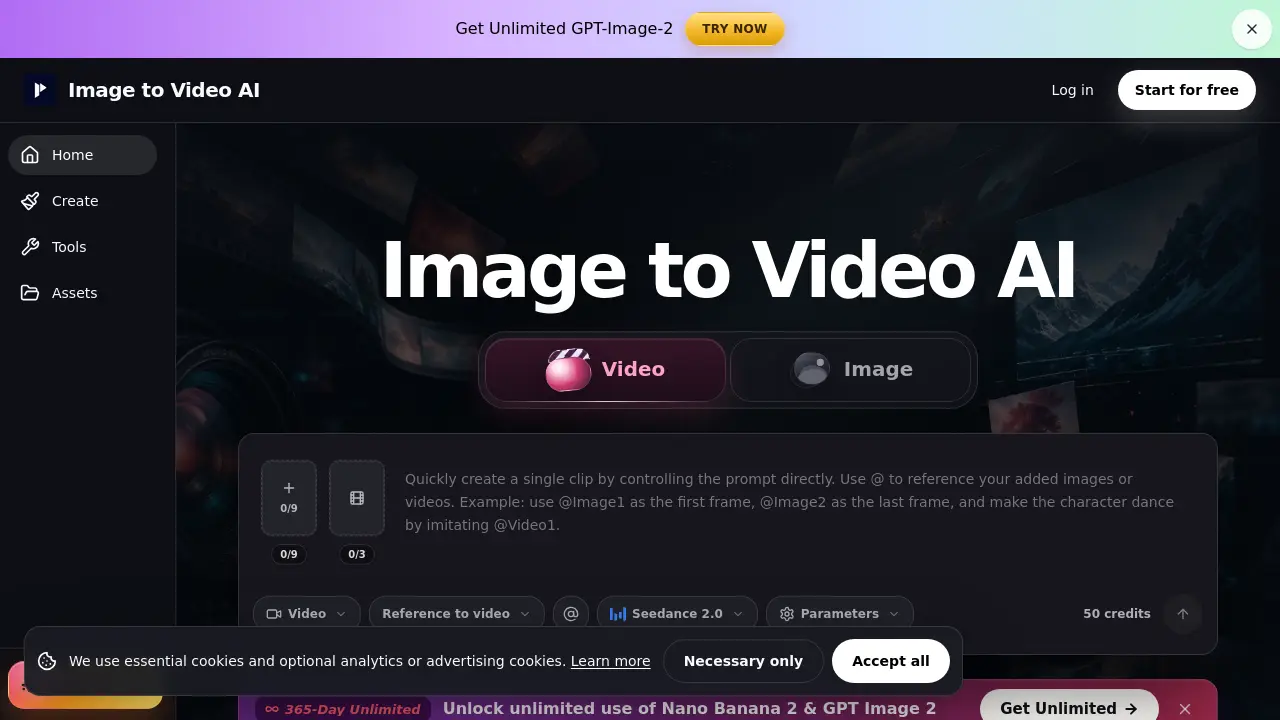
What is Image to Video AI
Image to Video AI is a web‑based platform that converts a single image—product photo, portrait, poster, or AI‑generated art—into a short, motion‑enhanced video clip. Users upload a clean source file (JPG, PNG, JPEG, WebP), enter a concise prompt describing one action and optional camera movement, and select a workflow (text/image, frames, or reference) that best matches the desired control level. The system generates a preview within minutes, allowing creators to verify consistency of faces, logos, or product details before export. Free credits are provided after registration, while paid tiers unlock unlimited generations, watermark‑free downloads, and advanced privacy settings. Ideal for rapid prototyping of e‑commerce demos, social‑media reels, and concept reviews, the tool emphasizes simple motion prompts and aspect‑ratio alignment to maximize stability and reduce drift.
How does Image to Video AI work
Image to Video AI operates as a web‑based workspace that converts a single uploaded image or a pair of start‑end frames into a short animated clip. After the user selects a workflow—text/image‑to‑video, frames‑to‑video, or reference‑to‑video—the system extracts visual features from the source, applies a motion prompt describing subject action and camera movement, and runs an AI video model to synthesize intermediate frames. The generated clip can be previewed, edited for consistency, and exported, with credit consumption shown before generation and optional paid plans providing watermark‑free outputs and privacy controls.
Benefits of Image to Video AI
Image to Video AI enables rapid conversion of product photos, portraits, posters, or AI‑generated artwork into short, shareable clips suitable for ads, Reels, Shorts, and landing‑page demos. By uploading a clean source image and specifying a single motion—such as a push‑in, gentle rotation, or lighting shift—the platform generates a video within minutes, preserving key visual elements like faces, logos, and product details. Flexible workflows (text‑to‑video, frames‑to‑video, reference‑to‑video) let users balance control and speed, while free credits after signup and credit‑based pricing support both testing and higher‑volume, watermark‑free commercial use.
Pros and Cons of Image to Video AI
Pros
- Fast conversion of images to short videos.
- Three workflow options for varied control.
- Free credits available after signup.
- Simple single‑sentence motion prompts.
- Ideal for product demos and social clips.
Cons
- Frame‑by‑frame consistency not guaranteed.
- Complex motions may produce drift.
- Free tier includes watermarks.
- Requires high‑quality source images.
- Longer videos need manual stitching.