
Seedance 2.5: Free AI Video Generator for 4K Cinematic Videos

What is Seedance 2.5
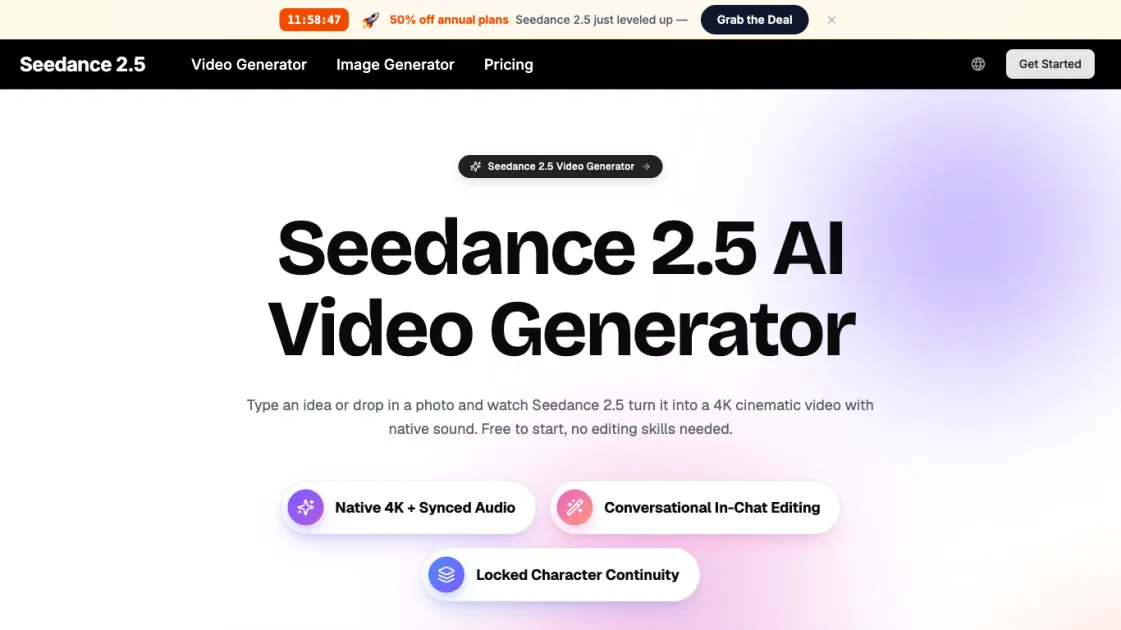
Seedance 2.5 is an all-in-one AI video generator that turns text, images, clips, and audio into 4K cinematic videos with native sound, all in a single pass. Instead of juggling separate tools for visuals and audio, users give it one creative brief and it handles the motion, lighting, camera work, and soundtrack together. With support for up to 12 inputs per generation, conversational in-chat editing, and smooth 30fps output, Seedance 2.5 makes professional video creation accessible to anyone who can write a sentence — no editing experience or expensive software required.
How does Seedance 2.5 work
Seedance 2.5 uses a unified AI model that processes text, image, video, and audio inputs together as a single creative brief rather than handling each modality separately. When a user submits a prompt, the model interprets the description, any reference images or clips, and audio cues simultaneously, then generates the video frames and synchronized audio in one pass. The system handles camera movement, lighting decisions, physics-based motion at 30fps, and scene transitions automatically, delivering a finished 4K clip with native sound in seconds without requiring any manual rendering or post-production steps.
Benefits of Seedance 2.5
Seedance 2.5 combines multimodal input, native 4K output, and conversational editing into a single workflow that eliminates the need for separate editing or audio tools. Its key strengths include the ability to blend text, images, video, and audio up to 12 inputs at once, natural language scene refinement without timeline expertise, and physically grounded motion at 30fps that avoids the warping common in other AI video tools. A free tier with no credit card required lowers the barrier to entry, while paid plans unlock longer videos, higher resolution, and commercial licensing.
Pros and Cons of Seedance 2.5
Pros
- Generates 4K video with native audio in a single pass
- Supports up to 12 multimodal inputs per generation
- Conversational editing requires no timeline expertise
- Smooth 30fps motion with physically grounded results
- Free tier available with no credit card required
Cons
- Maximum video length limited to 15 seconds per clip
- 4K resolution requires a paid plan
- No offline desktop application — browser-only access
- Limited concurrent generations on lower-tier plans
Core Features of Seedance 2.5
Multimodal input
Accept text, images, video clips, and audio together in a single generation, up to 12 inputs per prompt, blending them all into one coherent output.
4K resolution
Render videos up to true 4K with crisp detail on hair, fabric, and reflections that holds together on phones, laptops, and large displays.
Smooth 30fps motion
Action stays fluid and stable with no flicker, warping, or odd jumps between frames, making footage feel filmed rather than generated.
Native audio sync
Dialogue, sound effects, and ambient audio are generated together with the picture and synced automatically, eliminating manual audio editing.
Multi-shot storytelling
Build several shots from a single prompt with consistent characters, lighting, and style across every cut for coherent narrative sequences.
Conversational editing
Reframe, recolor, or rewrite any moment using plain language instead of timelines, keyframes, or complex editing controls.
Use Cases of Seedance 2.5
- Content creators: Produce scroll-stopping short-form clips for TikTok, Reels, and Shorts without a camera or editing setup.
- Marketers: Turn campaign concepts into polished video ads in minutes, test multiple directions, and iterate based on performance.
- Small businesses: Transform single product photos into cinematic demo videos that improve listings without a production budget.
- Educators: Bring lessons to life with animated visual explanations that hold student attention better than static slides.
- Agencies: Deliver client videos faster using multi-shot prompts that produce complete sequences from a single creative brief.
FAQs of Seedance 2.5
What is Seedance 2.5?
Seedance 2.5 is an all-in-one AI video generator that turns text, images, clips, and audio into 4K cinematic videos with native sound. Instead of using separate tools for visuals and audio, it processes everything together so users get a finished, professional-looking result without any editing experience.
Is Seedance 2.5 free to use?
Yes. You can try Seedance 2.5 for free and make your first clips without entering a credit card. The free tier lets you explore text-to-video, image-to-video, and native audio generation. Paid plans unlock additional credits, longer videos, and higher output resolution.
How do I make a video with Seedance 2.5?
Type a description of the video you want, or upload a photo you would like to animate, then click generate. In a few seconds Seedance 2.5 returns a finished 4K video with sound that you can download and share right away. If anything is not quite right, describe the change in plain words and regenerate.
What makes Seedance 2.5 different from version 2.0?
Seedance 2.5 keeps native audio, multimodal input, and multi-shot storytelling from 2.0 and adds crisp 4K resolution and smoother 30fps motion. Clips look noticeably more detailed and play back more fluidly, while the workflow remains identical so existing users can upgrade without relearning anything.
Can Seedance 2.5 add sound to my video automatically?
Yes. Seedance 2.5 generates audio and video together rather than bolting sound on afterward. You get lip-synced dialogue, sound effects that match the action, and ambient noise that fits the scene, all created automatically with no manual syncing required.
What aspect ratios and platforms does it support?
Seedance 2.5 produces vertical clips for TikTok, Reels, and Shorts, square cuts for social feeds, and widescreen for YouTube or landing page heroes. All output is true 4K, so the same render stays sharp whether viewed on a phone or projected on a large display.
How to use Seedance 2.5
- Type or upload: Write a short description of the video you want, or upload a photo you want to animate. You can add a reference image, style note, or dialogue to steer the result.
- Generate: Hit the generate button and Seedance 2.5 builds your 4K video with native sound in seconds. No settings to configure or timelines to manage.
- Review and refine: If the clip is not quite right, describe the change in plain words — "make the lighting warmer" or "hold the close-up longer" — and regenerate until it matches your vision.
- Download and share: Save the finished clip in full quality and post it directly to TikTok, YouTube, Reels, or your website without any additional editing.
