
Whisk AI
Whisk AI - Free AI Image Generator from Google Labs
| Added on: | Apr 18, 2026 |
| Monthly Visits: | 210.16K |
| Social & Email: | -- |

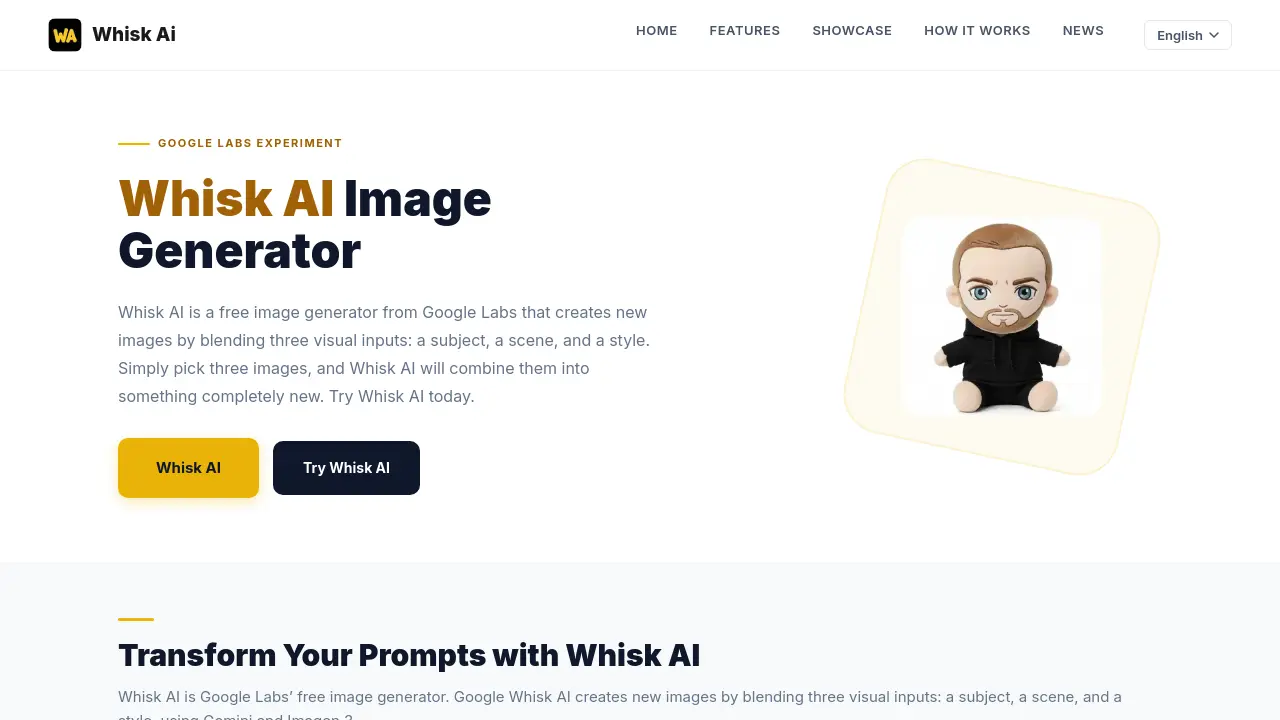
What is Whisk AI
Whisk AI is an experimental image generation tool that enables the creation of new images through the blending of three visual inputs: a subject, a scene, and a style. Designed as a Google Labs experiment, the platform allows users to upload reference images rather than requiring complex text prompt construction. Utilizing Google’s Gemini and Imagen 3 models, Whisk AI processes these inputs to produce novel compositions. The tool offers preset styles, including Sticker, Plushie, Capsule Toy, and Enamel Pin, which apply distinct visual characteristics to outputs. Primarily targeting users without extensive technical expertise, Whisk AI aims to reduce the barrier to high-quality image generation. The service operates on a free access model, though its availability is contingent upon ongoing experimental status. Users are advised to export work promptly due to the project’s temporary nature. Subsequent alternatives have emerged following planned discontinuation, ensuring continuity for visual creation workflows.
How does Whisk AI work
Whisk AI is a free image generator from Google Labs that blends three visual inputs to create new images. Users provide a subject, a scene, and a style, then Whisk AI combines them using Google's Gemini and Imagen 3 models to generate unique outputs. The tool simplifies the AI image generation process by removing the need for complex text prompts.
Whisk AI offers six preset styles, including Sticker, Plushie, Capsule Toy, Enamel Pin, Chocolate Box, and Card, each producing distinctive visual results. By analyzing the provided images, Whisk AI automatically enhances the input with appropriate styling, lighting, and composition details, making professional-quality image generation accessible to users without technical expertise or prompt engineering skills.
Benefits of Whisk AI
Whisk AI is a free, experimental image generator from Google Labs that simplifies AI image creation. Using advanced technology like Gemini and Imagen 3, Whisk AI blends three visual inputs—a subject, a scene, and a style—to create unique images. Instead of complex prompts, users simply drag and drop images, making it accessible for beginners and professionals alike. Features include intuitive artistic style processing, composition guidance, and atmospheric detail refinement. Whisk AI automatically enhances prompts with technical details, producing results close to expert-level quality. Explore Whisk AI's innovative features and user-friendly design to transform your creative ideas into stunning visuals effortlessly.
Pros and Cons of Whisk AI
Pros
- Free to use as a Google Labs experiment.
- Enables image blending via three visual inputs.
- No prompt engineering expertise needed.
- Provides multiple artistic style options.
- Accessible via web with a Google account.
Cons
- Limited to Google’s Imagen 3 model.
- No bulk export or save functionality.
- Lacks advanced customization controls.
Core Features of Whisk AI
Whisk AI Visual Blending
Enables creating new images by blending three visual inputs: a subject, a scene, and a style, using Gemini and Imagen 3 technology.
Whisk AI Style Presets
Offers predefined artistic styles like Sticker, Plushie, Capsule Toy, Enamel Pin, Chocolate Box, and Card for consistent visual results.
Whisk AI Natural Language Processing
Analyzes simple text descriptions and automatically enhances them with technical parameters, lighting, and composition details.
Whisk AI Prompt Enhancement
Transforms basic prompts into detailed, effective instructions that generate professional-quality images without prompt engineering expertise.
Use Cases of Whisk AI
- Bloggers: Create custom blog post illustrations quickly using Google Whisk AI's three-image blending to combine subject, scene, and style references.
- Small Businesses: Generate unique product mockups by uploading product photos, background scenes, and style references for marketing visuals without hiring designers.
- Content Creators: Produce eye-catching social media thumbnails by combining character images, scene backgrounds, and artistic style references in Whisk AI.
- Game Developers: Design concept art characters by blending character sketches, environment references, and desired art styles using Google Whisk AI's visual approach.
- Educators: Help students visualize historical events by combining portrait photos, period-appropriate backgrounds, and era-specific art style references in Whisk AI.
- Authors: Bring story scenes to life by uploading character references, setting images, and genre-specific style references for book illustrations.
- Marketing Teams: Create diverse ad variations by repurposing subject items, testing different background contexts, and applying various artistic styles through Whisk AI.
- Hobbyists: Transform personal photos into artistic interpretations by combining portraits, scenic backgrounds, and chosen painting or illustration styles.
- Fashion Designers: Generate outfit visualization combinations by uploading fabric textures, model poses, and fashion photography style references in Whisk AI.
- Product Photographers: Create composite product images by blending individual product shots, lifestyle scene backgrounds, and stylized photography effects in Whisk AI.
FAQs of Whisk AI
What image generation capabilities does Whisk AI offer through its visual input workflow?
Whisk AI enables image generation using three visual inputs—a subject, a scene, and a style—which are blended using Gemini and Imagen 3 models. This visual-first approach allows users to create new images without needing complex prompt engineering or detailed text descriptions.
Which style presets are available in Whisk AI to customize output aesthetics?
Whisk AI offers six distinct style presets including Sticker, Plushie, Capsule Toy, Enamel Pin, Chocolate Box, and Card. Each preset applies specific visual characteristics, lighting, and compositional rules to align the output with a particular artistic intent or commercial use case.
How does Whisk AI improve user prompts to enhance image quality automatically?
Whisk AI analyzes basic text descriptions and automatically integrates artistic style, lighting, composition, and technical details to generate optimized prompts. This process helps users produce higher-quality images with minimal manual prompt engineering knowledge or expertise.
How to use Whisk AI
- First, access Whisk AI through the official Google Labs website or directly at the tool's URL.
- Import three images representing your desired subject, scene, and style for the generation process.
- Whisk AI automatically analyzes and blends these visual inputs using Google's Gemini and Imagen 3 models.
- Review the generated image, which combines elements from your chosen subject, scene, and style.
- If needed, adjust the images or try different combinations to achieve your desired creative result.
Whisk AI Website Traffic Analysis
Latest traffic information
- Monthly Visits210.16K
- Bounce Rate43.44%
- Pages Per Visit2.02
- Visit Duration00:00:18
- Global Rank219.32K
- Country/Region Ranking11.54K
Visits Over Time
Traffic Sources
- Organic Search: 70.25%
- Direct: 22.74%
- Referrals: 3.19%
- Organic Social: 2.12%
- Generative AI: 1.61%
- Mail: 0.09%
Top Keywords
| Keyword | Traffic | Volume | Cost Per Click |
|---|---|---|---|
| whisk ai | 23.33K | 391.7K | $0.36 |
| wisk ai | 11.57K | 80.94K | $1.07 |
| whisk | 2.19K | 601.27K | $0.54 |
| whisky ia | 1.95K | 15.66K | $0.23 |
| whisk ia | 1.91K | 10.68K | $0.13 |
Top Regions
| Region | Percentage |
|---|---|
| India | 12.53% |
| Pakistan | 10.44% |
| Brazil | 8.47% |
| Nigeria | 3.59% |
| Indonesia | 3.13% |
