
VoWo AI VEO 3 Video Generator creates 8-second cinematic clips
| Added on: | Dec 25, 2025 |
| Monthly Visits: | -- |
| Social & Email: | -- |

What is VoWo AI
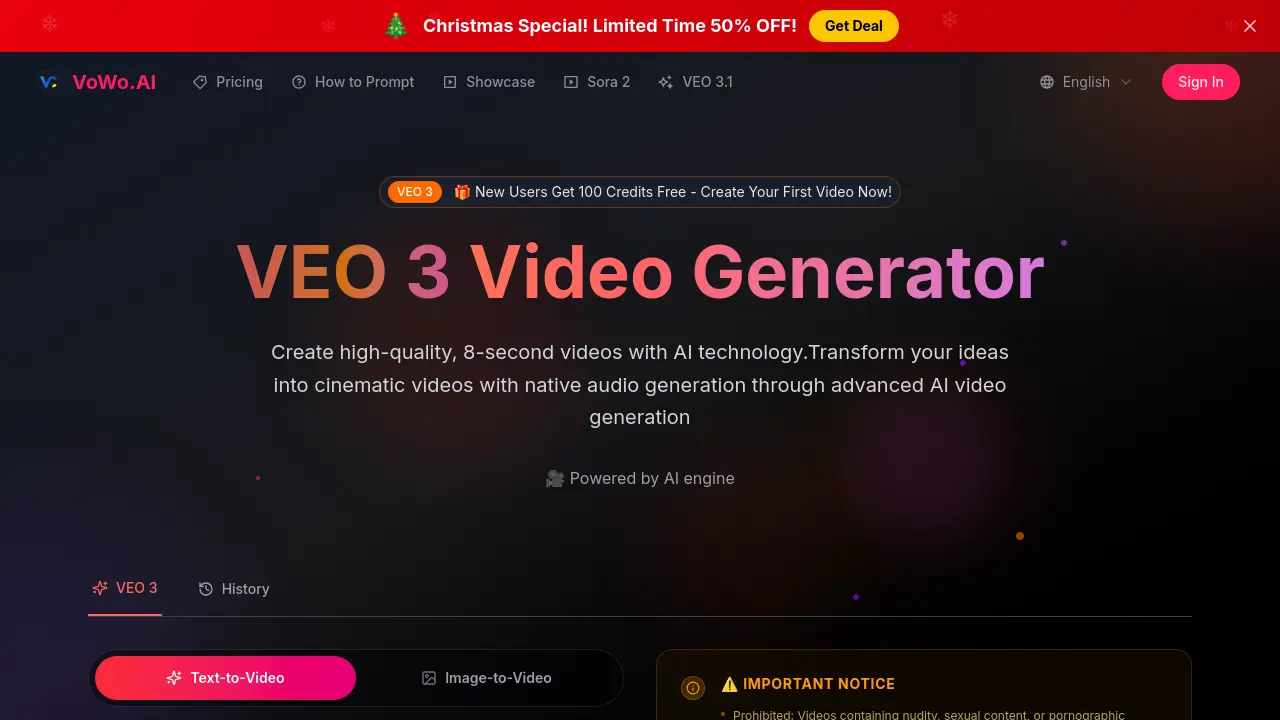
VoWo AI’s VEO 3 Video Generator harnesses a proprietary AI engine to create 8‑second cinematic clips from plain‑text prompts. The model delivers high‑quality visuals, realistic physics, natural lighting, and smooth camera motion. Native audio generation synchronizes character dialogue with lip‑sync, adding environmental sounds and atmospheric layers automatically. The interface supports natural‑language description, simplifying workflow for beginners and professionals alike. Users receive unwatermarked, high‑resolution outputs suitable for commercial projects, with full usage rights. Pricing plans include a free trial offering 100 credits, and the platform enforces content‑policy compliance to maintain platform integrity. VoWo AI’s VEO 3 offers an efficient, AI‑powered solution for rapid, cinematic video production.
How does VoWo AI work
VoWo AI's VEO 3 Video Generator produces eight‑second cinematic clips from plain text prompts. The system blends image‑to‑video and text‑to‑video pipelines, using a proprietary deep‑learning engine that handles prompt parsing, motion synthesis, and real‑time lip‑sync audio generation. Its built‑in lip‑sync mirrors VOZO AI lip sync quality. Users simply describe the scene, and the AI composes camera movement, lighting, and ambient sound, delivering a polished output without watermark. The platform supports natural language commands, making it usable for beginners and professionals alike, and permits commercial licensing for the final content. While it favours short clips, users may chain scenes for longer narratives.
Benefits of VoWo AI
VoWo AI introduces the VEO 3 Video Generator, turning simple text or image prompts into 8‑second cinematic clips. The platform delivers native audio, including synchronized lip‑sync, ambient effects, and character dialogue, eliminating the need for separate sound editing. With a proprietary model optimized for realistic physics, lighting, and smooth camera moves, videos maintain commercial‑grade quality and are water‑free for download. New users receive 100 free credits, and the tool requires no technical background, making it ideal for students, marketers, and content creators who need quick, high‑impact videos.
Pros and Cons of VoWo AI
Pros
- Generates cinematic 8‑second videos from text prompts.
- Native audio with synchronized lip‑sync included.
- Supports full‑resolution, watermark‑free downloads.
- No technical expertise required—simple natural language prompts.
- Multimodal understanding drives realistic physics and lighting.
Cons
- Fixed 8‑second output limits longer scenes.
- Premium plan needed after 100 free credits.
- No detailed editor for custom post‑production.
- Limited to certain content types; some features absent.
Core Features of VoWo AI
Native Audio Generation
Automatically generates synchronized environmental sounds, dialogue, and ambient audio integrated into 8‑second video clips, enhancing realism and immersion for creators.
Cinematic Quality Output
Delivers movie‑quality visuals with realistic physics, professional lighting, and smooth camera movements, ensuring cinematic output from simple text prompts for creators.
Text‑to‑Video Creation
Creates short, 8‑second video clips from natural‑language prompts, enabling rapid storytelling without the need for manual editing, scripting, or adjustments.
Advanced Prompt Understanding
Interprets complex, narrative‑driven prompts with high fidelity, translating detailed scene descriptions into cohesive, professionally rendered video sequences for creative projects.
Multimodal Content Synthesis
Synthesizes visual, motion, and audio elements based on contextual cues, ensuring cohesive transitions and realistic interactions across multi‑modal content in each video.
User‑Friendly Language Interface
Allows users to articulate video concepts through plain language prompts, eliminating the need for technical scripting, design expertise, and facilitating collaboration.
Use Cases of VoWo AI
- Students: Generate 8‑second cinematic videos with native audio and lip‑syncing for engaging class presentations.
- Content creators: Produce cinematic 8‑second videos with native audio generation, enhancing YouTube storytelling.
- Educators: Translate lesson scripts into multiple languages, generating synchronized audio for immersive video lessons.
- Social media managers: Create talking‑photo and face‑swap videos quickly, boosting brand engagement on platforms.
- Commercial producers: Build high‑quality cinematic shots with realistic physics, synchronized audio, and lip‑sync for ads.
FAQs of VoWo AI
How many free credits does VoWo AI provide for new users?
VoWo AI grants 100 free credits to all new registrants, allowing users to generate up to 100 eight‑second videos without any charge. The free tier is ideal for testing native audio generation, cinematic quality, and prompt versatility before committing to a paid subscription. After the credits expire, users must purchase additional credit packs via the pricing page to continue creating video content.
What is the maximum duration of a video that VEO 3 can render?
VEO 3’s current model is optimized for short, high‑impact clips and supports a maximum duration of eight seconds per request. This constraint ensures rapid generation and high‑quality output, including synchronized lip‑sync and realistic environment sounds. Users needing longer sequences can stitch multiple VEO 3 outputs together in standard video editing software.
Does VEO 3 understand prompts in languages other than English?
VEO 3’s multilingual natural language processing module can parse and generate video content from prompts written in several major languages, such as Spanish, French, German, and Mandarin. While the highest quality results are typically produced from English prompts, the model will still interpret and translate essential visual and narrative cues from non‑English input, providing a flexible experience for diverse users.
What output formats are available for downloaded videos?
Downloads from VoWo AI are delivered in MP4 format at 1080 × 1920 resolution (16:9 aspect ratio) with H.264 video encoding and AAC audio at standard 48 kHz sampling rate. The unwatermarked files include full usage rights, making them suitable for commercial projects, social media campaigns, or academic presentations. Users can also export in compressed formats directly from the platform’s export settings if lower bandwidth is required.
Can I integrate VEO 3 videos into other applications or workflows?
Yes, videos generated by VEO 3 can be incorporated into any digital workflow that accepts MP4 files, including video editing suites, content management systems, and web publishing platforms. The native audio tracks—encompassing ambient sounds, dialogue, and synchronized lip‑sync—are fully compatible with standard audio libraries, allowing developers to embed or remix them as needed. For advanced usage, VoWo AI also supports API access for automated content production, subject to the terms of service and usage limits.
How to use VoWo AI
VoWo AI delivers the VEO 3 Video Generator, an AI‑powered tool that transforms natural‑language prompts into 8‑second cinematic videos with integrated audio, realistic physics, and synchronized lip‑sync.
The platform, comparable to vozo ai solutions, offers free trials, lip‑sync, and multilingual audio output for translators, enabling quick creation of high‑quality commercial content.
- Log into your VoWo AI account or create a new one. From the main dashboard, click “VEO 3 Video Generator” to open the creation interface.
- Select the desired generation settings: choose “Fast” for quick output or “Quality” for higher fidelity, set the duration to 8 seconds, and pick a 16:9 aspect ratio.
- Enter a detailed text prompt in natural language, staying within the 2,000‑character limit. Example prompts are available under the “How to Prompt” guide.
- Toggle “With Audio” on to enable native audio generation, which automatically creates synchronized background sounds and dialogue (lip‑sync) for a cinematic result.
- Click “Generate Video”; the model will process your request, producing an 8‑second preview in the preview area. When finished, a thumbnail appears and the video plays.
- Review the preview; if changes are needed, edit the prompt or adjust settings and click “Generate Video” again to regenerate several times if desired.
- After satisfaction, click “Download” to get an unwatermarked, high‑resolution MP4 file. Confirm licensing for commercial use before distribution and reuse.
- Optionally, use the “Create With Text” workflow to batch generate multiple clips, then stitch them together in external editing software for longer narratives.
VoWo AI Alternatives
Seedance 3.0 preview page: planned multi-shot continuity, scene editing and audio-visual sync for AI video, while the on-page generator runs Seedance 2.5.
Browser workspace for AI image generation, reference photo editing, and short video drafts, aimed at creators, marketers, and product teams.
Black Forest Labs' multimodal model with a web generator for text-to-video, image-to-video and image editing with native audio, for creators and marketers.
Wan API is an independent platform for Wan and Seedance video models. Compare specs and rates, generate clips in the Playground, or call them through one API.
Seedance 3.0 turns text, images, video clips, and audio into videos with sound, and edits one part of a clip without regenerating the rest.
Scribix is an AI video clipper that cuts podcasts and interviews into captioned vertical shorts, then publishes them to YouTube, TikTok and LinkedIn.
Wery is a virtual AI studio that routes one goal to specialist agents for video, images, music and documents, keeping characters and project assets consistent.

AI video and image studio with text-to-video, image-to-video and keyframe control across Seedance, Kling, Wan and Vidu — all on one credit balance.
Browser studio for AI video, image and music generation with Grok Imagine, Kling and GPT Image models. Free daily credits, no sign-up required.
SeaMove AI is an AI video and image generation platform offering Seedance 2.0 and Seedance 2.5 models for text-to-video, image-to-video, and reference-based creation. Features multi-shot continuity, director-level control, and audio-visual sync for creators and studios.
Turns two separate portraits into a 15-second vertical rap duet video on an orange stage with a shared microphone and the original soundtrack. Free 480P preview available.
Katto turns long videos and podcasts into scored, captioned 9:16 clips. It ranks clips by viral potential and exports them to 7 platforms from one place.