
VEO 3 Video Generator
VEO 3 is Google's advanced AI video generator for cinematic clips.

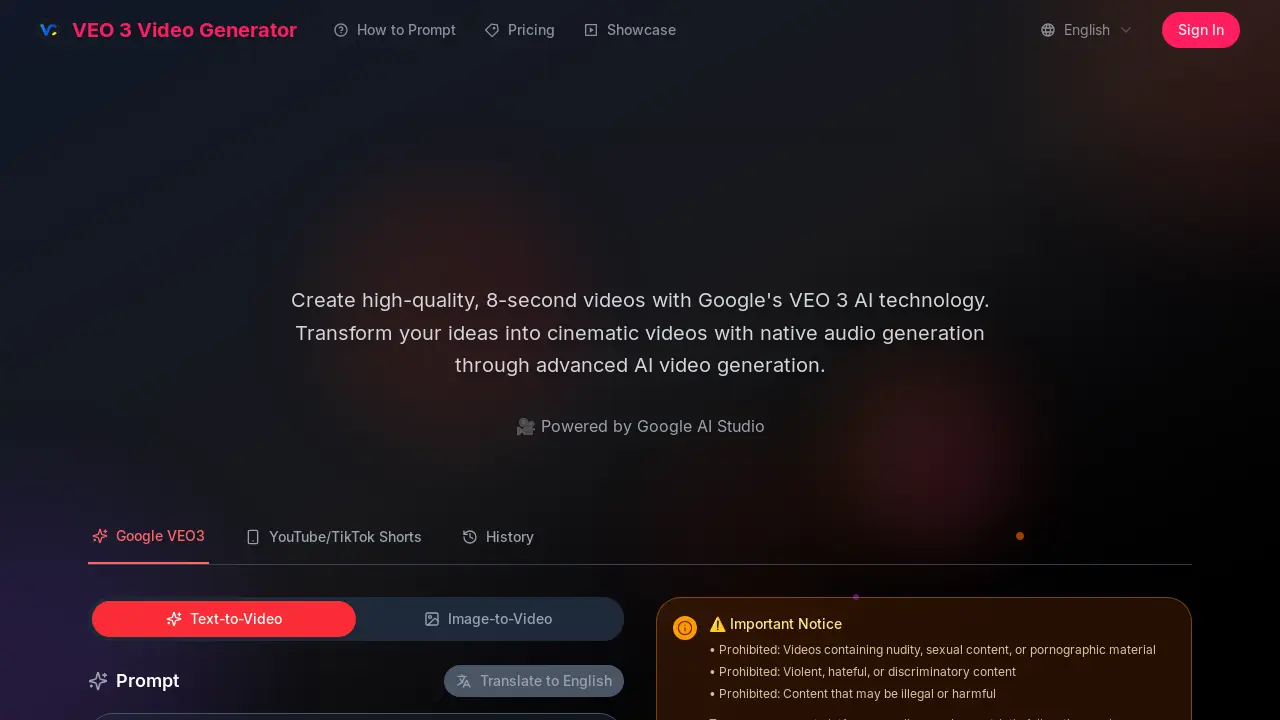
What is VEO 3 Video Generator
The VEO 3 Video Generator, powered by Google's VEO 3 AI technology, enables users to create high-quality, 8-second cinematic videos. This AI video generator offers advanced prompt understanding, translating detailed text descriptions into cohesive visual content. A key feature is its native audio generation, which integrates environmental sounds, dialogue, and atmospheric audio directly into the video, including synchronized lip-syncing. Accessible through Google AI Studio, the VEO 3 Video Generator supports text-to-video and image-to-video functionalities, producing outputs with realistic physics, professional lighting, and smooth camera movements. This tool is suitable for both personal and commercial use.
How does VEO 3 Video Generator work
The VEO 3 Video Generator operates as an AI-powered platform for creating short video clips, leveraging Google's VEO 3 technology. Users input text prompts, and the system translates these descriptions into 8-second cinematic videos, incorporating natural language processing and multimodal understanding. A key feature of this Google AI video generator is its native audio generation, which integrates synchronized sound effects, dialogue, and ambient noises directly into the output. The platform, accessible via Google AI Studio, focuses on generating high-quality visuals with realistic physics and professional lighting, making the VEO 3 video generator a comprehensive tool for rapid content creation.
Benefits of VEO 3 Video Generator
The VEO 3 Video Generator, powered by Google's advanced AI, allows users to create high-quality, 8-second cinematic videos with integrated native audio. This Google AI video generator excels in prompt understanding, translating detailed natural language descriptions into cohesive visual and audio content. Users can generate videos with realistic physics, professional lighting, and smooth camera movements, making it suitable for both personal and commercial projects. Its multimodal understanding ensures professional-quality output without requiring technical expertise.
Pros and Cons of VEO 3 Video Generator
Pros
- Utilizes advanced Google AI technology.
- Generates cinematic quality videos.
- Features native integrated audio generation.
- Supports natural language prompt understanding.
- Provides commercial usage rights.
Cons
- Video generation limited to 8 seconds.
- Prohibits specific content types.
- Requires credits for video generation.
Core Features of VEO 3 Video Generator
High-Quality Video Generation
Creates high-quality, 8-second videos leveraging Google's VEO 3 AI technology, transforming various inputs into cinematic content.
Native Audio Integration
Generates and integrates diverse audio elements, including sound effects, ambient noises, and synchronized dialogue, directly into the produced videos.
Advanced Prompt Understanding
Interprets complex, detailed, and narrative-driven prompts from users, accurately translating them into cohesive and visually consistent video clips.
Image-to-Video Conversion
Enables users to convert static images into dynamic video content, adding motion and visual interest based on AI interpretation.
Use Cases of VEO 3 Video Generator
- Content Creators: Generate engaging TikTok Shorts and YouTube videos quickly using the VEO 3 video generator.
- Marketing Professionals: Produce high-quality, cinematic commercial video content with integrated audio via Google's AI video generator.
- Educators: Create illustrative 8-second video clips for educational purposes, leveraging VEO 3's advanced prompt understanding.
- Game Developers: Rapidly prototype cinematic cutscenes and in-game animations with the fast VEO 3 video generator.
FAQs of VEO 3 Video Generator
What is VEO 3 and how does it work?
VEO 3 Video Generator is powered by Google's advanced AI video generation model. This platform creates high-quality, 8-second videos complete with native audio generation, all from simple text descriptions. The VEO 3 Video Generator is notable for its capabilities in generating realistic physics, enhancing overall realism, and delivering cinematic quality.
Do I need technical experience to use Veo3 AI?
No technical experience is required to use Veo3 AI. This AI video generator is designed for all users, from beginners to seasoned professionals. Users simply describe their desired video content in everyday language, and the AI system manages the technical aspects of video creation.
What makes VEO 3 different from other video generators?
The distinct features of the VEO 3 Video Generator include its native audio generation capabilities, exceptional adherence to complex prompts, and state-of-the-art cinematic quality output. These elements collectively contribute to a more immersive and high-fidelity video generation experience compared to other tools.
Can I download my creations?
Subscribers to the VEO 3 Video Generator service receive unwatermarked, high-resolution downloads of their created content. These downloads come with full usage rights, allowing for flexible application of the generated videos.
Is VEO 3 suitable for commercial use?
Yes, videos generated using the VEO 3 Video Generator through Google AI Studio are suitable for commercial projects. There are no watermarks on the output, which facilitates professional use in various commercial applications.
What audio capabilities does VEO 3 offer?
VEO 3 Video Generator features advanced native audio generation. This includes the automatic creation of environmental sounds, character dialogue, and atmospheric audio, which is seamlessly synchronized with the video content produced by the VEO 3 Video Generator.
How are credits managed for the VEO 3 Video Generator?
New users of the VEO 3 Video Generator receive 200 free credits upon signing up, which allows them to begin creating videos immediately. Additional credits can be obtained through various pricing plans, ensuring continuous access to the AI video generation services.
What are the prohibited content types for VEO 3 Video Generator?
To ensure compliance with payment platform policies and ethical guidelines, the VEO 3 Video Generator prohibits content containing nudity, sexual or pornographic material. Additionally, violent, hateful, discriminatory, illegal, or harmful content is strictly forbidden, and violations may lead to account restrictions.
What is the maximum duration for videos generated by VEO 3?
Videos created with the VEO 3 Video Generator have a default duration of 8 seconds. This fixed duration is part of the system's design, focusing on producing concise, high-quality clips with Google's advanced AI technology.
How to use VEO 3 Video Generator
The VEO 3 Video Generator, powered by Google's VEO 3 AI technology, allows users to create high-quality, 8-second cinematic videos. Its core functionality involves transforming detailed text prompts or images into video content with integrated native audio.
- Navigate to the VEO 3 Video Generator platform and sign in or create an account. New users often receive free credits to begin.
- Locate the "Prompt" input field to describe your desired video scene. Be detailed and specific for optimal results, noting the 2000-character limit.
- Select the "Generation Mode" that aligns with your needs, choosing between Super Fast, Fast, or Quality for processing speed versus output fidelity.
- Ensure the "With Audio" option is selected if native sound effects, dialogue, or ambient noises are desired in the generated video.
- Click the "Generate Video" button to initiate the AI video generation process based on your provided prompt and selected settings.
- Review the generated 8-second video preview in the designated output area. This allows for immediate assessment of the AI's interpretation.
- Interpret the video's adherence to the prompt, evaluating visual elements, motion, and integrated audio for cinematic quality.
- Refine your text prompt for subsequent attempts if the initial output does not fully meet your creative vision or specific requirements.
- Download the unwatermarked, high-resolution video if you are a subscriber, ensuring full usage rights for commercial or personal projects.
- Explore the "Showcase" section for examples of high-quality videos generated by the VEO 3 AI to understand its capabilities.
VEO 3 Video Generator Website Traffic Analysis
Latest traffic information
- Monthly Visits1.09K
- Bounce Rate71.63%
- Pages Per Visit1.85
- Visit Duration00:00:03
- Global Rank11.54M
- Country/Region Ranking--
