
TurboDoc: AI-powered invoice processing

What is TurboDoc
TurboDoc is an AI-powered invoice processing solution designed to streamline accounts payable. It transforms unstructured invoice data into easily accessible, structured information, saving time and reducing manual data entry. TurboDoc offers precise data extraction using an advanced AI model, providing an organized registry of all extracted data for transparent accounting. Features include automatic invoice processing from Gmail, various pricing tiers (Simple, Pro, Self-hosting), and support for multiple languages. Users benefit from cost savings through automation, improved accuracy, and a user-friendly interface. A free trial is available.
How does TurboDoc work
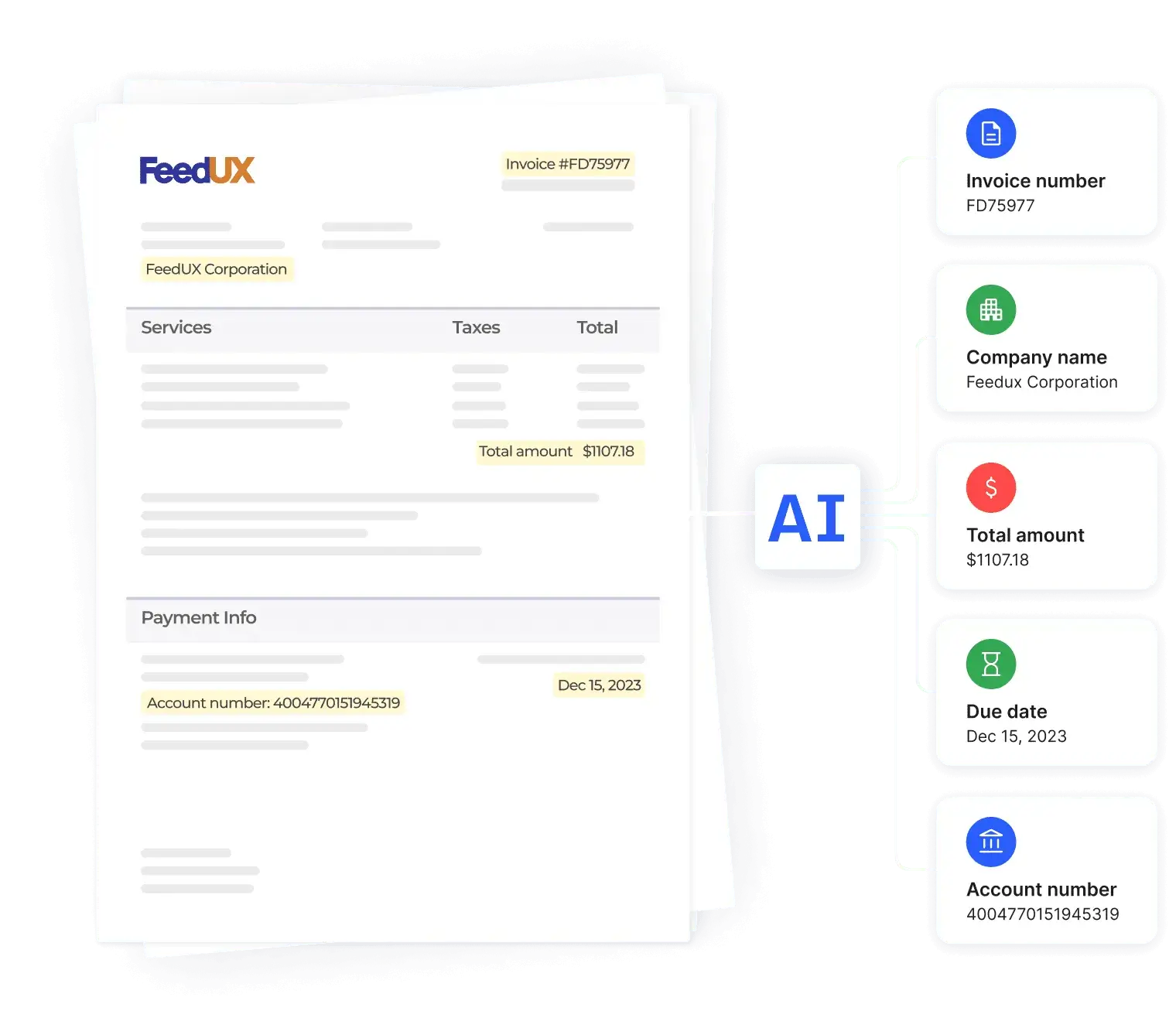
TurboDoc is an AI-powered invoice processing solution offering automated invoice data extraction and organization. Utilizing advanced AI models trained on a large dataset, TurboDoc transforms unstructured invoices (PDF, JPEG, etc.) into structured data, including key fields like company name, invoice number, and total amount. This invoice automation streamlines accounts payable (AP) processes, improving efficiency and reducing manual data entry. TurboDoc integrates with Gmail for automated invoice capture and offers various subscription plans, including a free trial, to accommodate different processing volumes. Its features include data encryption and secure storage, supporting effective vendor invoice management and accounting.
Benefits of TurboDoc
TurboDoc offers AI-powered invoice processing, transforming unstructured data into organized, easily accessible information. Its advanced AI model ensures precise data extraction, creating a transparent accounting registry. Users benefit from a user-friendly interface, Gmail integration for automated invoice processing, and various pricing plans, including a free trial. TurboDoc provides secure data storage with AES256 encryption, saving businesses time and money on invoice processing. This efficient system streamlines accounts payable workflows and supports multiple languages, including English, Spanish, and German.
Pros and Cons of TurboDoc
Pros
- Automates invoice processing.
- Offers various pricing tiers.
- Integrates with Gmail.
- High accuracy AI.
- User-friendly interface.
Cons
- Limited free trial access.
- File size restrictions.
- Some features "coming soon".
- No receipt processing (yet).
- No guarantee of error-free service.
Core Features of TurboDoc
Invoice Data Extraction
Extracts key data points (company, amount, dates, payment details) from uploaded invoices using AI, saving time and improving accuracy.
Automated Invoice Processing
Automates invoice processing via Gmail integration, automatically extracting data and sending structured information, streamlining workflows.
Secure Data Storage and Management
Provides AES256 encryption and secure US-based servers for protecting sensitive invoice data; maintains user privacy and data integrity.
Organized Data Registry
Organizes all extracted invoice data in a centralized dashboard for easy access, analysis, reporting, and comparison, improving accounting efficiency.
Multiple Pricing Tiers
Offers various subscription plans (Simple, Pro, Self-hosting) to cater to different business needs and invoice processing volumes, providing flexibility and scalability.
Use Cases of TurboDoc
- Accounts Payable Departments: Streamline AP invoice processing using TurboDoc's AI-powered invoice OCR and automation features.
- Finance Professionals: Improve accuracy and efficiency in financial reporting with TurboDoc's structured invoice data.
- Small Business Owners: Save time and money on manual invoice processing with TurboDoc's automated invoice data extraction.
- Accounting Firms: Enhance client service and reduce errors using TurboDoc for automated invoice processing and data management.
- Bookkeepers: Optimize workflow and increase productivity using TurboDoc's Gmail integration for automated invoice processing.
FAQs of TurboDoc
What is TurboDoc?
TurboDoc is an AI-powered invoice processing solution designed to automate the extraction of data from invoices. It transforms unstructured invoice data into easily readable and usable structured data, saving users time and improving efficiency in accounts payable processes. The platform offers various features, including automated invoice processing from Gmail and different pricing tiers to suit varying needs.
How does TurboDoc's invoice data extraction work?
TurboDoc utilizes advanced AI models trained on a vast dataset of invoices to accurately extract key information. The system processes uploaded invoices (.pdf, .jpeg, .png, .webp, .heic, .tiff) and identifies key data points such as company name, invoice number, total amount, due date, and payment details. This structured data is then presented in an organized format, ready for further accounting processes.
What are the pricing plans for TurboDoc?
TurboDoc offers several pricing plans to cater to different user needs. The "Simple" plan starts at $6/month and includes 50 invoice processings, while the "Pro" plan, at $30/month, provides 300 invoice processings and premium support. A self-hosting option allows for customized invoice processing volume and includes premium technical support, with invoices processed on your servers.
Does TurboDoc integrate with other applications?
Currently, TurboDoc offers automatic invoice processing directly from Gmail. Future integrations with other accounting software and applications are planned. A waitlist is available for users interested in these upcoming integrations. The platform aims to streamline workflows by enabling seamless data transfer between TurboDoc and other commonly used business tools.
What types of files can TurboDoc process?
TurboDoc accepts a wide variety of file formats for invoice processing, including .pdf, .jpeg, .png, .webp, .heic, and .tiff. The minimum file size is 1000 bytes, and the maximum file size is 10 MB. Users are encouraged to use clear and legible images for optimal accuracy in data extraction.
How to use TurboDoc
- Begin by uploading an invoice (PDF, JPEG, PNG, WEBP, HEIC, TIFF) to the TurboDoc platform via drag-and-drop or file selection. Ensure the file size is between 1000 bytes and 10 MB.
- TurboDoc's AI will process the invoice; the extraction process takes only a few seconds. Observe the progress indicator.
- The system extracts key data points such as company name, invoice number, total amount, due date, and payment details. This structured data is presented clearly.
- Review the extracted information. For more comprehensive data, consider registering for a free trial to access the full structured data output.
- Integrate TurboDoc with your Gmail account for automated invoice processing and data extraction directly from your inbox. This streamlines your accounting workflow.
- Utilize the TurboDoc dashboard to manage, analyze, and report on extracted invoice data. This improves accounting efficiency and provides valuable business insights. Choose a pricing plan (Simple, Pro, or Self-hosting) that aligns with your needs.
TurboDoc Website Traffic Analysis
Latest traffic information
- Monthly Visits4.79K
- Bounce Rate37.03%
- Pages Per Visit1.46
- Visit Duration00:00:03
- Global Rank3.83M
- Country/Region Ranking2.87M
Top Keywords
| Keyword | Traffic | Volume | Cost Per Click |
|---|---|---|---|
| is unearned rent a liability | 10 | 950 | -- |
| turbodoc | 10 | 10 | -- |
| bank statement | -- | 32.48K | $2.26 |
| pdf to csv | -- | 14.88K | $0.63 |
| vendor invoice management | -- | 5.31K | $1.95 |
Top Regions
| Region | Percentage |
|---|---|
| United States | 46.46% |
| India | 36.82% |
| Pakistan | 16.71% |
TurboDoc Alternatives
Free invoice maker for freelancers and small businesses on Web, iOS and Android. Create unlimited PDF invoices, manage clients and companies, and bill from AI assistants via MCP.

ScanPDF AI is a free online PDF scanner that turns photos and scans into clean PDFs, OCR searchable text, and receipt-to-Excel data in your browser.
AI-powered PDF to Markdown converter with OCR for scanned pages. Get clean, structured Markdown from any PDF in seconds online.
Tenderbolt uses AI to automate RFP and tender responses. It analyzes documents, completes security questionnaires, and generates tailored proposals.
PixPin is a cross‑platform app for capturing screenshots, recordings and extracting text via OCR, with pinning and annotation features for developers, designers and support teams.
MiroFish is an AI simulation chat platform that converts text, PDF, MD or TXT inputs into graph building, scenario simulation, and structured reports, offering continuous chat‑driven prediction for analysts and decision‑makers.
DeepSeek OCR employs a 3B parameter AI vision model to convert PDFs, scans, and images to Markdown with 97% accuracy, supporting 100+ languages and preserving layouts for professionals.
GenPPT's free online PPTX to DOCX converter for professionals and students preserves PowerPoint formatting and provides an API for automation.
GenPPT's free online PPT to JPG converter provides high-resolution images for business, education, and development, with a developer API for automation.
PDFuck provides free online PDF tools for users to organize, convert, edit, and secure documents with maximum privacy via local browser processing.
AI PDF to PPT by GenPPT uses smart AI to convert PDFs into editable PowerPoint slides with professional layouts, ideal for businesses and students.
Belin Doc is a free AI translator that preserves layout for PDF, DOCX, EPUB files, offering registration‑free, translations for writers and professionals.