
PDFuck Free Online PDF Tools for Secure Document Processing
| Added on: | Feb 20, 2026 |
| Monthly Visits: | -- |
| Social & Email: | -- |

What is PDFuck
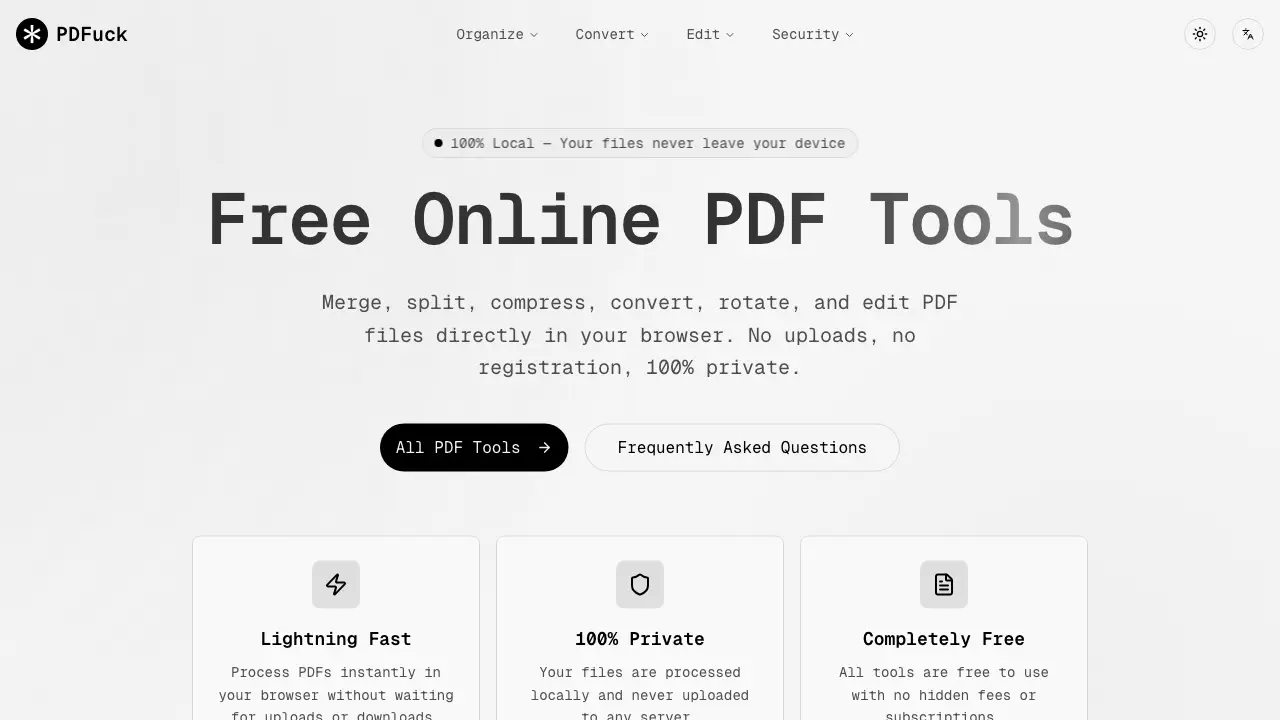
PDFuck is a comprehensive, browser-based suite of PDF tools designed for immediate file processing without server uploads. The platform offers over 40 free utilities organized into core functions: Organize (merge, split, rotate), Convert (to/from images, Word, Excel, PPTX), Edit (compress, watermark, crop), and Security (sign, encrypt, redact). A key benefit is 100% local processing; all operations occur within the user's browser, ensuring file privacy and eliminating wait times for uploads or downloads. This makes it a practical solution for students, professionals, and general users needing quick, secure PDF modifications without software installation, registration, or cost. The toolset supports common tasks like document conversion, page rearrangement, and file compression while maintaining original quality.
How does PDFuck work
PDFuck operates as a browser-based PDF management suite, utilizing JavaScript to process documents locally within the user's browser. This architecture ensures files never leave the device, guaranteeing privacy. The service provides over 40 distinct tools organized into four functional categories: Organize (e.g., merge, split, rotate), Convert (e.g., PDF to Word, images to PDF), Edit (e.g., compress, add watermarks), and Security (e.g., sign, protect, redact). Users select a tool, upload files via drag-and-drop or browser dialog, and receive the processed result instantly for download. All operations are free, require no registration, and are designed to preserve original document quality where applicable.
Benefits of PDFuck
PDFuck provides free, browser-based tools for managing PDF files with a focus on privacy and accessibility. All processing occurs locally in your browser, ensuring files never leave your device. The platform offers over 40 tools across key categories: organize (merge, split, rotate), convert (to/from images, Word, Excel, PPTX), edit (compress, watermark, crop), and security (sign, protect, redact). There are no uploads, registrations, or fees, and operations like merging and rotating are lossless. This makes it a practical, cost-effective solution for students needing quick, secure PDF manipulation without installing software.
Pros and Cons of PDFuck
Pros
- Files processed locally for enhanced privacy.
- Completely free with no hidden fees.
- Offers an extensive set of 40+ PDF tools.
- No registration or user account required.
- Preserves original PDF quality for basic operations.
Cons
- File size limit of 100MB restricts large documents.
- Performance depends on browser and device memory.
- Unprofessional name may deter business users.
- Lacks advanced features of desktop software.
- Requires a modern, up-to-date web browser.
Core Features of PDFuck
Organize
Combines multiple PDFs, splits, rotates, reorders, extracts, deletes, reverses, or duplicates pages within PDFs. Allows users to restructure and manage PDF content efficiently.
Convert
Transforms PDFs to various image and document formats (PNG, JPG, Word, Excel, etc.) and vice versa. Enables versatile file format compatibility and content extraction.
Edit
Modifies PDFs through compression, adding watermarks or page numbers, editing metadata, cropping, flattening, adding headers/footers, and resizing pages. Enhances document presentation and utility.
Security
Applies electronic signatures, removes or adds passwords, compares documents, redacts sensitive data, performs OCR, sanitizes metadata, and verifies integrity. Protects and validates PDF documents.
Use Cases of PDFuck
- Students: Merge multiple PDF handouts into a single document for organized study materials.
- Professionals: Convert PDF tables to Excel spreadsheets for data analysis and reporting.
- Researchers: Use OCR to extract text from scanned PDFs, making content searchable.
- Office workers: Add password protection to confidential PDFs before email distribution.
- Freelancers: Compress large PDF portfolios to meet email attachment size limits.
FAQs of PDFuck
Are my files uploaded to a server?
PDFuck processes all files locally within your browser using JavaScript, meaning no data is transmitted to external servers. Your documents never leave your device, ensuring maximum privacy and security for sensitive information.
Is there a file size limit?
PDFuck supports files up to 100MB in size, but the exact limit can vary based on your browser's available memory and device performance. Larger files may require more resources to process effectively without errors.
Are the tools really free?
Yes, all 40+ PDF tools on PDFuck are completely free with no hidden fees, subscriptions, or registration requirements. Users can access unlimited use without watermarks or feature restrictions on any supported browser.
Will the quality of my PDFs be affected?
PDFuck's lossless operations such as merging, splitting, and rotating preserve the original quality of your PDF documents. Compression tools may reduce file size while maintaining acceptable visual fidelity for most use cases.
What browsers are supported?
PDFuck is compatible with all modern browsers including Chrome, Firefox, Safari, and Edge. Using an updated browser version ensures optimal performance and access to all features without compatibility issues.
What PDF conversion formats does PDFuck support?
PDFuck supports bidirectional conversions between PDF and multiple formats. From PDF, you can convert to PNG, JPG, WebP images, TXT text, and office files like DOCX, XLSX, PPTX. Reverse conversions include PNG, JPG, WebP, BMP, GIF, SVG to PDF. All conversions are browser-based and private.
How accurate is the OCR feature for scanned documents?
The PDF OCR tool uses in-browser technology to recognize text in scanned PDFs, making them searchable and selectable. Accuracy depends on scan clarity but generally works well for clear documents. Since processing is local, no documents are uploaded, protecting your privacy.
Can I customize watermarks and page numbers when editing PDFs?
Yes, the Add Watermark tool allows custom text with adjustable opacity and positioning. The Add Page Numbers tool offers various formats (Roman, Arabic), placement options, and starting numbers. Both features operate locally without compromising document quality.
Are there any limits on the number of pages when merging or splitting PDFs?
PDFuck does not impose a specific page count limit, but the 100MB file size restriction applies. Very high page counts may be limited by your device's memory and browser capabilities during processing. Ensure sufficient system resources for large documents.
Is PDFuck compatible with mobile devices and tablets?
PDFuck functions on any device with a modern browser, including smartphones and tablets. All tools are responsive and work offline after initial load, provided the browser supports necessary JavaScript APIs for local file processing.
How to use PDFuck
PDFuck is a suite of free, browser-based PDF tools for organizing, converting, editing, and securing documents. All processing occurs locally on the user's device, ensuring file privacy and eliminating server uploads.
- Users start by selecting the specific PDF tool needed, such as merge, convert, or security functions, from the categorized homepage menu.
- Files are added via drag-and-drop or the file browser option. The application processes documents entirely within the browser environment.
- The tool automatically analyzes and transforms the uploaded file based on the selected operation, with processing time dependent on file size.
- Upon completion, a download button appears, allowing the user to save the processed result directly to their device.
- For merge or split tools, the output is a single combined PDF or separated page files respectively; conversion tools output formats like images or Word documents.
- Edit and security tools apply visible changes such as watermarks, page numbers, or password protection, which should be verified in the downloaded file.
- Users should confirm that the final document meets their requirements, especially for sensitive operations like redaction or signature addition.
- The service supports files up to 100MB and functions on modern browsers, preserving original quality for most operations like merging and rotating.
PDFuck Alternatives
Free invoice maker for freelancers and small businesses on Web, iOS and Android. Create unlimited PDF invoices, manage clients and companies, and bill from AI assistants via MCP.

ScanPDF AI is a free online PDF scanner that turns photos and scans into clean PDFs, OCR searchable text, and receipt-to-Excel data in your browser.
Fuu AI is an AI presentation maker that turns text, PDFs, and documents into professional PPT slides in minutes, powered by Claude Opus 4.7.
AI-powered PDF to Markdown converter with OCR for scanned pages. Get clean, structured Markdown from any PDF in seconds online.
Tenderbolt uses AI to automate RFP and tender responses. It analyzes documents, completes security questionnaires, and generates tailored proposals.
PixPin is a cross‑platform app for capturing screenshots, recordings and extracting text via OCR, with pinning and annotation features for developers, designers and support teams.
PDF Translate is an AI PDF translator for professionals and students, providing free, fast multilingual translation of PDFs while keeping fonts, tables and images intact.
PDF2Word is an online PDF to Word converter that creates editable DOCX files, preserves layout, supports scanned PDFs, and processes files securely with size limits for free and paid users.
MiroFish is an AI simulation chat platform that converts text, PDF, MD or TXT inputs into graph building, scenario simulation, and structured reports, offering continuous chat‑driven prediction for analysts and decision‑makers.
DeepSeek OCR employs a 3B parameter AI vision model to convert PDFs, scans, and images to Markdown with 97% accuracy, supporting 100+ languages and preserving layouts for professionals.
GenPPT's free online PPTX to DOCX converter for professionals and students preserves PowerPoint formatting and provides an API for automation.
GenPPT's free online PPT to JPG converter provides high-resolution images for business, education, and development, with a developer API for automation.