
PPT to Word
GenPPT offers a free online PPTX to DOCX converter.

What is PPT to Word
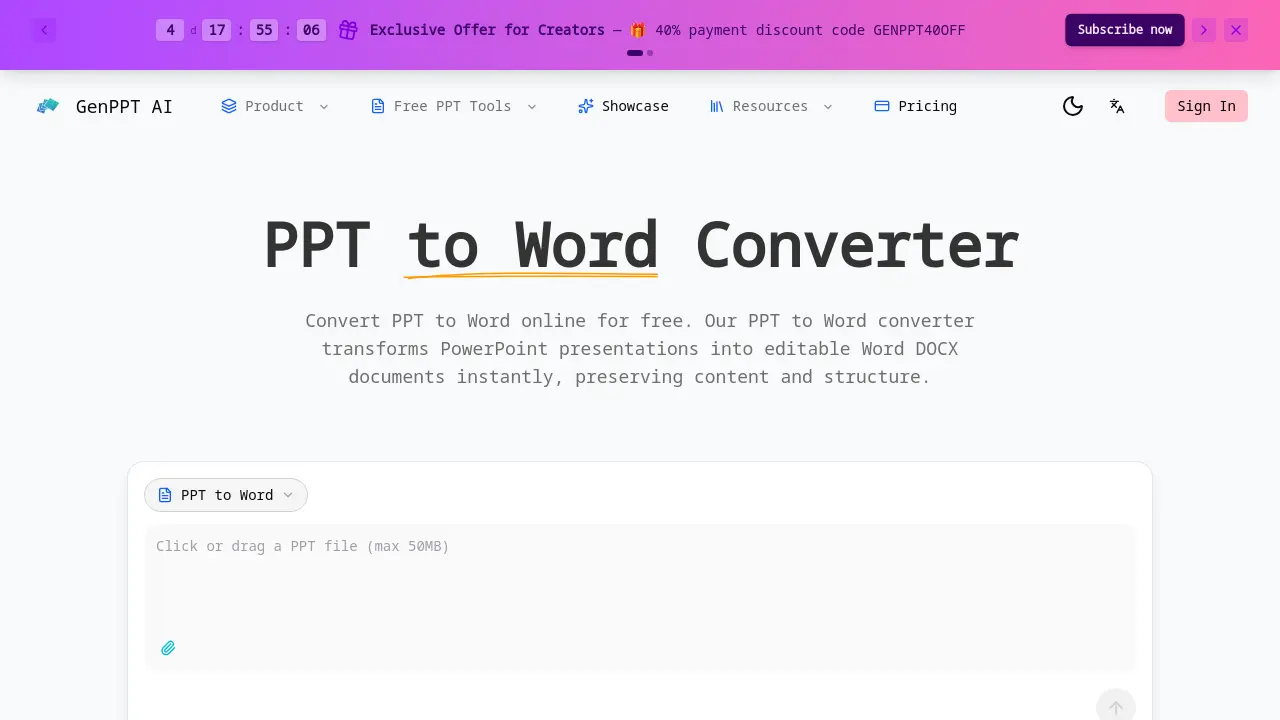
PPT to Word Converter is an online tool that transforms PowerPoint presentations (PPT/PPTX) into editable Word documents (DOCX). The conversion process prioritizes accuracy, preserving original text, tables, and structural formatting to minimize post-conversion editing. It operates quickly and is free for web-based use, handling files up to 50MB without requiring immediate registration.
For development teams, a RESTful API enables automated, bulk conversion of presentation files into document workflows, billed per transaction. Security is a core component, with all uploaded files processed in isolated sandboxes and deleted immediately after conversion, ensuring no persistent storage of user content.
The service serves multiple users: professionals repurposing slide decks into reports, students and educators creating handouts from lectures, developers integrating conversion into applications, and content creators adapting presentations for written formats. It presents a focused alternative to general file converters by specializing in presentation-to-document transformation.
How does PPT to Word work
The GenPPT PPT to Word converter operates by processing uploaded PowerPoint files within an isolated sandbox environment. It extracts text, tables, and formatting to generate editable DOCX documents, preserving the original content structure during PPTX to DOCX conversion. The tool supports files up to 50MB and offers instant online processing without registration. A REST developer API allows automated batch conversion for integration into applications, with each call consuming one credit. Security is maintained through immediate file deletion post-conversion. This service efficiently serves professionals, students, and developers needing reliable PPT to Word transformation.
Benefits of PPT to Word
GenPPT's PPT to Word converter delivers free, instantaneous conversion of PowerPoint presentations to editable Word documents. It accurately preserves text, tables, and formatting for files up to 50MB. Initial conversions require no registration, and secure sandbox processing with immediate deletion ensures data privacy. The developer REST API supports automated bulk PPTX to DOCX conversions at low cost. This reliable online solution meets the needs of students, professionals, and developers for secure, efficient document transformation without software installation, ideal for repurposing presentation content.
Pros and Cons of PPT to Word
Pros
- Preserves text, tables, and formatting accurately.
- Fast conversion completed within seconds.
- Free for web use with no initial registration.
- Developer API enables automated bulk conversion.
- Secure sandbox processing with immediate deletion.
Cons
- Online-only access with no offline capability.
- Requires user registration after first conversion.
- Limited to 50MB maximum file size.
- Web interface lacks batch conversion support.
- Specialized only for PPT/PPTX to Word formats.
Core Features of PPT to Word
Accurate PPT to Word Conversion
Extracts text, tables, and formatting from PowerPoint files, preserving the original content structure for seamless editing in Word or Google Docs.
Fast & Free PPT to Word
Processes conversions in seconds at no cost for web use, supports files up to 50MB, and requires no registration for initial conversions.
PPT to Word Developer API
Provides a REST API for application integration, enabling automated bulk conversions with a per-call credit system for document processing pipelines.
Secure PPT to Word Processing
Processes files in an isolated sandbox environment, deletes them immediately after conversion, and does not store any user presentation content.
Use Cases of PPT to Word
- Business Professionals: Sales teams extract presentation content for editable client proposals and reports using PPT to Word conversion.
- Students & Educators: Students compile research from presentation slides into written assignments with preserved formatting.
- Developers & Teams: Development teams automate document processing pipelines by integrating the PPT to Word API for batch conversions.
- Content Creators: Writers transform presentation slides into editable blog content while maintaining text structure and formatting.
FAQs of PPT to Word
How do I convert PPT to Word?
Users convert PPT to Word by uploading their PowerPoint file through the GenPPT.AI website interface. The online tool processes the file automatically and provides a downloadable DOCX document. No software installation is needed, and the conversion occurs securely via a web browser.
Is PPT to Word conversion free?
The web-based PPT to Word conversion is free for initial use without registration. However, frequent conversions or API access may require purchasing credits through pricing plans. The service occasionally offers discounts, such as the GENPPT40OFF code for creators, with details available on the pricing page.
What content is preserved when converting PPT to Word?
The converter extracts text, tables, and formatting from PowerPoint slides. It preserves the content structure, including titles, bullet points, and paragraph styles. Complex elements like animations or embedded videos may not transfer, as the DOCX format focuses on static, editable content.
Can I convert PPT to Word with formatting intact?
Yes, the tool aims to retain original formatting such as fonts, colors, and alignments. The output DOCX file maintains the visual layout of slides as closely as possible within Word's capabilities, reducing the need for manual reformatting after conversion.
What file formats does the PPT to Word converter support?
Input files in PPT or PPTX formats are accepted, and the output is a DOCX document compatible with Microsoft Word and Google Docs. The converter is specifically designed for these formats and does not directly output other file types like PDF or plain text.
Is my data secure when I convert PPT to Word?
Security is ensured through isolated sandbox processing. Uploaded files are deleted immediately after conversion and are not stored on servers. This method protects confidential presentation content and complies with enterprise-grade security standards throughout the PPT to Word process.
Can I use the PPT to Word API for batch conversion?
The developer API supports automated batch conversion by allowing multiple PPTX files to be processed sequentially or in parallel. Each API call handles one file and consumes one credit, making it suitable for integrating bulk PPTX to Word workflows into document processing systems.
How long does PPT to Word conversion take?
Conversion typically completes within seconds, depending on file size and complexity. Even for presentations near the 50MB limit, processing is fast. Most standard files yield near-instant results, enabling quick access to the editable Word document.
Why convert PPT to Word instead of keeping PowerPoint format?
Converting to Word facilitates content repurposing for documents requiring extensive editing, such as reports, handouts, or academic papers. The DOCX format offers greater flexibility for text manipulation and is often preferred for formal submissions, whereas PPTX is optimized for presentations.
Do I need to install software to convert PPT to Word?
No installation is required. The PPT to Word converter is a cloud-based service accessible via any modern web browser. Users simply upload files through the website, and all processing occurs on remote servers, eliminating local software dependencies.
What is the maximum file size for PPT to Word conversion?
The online converter supports PowerPoint files up to 50 megabytes. This limit accommodates presentations with many slides and embedded images. Files larger than 50MB may need compression or splitting before conversion to ensure successful processing through the web tool.
Does the online converter support batch conversion of multiple files?
The web interface processes one file at a time for individual conversions. For batch operations, the developer API should be used, which programmatically handles multiple files with each call consuming one credit. The web tool does not offer simultaneous multi-file uploads.
How are API credits for PPT to Word conversion purchased and priced?
API credits are acquired through pricing plans on the GenPPT.AI website, with options for various usage volumes. Promotional discounts like the GENPPT40OFF code may apply. Each PPT to Word API call costs one credit, and specific pricing details are available on the pricing page.
Is user registration mandatory for all PPT to Word conversions?
Registration is not required for the first conversion using the web tool. However, subsequent conversions or API access may necessitate account creation. This allows new users to test the service freely while managing higher-volume needs through registered accounts.
What browsers or devices are compatible with the online PPT to Word converter?
The converter works on any device with a modern web browser, including Windows, macOS, Linux, Android, and iOS. Supported browsers include Chrome, Firefox, Safari, and Edge. As a cloud-based tool, it only requires internet connectivity and standard browser functionality for file uploads.
How to use PPT to Word
- Access the PPT to Word converter via the official GenPPT AI website. The web-based tool is free for initial use and requires no software installation for basic conversions.
- Upload a PowerPoint presentation (PPT or PPTX format), with a maximum file size of 50 megabytes. The interface supports drag-and-drop for file selection.
- The system automatically processes the file in a secure sandbox, extracting text, tables, and formatting while preserving the original document structure for accurate conversion.
- Download the resulting editable DOCX file upon completion. The output is compatible with Microsoft Word and Google Docs, allowing immediate content modification.
- Developers can implement the REST API to automate PPTX to DOCX conversions within applications. API calls use credits and facilitate bulk processing for document workflows.
PPT to Word Website Traffic Analysis
Latest traffic information
- Monthly Visits91
- Bounce Rate37.19%
- Pages Per Visit1.07
- Visit Duration00:00:00
- Global Rank3.4M
- Country/Region Ranking--
Top Regions
| Region | Percentage |
|---|---|
| Spain | 100% |
PPT to Word Alternatives
ScanPDF AI is a free online PDF scanner that turns photos and scans into clean PDFs, OCR searchable text, and receipt-to-Excel data in your browser.

AI-powered PDF to Markdown converter with OCR for scanned pages. Get clean, structured Markdown from any PDF in seconds online.
Tenderbolt uses AI to automate RFP and tender responses. It analyzes documents, completes security questionnaires, and generates tailored proposals.
PixPin is a cross‑platform app for capturing screenshots, recordings and extracting text via OCR, with pinning and annotation features for developers, designers and support teams.
MiroFish is an AI simulation chat platform that converts text, PDF, MD or TXT inputs into graph building, scenario simulation, and structured reports, offering continuous chat‑driven prediction for analysts and decision‑makers.
DeepSeek OCR employs a 3B parameter AI vision model to convert PDFs, scans, and images to Markdown with 97% accuracy, supporting 100+ languages and preserving layouts for professionals.
GenPPT's free online PPT to JPG converter provides high-resolution images for business, education, and development, with a developer API for automation.
PDFuck provides free online PDF tools for users to organize, convert, edit, and secure documents with maximum privacy via local browser processing.
AI PDF to PPT by GenPPT uses smart AI to convert PDFs into editable PowerPoint slides with professional layouts, ideal for businesses and students.
Belin Doc is a free AI translator that preserves layout for PDF, DOCX, EPUB files, offering registration‑free, translations for writers and professionals.
Bank Statement Converter helps users quickly convert PDF bank statements to Excel or CSV, supporting thousands of banks worldwide for accurate financial data extraction.
Mistral OCR extracts text, images, tables, and equations from documents. It uses AI to provide structured, high-speed document processing.