
Tool Video is an AI video creation toolkit with Sora 2.

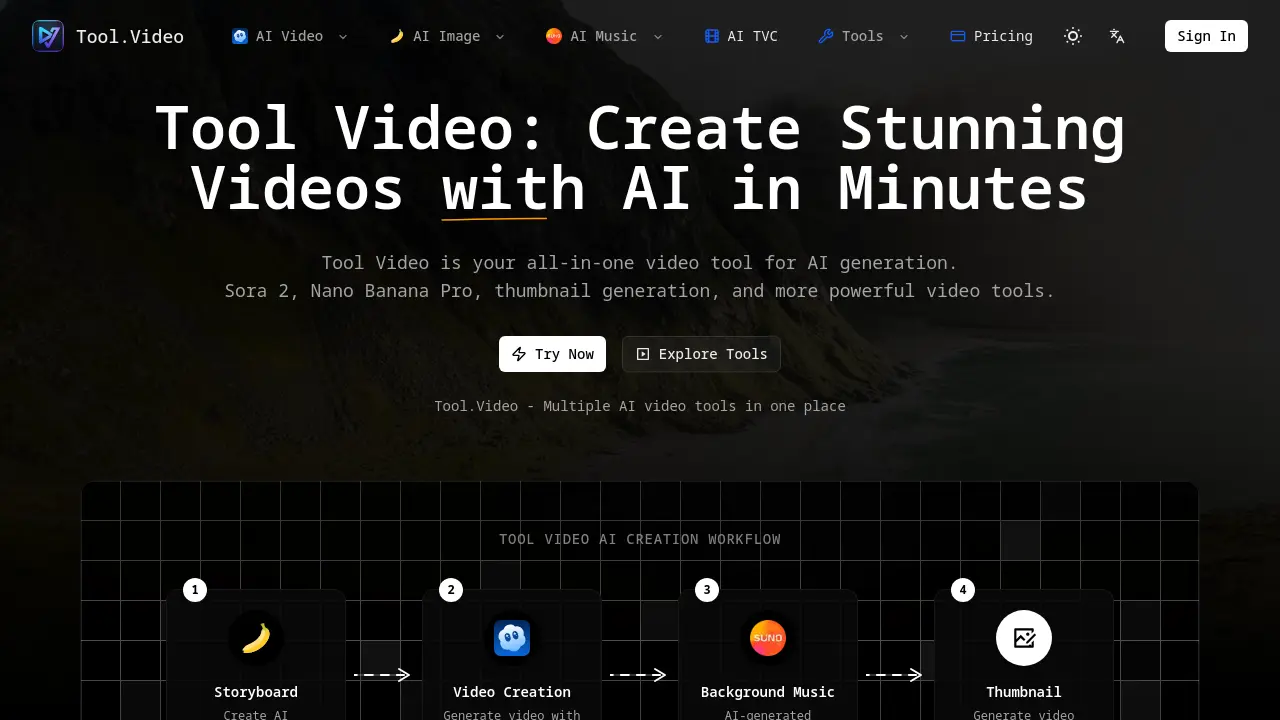
What is Tool Video
Tool Video serves as a comprehensive platform for AI-powered video creation, integrating multiple specialized tools under a single dashboard. The service incorporates Sora 2 for advanced text-to-video generation and Nano Banana Pro for producing unique creative content.
Key features include an AI-powered video thumbnail generator for enhancing click-through rates, an AI soundtrack creator (Suno 5) for background music, and high-definition video export capabilities. The system is optimized for speed, enabling users to generate professional-quality video content in minutes rather than hours.
The platform consolidates multiple AI engines to provide flexibility and an all-in-one workflow for content creators. Tool Video functions as an video tool suite designed to support various stages of production, from storyboarding and initial creation to finalizing music and thumbnails.
How does Tool Video work
Tool Video operates as an all-in-one video tool that consolidates multiple AI video creation tools into a single platform. At its core, the platform leverages advanced AI models for the entire video tool creation process. A typical workflow begins with a storyboard, where its Nano Banana Pro tool can generate images from text prompts. Subsequently, the powerful Sora 2 AI model transforms these concepts and text inputs into complete, realistic videos. Once the primary footage is created, the platform offers additional AI-powered tools, such as a background music generator (Suno 5) and a video thumbnail generator, to produce professional-grade assets. This unified approach simplifies video production, allowing users to move from text prompts to finished videos with thumbnails and soundtracks without leaving the ecosystem.
Benefits of Tool Video
Tool Video is an all-in-one platform that consolidates multiple advanced AI video tools into a single, streamlined dashboard. Its core features include Sora 2 for generating realistic text-to-video content and Nano Banana Pro for creating unique video scenes from storyboards. The platform simplifies the entire video creation workflow by integrating an AI-powered video thumbnail generator to drive engagement and offering tools for crafting background music. This unified approach provides a flexible and powerful video tool for producing professional-quality content efficiently.
Pros and Cons of Tool Video
Pros
- Integrates multiple AI tools in one platform.
- Includes Sora 2 for realistic text-to-video generation.
- Contains an AI-powered video thumbnail generator.
- Enables HD video export for professional quality output.
- Offers a streamlined, all-in-one workflow for creators.
Cons
- Lacks transparent information on pricing and usage limits.
- Vague FAQ section with minimal operational details.
- No clearly defined free tier or trial option mentioned.
Core Features of Tool Video
AI Video Generation
Generates realistic videos from text descriptions using advanced AI models like Sora 2 to create professional video content.
Creative Content Creation
Enables the production of unique and distinctive video content through the Nano Banana Pro AI engine and creative tools.
Video Thumbnail Generation
Automatically creates compelling and eye-catching thumbnails designed to boost video engagement and click-through rates.
AI Soundtrack Creation
Provides AI-generated background music and soundtracks tailored to complement video content and enhance viewer experience.
All-in-One Video Platform
Integrates various AI video tools into a single unified platform, offering seamless workflow management and production capabilities.
High-Quality Video Export
Allows users to export generated videos in multiple formats and high-definition quality for professional content distribution needs.
Use Cases of Tool Video
- Marketers: Create AI-generated marketing videos from text prompts using Sora 2 and thumbnail tools.
- Content Creators: Automate video generation for social media content using this AI video toolkit.
- Video Editors: Enhance workflow by generating storyboards and music with integrated AI tools.
- Game Developers: Create promotional game trailers and soundtracks with the text-to-video feature.
- Educators: Develop animated educational videos for kids using the Claymation style generation.
FAQs of Tool Video
What is Tool Video?
Tool Video is an all-in-one AI video creation platform that consolidates various advanced video generation tools. It helps users create professional videos, thumbnails, and soundtracks quickly by integrating cutting-edge AI technology like Sora 2 into a unified dashboard.
What is Sora 2?
Sora 2 is a powerful AI video generation model that creates stunning videos from text prompts with realistic motion and detailed scenes. Integrated directly within Tool Video, this tool allows creators to transform descriptive text into professional-quality video content seamlessly.
What is Nano Banana Pro?
Nano Banana Pro is one of Tool Video's advanced AI engines for generating creative and unique video content. It serves as an alternative to Sora 2, providing users with a different AI engine to create distinct video outputs through the same unified platform.
How does the video thumbnail generator work?
The platform's AI video thumbnail generator automatically creates eye-catching thumbnails designed to boost engagement and increase click-through rates for your video content. The tool uses AI technology to generate compelling visuals that effectively represent your video content.
What video formats are supported?
While specific formats aren't listed on the website, Tool Video supports professional-quality exports, including HD video export capabilities. The platform is designed to output videos in formats suitable for professional use across various platforms and devices.
Is Tool Video free to use?
The website does not provide specific pricing information for Tool Video. Users should check the current pricing plans and usage terms to determine which features are available in free versus paid tiers of service.
Why is Tool Video the best video tool?
Tool Video positions itself as a leading platform by offering multiple AI engines in one unified dashboard, providing maximum flexibility and convenience. Users can access various video creation tools without switching between different services, streamlining their creative workflow.
How do I start creating videos with AI?
You can begin creating videos immediately by navigating to Tool Video's features section and selecting the desired AI tool, whether it's Sora 2 for text-to-video, Nano Banana Pro for creative content, or any of the other available video generation options.
What types of AI-generated content can I create?
Beyond creating complete videos from text prompts, users can generate AI storyboards, create custom background music using AI, and generate compelling thumbnails. These additional tools help creatives produce comprehensive video content from start to finish.
How to use Tool Video
- Tool Video provides an all-in-one platform for AI-powered video creation, text-to-video generation, and a full production workflow.
- Begin the video creation process by logging into the Tool Video platform to access its suite of AI tools.
- Create a storyboard by generating initial images for your concept, possibly using Nano Banana Pro or a similar AI image tool.
- Employ the Sora 2 integration to generate the core video, transforming your text prompts into dynamic visual content.
- Use the integrated AI music generation tool, like Suno 5, to create a background soundtrack for your video.
- Generate an engaging thumbnail for your newly created video to ensure it captures the audience's attention.
- Export the final video from the platform in high definition after all the elements have been combined.
- Leverage the comprehensive video tool suite to create unique content, from AI video generation to final presentation.
Tool Video Website Traffic Analysis
Latest traffic information
- Monthly Visits2.48K
- Bounce Rate35.18%
- Pages Per Visit1.34
- Visit Duration00:00:03
- Global Rank7.2M
- Country/Region Ranking4.21M
Top Keywords
| Keyword | Traffic | Volume | Cost Per Click |
|---|---|---|---|
| tools video | 60 | 170 | -- |
| video tools | 30 | 380 | -- |
| cortar video online | -- | 30.49K | $0.18 |
| recortar video online | -- | 22.44K | $0.23 |
| cortador de video | -- | 2.56K | $0.28 |
Top Regions
| Region | Percentage |
|---|---|
| Vietnam | 72.06% |
| United States | 27.94% |
Tool Video Alternatives
Seedance 3.0 preview page: planned multi-shot continuity, scene editing and audio-visual sync for AI video, while the on-page generator runs Seedance 2.5.
Browser workspace for AI image generation, reference photo editing, and short video drafts, aimed at creators, marketers, and product teams.
Black Forest Labs' multimodal model with a web generator for text-to-video, image-to-video and image editing with native audio, for creators and marketers.
Wan API is an independent platform for Wan and Seedance video models. Compare specs and rates, generate clips in the Playground, or call them through one API.
Seedance 3.0 turns text, images, video clips, and audio into videos with sound, and edits one part of a clip without regenerating the rest.
Wery is a virtual AI studio that routes one goal to specialist agents for video, images, music and documents, keeping characters and project assets consistent.

AI video and image studio with text-to-video, image-to-video and keyframe control across Seedance, Kling, Wan and Vidu — all on one credit balance.
Browser studio for AI video, image and music generation with Grok Imagine, Kling and GPT Image models. Free daily credits, no sign-up required.
SeaMove AI is an AI video and image generation platform offering Seedance 2.0 and Seedance 2.5 models for text-to-video, image-to-video, and reference-based creation. Features multi-shot continuity, director-level control, and audio-visual sync for creators and studios.
Turns two separate portraits into a 15-second vertical rap duet video on an orange stage with a shared microphone and the original soundtrack. Free 480P preview available.
Mareel is an all-in-one AI video and image generation workspace giving creators, marketers, and ecommerce teams 40+ leading models and one shared credit balance.
Kinovi is a REST API that runs published video, image, and audio AI models from one endpoint. Send a model ID to createTask, poll recordInfo, and pay per use from one shared credit balance.