
TapScanner - The Everything Scanner
TapScanner - The Everything Scanner - Unlock the power of AI
| Added on: | May 15, 2024 |
| Monthly Visits: | 56.48K |
| Social & Email: | -- |

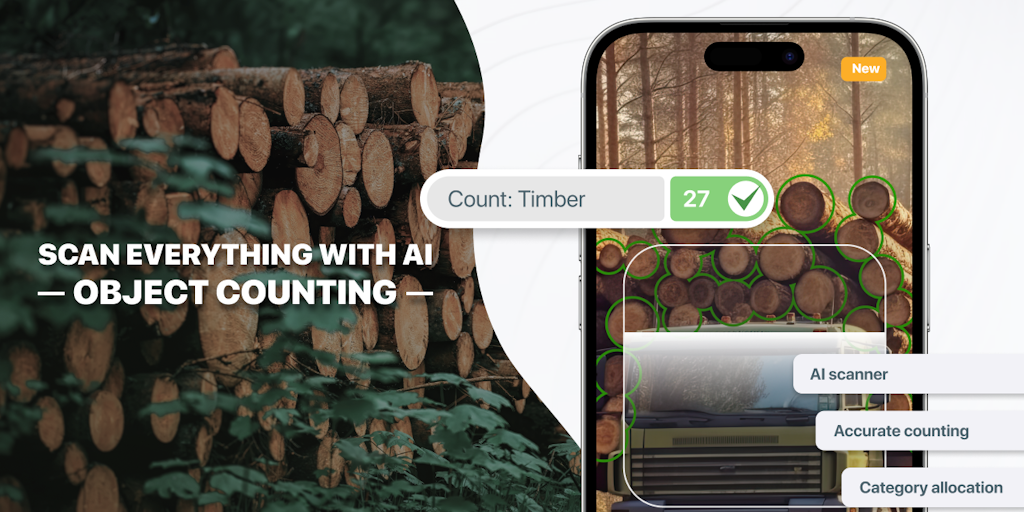
What is TapScanner - The Everything Scanner
TapScanner is an all-in-one scanning app that aims to simplify document scanning for mobile users. It's designed to be a convenient solution for anyone who needs to scan documents on the go, whether it's for business, school, or personal use. TapScanner offers a variety of features, including multi-page scanning, automatic document detection, and the ability to edit and save scans in multiple formats. It can even recognize text from scans, making it easy to search through and share documents. TapScanner uses advanced image processing techniques to ensure that your scans are clear and accurate.
Core Features of TapScanner - The Everything Scanner
Scan documents
TapScanner is a powerful scanning tool that allows users to scan documents, receipts, business cards, whiteboards and more. Users can convert scans to PDF, JPG or PNG.
Edit and Enhance
The app includes features for editing scans, such as cropping, rotating, and adjusting brightness and contrast. It is possible to adjust the scan resolution.
Organize and Share
Users can organize their scans into folders and share them via email, text message, or cloud storage services.
Sign Documents
The app can also be used to sign documents electronically.
Extract Text
TapScanner is capable of extracting text from scanned images, a feature that is useful for converting handwritten notes into digital documents.
FAQs of TapScanner - The Everything Scanner
What is TapScanner?
TapScanner is a mobile app that lets you scan documents, receipts, and other paper documents with your phone's camera. It's available for both Android and iOS devices. It can also be used to scan business cards, whiteboards, and other objects. The app automatically detects the edges of the document and converts it to a high-quality digital file.
How do I use TapScanner?
- Open the app and point your phone's camera at the document you want to scan.
- Tap the "Scan" button.
- The app will automatically detect the edges of the document and capture the image.
- You can then edit the image, crop it, and adjust the brightness and contrast.
- Once you're happy with the scan, you can save it as a PDF, JPEG, or PNG file.
How is TapScanner different from other scanning apps?
TapScanner is designed to be easy to use, even for people who are not familiar with scanning apps. It has a simple interface and includes features that make it easy to scan and edit documents. It's also available for both Android and iOS devices, so you can use it on your phone or tablet.
How can TapScanner help me?
TapScanner can help you save time and money by digitizing your paper documents. It can also help you organize your documents and make them easier to share with others.
What are the benefits of using TapScanner?
Some benefits of using TapScanner include:
- Easy to use: The app has a simple interface that makes it easy to scan documents.
- High-quality scans: TapScanner produces high-quality scans that are clear and easy to read.
- Multiple export formats: You can save your scans as PDF, JPEG, or PNG files.
- Free to use: The basic version of the app is free to use.
How much does TapScanner cost?
The basic version of TapScanner is free to use. You can unlock additional features by subscribing to a premium version.
What are some of the limitations of TapScanner?
TapScanner is a great app, but it does have some limitations. One limitation is that the free version of the app has some ads. Another limitation is that the free version of the app only allows you to save a limited number of scans. If you want to save more scans, you will need to subscribe to the premium version of the app.
Does TapScanner have a free version?
Yes, there is a free version of TapScanner available on both Android and iOS devices. The free version has some limitations, such as ads and limited storage space. If you need more features, you can subscribe to a premium version of the app.
Does TapScanner support batch scanning?
Yes, TapScanner supports batch scanning, which allows you to scan multiple documents at once. This is a great feature if you need to scan a lot of documents, such as receipts or invoices.
TapScanner - The Everything Scanner Website Traffic Analysis
Latest traffic information
- Monthly Visits56.48K
- Bounce Rate59.17%
- Pages Per Visit1.64
- Visit Duration00:00:16
- Global Rank670.83K
- Country/Region Ranking358.13K
Visits Over Time
Traffic Sources
- Direct: 50.28%
- Display Ads: 17.69%
- Mail: 10.83%
- Organic Social: 8.53%
- Organic Search: 7.82%
- Referrals: 4.85%
Top Keywords
| Keyword | Traffic | Volume | Cost Per Click |
|---|---|---|---|
| tap pm | 100 | 100 | -- |
| tap scanner | 10 | 1.29K | $0.6 |
| tap ai | 10 | 1.05K | -- |
| unlist phone number | 10 | 290 | $0.75 |
| tapscanner app | 10 | 240 | $3.26 |
Top Regions
| Region | Percentage |
|---|---|
| United States | 28.36% |
| Russia | 11.44% |
| India | 10.65% |
| Indonesia | 9.43% |
| France | 6.7% |
