
studiobit FAQs
Streamline your content creation process with Studiobit. Create compelling videos effortlessly and share them instantly. Welcome to the future of content creation.

FAQs of studiobit
What is Studiobit?
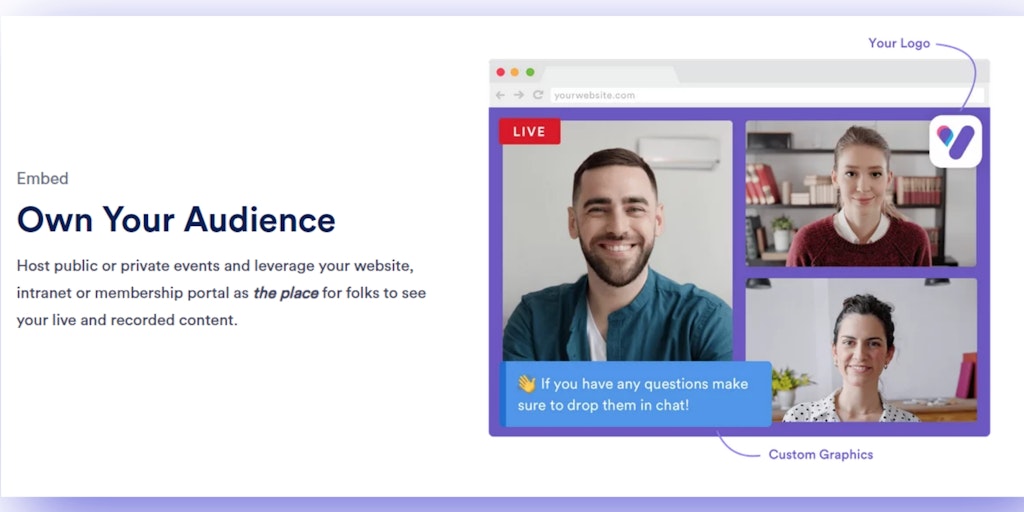
Studiobit is a browser-based live streaming platform that allows you to create and multistream fully branded and engaging events. It is easy to use and does not require any downloads or installations.
How does Studiobit work?
Studiobit uses your browser to create a virtual studio where you can add different elements, such as cameras, graphics, and audio. You can then use this studio to broadcast your event live to multiple platforms, such as YouTube, Facebook, and Twitch.
What are the benefits of using Studiobit?
Studiobit offers several benefits over traditional live streaming methods, such as:
- Ease of use: Studiobit is very easy to use, even for beginners. You don't need any technical expertise to get started.
- Branding: You can create a fully branded experience for your viewers by adding your logo, colors, and other branding elements.
- Multistreaming: You can easily multistream your event to multiple platforms with just a few clicks.
- Engagement: Studiobit allows you to engage your viewers with interactive elements, such as polls, Q&A, and chat.
How do I get started with Studiobit?
You can sign up for a free Studiobit account and start using the platform right away. You can also watch the tutorials on the Studiobit website to learn more about how to use the platform.
How to use studiobit
Studiobit is a live streaming platform designed to create branded and engaging live events. It offers multistreaming, chat features, and customization options.
Begin by signing up for a free Studiobit account. This provides access to the platform's core functionalities for live streaming events.
Set up your desired social channels within Studiobit. This enables multistreaming to various destinations, expanding audience reach.
Customize your live stream with branded graphics, layouts, and colors. This helps maintain a consistent brand identity for your audience.
Invite guests or co-hosts to participate in your live stream. This can be done with just a few clicks within the Studiobit interface.
Incorporate pre-recorded video content into your live stream. This allows for dynamic presentations and improved viewer engagement.
Monitor and engage with your audience through the chat feature. Acknowledge participation and answer questions in real time.
Start your live stream to multiple platforms simultaneously. Studiobit simplifies the process of broadcasting to different social channels.
Review the analytics and engagement data after the live stream. Analyze audience interaction and identify areas for improvement in future events.
