
Sonilo FAQs
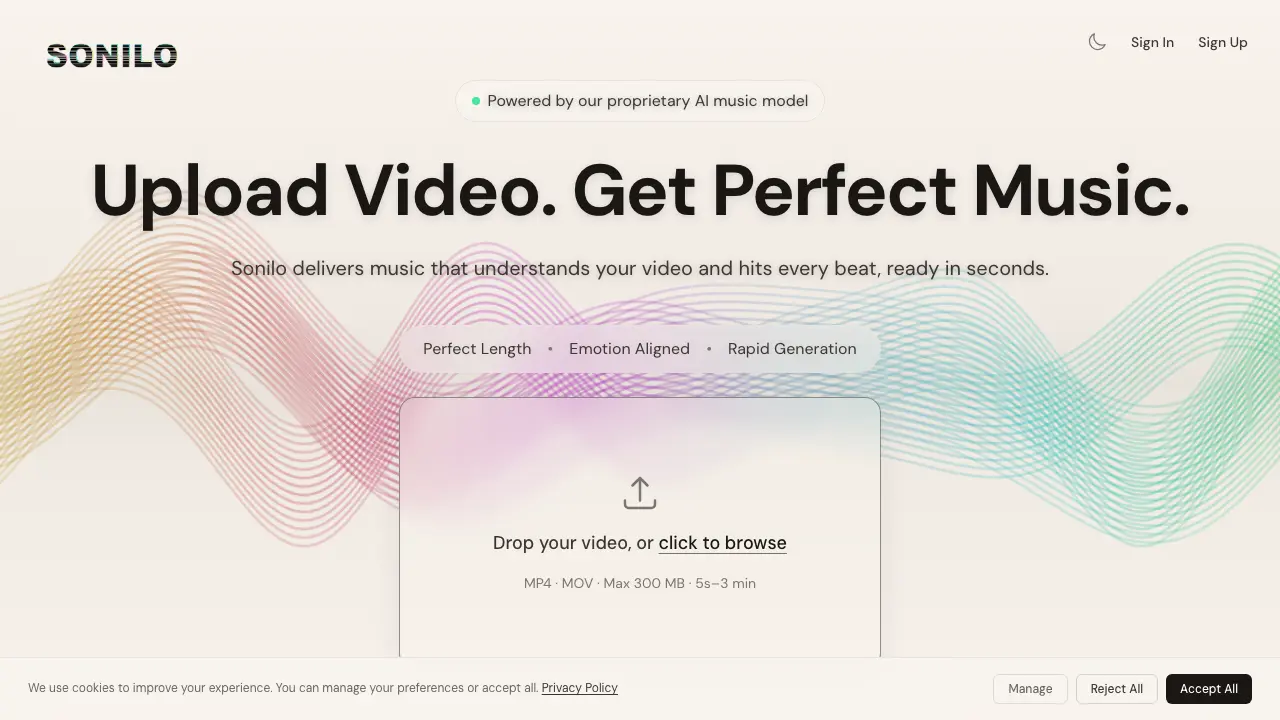
This platform provides AI-generated music that matches video length and emotion, delivering soundtracks in seconds with precision beat alignment for content creators.

FAQs of Sonilo
What is Sonilo?
Sonilo is an AI-powered platform that generates custom, emotion-aligned music for videos. It utilizes proprietary AI music models to create soundtracks that match the rhythm and mood of your video content, offering features like automatic beat alignment, dynamic music structuring, and rapid generation times.
How does Sonilo work?
Sonilo works by analyzing your uploaded video for emotional cues and structuring the generated music around your video's pacing. It offers features such as AI-powered emotional detection, precision beat alignment with zero manual trimming, and a lightning-fast AI composition engine. Users can refine generated music using simple prompts to adjust style, mood, pacing, or instruments.
What video formats are supported by Sonilo?
Sonilo supports popular video formats including MP4 and MOV. The platform accepts video files up to 300MB in size and can process videos ranging from 5 seconds to 3 minutes in length. Larger video sizes are available with premium subscription plans.
Can I create music from text descriptions?
Yes, Sonilo offers a Text-to-Music feature that allows you to describe the moment, vibe, or story you want to convey. The AI then creates music that fits the emotion and rhythm of your vision. Depending on your plan, you can generate up to 100 tracks per month.
What subscription plans does Sonilo offer?
Sonilo offers three subscription tiers: Free, Pro (Popular), and Premium (Best). The Free plan is perfect for trying out the service and includes 200 credits biweekly. The Pro plan is designed for creators and content makers with 1,500 credits per month. The Premium plan caters to professional studios and teams with 3,200 credits per month. All plans include the core AI music generation technology.
How are credits used in Sonilo?
Credits are the currency used to generate music on Sonilo. Different tasks consume different amounts of credits - video-to-music export and text-to-music generations use credits, while text-to-music exports and commercial use rights are available on higher-tier plans. Credits reset based on your billing cycle, with the amount varying by plan.
What additional features are available with premium plans?
Premium plans offer additional features including the ability to export music without watermarks, commercial use rights, longer video lengths (up to 15 minutes with Premium), larger file size limits (up to 1.5 GB), and more text-to-music generations per month. All premium plans also include the ability to purchase extra credits when needed.
How long does it take to generate music with Sonilo?
Sonilo's lightning-fast AI composition engine can generate ready-to-export music in seconds, aligning perfectly with your video's timing and emotional content. This rapid generation eliminates the need for manual trimming and allows for quick iterations using their refinement features.
How to use Sonilo
- Navigate to the Sonilo website, einlogen or create an account by selecting either "Sign In" or "Sign Up."
- Upload your video file by clicking on the "Drop your video, or click to browse" area, ensuring the file is in MP4 or MOV format and within the size and duration limits.
- Wait for Sonilo's AI to analyze your video and generate a matching soundtrack, which may take a few moments depending on the length of your video.
- Review the generated music tracks, listening to each option to find the one that best aligns with your video's content and desired mood.
- If needed, refine the generated music by providing additional prompts to adjust the style, mood, pacing, or instruments until achieving your desired soundtrack.
- Once satisfied with the generated music, proceed to export the soundtrack while fine-tuning the sound balance to your preference within the available customization options.
- Choose a pricing plan that suits your needs, whether it's the Free plan for trying out Sonilo or one of the paid plans for more features and usage, such as Pro or Premium.
- Download and use the exported music track in your video project, knowing that with a paid plan you have commercial use rights and access to higher quality exports.
- For additional tracks or longer video files, consider upgrading your plan to access more credits and extended video capabilities.
