
Suno Downloader
Suno Downloader - Download Suno AI Songs as MP3 or MP4 Free
| Added on: | Jun 16, 2026 |
| Monthly Visits: | 256 |
| Social & Email: | -- |

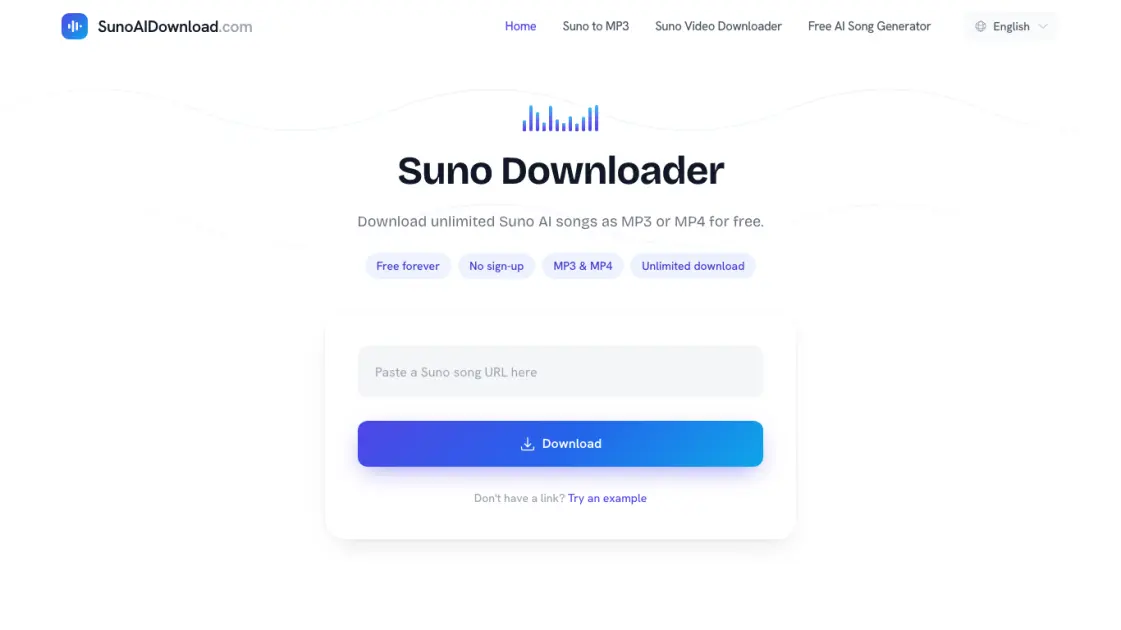
What is Suno Downloader
Suno Downloader is a free web-based tool that lets users download public Suno AI songs as MP3 or MP4 files. It does not require any account registration or sign-up — just paste a Suno share link, fetch the track, and save it locally. The tool supports both audio and video formats, making it useful for offline listening or keeping a copy of AI-generated music. It works across all major browsers and devices, including Chrome, Safari, Firefox, Edge, iOS, and Android. Suno Downloader is an independent service and is not affiliated with Suno.
How does Suno Downloader work
Suno Downloader works by fetching the media file associated with a public Suno song link. When a user pastes a Suno share URL into the input field, the tool retrieves the available audio and video streams from the public Suno page. It then presents the user with download options for MP3 or MP4 format. The tool links directly to the media file that Suno provides, so the output quality depends on the source file. No files are stored on the server — the download happens directly through the browser.
Benefits of Suno Downloader
Suno Downloader removes the friction of saving AI-generated music by eliminating account requirements and usage limits. Users can download an unlimited number of Suno songs without paying or signing up. The tool supports both MP3 and MP4 formats, so it works for pure audio listening as well as video preservation with Suno's animated visuals. It runs on any device with a browser, making it accessible whether someone is on a phone, tablet, or desktop. The interface is straightforward — paste, fetch, and save — with no complicated setup.
Pros and Cons of Suno Downloader
Pros
- Free to use with no sign-up required
- Supports both MP3 and MP4 download
- No download limits or restrictions
- Works on any device with a browser
Cons
- Only works with public Suno song links
- Output quality depends on Suno's source file
- No batch download functionality
Core Features of Suno Downloader
MP3 and MP4 Downloads
Users can save Suno AI songs as MP3 audio files for music listening or as MP4 video files that include the animated Suno visual.
No Account Required
The tool works without any sign-in or registration. Paste a public Suno share link and get download options immediately.
Unlimited Downloads
There are no daily limits or restrictions on how many songs can be downloaded. The service is free forever.
Cross-Device Compatibility
Suno Downloader runs in any modern browser on desktop and mobile platforms, including Chrome, Safari, Firefox, Edge, iPhone, Android, Mac, Windows, and Linux.
Preview Before Download
After pasting a link, users can preview the track before deciding whether to download it as MP3 or MP4.
Use Cases of Suno Downloader
- Music enthusiasts: Save Suno AI songs for offline listening on mobile devices during commutes or travel.
- Content creators: Download Suno music as MP4 to use animated AI-generated visuals in video projects.
- Collectors: Build a personal library of AI-generated music without relying on Suno's online streaming availability.
- Researchers: Gather samples of AI music output for analysis or comparison across different generation prompts.
- Casual users: Keep a copy of a favorite AI-generated song before it gets deleted or replaced on Suno.
FAQs of Suno Downloader
What is Suno Downloader?
Suno Downloader is a free online tool that lets users download public Suno AI songs as MP3 audio or MP4 video files. It works by fetching the media file associated with a public Suno share link and presenting download options directly in the browser.
Does Suno Downloader require an account?
No account or registration is needed. Users can paste a Suno song link and download files immediately without signing in, subscribing, or providing any personal information.
What file formats are available for download?
The tool supports MP3 for audio-only playback and MP4 for video that includes Suno's animated visual element. The quality of the downloaded file matches the source media that Suno provides for the public link.
Is there a limit on how many songs I can download?
There are no daily, monthly, or any other usage limits. The service is free forever and allows unlimited downloads of public Suno songs without restrictions.
What should I do if a download does not work?
Make sure the link is a public Suno song URL and try pasting it again. If issues persist, try a different browser or network connection, or temporarily disable VPN and browser extensions that might interfere with the download process.
How to use Suno Downloader
- Open Suno in your browser and navigate to the public song you want to save.
- Copy the share URL of the song from Suno's sharing interface.
- Paste the copied link into the input field on Suno Downloader's homepage.
- Click the download button to fetch the available media files.
- Preview the track and choose either MP3 audio or MP4 video format to save.
Suno Downloader Website Traffic Analysis
Latest traffic information
- Monthly Visits256
- Bounce Rate100%
- Pages Per Visit1
- Visit Duration00:00:00
- Global Rank14.2M
- Country/Region Ranking--
Visits Over Time
Top Keywords
| Keyword | Traffic | Volume | Cost Per Click |
|---|---|---|---|
| suno downloader | -- | 8.35K | $0.77 |
| suno .com | -- | 5.32K | $0.09 |
| suno ai song | -- | 2.91K | $0.1 |
| suno download | -- | 1.97K | $0.68 |
| suno song downloader | -- | 1.34K | -- |
