
SenseNova U1
SenseNova U1 creates AI images, infographics and stories

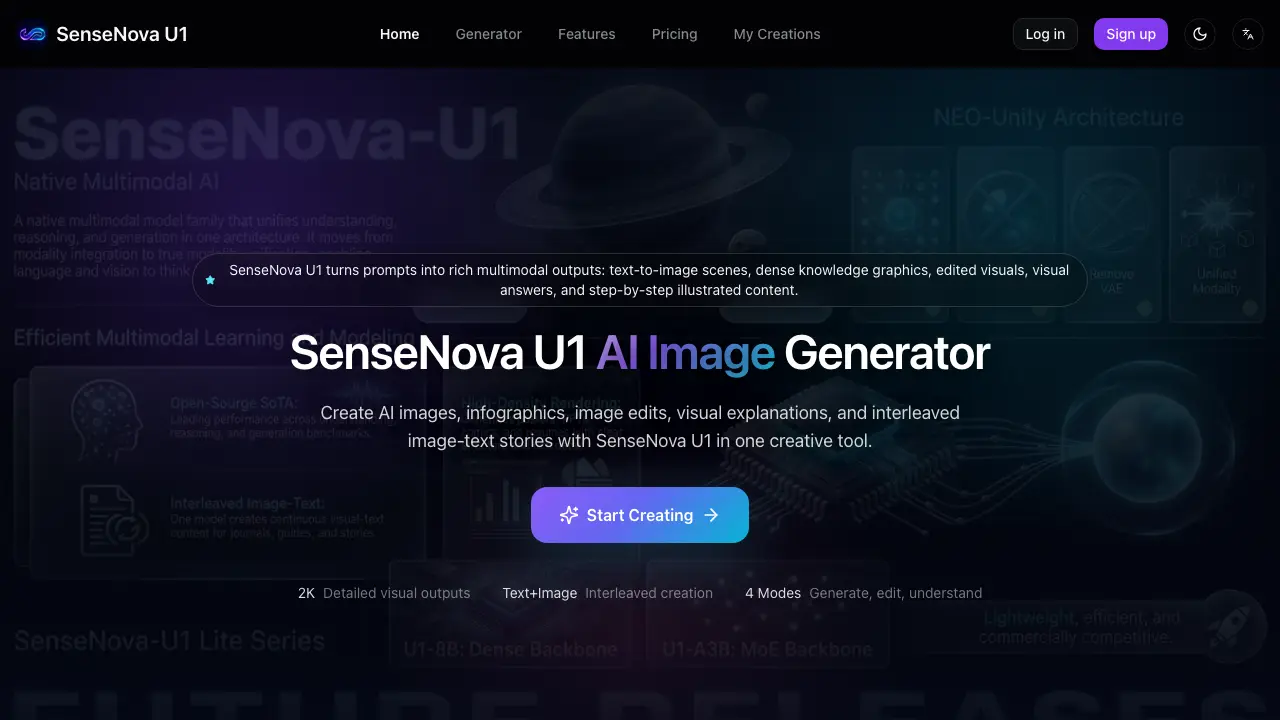
What is SenseNova U1
SenseNova U1 is an AI‑driven multimodal creator that converts text prompts into high‑density visual outputs. Users can generate original scenes, posters, and concept illustrations, then refine them through prompt‑based image editing without needing complex design software. The platform also offers visual reasoning: uploaded images can be queried for details, enabling accurate follow‑up edits or explanatory graphics. A dedicated infographic mode structures complex information into clear, label‑rich knowledge cards, while the interleaved image‑text mode supports step‑by‑step tutorials, comics, and travel diaries. Output resolution reaches 2K, suitable for marketing assets, presentation slides, and educational materials. The workflow follows four simple steps—task selection, prompt composition, generation, and review—allowing creators, educators, and marketers to produce polished visual content quickly and iteratively.
How does SenseNova U1 work
SenseNova U1 processes user prompts through a multimodal AI pipeline that first parses textual instructions, then maps them to visual concepts using a text‑to‑image diffusion model. When an image is uploaded, the system extracts visual features, applies prompt‑guided transformations, and regenerates the edited output. For visual‑understanding tasks, the model performs image analysis, generates a semantic representation, and answers queries based on that reasoning. The platform also stitches generated images and accompanying text into interleaved sequences, enabling infographics, tutorials, and storyboards. Throughout, users refine results by adjusting prompts or editing outputs before final review.
Benefits of SenseNova U1
SenseNova U1 is an AI‑driven multimodal creator that transforms text prompts into detailed images, editable visuals, structured infographics, and interleaved image‑text sequences. By supporting four distinct modes—generation, editing, visual understanding, and storytelling—it streamlines workflows for designers, educators, and marketers who need rapid visual content such as posters, tutorials, product concepts, or knowledge cards. Prompt‑based editing removes the need for complex design software, while visual Q&A enables reasoning about existing images to refine outputs. High‑density rendering produces presentation‑ready graphics, and the platform encourages iterative review to ensure accuracy before publishing.
Pros and Cons of SenseNova U1
Pros
- Generates text-to-image and infographic visuals from prompts.
- Supports image editing via natural language instructions.
- Provides visual Q&A and reasoning capabilities.
- Enables interleaved image‑text storytelling for tutorials and comics.
- Handles high‑density knowledge graphics for presentations.
Cons
- Interleaved creation marked as experimental, may be unstable.
- Fine human details (faces, hands) often require manual refinement.
- Typography and exact text placement can be inaccurate.
- Large or complex scenes may produce weaker results.
- No explicit pricing information; cost assessment unclear.
Core Features of SenseNova U1
AI Image Generation
Creates detailed scenes, concepts, posters, and illustrations from text prompts, enabling fast production of visual assets for marketing, storytelling, and educational materials.
Prompt‑Based Image Editing
Modifies uploaded images according to user instructions, allowing style changes, object additions or removals, and composition adjustments without manual design tools.
Visual Understanding & Q&A
Analyzes images, answers questions about content, and provides reasoning, helping users refine concepts or extract information for subsequent creation tasks.
Infographic & Knowledge Graphic Creation
Transforms complex topics into high‑density, structured visuals with labeled sections, hierarchy, and clear layout, suitable for presentations, reports, and learning resources.
Interleaved Image‑Text Storytelling
Generates sequences where text and images alternate, supporting tutorials, comics, travel diaries, and illustrated guides that combine narrative flow with visual detail.
Use Cases of SenseNova U1
- Educators: Produce illustrated tutorials and step‑by‑step guides with interleaved image‑text sequences for classroom materials.
- Marketers: Generate high‑density infographics and poster‑style visuals that convey complex data in a single, shareable graphic.
- Designers: Edit existing concepts via prompt‑based instructions, adjusting style, composition, or colors without manual retouching.
- Researchers: Use visual Q&A to analyze scientific images, extract details, and create annotated diagrams for publications.
- Content creators: Build image‑rich social media carousels and visual stories by combining AI‑generated scenes with concise captions.
FAQs of SenseNova U1
What is SenseNova U1 used for?
SenseNova U1 is an AI‑powered platform that creates images from text prompts, produces data‑dense infographics, edits uploaded visuals, answers visual questions, and generates interleaved image‑text stories for educational, marketing, and design projects.
Can SenseNova U1 generate images from text?
Yes. By providing a clear description of the desired scene, style, composition, and any required labels, SenseNova U1 synthesizes a high‑resolution image that matches the prompt’s specifications.
Can SenseNova U1 create infographics?
Yes. The tool can turn complex topics into structured, high‑density knowledge graphics, automatically adding sections, labels, and visual hierarchy to produce professional‑looking infographics suitable for presentations or learning materials.
Can I edit an existing image with SenseNova U1?
Yes. After uploading a reference picture, you can give prompt‑based instructions—such as changing colors, adding objects, or altering composition—and SenseNova U1 will modify the image accordingly.
Can SenseNova U1 answer questions about an image?
Yes. Using visual reasoning, the system can inspect an uploaded image, interpret its elements, and provide concise answers about objects, layout, text, or contextual details.
What is interleaved image‑text generation?
Interleaved generation means SenseNova U1 can produce a sequence where text and images alternate, enabling the creation of illustrated tutorials, travel diaries, comics, or step‑by‑step guides within a single workflow.
What prompts work best?
Prompts that clearly state the subject, target audience, visual style, aspect ratio, required text, and layout details tend to yield the most accurate and detailed outputs from SenseNova U1.
How can I improve a weak result?
Refine the prompt by adding more specific composition cues, style references, color palettes, or text placement instructions, then regenerate or apply the built‑in edit mode to polish the output.
Are there any output limits I should be aware of?
SenseNova U1 may struggle with extremely fine human details, very small typography, or extremely long visual sequences; reviewing and manually adjusting these areas is recommended before publishing.
Who is SenseNova U1 best suited for?
The platform is aimed at creators, designers, educators, marketers, researchers, and small teams who need fast, multimodal visual content without mastering complex design software.
Additional: How does SenseNova U1 handle text inside images?
While the engine can embed text in generated graphics, spelling, font consistency, and label accuracy are not guaranteed; users should verify and edit any textual elements before final use.
Additional: Can SenseNova U1 be used for social‑media graphics?
Yes. The tool can produce shareable posters, carousel images, and short visual stories optimized for platforms like Instagram, Twitter, and LinkedIn, helping users maintain a consistent visual brand.
How to use SenseNova U1
SenseNova U1 converts textual prompts into multimodal visuals, offering image generation, infographic design, prompt‑based editing, visual Q&A, and interleaved image‑text storytelling for creative and educational projects.
Select the desired task—text‑to‑image, infographic, image edit, visual Q&A, or interleaved story—by clicking the corresponding mode on the generator interface.
Compose a clear prompt that specifies subject, audience, visual style, composition, labels, and any required textual elements, then submit it in the prompt box.
Activate the generation process; the platform renders the image, edited visual, knowledge graphic, or illustrated sequence based on the provided description.
Review the output, checking factual accuracy, layout consistency, text legibility, and visual details; use the built‑in edit controls or refine the prompt for iterative improvement.
Export the final visual assets in the preferred format and integrate them into presentations, tutorials, marketing materials, or social media, ensuring compliance with branding and copyright guidelines.
SenseNova U1 Website Traffic Analysis
Latest traffic information
- Monthly Visits1.62K
- Bounce Rate35.78%
- Pages Per Visit1.75
- Visit Duration00:00:01
- Global Rank9.13M
- Country/Region Ranking3.35M
Visits Over Time
Top Keywords
| Keyword | Traffic | Volume | Cost Per Click |
|---|---|---|---|
| sensenovau1 | 160 | 170 | -- |
| sensenova u1 | 150 | 3.83K | -- |
| senovn | 150 | 300 | -- |
| sensenova | 70 | 4.12K | -- |
| sense nova | 60 | 720 | -- |
Top Regions
| Region | Percentage |
|---|---|
| United States | 89.36% |
| Morocco | 5.97% |
| India | 4.67% |
