
Seedream 4.5: AI text-to-image generator with 4K output

What is Seedream
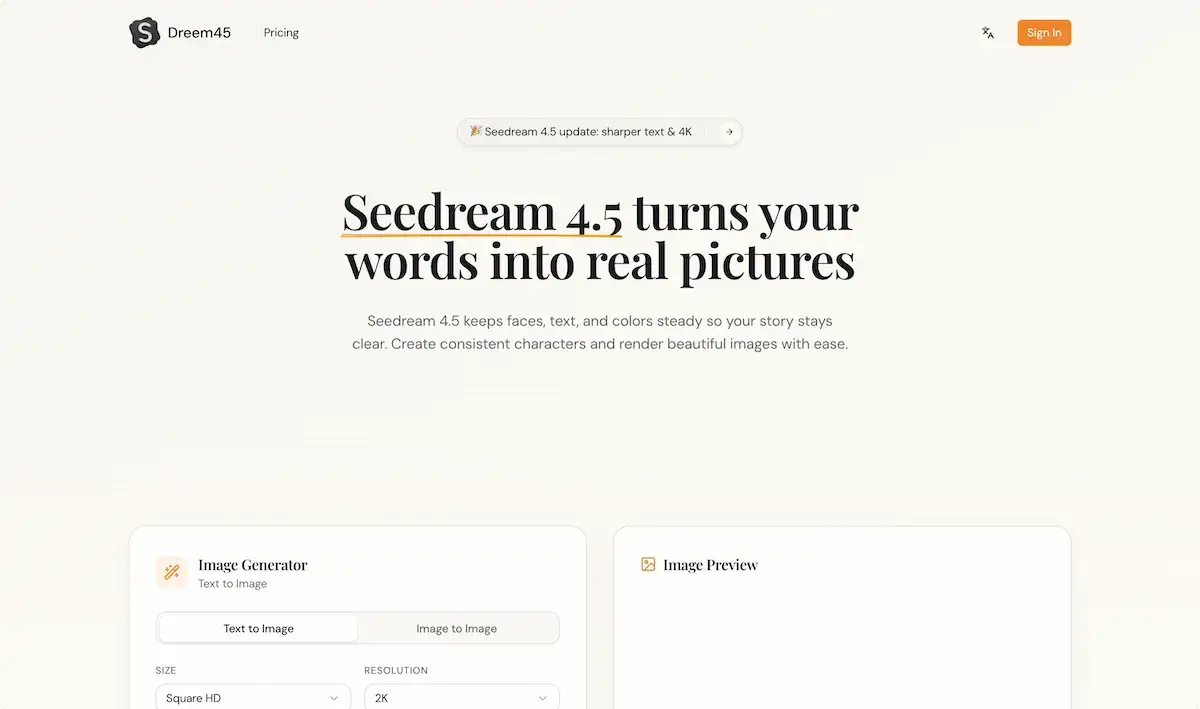
Seedream 4.5 is a text‑to‑image and editing platform that converts short prompts into high‑resolution images. The model retains sharpness for main subjects and delivers 4K output suitable for print, advertising, and digital media. By accepting up to four reference images, Seedream keeps facial features, lighting, and clothing consistent across a set of up to eight related images. The engine is optimized for clear on‑image text, enabling posters and product cards to maintain legible typography. Generation occurs in under two seconds on a single frame, with batch processing accelerating storyboard and e‑commerce workflows. Seedream 4.5’s API allows programmatic integration, while a free tier provides developers and designers immediate access to core functionality.
How does Seedream work
Seedream 4.5 is an AI image generator that converts textual prompts into high‑resolution images, supporting 4K output and multi‑image consistency. The system detects and preserves primary subjects, ensuring faces and objects remain sharp across a set. It incorporates reference image matching to maintain character traits, outfits, and color palettes, while also rendering dense textual elements cleanly for posters and product cards. Users provide up to four reference images and a concise prompt; the model generates up to eight consistent images within approximately two seconds. Seedream 4.5’s fast workflow benefits storyboard, e‑commerce, and advertising production.
Benefits of Seedream
Seedream 4.5 is a seedream AI image generator that turns prompts into high‑resolution 4K imagery while keeping main subjects and text sharp across multiple outputs. By accepting 1–4 reference images, it preserves consistent faces, outfits, and lighting, ideal for comics, ads, and product cards. The tool supports clean poster text rendering and quick 2‑second edits, producing up to eight matching images per run. Seedream 4.5’s prompt‑control interface is beginner‑friendly, making it useful for storyboarding, e‑commerce shoots, and social media. The platform offers a free trial and API access for developers.
Pros and Cons of Seedream
Pros
- Produces 4K resolution images for prints and ads.
- Maintains character consistency across sets.
- Renders clear text and dense logos accurately.
- Offers quick edits in about 2 seconds.
- Supports reference images for style matching.
Cons
- Requires paid credits (100 credits per image).
- Sign‑in needed before generating.
- Limited to up to 4 reference images.
- No free unlimited trial mode.
- Only supports square HD and 2K export sizes.
Core Features of Seedream
Text‑to‑Image Generation
Converts concise prompts into realistic images, supporting textual description input and limiting to 2 K resolution if requested.
Multi‑Image Consistency
Creates up to eight images per batch while maintaining stable characters, lighting, and props across the set for storyboard and catalog purposes.
Reference‑Image Editing
Accepts up to four reference photos to align facial features, outfit colors, and scene details during generation or revision.
Clear Text Rendering
Accurately outputs dense textual elements such as logos, posters, or captions, preserving legibility in all resulting images.
4K Output Quality
Delivers images up to 4 K resolution, ensuring print‑grade sharpness for advertising, social media, and large‑format displays.
Prompt Control and Style Management
Allows selection of camera styles or textual prompts, restricting changes to preserve the chosen aesthetic while applying light edits.
Rapid Workflow Execution
Generates or edits images in approximately two seconds, enabling quick iteration for designers, marketers, and content creators.
Use Cases of Seedream
- Students: Generate consistent study illustrations and annotate with clean text using Seedream 4.5’s image generator.
- Comic artists: Create multi‑image panels with steady characters and seamless text overlays using Seedream 4.5.
- E‑commerce marketers: Produce 4K product cards with precise lettering and consistent branding via Seedream 4.5’s AI generator.
- Graphic designers: Quickly render posters and banners with sharp text using Seedream 4.5’s reference‑friendly editing.
- Advertisers: Streamline ad storyboards by generating consistent 8‑image sequences in seconds with Seedream 4.5.
FAQs of Seedream
What is Seedream 4.5 and what does it do?
Seedream 4.5 is a text‑to‑image AI model that converts natural language prompts into high‑resolution visuals. It offers consistent character placement, clean text rendering, and 4K output suitable for design, storyboards, and social media posts, aligning with the latest Seedream 4.0 and 4.5 updates.
How does Seedream 4.5 keep characters consistent?
It uses an internal consistency module that tracks key facial features, outfit colors, and perspective across multiple images. Reference images can be uploaded; the model overlays these attributes onto new outputs, ensuring each frame retains the same character structure and lighting, a feature highlighted in the Seedream 4.5 technical report.
Can Seedream 4.5 write text on images?
Yes. Seedream 4.5 includes a text‑rendering engine that places readable logos, posters, and dense typography on images. The model optimizes font clarity and spacing, providing clear post‑rendered text for banners and product cards, a core capability of the Seedream 4.5 update.
Can I upload my own photos to Seedream 4.5?
The platform accepts up to four reference photos per prompt. These images guide the model to match faces, outfits, and color palettes in the produced visuals. Uploading your own stock or personal photos is supported, allowing customized generation aligned with the Seedream AI brand.
Is Seedream 4.5 easy for beginners?
Seedream 4.5 is designed for both novices and professionals. Simple prompt input, optional reference images, and preset camera styles give beginners a low‑friction workflow, while advanced users can fine‑tune wording and edit controls to achieve complex scenes, making the tool approachable for all skill levels.
What do I need to start with Seedream 4.5?
To begin, you need a Seedream account, which you can create by signing in on the official site. Once logged in, you receive an initial credit allotment; you can then upload reference images, type prompts, and generate images. Pricing information and credit management are available in the user dashboard.
How many images can Seedream 4.5 produce in one batch?
Seedream 4.5 supports batch generation of up to eight consistent images per prompt, with each image maintaining character and style consistency across the set, providing a quick solution for storyboards and product series.
What is the maximum resolution available for Seedream 4.5 outputs?
The highest default resolution is 4K (3840 × 2160) pixels, with lower defaults like 2K ready for quick previews; users can choose between Square, HD, or 4K options to match their needs.
Does Seedream 4.5 offer an API for integration with other tools?
Seedream provides a RESTful API that enables developers to send prompts, upload reference imagery, and retrieve generated assets programmatically, facilitating integration into custom workflows and automation.
How are usage credits calculated for generating images with Seedream 4.5?
Each generation consumes credits based on prompt length and resolution. The platform specifies cost per image: 1 credit for HD, 2 credits for 2K, and 4 credits for 4K, with additional charges for extra prompts or reference images.
Is there a free trial or free credits for new users of Seedream 4.5?
New users receive an initial free credit package that allows limited generation; after credits deplete, users must purchase additional bundles, ensuring access without immediate costs while maintaining a clear pricing model.
How to use Seedream
- Seedream 4.5, from the See Dream 4.0 line, is an AI‑driven text‑to‑image and editing platform that creates high‑resolution visuals, preserves character fidelity, renders legible text, and supports 4K output.
- Sign in to the Seedream portal, then navigate to the “Image Generator” tab, and click “Create New Project” for a fresh canvas.
- Input a concise prompt in the left‑hand field, preview changes live, and optionally upload up to four reference images to guide style and consistency. (Screenshot: prompt box)
- Select resolution (Square, HD, 2K) and set style sliders; for text generation, type your desired poster or label content in the “Text” box. (Screenshot: style sliders)
- Click “Generate” to trigger the model; a preview thumbnail appears after 2–5 seconds, after which 4K resolution files are downloadable from the “Export” menu. (Screenshot: export menu)
- Review credits: each 4K image costs 100 credits, view remaining credits at top‑right; recharge via the dashboard if needed for uninterrupted workflow. (Screenshot: credits display)
- Interpret generated imagery by checking text legibility and character consistency; adjust prompt wording or reference images to refine output, then export final assets for campaigns or prototypes.
Seedream Website Traffic Analysis
Latest traffic information
- Monthly Visits3.47K
- Bounce Rate32.5%
- Pages Per Visit1.89
- Visit Duration00:00:45
- Global Rank4.59M
- Country/Region Ranking2.2M
Top Keywords
| Keyword | Traffic | Volume | Cost Per Click |
|---|---|---|---|
| seedream 4.5 | 140 | 7.73K | $1.36 |
| seedream-4-5 | 60 | 60 | -- |
| seadream 4.5 | 10 | 40 | $1.36 |
| seedream | -- | 66.95K | $0.99 |
| seadream | -- | 3.09K | $2.86 |
Top Regions
| Region | Percentage |
|---|---|
| United States | 54.74% |
| Brazil | 45.26% |
Seedream Alternatives
AI co-director that turns an idea or script into shot-by-shot storyboard panels for indie filmmakers, with real film shot references and PDF board export.
A browser collection of 13 free creative editors for photos, vector art, PDFs, documents, video, audio, and CAD, opening without an account or install.

Kinovi is a REST API that runs published video, image, and audio AI models from one endpoint. Send a model ID to createTask, poll recordInfo, and pay per use from one shared credit balance.
An online AI photo editor that removes image backgrounds, erases people, objects and text, and upscales photos 4x. Preview every photo free before paying per image.
Coralflavor offers uncensored AI chats without safety filters, plus burn-mode retention, web search, image generation, and an OpenAI-compatible API for U.S. adults.
SpriteGen is an AI sprite creator that turns character descriptions into transparent pixel-art sprite sheets, ready to drop into your game engine.
Meta Image: browser AI studio powered by Muse Image. Edit photos with prompts, remove backgrounds, restore old photos, generate new images.
Create and edit images with Image 2.5 by GPT. Sunburst for precision, Flare for speed, up to 4K, 6 quality modes, and transparent PNG/WebP output.
Generate and edit AI images with Nano Banana Pro. Blend up to 14 images, render crisp text, and create 4K visuals online with studio controls.
OmniEnhancer is an AI image enhancer and photo editor that improves photo quality, clarity, color, and resolution online, with free daily credits.
SeiSei AI is a free, no-sign-up AI image generator turning text prompts into AI illustrations and realistic photos with no watermark, 5 free images daily.
Makiverse is a free online AI manga and comic generator that turns text prompts into complete manga, comics, and GIFs with consistent characters and styles.