
Reve 2.0 FAQs
Reve 2.0 is an AI image and video generator for creators and designers, offering native 4K output, layout‑planning, text integration and editable revisions to produce polished visual assets quickly.

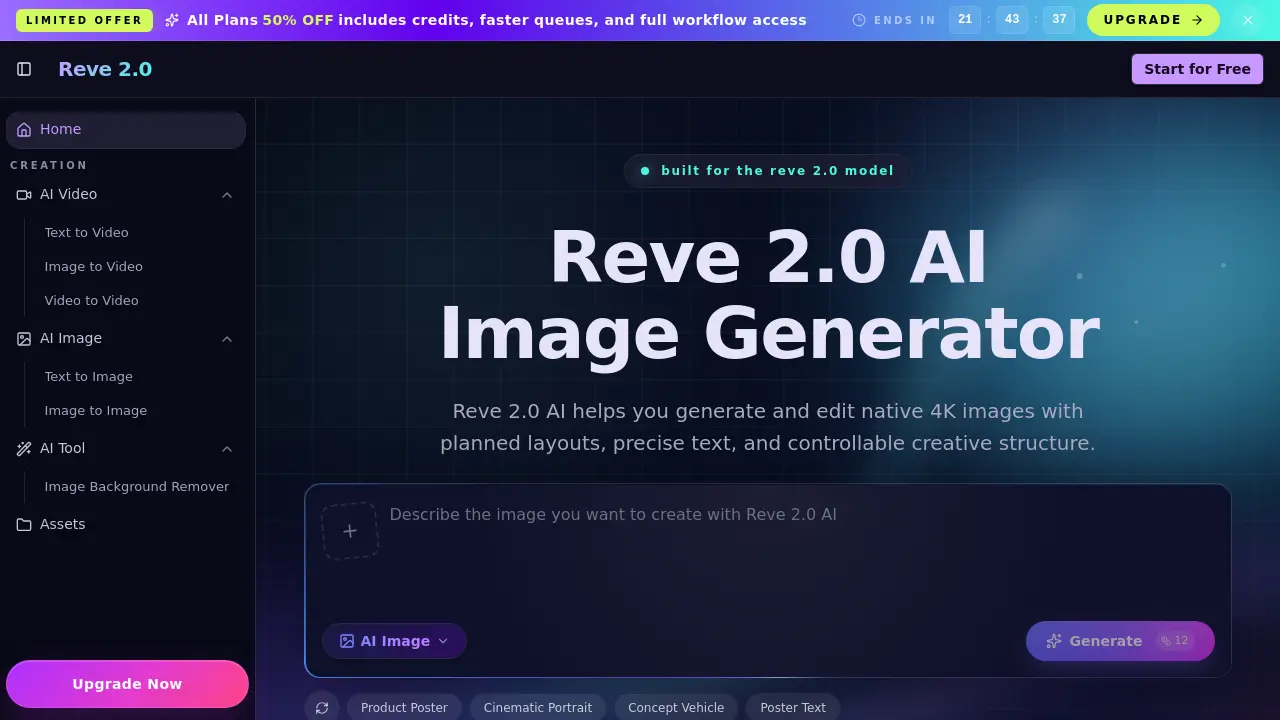
FAQs of Reve 2.0
What is Reve 2.0 AI?
Reve 2.0 AI is an artificial‑intelligence‑driven image generation and editing platform built around the Reve 2.0 Model. It guides creators from a textual prompt or reference image through a structured planning phase to a polished, native‑4K output, emphasizing layout, typography, and iterative revision control.
How is the Reve 2.0 AI Image Generator different?
Unlike generic text‑to‑image tools, Reve 2.0 AI incorporates a “planning‑first” workflow that pre‑defines object placement, spacing, and text before rendering. This results in more predictable compositions, stable product positioning, and precise typographic layout, making it suitable for professional graphic design, marketing, and product visualization tasks.
What is the Reve 2.0 Model good at?
The Reve 2.0 Model excels at producing native 4K images of complex scenes, typography‑heavy designs, product mock‑ups, cinematic stills, and concepts that require repeated refinement. Its ability to retain visual intent across multiple prompts helps designers iterate without losing the original creative direction.
Does Reve 2.0 AI support native 4K images?
Yes. Reve 2.0 AI generates images directly in 4K resolution, eliminating the need for separate upscaling steps. This native quality is especially valuable for e‑commerce product shots, print‑ready posters, and high‑detail hero visuals where pixel precision matters.
Can I edit images after generation?
Absolutely. The platform is built for iterative editing; users can modify subjects, backgrounds, lighting, text placement, or overall composition by adjusting prompts or uploading new references. All changes respect the original layout plan, ensuring visual consistency across revisions.
Is Reve 2.0 the same as Reve2, Reve 2, or Reve2.0?
All of those terms refer to the same product family. The official branding is “Reve 2.0” and “Reve 2.0 AI,” which denotes the structured 4K image generation service. Variations like Reve2 or Reve 2 are common misspellings but point to the identical AI model and platform.
How does the planning‑first workflow improve design quality?
By calculating object relationships, spacing, and text hierarchy before rendering, the planning‑first approach produces images that already feel deliberately composed. This reduces the trial‑and‑error loop typical of one‑shot generators and yields outputs that require fewer post‑processing adjustments.
What types of creators benefit most from Reve 2.0 AI?
Graphic designers, marketing teams, product managers, filmmakers, game developers, and social‑media creators all gain from the platform’s controllable layouts and 4K fidelity. It streamlines the creation of posters, thumbnails, product renders, UI mock‑ups, and cinematic concept art where precision and repeatability are key.
Is there a free tier or trial available?
Reve 2.0 AI offers a free “Start for Free” option that allows new users to generate a limited number of 4K images and explore the planning workflow. This trial provides full access to core features such as prompt input, parameter selection, and downloadable high‑resolution outputs.
How to use Reve 2.0
Reve 2.0 AI is an AI image generator that creates native 4K visuals with planned layouts, precise text placement, and editable structures for design‑focused workflows.
Open the Reve 2.0 dashboard, select Text to Image (or Image to Image) and locate the prompt field where the desired visual description will be entered.
Type a concise prompt describing the scene, objects, and any specific typography; optionally upload a reference image to guide composition and style.
Adjust parameters such as aspect ratio, output resolution, image count, and quality level, then confirm the settings before initiating generation.
Press Generate; the system plans layout, renders a native 4K image, and presents a thumbnail gallery with download options for each result.
Review the generated thumbnails, compare layout fidelity, text accuracy, and detail clarity; select the most suitable version for download.
Use the downloaded 4K file directly in marketing assets, product mockups, or further edit it within Reve 2.0’s iterative editor to refine elements while preserving the original structure.
