
EstateReel AI
EstateReel AI: Create Property Videos from Listing Photos
| Added on: | Aug 10, 2026 |
| Monthly Visits: | -- |
| Social & Email: | -- |

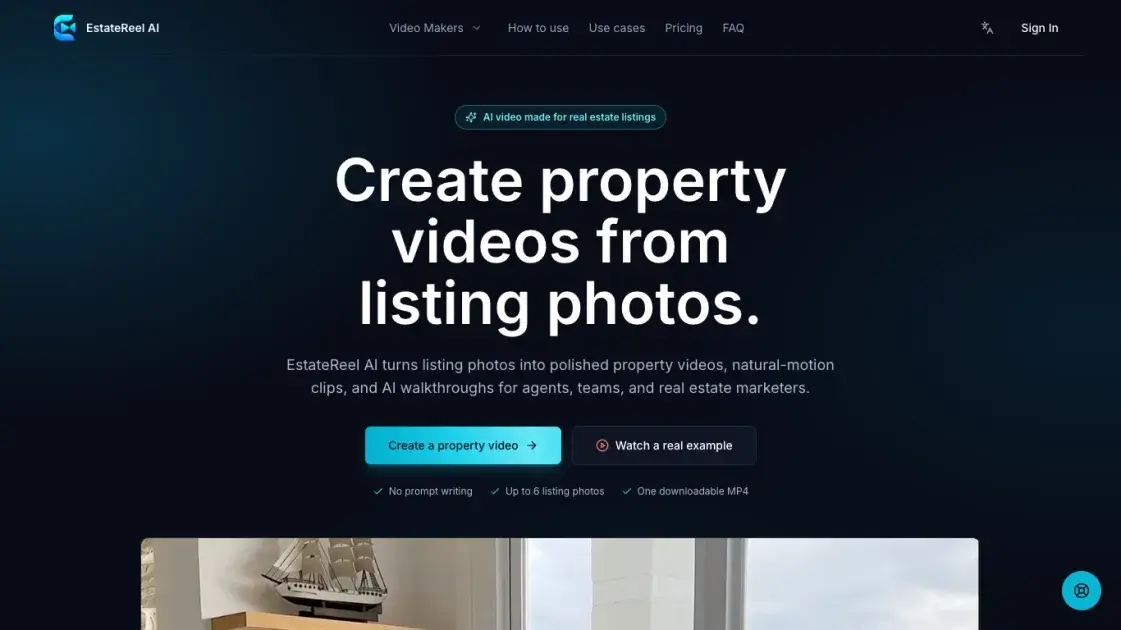
What is EstateReel AI
EstateReel AI is an AI video creation platform that converts real estate listing photos into finished property videos, natural-motion clips, and AI walkthroughs. Designed for agents, teams, and real estate marketers, the service removes the need for prompt writing or timeline editing. Users upload up to six listing photos, choose a video type, and receive one downloadable MP4 ready for publishing. The platform offers three distinct video makers: a real estate video maker for polished listing videos with ordered scenes, a photo-to-video option that turns selected images into natural-motion scenes, and an AI walkthrough generator that arranges a buyer route through the property. These outputs support listing launches, social media reels, remote buyer walkthroughs, and brokerage marketing.
How does EstateReel AI work
EstateReel AI follows a three-step flow. First, users upload the exterior, rooms, and amenities in the order they want buyers to discover them, with support for up to six listing photos. Next, the platform analyzes each frame at 1280 x 720 resolution and applies natural camera motion, giving still views depth before building the scenes into one property story. Finally, users review the finished video in their workspace and download a single MP4 for use wherever the listing appears. No prompts or timeline are required at any stage.
Benefits of EstateReel AI
EstateReel AI's main advantage is repeatability: the same listing photography can be converted into publishable videos without scheduling a shoot, hiring a crew, or writing prompts. There is no editing timeline to learn, and a single generation accepts up to six photos and returns one MP4. The platform suits teams that produce listing content regularly, with a free tier offering one watermarked video per month. However, it does not replace on-site videography for properties that require a physical shoot, talent, or bespoke direction.
Pros and Cons of EstateReel AI
Pros
- No prompt writing or timeline to learn.
- Turns up to 6 listing photos into one MP4.
- Natural camera motion adds depth to still photos.
- One downloadable, publishable property video.
- Free tier includes one watermarked video monthly.
Cons
- Requires existing listing photos as input.
- Free exports carry a watermark.
- Limited to six listing photos per video.
- Not suited for on-site shoots or talent.
- AI captions and scripts require Growth plan.
Core Features of EstateReel AI
Photo-to-video conversion
Upload up to six listing photos and receive one polished property video. Ordered scenes assemble into a finished MP4 with no editing skills or timeline knowledge required.
Natural-motion scenes
Each still photo receives simulated camera movement that adds depth before scenes merge into a single property story. Videos export at 1280 x 720 resolution with natural motion applied automatically.
AI walkthrough videos
The AI walkthrough maker arranges photos into a buyer route and produces a continuous walkthrough-style video from ordered views, helping remote and relocation buyers understand the property's viewing order.
Three focused video makers
Three video makers serve distinct outcomes: a listing video maker with ordered scenes, a photo-to-video flow, and an AI walkthrough route, each opening with the appropriate inputs and scene direction.
No prompt writing
Creating a video requires no prompt writing and no timeline to learn. Users upload photos, choose a video type, and review one finished property video in a streamlined three-step process.
One downloadable MP4
Each generation produces a single downloadable MP4 file. Videos can be reviewed in the workspace, downloaded when ready, and published wherever the listing appears, from listing pages to social channels.
Free tier with paid upgrades
The free tier provides one watermarked video per month, while paid plans unlock watermark-free exports, additional video volume, and features such as brand kits and priority generation queues.
Use Cases of EstateReel AI
Property listing launches: A concise video asset gives a new listing a strong start during its launch week.
Social media listing reels: The strongest rooms are turned into a property story suitable for social channels.
Remote buyer walkthroughs: Relocation and overseas leads can understand the viewing order of a property without visiting it.
Agent and brokerage marketing: Teams apply a repeatable production path across agents and active listings.
Property photo repurposing: Approved listing photography is reused to create a second video format for additional touchpoints.
FAQs of EstateReel AI
How many listing photos do I need?
EstateReel AI supports up to six listing photos per video. Upload the exterior, rooms, and amenities in the order you want buyers to discover them. The arrangement of photos determines the scene sequence, so agents control the buyer journey by ordering views before generation.
How is the final video assembled?
Uploaded photos are processed into scenes with natural camera movement, which gives each still view a sense of depth. The platform analyzes frames at 1280 x 720 resolution with natural motion, builds the next scene, and assembles the ordered views into one finished property video. Users review the result in their workspace and download a single MP4 ready to publish wherever the listing appears.
Can I add voiceover and captions?
According to the pricing page, AI scripts, captions, and CTAs are included in the Growth plan and above, alongside the brand kit and reusable styles. The Free and Starter tiers do not list voiceover, caption, or script features among their included benefits, so these capabilities are tied to the higher subscription levels.
Which login and payment options are available?
The platform offers a free tier with one watermarked video per month and paid plans billed annually or monthly, with annual billing lowering the effective per-video price. Users can also buy one-time video credits when they only need a few projects. The footer lists a Dashboard as part of the product resources, indicating an account-based workspace.
Who owns the generated video?
The public pages do not explicitly state the ownership terms for generated videos. The Terms of Service and Privacy Policy govern the platform's legal terms. Paid plans deliver watermark-free exports, which indicates that subscribers receive clean, publishable assets they can use across their listing channels without visible EstateReel branding.
How to use EstateReel AI
Upload photos of the exterior, rooms, and amenities, and arrange the views in the order buyers should discover them. The platform supports up to six photos per property video.
Choose the video type that fits the outcome: a polished listing video, focused photo-to-video scenes, or an AI walkthrough with a confirmed buyer route.
For the real estate video maker, add listing context, then upload and arrange photos before creating the video. The AI walkthrough adds a route confirmation step before generation.
The AI analyzes each frame at 1280 x 720 resolution, applies natural camera motion to give still views depth, and builds the scenes into one continuous property story.
Review the finished property video in the workspace, then download the single MP4 file and publish it wherever the listing appears, including listing pages, agent sites, and social channels.
EstateReel AI Alternatives
Seedance 3.0 preview page: planned multi-shot continuity, scene editing and audio-visual sync for AI video, while the on-page generator runs Seedance 2.5.
Browser workspace for AI image generation, reference photo editing, and short video drafts, aimed at creators, marketers, and product teams.
Black Forest Labs' multimodal model with a web generator for text-to-video, image-to-video and image editing with native audio, for creators and marketers.
Wan API is an independent platform for Wan and Seedance video models. Compare specs and rates, generate clips in the Playground, or call them through one API.
Seedance 3.0 turns text, images, video clips, and audio into videos with sound, and edits one part of a clip without regenerating the rest.
Wery is a virtual AI studio that routes one goal to specialist agents for video, images, music and documents, keeping characters and project assets consistent.

AI video and image studio with text-to-video, image-to-video and keyframe control across Seedance, Kling, Wan and Vidu — all on one credit balance.
Browser studio for AI video, image and music generation with Grok Imagine, Kling and GPT Image models. Free daily credits, no sign-up required.
SeaMove AI is an AI video and image generation platform offering Seedance 2.0 and Seedance 2.5 models for text-to-video, image-to-video, and reference-based creation. Features multi-shot continuity, director-level control, and audio-visual sync for creators and studios.
Turns two separate portraits into a 15-second vertical rap duet video on an orange stage with a shared microphone and the original soundtrack. Free 480P preview available.
Mareel is an all-in-one AI video and image generation workspace giving creators, marketers, and ecommerce teams 40+ leading models and one shared credit balance.
Kinovi is a REST API that runs published video, image, and audio AI models from one endpoint. Send a model ID to createTask, poll recordInfo, and pay per use from one shared credit balance.