
QuickVid Autopilot
QuickVid Autopilot - Post Viral Clips on Autopilot
| Added on: | Jun 8, 2024 |
| Monthly Visits: | -- |
| Social & Email: | -- |

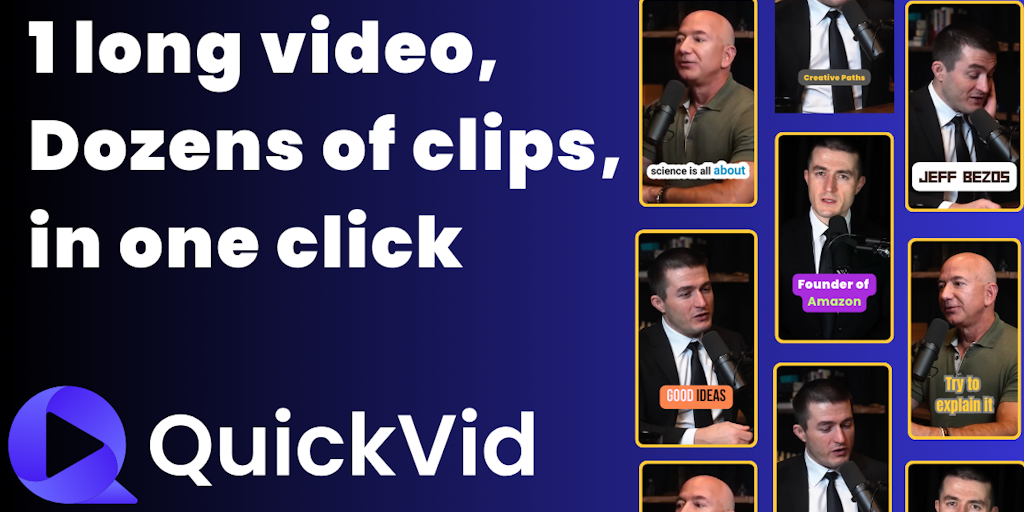
What is QuickVid Autopilot
QuickVid Autopilot is an AI-powered tool designed for content creators who want to automate their short video creation process and expand their reach on YouTube. It analyzes your existing content and automatically creates short videos that are optimized for the YouTube Shorts format. This means you can repurpose your long-form content, like blog posts or videos, to reach a wider audience on YouTube. The tool also handles scheduling and posting, making it easy to maintain a consistent presence on the platform. QuickVid Autopilot uses advanced AI algorithms to analyze your content and generate engaging shorts that are tailored to your target audience. It also integrates with your existing YouTube account, making it simple to manage your content and track your results.
Core Features of QuickVid Autopilot
Automatically Repurpose Content into Shorts
QuickVid Autopilot can automatically repurpose your content into short-form videos that are ideal for platforms like YouTube Shorts.
Post Directly to YouTube
The tool will post these videos to your YouTube channel, saving you time and effort.
Promote Your Content
QuickVid Autopilot also includes features that can help you promote your videos, such as creating custom thumbnails and writing engaging descriptions.
FAQs of QuickVid Autopilot
What is QuickVid Autopilot?
QuickVid Autopilot is a tool that automatically turns your long-form content into short, engaging videos for YouTube Shorts. You can upload a video or audio file, and QuickVid Autopilot will create multiple Shorts that are optimized for engagement. You can also use QuickVid Autopilot to automatically post these Shorts to your YouTube channel, so you can save time and grow your audience.
How does QuickVid Autopilot work?
You can use QuickVid Autopilot to automatically generate Shorts from any kind of video content, such as a webinar, a podcast, or a long-form video on YouTube. QuickVid Autopilot will analyze your video and identify the most engaging clips. You can then add your own text, music, and effects to customize your Shorts. Once you are satisfied with the Shorts, you can schedule them to be posted to your YouTube channel.
What are the benefits of using QuickVid Autopilot?
QuickVid Autopilot can help you save time and effort by automating the process of creating and posting Shorts. This allows you to focus on other aspects of your business, such as creating new content or growing your audience. In addition, QuickVid Autopilot can help you reach a wider audience by making your content more discoverable on YouTube. Shorts are a great way to engage new viewers and promote your longer-form content.
How much does QuickVid Autopilot cost?
There are a few different pricing plans for QuickVid Autopilot. You can check out their website for more information.
What are the best ways to use QuickVid Autopilot?
There are a lot of ways you can use QuickVid Autopilot to save time and create great content. For example, you can use it to create Shorts from your podcast episodes, webinars, or YouTube videos. You can also use it to create Shorts from your blog posts or articles.
QuickVid Autopilot Alternatives
Seedance 3.0 preview page: planned multi-shot continuity, scene editing and audio-visual sync for AI video, while the on-page generator runs Seedance 2.5.
Browser workspace for AI image generation, reference photo editing, and short video drafts, aimed at creators, marketers, and product teams.
Black Forest Labs' multimodal model with a web generator for text-to-video, image-to-video and image editing with native audio, for creators and marketers.
Wan API is an independent platform for Wan and Seedance video models. Compare specs and rates, generate clips in the Playground, or call them through one API.
Seedance 3.0 turns text, images, video clips, and audio into videos with sound, and edits one part of a clip without regenerating the rest.
Scribix is an AI video clipper that cuts podcasts and interviews into captioned vertical shorts, then publishes them to YouTube, TikTok and LinkedIn.
Wery is a virtual AI studio that routes one goal to specialist agents for video, images, music and documents, keeping characters and project assets consistent.

AI video and image studio with text-to-video, image-to-video and keyframe control across Seedance, Kling, Wan and Vidu — all on one credit balance.
Browser studio for AI video, image and music generation with Grok Imagine, Kling and GPT Image models. Free daily credits, no sign-up required.
SeaMove AI is an AI video and image generation platform offering Seedance 2.0 and Seedance 2.5 models for text-to-video, image-to-video, and reference-based creation. Features multi-shot continuity, director-level control, and audio-visual sync for creators and studios.
Turns two separate portraits into a 15-second vertical rap duet video on an orange stage with a shared microphone and the original soundtrack. Free 480P preview available.
Katto turns long videos and podcasts into scored, captioned 9:16 clips. It ranks clips by viral potential and exports them to 7 platforms from one place.