
PicMoss: Free AI Image Editor
| Added on: | Dec 7, 2024 |
| Monthly Visits: | -- |
| Social & Email: | -- |

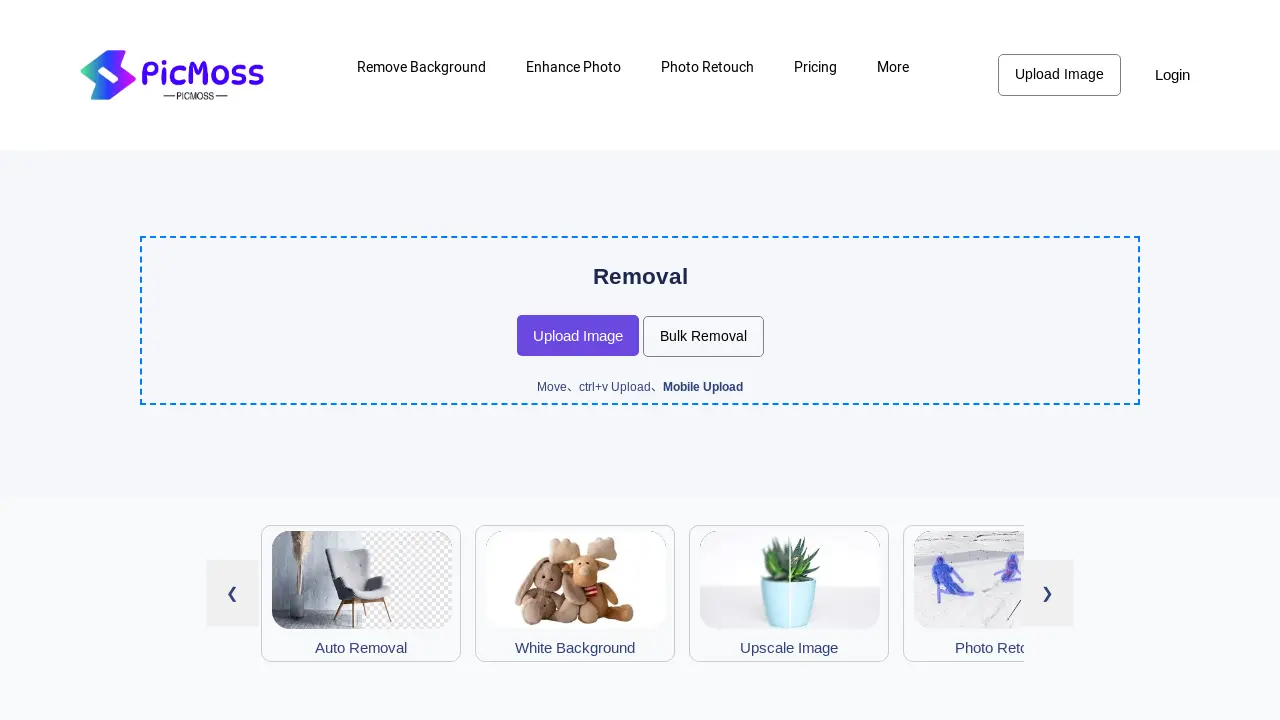
What is PicMoss
PicMoss offers a suite of AI-powered image editing tools. Features include background removal (automatic and manual options, including white background creation), image enhancement (upscaling and colorization), photo retouching, and ID photo generation. Additional functionalities encompass image compression, JPG conversion, and image-to-text conversion. PicMoss provides both free and paid options, catering to various user needs and image editing projects. The platform supports batch processing and offers various tools for image manipulation and restoration. Users can access PicMoss via web browser or mobile device.
How does PicMoss work
PicMoss provides online image editing tools, including background removal, image enhancement, and photo retouching services. The platform offers both automatic and manual options for background removal, supporting batch processing for increased efficiency. Additional AI-powered features include image upscaling, colorization, and old photo restoration. Further capabilities encompass image compression, JPG conversion, and optical character recognition (OCR) for converting images to text. These tools cater to users needing quick and easy image manipulation, accessible via web browser. PicMoss’s functionality combines automated AI tools with manual adjustments for precise image editing, suitable for various applications such as ID photo creation.
Benefits of PicMoss
PicMoss offers a suite of AI-powered image editing tools, including background removal (auto and manual), photo retouching, and image upscaling. Users can enhance photos, colorize images, restore old photos, and create ID photos. Additional features include image compression, JPG conversion, and image-to-text functionality. PicMoss provides both free and paid options, catering to various needs and skill levels. This versatile platform simplifies image editing tasks with its user-friendly interface, making PicMoss a valuable tool for students and professionals alike.
Pros and Cons of PicMoss
Pros
- Offers diverse image tools.
- Includes free image editing.
- Provides AI-powered features.
Cons
- Website navigation unclear.
- Limited details on pricing.
- Context lacks user reviews.
Core Features of PicMoss
Background Removal
Offers automated and manual background removal from images, enhancing image quality and usability.
Image Upscaling
Improves image resolution, making low-resolution images clearer and more detailed for various applications.
Photo Retouching
Provides tools to enhance and improve image aesthetics, correcting imperfections and improving overall quality.
ID Photo Creation
Generates standardized ID photos, simplifying the process of creating compliant identification images.
Image Colorization
Adds color to black and white photos, restoring and enhancing old or faded images.
Image Restoration
Repairs damaged or deteriorated photos, recovering lost details and improving overall image quality.
Image Compression
Reduces image file sizes without significant quality loss, optimizing images for storage and sharing.
Image Format Conversion
Converts images between different formats (e.g., JPG), providing flexibility and compatibility across platforms.
Optical Character Recognition (OCR)
Extracts text from images, enabling easy digitalization and data extraction from scanned documents or images.
Use Cases of PicMoss
- E-commerce Businesses: PicMoss facilitates efficient background removal for product photos, streamlining online listings.
- Graphic Designers: PicMoss's image enhancement tools, including upscaling and photo retouching, improve design quality.
- Photographers: PicMoss offers AI-powered photo restoration and colorization for old or damaged images.
- Students: PicMoss provides convenient ID photo creation and image compression for academic documents.
- Social Media Managers: PicMoss simplifies image editing for social media posts, including background removal and upscaling.
FAQs of PicMoss
What is PicMoss?
PicMoss is a comprehensive online platform offering a suite of AI-powered image editing and enhancement tools. These tools allow users to perform various image manipulations, including background removal, photo retouching, upscaling, colorization, and more, all accessible through a user-friendly interface. The service caters to both individual users and those requiring bulk image processing capabilities.
What types of image editing tools does PicMoss offer?
PicMoss provides a wide array of image editing tools categorized into several functionalities. These include automatic background removal, manual human removal, white background creation, ID photo generation, image upscaling, photo colorization, old photo restoration, photo retouching, image compression, JPG conversion, and optical character recognition (OCR) for converting images to text. Specific tools and their capabilities are detailed on the PicMoss website.
How much does PicMoss cost?
PicMoss offers various pricing plans, details of which are available on their dedicated pricing page. The exact cost depends on the chosen plan and the features included. Some features may be free, while others require a paid subscription or individual purchases. Please visit the PicMoss pricing page for the most current pricing information.
What file formats does PicMoss support?
While specific supported file types are not explicitly listed on the provided website excerpt, PicMoss likely supports common image formats like JPG, PNG, and potentially others. It is advisable to check the PicMoss website’s help section or documentation for a comprehensive list of supported formats before uploading images.
How can I get support if I have problems using PicMoss?
The provided context does not specify formal support channels. However, the website mentions a FAQ section and resources; these may provide solutions to common issues. Further support options, such as contact email or a help desk, may be available on the main PicMoss website. Users should consult the site’s help section or contact information for assistance.
How to use PicMoss
- Begin by navigating to the PicMoss website (picmoss.com) and selecting the desired image editing tool, such as background removal or image upscaling. This depends on your specific needs.
- Upload your image using the provided interface; PicMoss supports various file formats and upload methods. Ensure your image meets the size and format requirements.
- Depending on the selected tool, adjust settings like opacity, brightness, and blur to fine-tune the image editing process. PicMoss provides intuitive controls for this.
- Once the image processing is complete, review the results and make any necessary adjustments before downloading your edited image. PicMoss allows for multiple revisions.
- Download your processed image in your preferred format. PicMoss offers various options, including high-resolution downloads for optimal quality. The download options are clearly visible after editing.
