
AI Image Translator
AI Image Translator preserves layout translating visuals

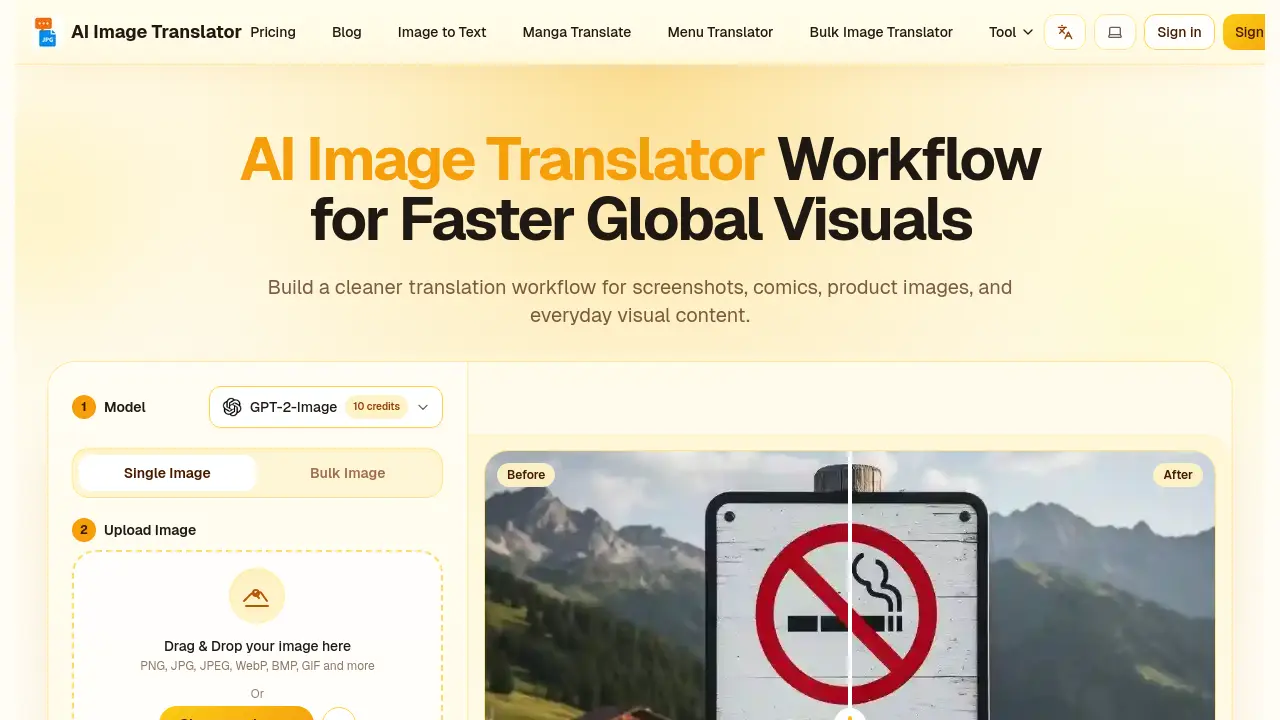
What is AI Image Translator
AI Image Translator is an online service that transforms text embedded in visual content into a target language while preserving original layout, font, and design. Users upload PNG, JPG, WebP, GIF, BMP or PDF files, select source and target languages (auto‑detect supported), and receive a translated image within seconds. The platform supports over 130 languages, offers single‑image and bulk processing modes, and automatically inpaints backgrounds to produce clean, professional results. Two model options let users prioritize translation accuracy or visual fidelity, making the tool suitable for marketers, e‑commerce managers, comic translators, and designers. Security is ensured through encrypted transfer and a strict no‑trace policy, while flexible pricing—including free daily credits and subscription plans—caters to occasional and high‑volume users alike.
How does AI Image Translator work
AI Image Translator processes visual content by first applying OCR to detect textual elements within supported formats (PNG, JPG, PDF, etc.). The extracted text is sent to a neural translation engine, which converts it into the chosen target language while preserving semantic context. A layout‑preserving module then erases the original characters, reconstructs the background using inpainting, and re‑renders the translated text with matching font, size, and color. Users can operate the system in single‑image or bulk mode, selecting source‑auto‑detect and target languages from a list of 130 + options, enabling rapid, consistent localization of screenshots, comics, product images, and menus.
Benefits of AI Image Translator
AI Image Translator streamlines visual localization by converting text in screenshots, product graphics, comics, and other images into over 100 target languages within seconds. The service preserves original fonts, colors, and layout, automatically erasing source text and reconstructing backgrounds for a professional look. Batch processing lets e‑commerce teams translate entire catalogs efficiently, while the AI‑driven engine ensures contextual accuracy and natural phrasing. Secure encryption and a strict no‑trace policy protect uploaded files, and a free tier provides 20 daily credits for low‑volume testing before upgrading to higher‑capacity plans.
Pros and Cons of AI Image Translator
Pros
- Instant translation of screenshots and graphics.
- Supports 130+ languages and multiple language fusion.
- Preserves original font, style, and layout.
- Batch processing handles large product catalogs.
- No watermark on free and paid plans.
Cons
- Free tier limited to 20 daily credits.
- Complex images may increase processing time up to one minute.
- Advanced models require subscription for full access.
- File size capped at 20 MB for premium plans.
- No offline desktop version available.
Core Features of AI Image Translator
Instant Image Translation
Processes uploaded visuals within seconds, delivering high‑quality translated images using AI‑driven OCR and neural translation, allowing rapid content localization.
Batch Image Processing
Handles multiple files simultaneously, enabling e‑commerce managers and marketers to translate entire product catalogs or visual collections with a single operation.
Layout Preservation & Inpainting
Reconstructs backgrounds after removing original text, matching font style, size, color, and spacing to maintain the visual integrity of the source design.
Multi‑Language Fusion
Detects and translates mixed‑language graphics in a single pass, producing a unified output that consolidates all textual elements into the target language.
130+ Language Support & Auto‑Detection
Provides automatic source‑language identification and translation into more than 130 languages, covering major and niche languages for global audience reach.
Model & Mode Selection
Offers selectable AI models optimized for translation accuracy or visual fidelity, and lets users choose single‑image or bulk‑translation modes tailored to specific workflow needs.
Use Cases of AI Image Translator
- E‑commerce managers: Localize product banners and packaging images across multiple storefronts using batch image translation.
- Graphic designers: Preserve original fonts and layout while translating promotional graphics through seamless inpainting.
- Comic translators: Convert manga panels to target languages, maintaining speech‑bubble styling and artwork integrity.
- Researchers: Extract and translate text from scanned diagrams or charts, enabling multilingual data analysis.
- Legal assistants: Translate contract screenshots and official documents, ensuring accurate terminology and secure data handling.
FAQs of AI Image Translator
What exactly is AI Image Translator?
AI Image Translator is an advanced online tool that translates text embedded in images into a target language. It goes beyond basic OCR by erasing the original text, reconstructing backgrounds, and preserving the original font, style, and layout. The service supports over 130 languages and works with common image formats such as PNG, JPG, JPEG, WebP, BMP, GIF, and PDF. It is intended for professional, academic, and personal use, enabling fast and accurate visual localization.
How do I get started with AI Image Translator?
To begin, users visit the AI Image Translator website, click the upload button, and select an image file. After the file is uploaded, they choose the source language (or enable auto‑detect) and the desired target language from the extensive list. The system then processes the image automatically; once completed, the translated image can be downloaded with a single click. No software installation or login is required for the free tier, making the workflow simple and accessible.
How fast and accurate are the translations?
Typical translations are completed in about 30 seconds for standard images, with more complex graphics taking up to one minute. The tool relies on a neural translation engine trained on large multilingual corpora, delivering natural, context‑aware output. It also matches the original font size, color, and spacing, ensuring visual consistency while maintaining high linguistic accuracy across professional terminology, idioms, and colloquial expressions.
Are there limits or costs for using AI Image Translator?
AI Image Translator offers a free plan that provides 20 daily credits (10 credits per image) and no watermark. Paid options include a one‑time 150‑credit pack for $3.99, a Pro subscription at $9.99 per month (5,000 credits), and a Premium subscription at $19.99 per month (12,000 credits). Higher‑tier plans grant larger file size allowances, priority processing, and batch translation capabilities. All pricing is transparent, with no hidden fees.
Is my image data secure?
Uploaded images are encrypted during transit and processed under a strict no‑trace policy: files are deleted immediately after translation and are never stored permanently. The service uses bank‑level encryption and regular security audits to protect data from unauthorized access. No user data is shared with third parties, and detailed processing rules are available in the privacy policy.
What if I am not satisfied or encounter a problem?
Customers can contact support through the website’s form; the support team operates 24/7 and typically replies within 1–2 hours. Subscribers may request a full refund within 10 days if usage is below 5 %. For translation quality concerns, users can submit feedback with the original image, receive a free re‑translation, and the team will adjust the model as needed.
How do I choose the right model for my translation?
AI Image Translator provides several AI models optimized for different priorities. The Aimslate model offers the highest translation accuracy, suited for academic or business documents. Models focused on layout preservation maintain visual fidelity, ideal for design‑heavy graphics, marketing materials, or comics. Users can test each model for free and select the one that best balances linguistic accuracy and visual quality for their specific use case.
How to use AI Image Translator
The AI Image Translator converts text within visual files into target languages, preserving layout, fonts, and background, while supporting single‑image and bulk processing for marketing, comics, and product visuals.
Users select the appropriate model and mode—high‑quality single‑image or efficient batch translation—aligning processing power with project scale and desired visual fidelity.
Images are uploaded via drag‑and‑drop or file chooser; supported formats include PNG, JPG, JPEG, WebP, BMP, GIF, and PDF, ensuring broad compatibility for any visual content.
After choosing source (auto‑detect) and target languages, the system runs AI‑powered OCR, translation, and inpainting, then displays before‑and‑after previews for rapid verification.
Results are downloaded with one click; users compare the translated output against the original layout, confirming accurate text, preserved design, and suitability for global audience deployment.
AI Image Translator Website Traffic Analysis
Latest traffic information
- Monthly Visits14.9K
- Bounce Rate40.74%
- Pages Per Visit1.73
- Visit Duration00:00:23
- Global Rank1.66M
- Country/Region Ranking1.04M
Top Keywords
| Keyword | Traffic | Volume | Cost Per Click |
|---|---|---|---|
| japanese image translate to english | 120 | 460 | $2.49 |
| переводчик азбука морзе по фото | 120 | -- | -- |
| морзе переводчик по фото | 110 | 320 | -- |
| japanese img to eng | 110 | 110 | -- |
| переводчик с фото | 100 | 1.75K | -- |
Top Regions
| Region | Percentage |
|---|---|
| United States | 34.73% |
| Russia | 17.07% |
| South Korea | 9.93% |
| Brazil | 8.05% |
| France | 7.42% |
AI Image Translator Alternatives
A browser collection of 13 free creative editors for photos, vector art, PDFs, documents, video, audio, and CAD, opening without an account or install.

An online AI photo editor that removes image backgrounds, erases people, objects and text, and upscales photos 4x. Preview every photo free before paying per image.
Meta Image: browser AI studio powered by Muse Image. Edit photos with prompts, remove backgrounds, restore old photos, generate new images.
Run private OSINT searches for email addresses, usernames, and images across public sources, then review cited matches and evidence-grounded AI summaries.
Free unlimited image to prompt generator. Upload any image and get a detailed, accurate AI prompt for Midjourney, Stable Diffusion, FLUX and more in seconds.
OmniEnhancer is an AI image enhancer and photo editor that improves photo quality, clarity, color, and resolution online, with free daily credits.
TranslateImage AI translates images to 70+ languages while preserving font, layout, and style. Free online AI image translator for photos and manga.
AI Clothes Changer is an online tool that replaces the clothing in a person photo using either a reference image or a text description.
AI Gazou offers free AI-powered image upscaling to enhance photos, product images, and illustrations. Upscale 2x or 4x with natural detail preservation.
PixMira AI is a free AI photo editor and image generator. Use text prompts for precise edits, style changes, and high-quality results in seconds.
AI Gazou removes image backgrounds for free using AI. Upload photos, products, or logos to get transparent PNGs with clean edges and customizable margins.
Omoggle offers private AI makeup analysis and 1v1 look comparisons focused on technique, finish, and theme fit.